Send a personalized WhatsApp morning brief with GPT-4o, Google and WATI

Workflow preview

Workflow preview
100%
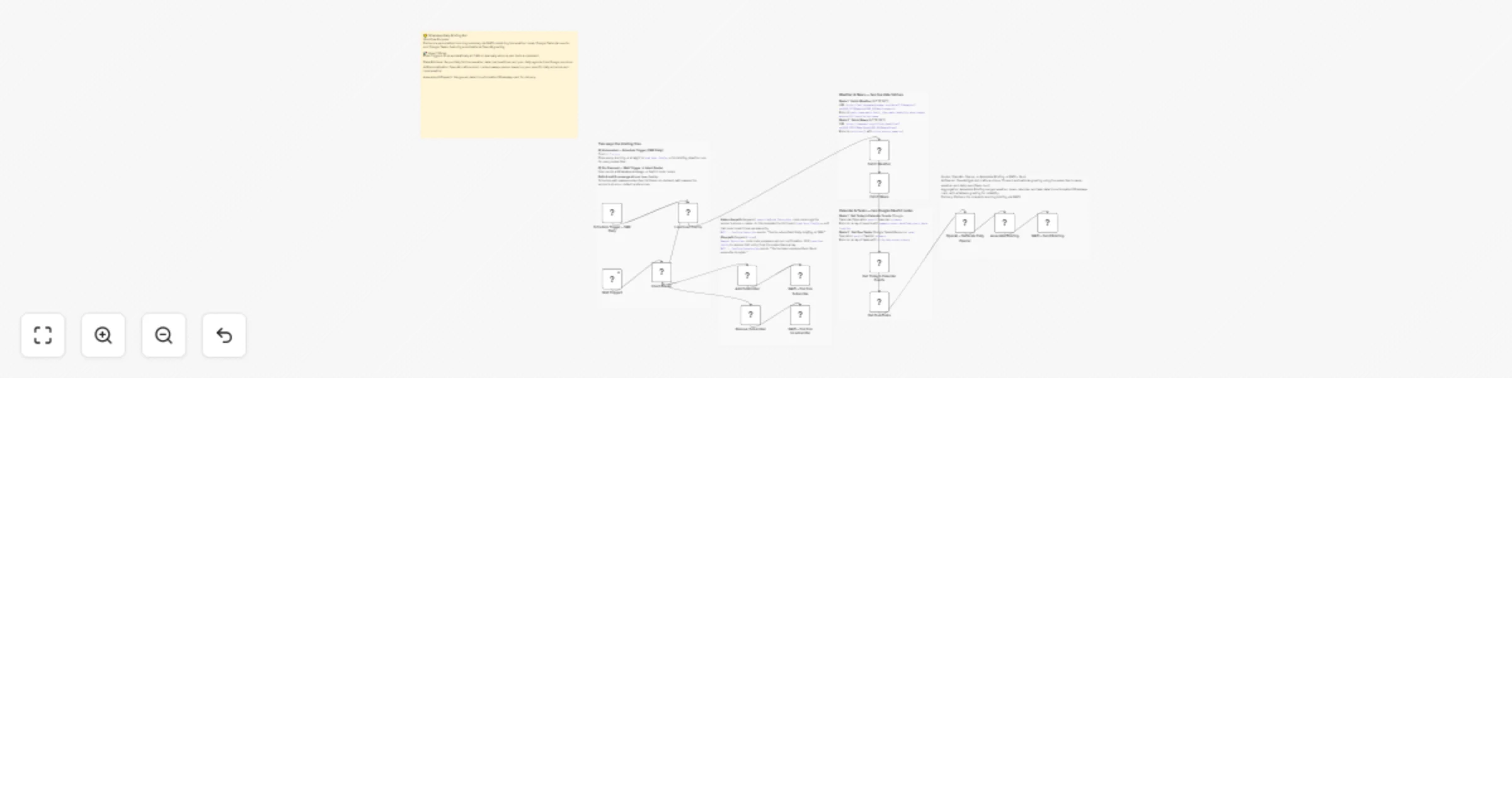
Send a personalized WhatsApp morning brief with GPT-4o, Google and WATI preview
Open on n8n.io

1. Workflow Overview

Transform your morning routine with an automated personal assistant that delivers everything you need to know directly to WhatsApp. This workflow aggregates live data from multiple sources and uses...

Best for

  • Personal Productivity automation workflows
  • AI Chatbot automation workflows
  • advanced n8n builders looking for reusable templates

Tools used

n8n-nodes-base.stickynote, n8n-nodes-base.scheduletrigger, n8n-nodes-base.switch, n8n-nodes-base.code, n8n-nodes-wati.wati, n8n-nodes-base.httprequest, n8n-nodes-base.googlecalendar, n8n-nodes-base.googletasks

Source and attribution

This workflow is cataloged by N8N Workflows and links back to its original n8n.io source page by Jitesh Dugar.

Original n8n.io source

1.1 Workflow description

Title
Send a personalized WhatsApp morning brief with GPT-4o, Google and WATI
Workflow name
Send a personalized WhatsApp morning brief with GPT-4o, Google and WATI

Transform your morning routine with an automated personal assistant that delivers everything you need to know directly to WhatsApp. This workflow aggregates live data from multiple sources and uses OpenAI to greet you with a context-aware, motivational message based on your specific day.


🎯 What This Workflow Does

This template creates a highly personalized "Daily Digest" that saves you from checking multiple apps every morning:

⚡ Dual Entry Points

The briefing can be automated to fire every morning at 7 AM via a Schedule Trigger, or it can be requested on-demand by texting the word brief to your WATI number.

🌤️ Real-time Environment Data

Fetches current weather conditions (temperature, humidity, and wind speed) for your specific city using the OpenWeatherMap API.

📰 Custom News Feed

Pulls the top 3 headlines based on your personal interests (e.g., technology, business) via NewsAPI.

📅 Agenda Integration

Syncs with Google Calendar and Google Tasks to list your upcoming meetings and high-priority to-do items for the day.

🤖 AI-Powered Greetings

OpenAI (GPT-4o) analyzes your weather and schedule to write a unique, 15-word opener that sets the tone for your day.


✨ Key Features

  • Self-Service Subscription: Users can join or leave the service themselves by texting subscribe or stop.
  • Subscriber-Specific Config: Supports multiple users, each with their own city and news interest preferences.
  • Intelligent Assembly: A central Code Node formats all data into a clean, emoji-rich WhatsApp card for easy reading.
  • Reliability Fallbacks: Designed with error-handling to ensure the briefing still sends even if one data source (like weather) is temporarily unavailable.

💼 Perfect For

  • Busy Professionals: Getting a snapshot of your day before your first coffee.
  • Remote Workers: Staying connected to global news and local weather.
  • Productivity Enthusiasts: Consolidating multiple task and calendar apps into one interface.
  • Community Groups: Providing a daily value-add service to WhatsApp group members.

🔧 What You'll Need

Required Integrations

  • WATI: For WhatsApp messaging and command triggers.
  • Google OAuth2: For Calendar and Tasks access.
  • OpenAI API: For generating the daily personalized opener.

Configuration Steps

  1. API Keys: Obtain free keys for OpenWeatherMap and NewsAPI.
  2. Subscriber List: Update the Load User Config node with your phone number and city.
  3. Credentials: Connect your Google and OpenAI accounts in n8n.

Ready to wake up to a better morning? Import this template and connect your accounts to start receiving your daily briefings!

1.2 Logical Blocks

This catalog entry is organized from the workflow JSON. The node-level section below shows the executable blocks available for review before importing the template.

2. Block-by-Block Analysis

Block 1 - 📋 WORKFLOW OVERVIEW

Type / Role
n8n-nodes-base.stickyNote - stickyNote
Config choices
Version 1

Block 2 - ① ENTRY POINTS · Schedule Trigger · Wati Trigger · Intent Router

Type / Role
n8n-nodes-base.stickyNote - stickyNote
Config choices
Version 1

Block 3 - ③ FETCH WEATHER · FETCH NEWS · Two HTTP GET nodes

Type / Role
n8n-nodes-base.stickyNote - stickyNote
Config choices
Version 1

Block 4 - ④ GET CALENDAR EVENTS · GET DUE TASKS · Google Calendar + Google Tasks

Type / Role
n8n-nodes-base.stickyNote - stickyNote
Config choices
Version 1

Block 5 - ⑤ OPENAI – GENERATE DAILY OPENER · HTTP POST

Type / Role
n8n-nodes-base.stickyNote - stickyNote
Config choices
Version 1

Block 6 - ⑦ SUBSCRIBE / STOP / HELP · Code + WATI send nodes

Type / Role
n8n-nodes-base.stickyNote - stickyNote
Config choices
Version 1

Block 7 - Schedule Trigger – 7AM Daily

Type / Role
n8n-nodes-base.scheduleTrigger - scheduleTrigger
Config choices
Version 1.2

Block 8 - Intent Router

Type / Role
n8n-nodes-base.switch - switch
Config choices
Version 3

Block 9 - Add Subscriber

Type / Role
n8n-nodes-base.code - code
Config choices
Version 2

Block 10 - WATI – Confirm Subscribe

Type / Role
n8n-nodes-wati.wati - wati
Config choices
Version 1

Block 11 - Remove Subscriber

Type / Role
n8n-nodes-base.code - code
Config choices
Version 2

Block 12 - WATI – Confirm Unsubscribe

Type / Role
n8n-nodes-wati.wati - wati
Config choices
Version 1

Block 13 - Load User Config

Type / Role
n8n-nodes-base.code - code
Config choices
Version 2

Block 14 - Fetch Weather

Type / Role
n8n-nodes-base.httpRequest - httpRequest
Config choices
Version 4.2

Block 15 - Fetch News

Type / Role
n8n-nodes-base.httpRequest - httpRequest
Config choices
Version 4.2

Block 16 - Get Today’s Calendar Events

Type / Role
n8n-nodes-base.googleCalendar - googleCalendar
Config choices
Version 1.2

Block 17 - Get Due Tasks

Type / Role
n8n-nodes-base.googleTasks - googleTasks
Config choices
Version 1

Block 18 - OpenAI – Generate Daily Opener

Type / Role
n8n-nodes-base.httpRequest - httpRequest
Config choices
Version 4.2

Block 19 - Assemble Briefing

Type / Role
n8n-nodes-base.code - code
Config choices
Version 2

Block 20 - WATI – Send Briefing

Type / Role
n8n-nodes-wati.wati - wati
Config choices
Version 1

Block 21 - Wati Trigger1

Type / Role
n8n-nodes-wati.watiTrigger - watiTrigger
Config choices
Version 1

3. Summary Table

Workflow Send a personalized WhatsApp morning brief with GPT-4o, Google and WATI
Complexity advanced
Nodes 21
Categories Personal Productivity, AI Chatbot
Author Jitesh Dugar
Published 26 Feb 2026

4. Reproducing the Workflow from Scratch

  1. 1. Download the workflow JSON

    Use the JSON export at /data/workflows/13731/13731.json as the source template for this automation.

  2. 2. Import the template into n8n

    Open n8n, import the downloaded JSON, and review each node before activating the workflow.

  3. 3. Configure credentials and variables

    Replace placeholder credentials, API keys, webhook URLs, account IDs, and environment-specific values with your own settings.

  4. 4. Test with sample data

    Run the workflow manually or in a staging workspace, inspect node output, and confirm downstream systems receive the expected data.

  5. 5. Activate and monitor

    Enable the workflow only after testing, then monitor executions, errors, and rate limits during the first production runs.

5. General Notes & Resources

Review imported nodes carefully before activation. This catalog entry is intended to help you inspect the workflow structure, understand required services, and find related templates faster.

Node names, credentials, schedules, webhook paths, and external service limits may need adjustment for your workspace.

Frequently asked questions

What does Send a personalized WhatsApp morning brief with GPT-4o, Google and WATI do?

Transform your morning routine with an automated personal assistant that delivers everything you need to know directly to WhatsApp. This workflow aggregates live data from multiple sources and uses...

What do I need before importing this workflow?

Review the workflow JSON, configure any required credentials in n8n, and test the automation in a safe workspace before using it in production.

Can I customize this workflow?

Yes. Use the block-by-block analysis and the downloadable JSON to inspect each node, then adjust credentials, prompts, schedules, filters, or destinations for your Personal Productivity, AI Chatbot use case.