Repurpose YouTube videos to multiple content types with OpenRouter AI and Airtable

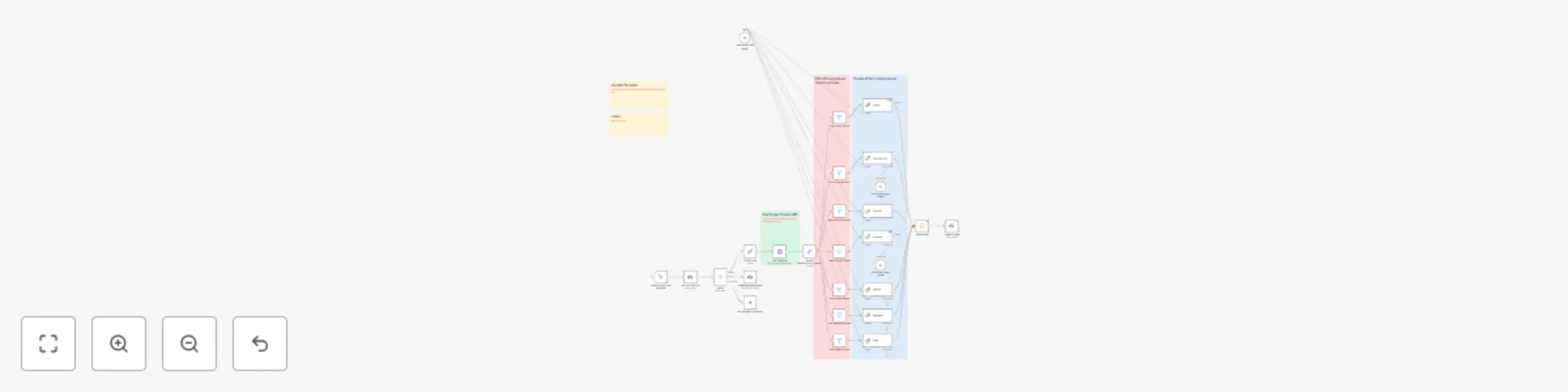
Workflow preview

Workflow preview
100%
Repurpose YouTube videos to multiple content types with OpenRouter AI and Airtable preview
Open on n8n.io

Important notice

This workflow is provided as-is. Please review and test before using in production.

1. Workflow Overview

YouTube Content Repurposing Automation Who's it for This workflow is for content creators, marketers, agencies, coaches, and businesses who want to maximize their YouTube content ROI by automatical...

Best for

  • Content Creation automation workflows
  • Multimodal AI automation workflows
  • advanced n8n builders looking for reusable templates

Tools used

n8n-nodes-base.manualtrigger, @n8n/n8n-nodes-langchain.outputparserstructured, @n8n/n8n-nodes-langchain.chainllm, @n8n/n8n-nodes-langchain.lmchatopenrouter, n8n-nodes-base.switch, n8n-nodes-base.filter, n8n-nodes-base.stickynote, n8n-nodes-base.httprequest

Source and attribution

This workflow is cataloged by N8N Workflows and links back to its original n8n.io source page by Alexandra Spalato.

Original n8n.io source

1.1 Workflow description

Title
Repurpose YouTube videos to multiple content types with OpenRouter AI and Airtable
Workflow name
Repurpose YouTube videos to multiple content types with OpenRouter AI and Airtable

YouTube Content Repurposing Automation

Who's it for

This workflow is for content creators, marketers, agencies, coaches, and businesses who want to maximize their YouTube content ROI by automatically generating multiple content assets from single videos. It's especially useful for professionals who want to:

  • Repurpose YouTube videos into blogs, social posts, newsletters, and tutorials without manual effort
  • Scale their content production across multiple channels and platforms
  • Create consistent, high-quality content derivatives while saving time and resources
  • Build automated content systems that generate multiple revenue streams
  • Maintain active presence across social media, email, and blog platforms simultaneously

What problem is this workflow solving

Content creators face significant challenges when trying to maximize their video content:

Time-intensive manual repurposing: Converting one YouTube video into multiple content formats traditionally requires hours of manual writing, editing, and formatting across different platforms.

Inconsistent content quality: Manual repurposing often leads to varying quality levels and missed opportunities to optimize content for specific platforms.

High costs for content services: Hiring ghostwriters or content agencies to repurpose videos can cost thousands of dollars monthly.

Scaling bottlenecks: Manual processes prevent creators from efficiently scaling their content across multiple channels and formats.

This workflow solves these problems by automatically extracting YouTube video transcripts, using AI to generate multiple high-quality content formats (tutorials, blog posts, social media content, newsletters), and organizing everything in Airtable for easy management and distribution.

How it works

Automated Video Processing
Starts with a manual trigger and retrieves YouTube URLs from your Airtable configuration, processing only videos marked as "selected" while filtering out those marked for deletion.

Intelligent Transcript Extraction
Uses Scrape Creator API to extract video transcripts, automatically cleaning and formatting the text for optimal AI processing and content generation.

Multi-Format Content Generation
Leverages OpenRouter models, o you can easily test different AI models and choose the one that delivers the best results for your needs:

  • Step-by-step tutorials with code snippets and technical details
  • YouTube scripts with hooks, titles, and conclusions
  • Blog posts optimized for lead generation
  • Structured summaries with key takeaways
  • LinkedIn posts with engagement triggers
  • Newsletter content for email marketing
  • Twitter/X posts for social media

Smart Content Filtering
Processes only the content types you've selected in Airtable, ensuring efficient resource usage and faster execution times.

Automated Content Organization
Matches and combines all generated content pieces by URL, then updates your Airtable with complete, ready-to-use content assets organized by type and source video.

How to set up

Required credentials

  • OpenRouter API key
  • Airtable Personal Access Token
  • [Scrape Creators API Key](Scrape Creator API key) - For YouTube transcript extraction and processing

Airtable base setup

Create an Airtable base with one main table:

Videos Table:

  • title (Single line text): Video title for reference
  • url (URL): YouTube video URL to process
  • Status (Single select): Options: "selected", "delete", "processed"
  • output (Multiple select): Content types to generate
    • summary
    • tutorial
    • blog-post
    • linkedin
    • newsletter
    • tweeter
    • youtube
  • summary (Long text): Generated video summary
  • tutorial (Long text): Generated step-by-step tutorial
  • key_take_aways (Long text): Extracted key insights
  • blog_post (Long text): Generated blog post content
  • linkedin (Long text): LinkedIn post content
  • newsletter (Long text): Email newsletter content
  • tweeter (Long text): Twitter/X post content
  • youtube_titles (Long text): YouTube video title suggestions
  • youtube_hook (Long text): Video opening hooks
  • youtube_steps (Long text): Video step breakdowns
  • youtube_conclusion (Long text): Video ending/CTAs

API Configuration

Scrape Creator Setup:

  1. Sign up for Scrape Creator API
  2. Obtain your API key from the dashboard
  3. Configure the HTTP Request node with your credentials
  4. Set the endpoint to: https://api.scrapecreators.com/v1/youtube/video/transcript

OpenAI Setup:

  1. Create an OpenRouter account and generate an API key

Workflow Configuration

  1. Import the workflow JSON into your n8n instance
  2. Update all credential references with your API keys
  3. Configure the Airtable nodes with your base and table IDs
  4. Test the workflow with a single video URL first

Requirements

  • n8n instance (self-hosted or cloud)
  • Active API subscriptions for OpenRouter (or the LLM or your choice), Airtable, and Scrape Creator
  • YouTube video URLs - Must be publicly accessible videos with available transcripts
  • Airtable account - Free tier sufficient for most use cases

How to customize the workflow

Modify content generation prompts

Edit the LLM Chain nodes to customize content style and format:

  • Tutorial node: Adjust technical depth and formatting preferences
  • Blog post node: Modify tone, length, and CTA strategies
  • LinkedIn node: Customize engagement hooks and professional tone
  • Newsletter node: Tailor subject lines and email marketing approach

Adjust AI model selection

Update the OpenRouter Chat Model to use different models

Add new content formats

Create additional LLM Chain nodes for new content types:

  • Instagram captions
  • TikTok scripts
  • Podcast descriptions
  • Course outlines

1.2 Logical Blocks

This catalog entry is organized from the workflow JSON. The node-level section below shows the executable blocks available for review before importing the template.

2. Block-by-Block Analysis

Block 1 - When clicking ‘Test workflow’

Type / Role
n8n-nodes-base.manualTrigger - manualTrigger
Config choices
Version 1

Block 2 - Structured Output Parser

Type / Role
@n8n/n8n-nodes-langchain.outputParserStructured - outputParserStructured
Config choices
Version 1.2

Block 3 - Summary

Type / Role
@n8n/n8n-nodes-langchain.chainLlm - chainLlm
Config choices
Version 1.5

Block 4 - tutorial

Type / Role
@n8n/n8n-nodes-langchain.chainLlm - chainLlm
Config choices
Version 1.5

Block 5 - blogpost

Type / Role
@n8n/n8n-nodes-langchain.chainLlm - chainLlm
Config choices
Version 1.6

Block 6 - youtube script

Type / Role
@n8n/n8n-nodes-langchain.chainLlm - chainLlm
Config choices
Version 1.6

Block 7 - Structured Output Parser1

Type / Role
@n8n/n8n-nodes-langchain.outputParserStructured - outputParserStructured
Config choices
Version 1.2

Block 8 - linkedin

Type / Role
@n8n/n8n-nodes-langchain.chainLlm - chainLlm
Config choices
Version 1.6

Block 9 - newsletter

Type / Role
@n8n/n8n-nodes-langchain.chainLlm - chainLlm
Config choices
Version 1.6

Block 10 - tweet

Type / Role
@n8n/n8n-nodes-langchain.chainLlm - chainLlm
Config choices
Version 1.6

Block 11 - OpenRouter Chat Model

Type / Role
@n8n/n8n-nodes-langchain.lmChatOpenRouter - lmChatOpenRouter
Config choices
Version 1

Block 12 - Switch

Type / Role
n8n-nodes-base.switch - switch
Config choices
Version 3.2

Block 13 - filter tutorial output

Type / Role
n8n-nodes-base.filter - filter
Config choices
Version 2.2

Block 14 - Filter youtube output

Type / Role
n8n-nodes-base.filter - filter
Config choices
Version 2.2

Block 15 - Filter blog post output

Type / Role
n8n-nodes-base.filter - filter
Config choices
Version 2.2

Block 16 - Filter summary output

Type / Role
n8n-nodes-base.filter - filter
Config choices
Version 2.2

Block 17 - Filter linkedin output

Type / Role
n8n-nodes-base.filter - filter
Config choices
Version 2.2

Block 18 - Filter newsletter output

Type / Role
n8n-nodes-base.filter - filter
Config choices
Version 2.2

Block 19 - Filter tweeter output

Type / Role
n8n-nodes-base.filter - filter
Config choices
Version 2.2

Block 20 - Sticky Note

Type / Role
n8n-nodes-base.stickyNote - stickyNote
Config choices
Version 1

Block 21 - Sticky Note1

Type / Role
n8n-nodes-base.stickyNote - stickyNote
Config choices
Version 1

Block 22 - Sticky Note2

Type / Role
n8n-nodes-base.stickyNote - stickyNote
Config choices
Version 1

Block 23 - Get Transcript

Type / Role
n8n-nodes-base.httpRequest - httpRequest
Config choices
Version 4.2

Block 24 - Get YouTube URLs

Type / Role
n8n-nodes-base.airtable - airtable
Config choices
Version 2.1

Showing the first 24 of 32 workflow blocks. Download the JSON for the full node graph.

3. Summary Table

Workflow Repurpose YouTube videos to multiple content types with OpenRouter AI and Airtable
Complexity advanced
Nodes 32
Categories Content Creation, Multimodal AI
Author Alexandra Spalato
Published 02 Aug 2025

4. Reproducing the Workflow from Scratch

  1. 1. Download the workflow JSON

    Use the JSON export at /data/workflows/6899/6899.json as the source template for this automation.

  2. 2. Import the template into n8n

    Open n8n, import the downloaded JSON, and review each node before activating the workflow.

  3. 3. Configure credentials and variables

    Replace placeholder credentials, API keys, webhook URLs, account IDs, and environment-specific values with your own settings.

  4. 4. Test with sample data

    Run the workflow manually or in a staging workspace, inspect node output, and confirm downstream systems receive the expected data.

  5. 5. Activate and monitor

    Enable the workflow only after testing, then monitor executions, errors, and rate limits during the first production runs.

5. General Notes & Resources

Review imported nodes carefully before activation. This catalog entry is intended to help you inspect the workflow structure, understand required services, and find related templates faster.

Node names, credentials, schedules, webhook paths, and external service limits may need adjustment for your workspace.

Frequently asked questions

What does Repurpose YouTube videos to multiple content types with OpenRouter AI and Airtable do?

YouTube Content Repurposing Automation Who's it for This workflow is for content creators, marketers, agencies, coaches, and businesses who want to maximize their YouTube content ROI by automatical...

What do I need before importing this workflow?

Review the workflow JSON, configure any required credentials in n8n, and test the automation in a safe workspace before using it in production.

Can I customize this workflow?

Yes. Use the block-by-block analysis and the downloadable JSON to inspect each node, then adjust credentials, prompts, schedules, filters, or destinations for your Content Creation, Multimodal AI use case.