Block 1 - When clicking ‘Execute workflow’
- Type / Role
- n8n-nodes-base.manualTrigger - manualTrigger
- Config choices
- Version 1


 Early Deal
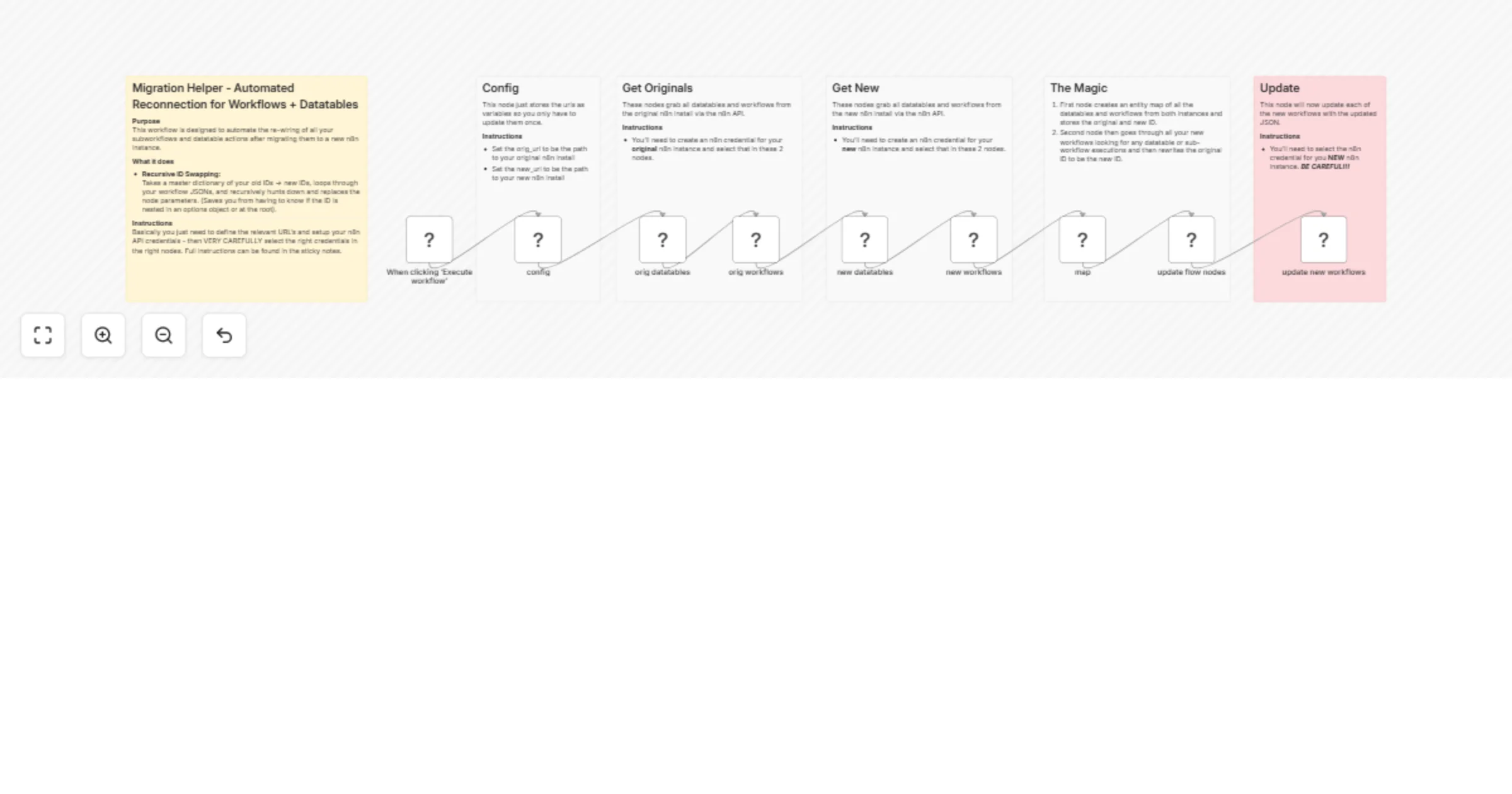
Purpose This workflow is designed to automate the re wiring of all your subworkflows and datatable actions after migrating them to a new n8n instance. What it does Recursive ID Swapping : Takes a m...
n8n-nodes-base.manualtrigger, n8n-nodes-base.httprequest, n8n-nodes-base.code, n8n-nodes-base.n8n, n8n-nodes-base.stickynote
This workflow is cataloged by N8N Workflows and links back to its original n8n.io source page by Joe.
Original n8n.io sourcePurpose This workflow is designed to automate the re-wiring of all your subworkflows and datatable actions after migrating them to a new n8n instance.
What it does
Recursive ID Swapping: Takes a master dictionary of your old IDs -> new IDs, loops through your workflow JSONs, and recursively hunts down and replaces the node parameters. (Saves you from having to know if the ID is nested in an options object or at the root).
Bypasses the strict API schema: If you've ever tried to push an updated workflow back to n8n via the API and hit the dreaded request/body/settings must NOT have additional properties error, this script fixes that. It strips out the legacy settings, id, and createdAt properties before sending the PUT request, so the new instance accepts the payload cleanly.
Fixes the stringification bug: Wraps the payload properly so you don't accidentally send [object Object] to the API.
Instructions Basically you just need to define the relevant URL's and setup your n8n API credentials - then VERY CAREFULLY select the right credentials in the right nodes. Full instructions can be found in the sticky notes.
This catalog entry is organized from the workflow JSON. The node-level section below shows the executable blocks available for review before importing the template.
| Workflow | Reconnect migrated workflows and datatables between n8n instances |
|---|---|
| Complexity | advanced |
| Nodes | 15 |
| Categories | DevOps |
| Author | Joe |
| Published | 21 Mar 2026 |
Use the JSON export at /data/workflows/14218/14218.json as the source template for this automation.
Open n8n, import the downloaded JSON, and review each node before activating the workflow.
Replace placeholder credentials, API keys, webhook URLs, account IDs, and environment-specific values with your own settings.
Run the workflow manually or in a staging workspace, inspect node output, and confirm downstream systems receive the expected data.
Enable the workflow only after testing, then monitor executions, errors, and rate limits during the first production runs.
Review imported nodes carefully before activation. This catalog entry is intended to help you inspect the workflow structure, understand required services, and find related templates faster.
Node names, credentials, schedules, webhook paths, and external service limits may need adjustment for your workspace.
Purpose This workflow is designed to automate the re wiring of all your subworkflows and datatable actions after migrating them to a new n8n instance. What it does Recursive ID Swapping : Takes a m...
Review the workflow JSON, configure any required credentials in n8n, and test the automation in a safe workspace before using it in production.
Yes. Use the block-by-block analysis and the downloadable JSON to inspect each node, then adjust credentials, prompts, schedules, filters, or destinations for your DevOps use case.