Recipe recommendations with Qdrant and Mistral

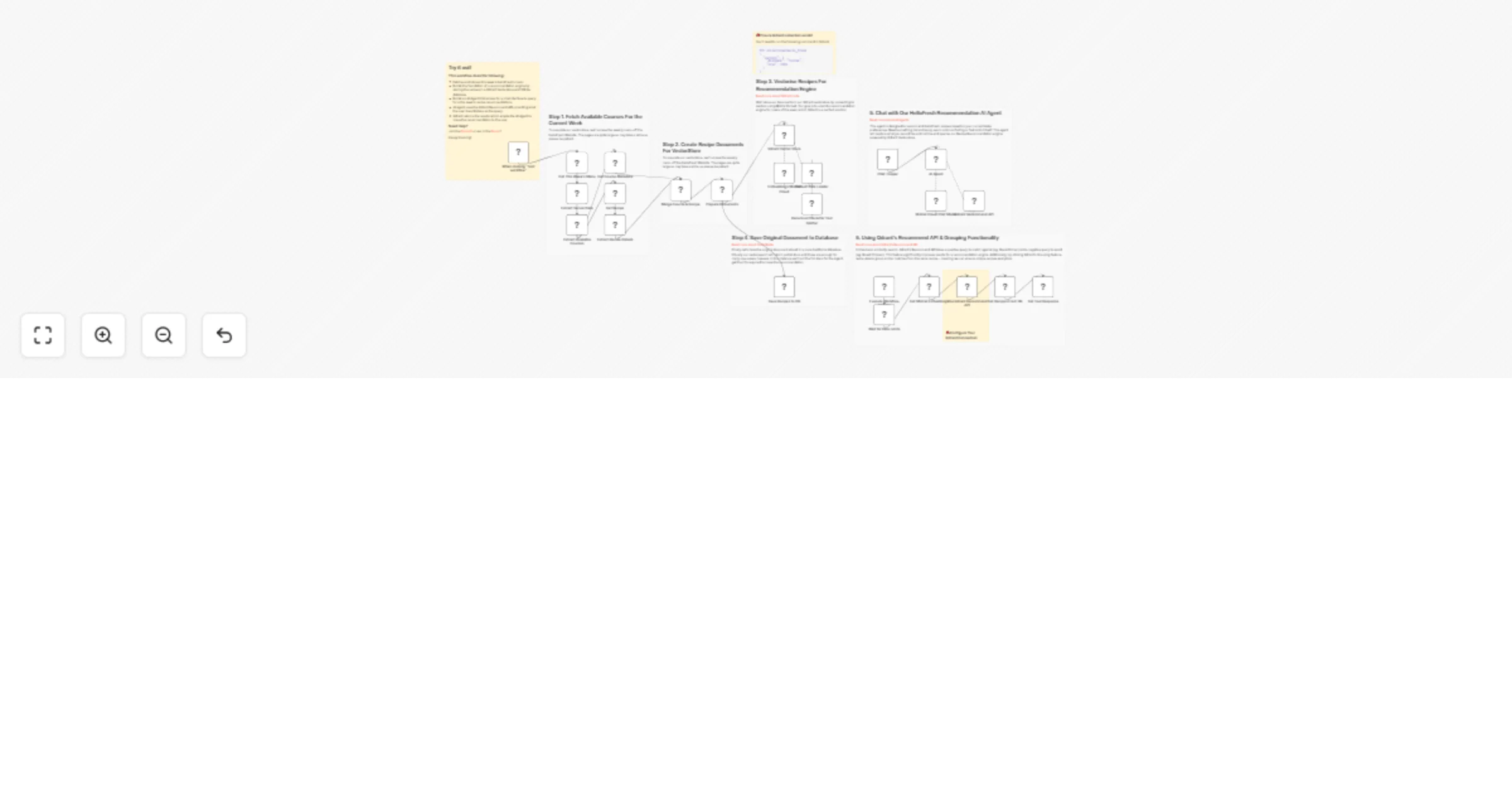
Workflow preview

Workflow preview
100%
Recipe recommendations with Qdrant and Mistral preview
Open on n8n.io

Important notice

This workflow is provided as-is. Please review and test before using in production.

1. Workflow Overview

This n8n workflow demonstrates creating a recipe recommendation chatbot using the Qdrant vector store recommendation API. Use this example to build recommendation features in your AI Agents for you...

Best for

  • Miscellaneous automation workflows
  • AI RAG automation workflows
  • advanced n8n builders looking for reusable templates

Tools used

n8n-nodes-base.manualtrigger, n8n-nodes-base.httprequest, n8n-nodes-base.code, n8n-nodes-base.html, n8n-nodes-base.set, @n8n/n8n-nodes-langchain.embeddingsmistralcloud, @n8n/n8n-nodes-langchain.documentdefaultdataloader, n8n-nodes-base.merge

Source and attribution

This workflow is cataloged by N8N Workflows and links back to its original n8n.io source page by Jimleuk.

Original n8n.io source

1.1 Workflow description

Title
Recipe recommendations with Qdrant and Mistral
Workflow name
Recipe recommendations with Qdrant and Mistral

This n8n workflow demonstrates creating a recipe recommendation chatbot using the Qdrant vector store recommendation API.

Use this example to build recommendation features in your AI Agents for your users.

How it works

  • For our recipes, we'll use HelloFresh's weekly course and recipes for data. We'll scrape the website for this data.
  • Each recipe is split, vectorised and inserted into a Qdrant Collection using Mistral Embeddings
  • Additionally the whole recipe is stored in a SQLite database for later retrieval.
  • Our AI Agent is setup to recommend recipes from our Qdrant vector store. However, instead of the default similarity search, we'll use the Recommendation API instead.
  • Qdrant's Recommendation API allows you to provide a negative prompt; in our case, the user can specify recipes or ingredients to avoid.
  • The AI Agent is now able to suggest a recipe recommendation better suited for the user and increase customer satisfaction.

Requirements

  • Qdrant vector store instance to save the recipes
  • Mistral.ai account for embeddings and LLM agent

Customising the workflow

This workflow can work for a variety of different audiences. Try different sets of data such as clothes, sports shoes, vehicles or even holidays.

1.2 Logical Blocks

This catalog entry is organized from the workflow JSON. The node-level section below shows the executable blocks available for review before importing the template.

2. Block-by-Block Analysis

Block 1 - When clicking "Test workflow"

Type / Role
n8n-nodes-base.manualTrigger - manualTrigger
Config choices
Version 1

Block 2 - Get This Week's Menu

Type / Role
n8n-nodes-base.httpRequest - httpRequest
Config choices
Version 4.2

Block 3 - Extract Available Courses

Type / Role
n8n-nodes-base.code - code
Config choices
Version 2

Block 4 - Extract Server Data

Type / Role
n8n-nodes-base.html - html
Config choices
Version 1.2

Block 5 - Get Course Metadata

Type / Role
n8n-nodes-base.set - set
Config choices
Version 3.3

Block 6 - Get Recipe

Type / Role
n8n-nodes-base.httpRequest - httpRequest
Config choices
Version 4.2

Block 7 - Embeddings Mistral Cloud

Type / Role
@n8n/n8n-nodes-langchain.embeddingsMistralCloud - embeddingsMistralCloud
Config choices
Version 1

Block 8 - Default Data Loader

Type / Role
@n8n/n8n-nodes-langchain.documentDefaultDataLoader - documentDefaultDataLoader
Config choices
Version 1

Block 9 - Merge Course & Recipe

Type / Role
n8n-nodes-base.merge - merge
Config choices
Version 2.1

Block 10 - Prepare Documents

Type / Role
n8n-nodes-base.set - set
Config choices
Version 3.3

Block 11 - Recursive Character Text Splitter

Type / Role
@n8n/n8n-nodes-langchain.textSplitterRecursiveCharacterTextSplitter - textSplitterRecursiveCharacterTextSplitter
Config choices
Version 1

Block 12 - Chat Trigger

Type / Role
@n8n/n8n-nodes-langchain.chatTrigger - chatTrigger
Config choices
Version 1

Block 13 - Extract Recipe Details

Type / Role
n8n-nodes-base.html - html
Config choices
Version 1.2

Block 14 - Qdrant Recommend API

Type / Role
@n8n/n8n-nodes-langchain.toolWorkflow - toolWorkflow
Config choices
Version 1.1

Block 15 - Execute Workflow Trigger

Type / Role
n8n-nodes-base.executeWorkflowTrigger - executeWorkflowTrigger
Config choices
Version 1

Block 16 - Mistral Cloud Chat Model

Type / Role
@n8n/n8n-nodes-langchain.lmChatMistralCloud - lmChatMistralCloud
Config choices
Version 1

Block 17 - Get Tool Response

Type / Role
n8n-nodes-base.set - set
Config choices
Version 3.3

Block 18 - Wait for Rate Limits

Type / Role
n8n-nodes-base.wait - wait
Config choices
Version 1.1

Block 19 - Get Mistral Embeddings

Type / Role
n8n-nodes-base.httpRequest - httpRequest
Config choices
Version 4.2

Block 20 - Use Qdrant Recommend API

Type / Role
n8n-nodes-base.httpRequest - httpRequest
Config choices
Version 4.2

Block 21 - Get Recipes From DB

Type / Role
n8n-nodes-base.code - code
Config choices
Version 2

Block 22 - Save Recipes to DB

Type / Role
n8n-nodes-base.code - code
Config choices
Version 2

Block 23 - Sticky Note

Type / Role
n8n-nodes-base.stickyNote - stickyNote
Config choices
Version 1

Block 24 - Sticky Note1

Type / Role
n8n-nodes-base.stickyNote - stickyNote
Config choices
Version 1

Showing the first 24 of 33 workflow blocks. Download the JSON for the full node graph.

3. Summary Table

Workflow Recipe recommendations with Qdrant and Mistral
Complexity advanced
Nodes 33
Categories Miscellaneous, AI RAG
Author Jimleuk
Published 10 Jul 2024

4. Reproducing the Workflow from Scratch

  1. 1. Download the workflow JSON

    Use the JSON export at /data/workflows/2333/2333.json as the source template for this automation.

  2. 2. Import the template into n8n

    Open n8n, import the downloaded JSON, and review each node before activating the workflow.

  3. 3. Configure credentials and variables

    Replace placeholder credentials, API keys, webhook URLs, account IDs, and environment-specific values with your own settings.

  4. 4. Test with sample data

    Run the workflow manually or in a staging workspace, inspect node output, and confirm downstream systems receive the expected data.

  5. 5. Activate and monitor

    Enable the workflow only after testing, then monitor executions, errors, and rate limits during the first production runs.

5. General Notes & Resources

Review imported nodes carefully before activation. This catalog entry is intended to help you inspect the workflow structure, understand required services, and find related templates faster.

Node names, credentials, schedules, webhook paths, and external service limits may need adjustment for your workspace.

Frequently asked questions

What does Recipe recommendations with Qdrant and Mistral do?

This n8n workflow demonstrates creating a recipe recommendation chatbot using the Qdrant vector store recommendation API. Use this example to build recommendation features in your AI Agents for you...

What do I need before importing this workflow?

Review the workflow JSON, configure any required credentials in n8n, and test the automation in a safe workspace before using it in production.

Can I customize this workflow?

Yes. Use the block-by-block analysis and the downloadable JSON to inspect each node, then adjust credentials, prompts, schedules, filters, or destinations for your Miscellaneous, AI RAG use case.