Block 1 - When clicking ‘Test workflow’
- Type / Role
- n8n-nodes-base.manualTrigger - manualTrigger
- Config choices
- Version 1


 Early Deal
This workflow is provided as-is. Please review and test before using in production.
Notice Community nodes can only be installed on self hosted instances of n8n. Who this is for Recipe Recommendation Engi...
n8n-nodes-base.manualtrigger, n8n-nodes-base.stickynote, n8n-nodes-mcp.mcpclient, n8n-nodes-base.set, @n8n/n8n-nodes-langchain.chainllm, n8n-nodes-base.splitinbatches, n8n-nodes-base.code, @n8n/n8n-nodes-langchain.outputparserstructured
This workflow is cataloged by N8N Workflows and links back to its original n8n.io source page by Ranjan Dailata.
Original n8n.io sourceCommunity nodes can only be installed on self-hosted instances of n8n.
Recipe Recommendation Engine with Bright Data MCP & OpenAI is a powerful automated workflow combines Bright Data's MCP for scraping trending or regional recipe data with OpenAI 4o mini to generate personalized recipe recommendations.
This automated workflow is designed for:
Food Bloggers & Culinary Creators : Who want to automate the extraction and curation of recipes from across the web to generate content, compile cookbooks, or publish newsletters.
Nutritionists & Health Coaches : Who need structured recipe data to analyze ingredients, calories, and nutrition for personalized meal planning or dietary tracking.
AI/ML Engineers & Data Scientists : Building models that classify cuisines, predict recipes from ingredients, or generate dynamic meal suggestions using clean, structured datasets.
Grocery & Meal Kit Platforms : Who aim to extract recipes to power recommendation engines, ingredient lists, or personalized meal plans.
Recipe Aggregator Startups : Looking to scale recipe data collection, filtering, and standardization across diverse cooking websites with minimal human intervention.
Developers Integrating Cooking Features : Into apps or digital assistants that offer recipe recommendations, step-by-step cooking instructions, or nutritional insights.
This workflow solves:
Automated recipe data extraction from any public URL
AI-driven structured data extraction
Scalable looped crawling and processing
Real-time notifications and data persistence
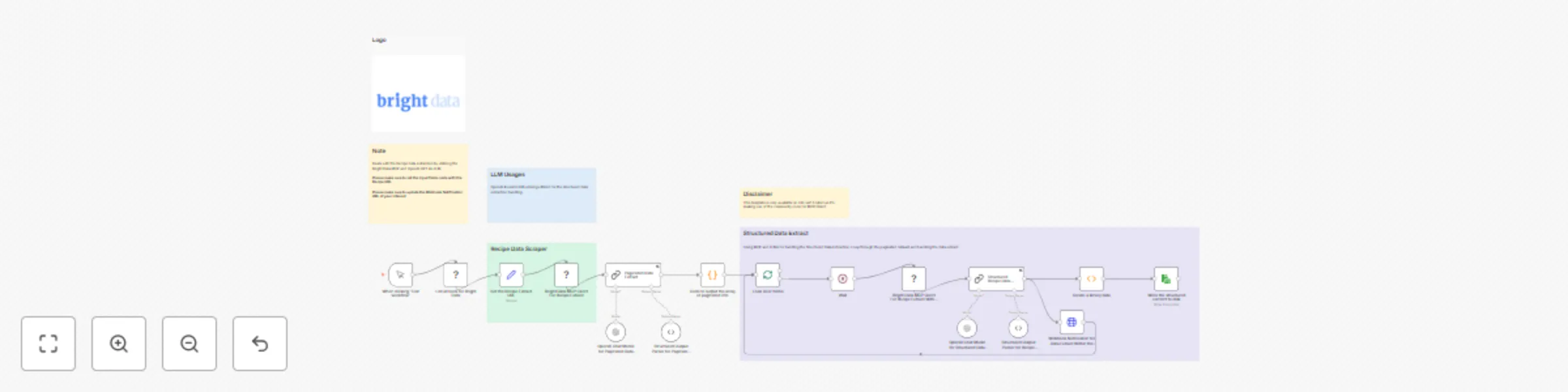
1. Set Recipe Extract URL
Configure the recipe website URL in the input node
Set your Bright Data zone name and authentication
2. Paginated Data Extract
Triggers a paginated extraction across multiple pages (recipe listing, index, or search pages)
Returns a list of recipe links for processing
3. Loop Over Items
Loops through the array of recipe links
Each link is passed individually to the scraping engine
4. Bright Data MCP Client (Per Recipe)
Scrapes each individual recipe page using scrape_as_html
Smartly bypasses common anti-bot protections via Bright Data Web Unlocker
5. Structured Recipe Data Extract (via OpenAI GPT-4o mini)
Converts raw HTML to clean text using an LLM preprocessing node
Uses OpenAI GPT-4o mini to extract structured data
6. Webhook Notification
Pushes the structured recipe data to your configured webhook endpoint
Format: JSON payload, ideal for Slack, internal APIs, or dashboards
7. Save Response to Disk
You can tailor the Recipe Recommendation Engine workflow to better fit your specific use case by modifying the following key components:
1. Input Fields Node
2. LLM Configuration
Swap out the OpenAI GPT-4o mini model with another provider (like Google Gemini) if you prefer.
Modify the structured data prompt to extract custom fields that you wish.
3. Webhook Notification
4. Storage Destination
Change the Save to Disk node to store the structured recipe data in:
A cloud bucket (S3, GCS, Azure Blob etc.)
A database (MongoDB, PostgreSQL, Firestore)
Google Sheets or Airtable for spreadsheet-style access.
This catalog entry is organized from the workflow JSON. The node-level section below shows the executable blocks available for review before importing the template.
| Workflow | Recipe recommendation engine with Bright Data MCP & OpenAI 4o mini |
|---|---|
| Complexity | advanced |
| Nodes | 23 |
| Categories | Content Creation, AI Summarization |
| Author | Ranjan Dailata |
| Published | 02 Jun 2025 |
Use the JSON export at /data/workflows/4591/4591.json as the source template for this automation.
Open n8n, import the downloaded JSON, and review each node before activating the workflow.
Replace placeholder credentials, API keys, webhook URLs, account IDs, and environment-specific values with your own settings.
Run the workflow manually or in a staging workspace, inspect node output, and confirm downstream systems receive the expected data.
Enable the workflow only after testing, then monitor executions, errors, and rate limits during the first production runs.
Review imported nodes carefully before activation. This catalog entry is intended to help you inspect the workflow structure, understand required services, and find related templates faster.
Node names, credentials, schedules, webhook paths, and external service limits may need adjustment for your workspace.
Notice Community nodes can only be installed on self hosted instances of n8n. Who this is for Recipe Recommendation Engi...
Review the workflow JSON, configure any required credentials in n8n, and test the automation in a safe workspace before using it in production.
Yes. Use the block-by-block analysis and the downloadable JSON to inspect each node, then adjust credentials, prompts, schedules, filters, or destinations for your Content Creation, AI Summarization use case.