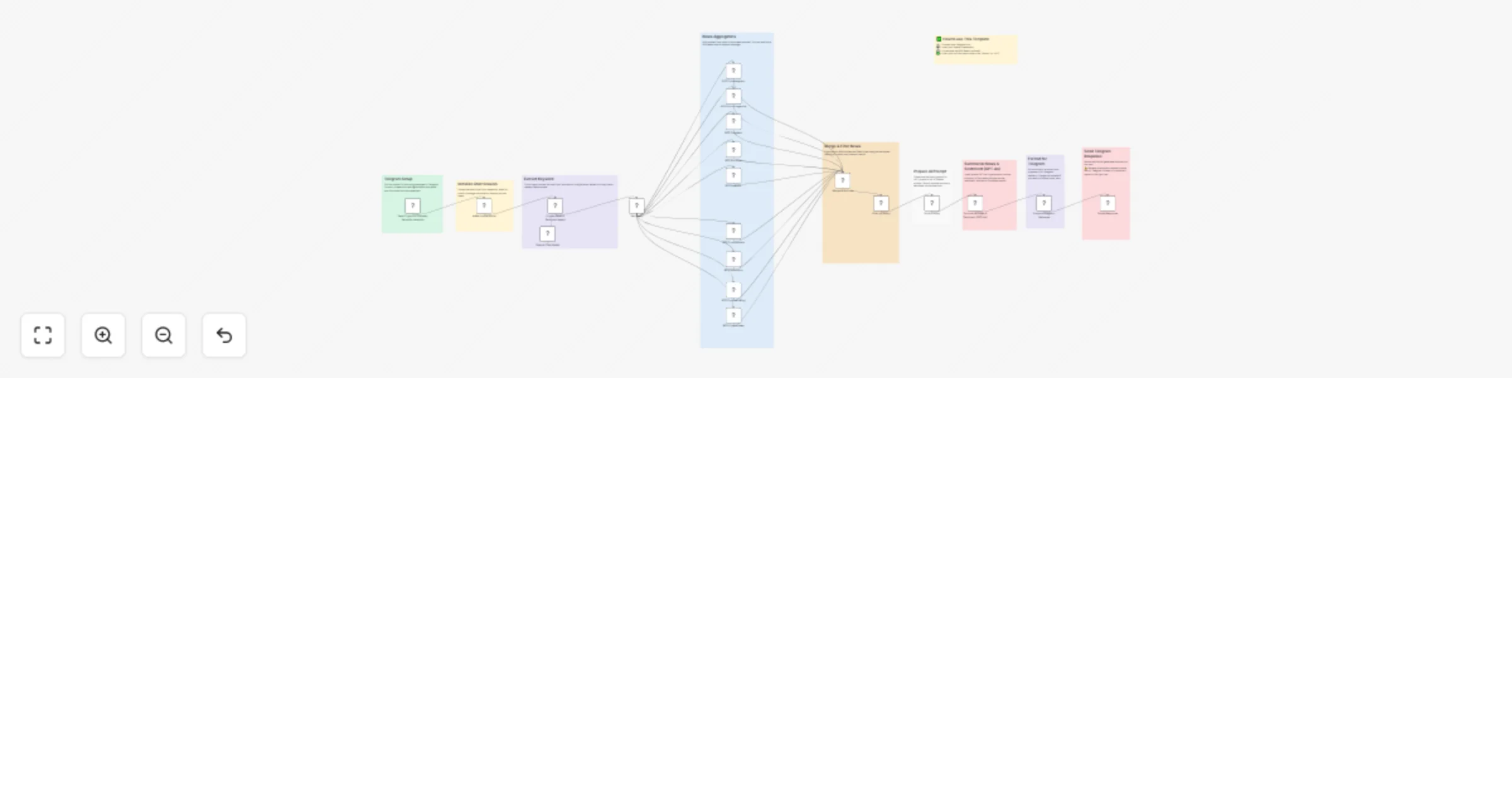
Real-time crypto news & sentiment analysis via Telegram with GPT-4o

Workflow preview

Workflow preview
100%
Real-time crypto news & sentiment analysis via Telegram with GPT-4o preview
Open on n8n.io

Important notice

This workflow is provided as-is. Please review and test before using in production.

1. Workflow Overview

Stay on top of the latest crypto news and market sentiment instantly, all inside Telegram! This workflow aggregates articles from the top crypto news sources, filters for your topic of interest, an...

Best for

  • Crypto Trading automation workflows
  • AI Summarization automation workflows
  • advanced n8n builders looking for reusable templates

Tools used

@n8n/n8n-nodes-langchain.lmchatopenai, n8n-nodes-base.set, @n8n/n8n-nodes-langchain.agent, n8n-nodes-base.rssfeedread, n8n-nodes-base.merge, n8n-nodes-base.code, n8n-nodes-base.stickynote, @n8n/n8n-nodes-langchain.openai

Source and attribution

This workflow is cataloged by N8N Workflows and links back to its original n8n.io source page by Don Jayamaha Jr.

Original n8n.io source

1.1 Workflow description

Title
Real-time crypto news & sentiment analysis via Telegram with GPT-4o
Workflow name
Real-time crypto news & sentiment analysis via Telegram with GPT-4o

Stay on top of the latest crypto news and market sentiment instantly, all inside Telegram!
This workflow aggregates articles from the top crypto news sources, filters for your topic of interest, and summarizes key news and market sentiment using GPT-4o AI. Ideal for crypto traders, investors, analysts, and market watchers needing fast, intelligent news briefings.

> 💬 Just type a coin name (e.g., "Bitcoin", "Solana", "DeFi") into your Telegram AI Agent—and get a smart news digest.


How It Works

  1. Telegram Bot Trigger

    • User sends a keyword (e.g., "Ethereum") of questions to the Telegram AI Agent.
  2. Keyword Extraction (AI-Powered)

    • An AI agent identifies the main topic for better targeting.
  3. News Aggregation

    • Pulls articles from 9 major crypto news RSS feeds:

      • Cointelegraph
      • Bitcoin Magazine
      • CoinDesk
      • Bitcoinist
      • NewsBTC
      • CryptoPotato
      • 99Bitcoins
      • CryptoBriefing
      • Crypto.news
  4. Filtering

    • Finds and merges articles relevant to the user's keyword.
  5. AI Summarization

    • GPT-4o generates a 3-part summary:
      1. News Summary
      2. Market Sentiment Analysis
      3. List of Article Links
  6. Telegram Response

    • Sends a structured, easy-to-read digest back to the user.

🔍 What You Can Do with This Workflow

🔹 Summarize breaking news for any crypto project or keyword
🔹 Monitor real-time market sentiment on Bitcoin, DeFi, NFTs, and more
🔹 Stay ahead of FUD, bullish trends, and major news events
🔹 Quickly brief yourself or your team via Telegram
🔹 Use it as a foundation for more advanced crypto alert bots


✅ Example User Inputs

"Bitcoin" → Latest Bitcoin news and sentiment summary
"Solana" → Updates on Solana projects, price movements, and community trends
"NFT" → Aggregated news about NFT markets and launches
"Layer 2" → Insights on Optimism, Arbitrum, and other L2s


🛠️ Setup Instructions

  1. Create a Telegram Bot

  2. Configure Telegram Credentials in n8n

    • Add your bot token under Telegram API Credentials.
  3. Configure OpenAI API

    • Add your OpenAI credentials for GPT-4o access.
  4. Update Telegram Send Node

    • In the Telegram Send node, replace the placeholder chatId with your real Telegram user or group chat ID.
  5. Deploy and Test

    • Start chatting with your bot: e.g., "Ethereum" or "DeFi".

📌 Workflow Highlights

  • 9 major crypto news sources combined
  • Smart keyword matching with AI query parsing
  • Summarized insights in human-readable format
  • Reference links included for deeper reading
  • Instant delivery via Telegram

🚀 Get ahead of the crypto market—automate your news and sentiment monitoring with AI inside Telegram!

1.2 Logical Blocks

This catalog entry is organized from the workflow JSON. The node-level section below shows the executable blocks available for review before importing the template.

2. Block-by-Block Analysis

Block 1 - OpenAI Chat Model

Type / Role
@n8n/n8n-nodes-langchain.lmChatOpenAi - lmChatOpenAi
Config choices
Version 1.2

Block 2 - Set Query

Type / Role
n8n-nodes-base.set - set
Config choices
Version 3.4

Block 3 - Crypto News & Sentiment Agent

Type / Role
@n8n/n8n-nodes-langchain.agent - agent
Config choices
Version 1.8

Block 4 - RSS Cointelegraph

Type / Role
n8n-nodes-base.rssFeedRead - rssFeedRead
Config choices
Version 1.1

Block 5 - RSS Bitcoinmagazine

Type / Role
n8n-nodes-base.rssFeedRead - rssFeedRead
Config choices
Version 1.1

Block 6 - RSS Coindesk

Type / Role
n8n-nodes-base.rssFeedRead - rssFeedRead
Config choices
Version 1.1

Block 7 - RSS Bitcoinist

Type / Role
n8n-nodes-base.rssFeedRead - rssFeedRead
Config choices
Version 1.1

Block 8 - RSS Newsbtc

Type / Role
n8n-nodes-base.rssFeedRead - rssFeedRead
Config choices
Version 1.1

Block 9 - RSS Cryptopotato

Type / Role
n8n-nodes-base.rssFeedRead - rssFeedRead
Config choices
Version 1.1

Block 10 - RSS 99bitcoins

Type / Role
n8n-nodes-base.rssFeedRead - rssFeedRead
Config choices
Version 1.1

Block 11 - RSS Cryptobriefing

Type / Role
n8n-nodes-base.rssFeedRead - rssFeedRead
Config choices
Version 1.1

Block 12 - RSS Crypto.news

Type / Role
n8n-nodes-base.rssFeedRead - rssFeedRead
Config choices
Version 1.1

Block 13 - Merge All Articles

Type / Role
n8n-nodes-base.merge - merge
Config choices
Version 3.1

Block 14 - Filter by Query

Type / Role
n8n-nodes-base.code - code
Config choices
Version 2

Block 15 - Build Prompt

Type / Role
n8n-nodes-base.code - code
Config choices
Version 2

Block 16 - Sticky Note

Type / Role
n8n-nodes-base.stickyNote - stickyNote
Config choices
Version 1

Block 17 - Adds the sessionId

Type / Role
n8n-nodes-base.set - set
Config choices
Version 3.4

Block 18 - Summarize News & Sentiment (GPT-4o)

Type / Role
@n8n/n8n-nodes-langchain.openAi - openAi
Config choices
Version 1.8

Block 19 - Prepare Telegram Message

Type / Role
n8n-nodes-base.set - set
Config choices
Version 3.4

Block 20 - Sends Response

Type / Role
n8n-nodes-base.telegram - telegram
Config choices
Version 1.2

Block 21 - Send Crypto or Company Name for Analysis

Type / Role
n8n-nodes-base.telegramTrigger - telegramTrigger
Config choices
Version 1.2

Block 22 - Sticky Note1

Type / Role
n8n-nodes-base.stickyNote - stickyNote
Config choices
Version 1

Block 23 - Sticky Note2

Type / Role
n8n-nodes-base.stickyNote - stickyNote
Config choices
Version 1

Block 24 - Sticky Note3

Type / Role
n8n-nodes-base.stickyNote - stickyNote
Config choices
Version 1

Showing the first 24 of 30 workflow blocks. Download the JSON for the full node graph.

3. Summary Table

Workflow Real-time crypto news & sentiment analysis via Telegram with GPT-4o
Complexity advanced
Nodes 30
Categories Crypto Trading, AI Summarization
Author Don Jayamaha Jr
Published 27 Apr 2025

4. Reproducing the Workflow from Scratch

  1. 1. Download the workflow JSON

    Use the JSON export at /data/workflows/3751/3751.json as the source template for this automation.

  2. 2. Import the template into n8n

    Open n8n, import the downloaded JSON, and review each node before activating the workflow.

  3. 3. Configure credentials and variables

    Replace placeholder credentials, API keys, webhook URLs, account IDs, and environment-specific values with your own settings.

  4. 4. Test with sample data

    Run the workflow manually or in a staging workspace, inspect node output, and confirm downstream systems receive the expected data.

  5. 5. Activate and monitor

    Enable the workflow only after testing, then monitor executions, errors, and rate limits during the first production runs.

5. General Notes & Resources

Review imported nodes carefully before activation. This catalog entry is intended to help you inspect the workflow structure, understand required services, and find related templates faster.

Node names, credentials, schedules, webhook paths, and external service limits may need adjustment for your workspace.

Frequently asked questions

What does Real-time crypto news & sentiment analysis via Telegram with GPT-4o do?

Stay on top of the latest crypto news and market sentiment instantly, all inside Telegram! This workflow aggregates articles from the top crypto news sources, filters for your topic of interest, an...

What do I need before importing this workflow?

Review the workflow JSON, configure any required credentials in n8n, and test the automation in a safe workspace before using it in production.

Can I customize this workflow?

Yes. Use the block-by-block analysis and the downloadable JSON to inspect each node, then adjust credentials, prompts, schedules, filters, or destinations for your Crypto Trading, AI Summarization use case.