Block 1 - ⏰ Run Every 12 Hours
- Type / Role
- n8n-nodes-base.scheduleTrigger - scheduleTrigger
- Config choices
- Version 1.2


 Early Deal
Stop writing blog posts manually. This workflow monitors Google News every 12 hours on any topic you choose, automatically selects the most relevant article, scrapes the source content, generates a...
n8n-nodes-base.scheduletrigger, n8n-nodes-base.merge, n8n-nodes-base.limit, @n8n/n8n-nodes-langchain.lmchatopenrouter, @n8n/n8n-nodes-langchain.outputparserstructured, n8n-nodes-serpapi.serpapi, n8n-nodes-base.splitout, n8n-nodes-base.set
This workflow is cataloged by N8N Workflows and links back to its original n8n.io source page by Salman Mehboob.
Original n8n.io sourceStop writing blog posts manually. This workflow monitors Google News every 12 hours on any topic you choose, automatically selects the most relevant article, scrapes the source content, generates a 100% original SEO-optimized blog post using Claude AI, creates a featured image with Google Gemini, and publishes the complete post to WordPress with RankMath meta title and meta description fully automated, zero manual work.
Perfect for bloggers, content marketers, digital agencies, WordPress site owners, and anyone who wants to keep their website updated with fresh, AI-written content without spending hours writing or publishing.
Publishing fresh, well-written blog content consistently is one of the hardest parts of running a website. Finding relevant news, writing original articles, creating images, and publishing everything to WordPress takes hours every single time.
This workflow eliminates all of that. It runs on a schedule, picks the best news story on your topic, writes a completely original article from scratch, and publishes it to your WordPress site, including featured image, meta title, and meta description while you focus on everything else.
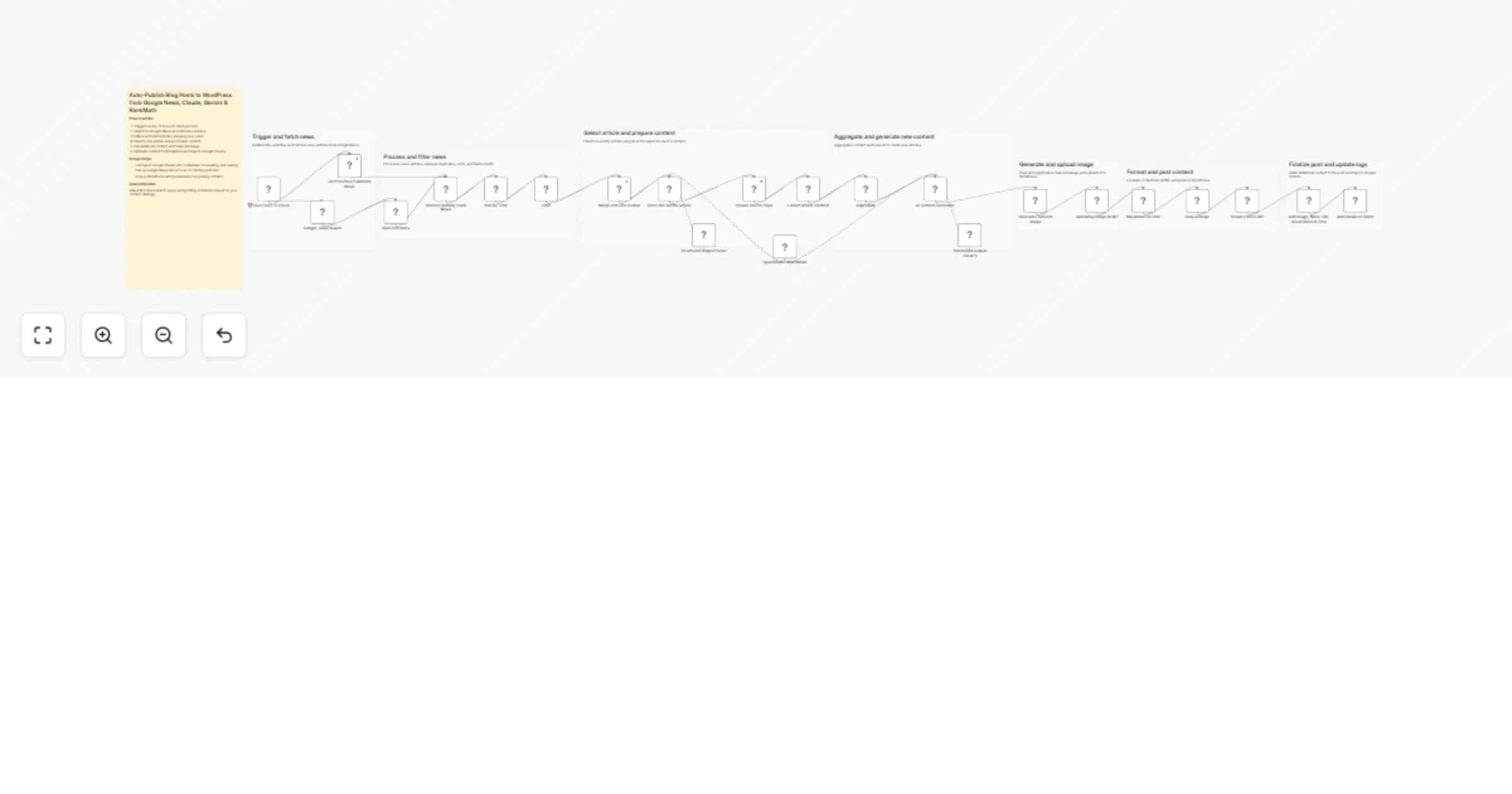
Scheduled trigger runs every 12 hours automatically No manual action required. The workflow runs on its own twice a day.
Fetch latest news via SerpAPI Google News
SerpAPI fetches the freshest articles from Google News based on your search query. The default query is seo but you can change it to any topic - tech, finance, health, marketing, AI, real estate, or anything your blog covers. One parameter change is all it takes.
Check already-published articles via Google Sheets A Google Sheets node reads all previously published news links from your tracking sheet. This ensures the same article is never processed twice - even if it keeps appearing in Google News days later.
Remove duplicates with Merge node The Merge node compares incoming articles against your published history and removes any matches. Only genuinely new, unprocessed articles move forward.
Sort by date and limit to top 10 Remaining articles are sorted by publish date, newest first. A Limit node keeps only the top 10 most recent items for evaluation.
AI agent selects the single best article All 10 article titles and links are combined into one item and sent to an AI Agent powered by Claude (via OpenRouter). The agent reads every title and picks the one most relevant and valuable for your website's audience - filtering out off-topic, low-quality, or irrelevant results. It returns the winning article's title and link.
Scrape the full source article An HTTP Request node fetches the complete HTML of the selected article. An HTML Extract node pulls only the meaningful content - headings (h1, h2, h3) and paragraphs (p) - stripping out ads, navigation menus, and everything else. An Aggregate node joins all extracted text into one clean block ready for the AI.
Claude generates a 100% original article A second AI Agent (Claude via OpenRouter) receives the scraped content as research material only. It does not rewrite or paraphrase the source. It writes a completely new, original, SEO-optimized article based on the topic and ideas - with its own structure, wording, and insights. The output includes:
Google Gemini generates the featured image The image prompt produced by Claude is sent to Google Gemini's image generation model. The image is created in 16:9 ratio, suitable as a WordPress featured image.
Upload image to WordPress Media Library An HTTP Request node uploads the generated image binary directly to your WordPress site via the REST API. WordPress returns an image ID which is stored for the next step.
Convert Markdown to HTML The article content is in Markdown format. A Markdown node converts it to clean HTML before publishing.
Arrange all data in one place A Set node collects all required fields - title, HTML content, image ID, meta title, meta description, and original news source link - into one organised item.
Create the WordPress post The WordPress node creates the post with title, content, author, and category. You can set the post to draft for review or publish directly. The category ID is configurable to match your site structure.
Attach featured image and RankMath SEO meta An HTTP PUT request updates the post to attach the featured image using the stored image ID, and writes the RankMath SEO title and meta description using registered REST API meta fields.
Log to Google Sheets The original news link and the published WordPress post URL are saved back to your Google Sheets tracking file. This is what prevents the same article from ever being processed again on future runs.
news_link and wp_post_linkAdd this PHP snippet via the Code Snippets plugin or your theme's functions.php to enable writing RankMath SEO title and description through the REST API:
add_action('rest_api_init', function () {
 register_post_meta('post', 'rank_math_title', [
 'show_in_rest' => true, 'single' => true, 'type' => 'string',
 'auth_callback' => fn() => current_user_can('edit_posts'),
 ]);
 register_post_meta('post', 'rank_math_description', [
 'show_in_rest' => true, 'single' => true, 'type' => 'string',
 'auth_callback' => fn() => current_user_can('edit_posts'),
 ]);
});
Using Yoast SEO instead? Replace the meta keys with _yoast_wpseo_title and _yoast_wpseo_metadesc in the last HTTP node.
Change the q parameter in the SerpAPI node to any keyword -digital marketing, cryptocurrency, AI tools, content marketing, web design, or anything else. The entire workflow adapts automatically. The AI agent will select the most relevant article for your niche and write accordingly.
For assistance and support: [email protected] Linkedin: https://www.linkedin.com/in/salman-mehboob-pro/
This catalog entry is organized from the workflow JSON. The node-level section below shows the executable blocks available for review before importing the template.
Showing the first 24 of 31 workflow blocks. Download the JSON for the full node graph.
| Workflow | Publish Google News–based SEO blog posts to WordPress with Claude, Gemini and RankMath |
|---|---|
| Complexity | advanced |
| Nodes | 31 |
| Categories | Content Creation, Multimodal AI |
| Author | Salman Mehboob |
| Published | 01 Apr 2026 |
Use the JSON export at /data/workflows/14576/14576.json as the source template for this automation.
Open n8n, import the downloaded JSON, and review each node before activating the workflow.
Replace placeholder credentials, API keys, webhook URLs, account IDs, and environment-specific values with your own settings.
Run the workflow manually or in a staging workspace, inspect node output, and confirm downstream systems receive the expected data.
Enable the workflow only after testing, then monitor executions, errors, and rate limits during the first production runs.
Review imported nodes carefully before activation. This catalog entry is intended to help you inspect the workflow structure, understand required services, and find related templates faster.
Node names, credentials, schedules, webhook paths, and external service limits may need adjustment for your workspace.
Stop writing blog posts manually. This workflow monitors Google News every 12 hours on any topic you choose, automatically selects the most relevant article, scrapes the source content, generates a...
Review the workflow JSON, configure any required credentials in n8n, and test the automation in a safe workspace before using it in production.
Yes. Use the block-by-block analysis and the downloadable JSON to inspect each node, then adjust credentials, prompts, schedules, filters, or destinations for your Content Creation, Multimodal AI use case.