Block 1 - When clicking ‘Execute workflow’
- Type / Role
- n8n-nodes-base.manualTrigger - manualTrigger
- Config choices
- Version 1


 Early Deal
Your personal editor that finds tone, grammar, and clarity issues in markdown, then fixes them and commits back to GitHub automatically. Stop manually proofreading markdown files. This workflow use...
n8n-nodes-base.manualtrigger, n8n-nodes-base.if, n8n-nodes-base.github, n8n-nodes-base.code, @n8n/n8n-nodes-langchain.agent, @n8n/n8n-nodes-langchain.lmchatgooglegemini, @n8n/n8n-nodes-langchain.lmchatgroq, n8n-nodes-base.set
This workflow is cataloged by N8N Workflows and links back to its original n8n.io source page by Mychel Garzon.
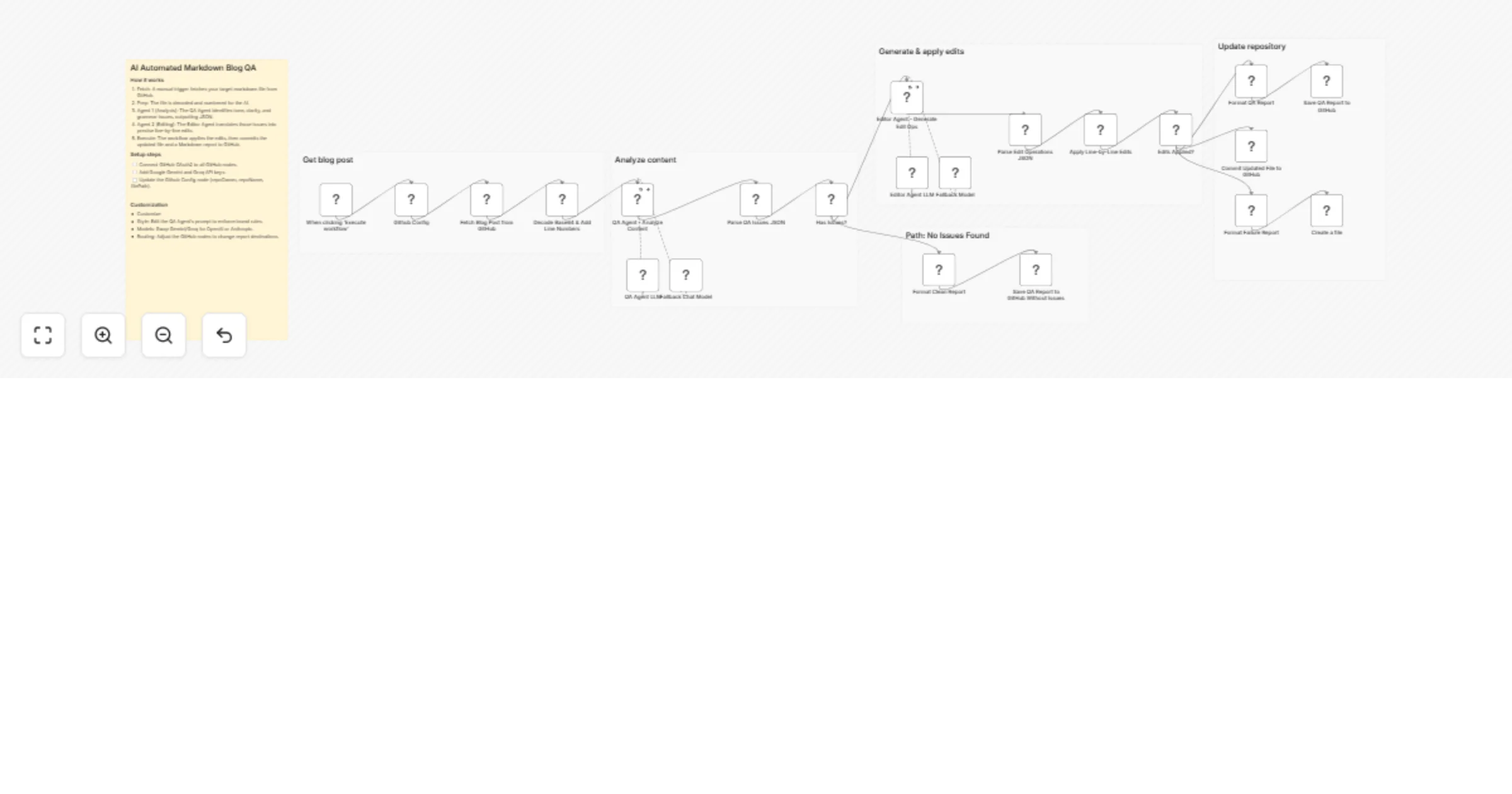
Original n8n.io sourceStop manually proofreading markdown files. This workflow uses two AI agents to review your blog posts, generate precise line-by-line fixes, and commit the edits back to GitHub automatically. You write, it checks.
This is not another "generate a blog post with AI" template. It does the opposite. You write the content, and the workflow checks it for you. Your writing style stays the same because the Editor Agent can only replace, insert, or delete specific lines. No full rewrites.
The workflow runs in five stages:
• Finds real issues, not nitpicks: The severity filter means your file only gets changed when something actually matters. • Keeps your writing style: Three allowed operations. Replace, insert, delete. That is it. No creative rewrites. • Line numbers solve the guessing problem: I added this after noticing the AI kept misidentifying where problems were in longer posts. • Edits do not break each other: The bottom-to-top sorting was the trick that took me a while to figure out. Without it, line numbers shift after every edit and the rest of the operations point to the wrong lines. • Fallback model included: If Gemini is down or rate-limited, the workflow falls back to Groq automatically. Both agent nodes also retry up to 3 times with a 5-second interval. • Reports for every run: Three report types committed to your repo: fixes applied, no issues found, or edits failed.
• Technical writers who keep documentation in GitHub • Content managers reviewing blog posts before publication • SEO specialists checking content quality across multiple markdown files • Dev teams that want automated content review similar to a PR review • Freelancers and bloggers who do not have an editor to proofread their work
• Google Gemini API for the AI analysis (primary model) • Groq API as a fallback model if Gemini is unavailable (optional but recommended) • GitHub OAuth2 with repo scope so the workflow can read files and commit changes
• Swap the AI model: Replace the chat model sub-node with OpenAI, Anthropic, or any provider that handles JSON output. The prompts are model-agnostic. • Change the severity filter: Open the filter node and include low severity if you want more aggressive editing. • Point it at any file: The Config node at the start has your repo owner, repo name, and file path. Change those three values and it works on any markdown file in any repository. • Make it automatic: Replace the Manual Trigger with a GitHub Trigger node listening for push or pull_request events. Now it runs every time someone updates content. • Add notifications: Drop a Slack, Teams, or email node after the report step to get notified when the workflow finishes a review.
This catalog entry is organized from the workflow JSON. The node-level section below shows the executable blocks available for review before importing the template.
Showing the first 24 of 28 workflow blocks. Download the JSON for the full node graph.
| Workflow | Proofread markdown blog posts with Gemini, Groq fallback and GitHub auto-commit |
|---|---|
| Complexity | advanced |
| Nodes | 28 |
| Categories | Document Extraction, AI Summarization |
| Author | Mychel Garzon |
| Published | 20 Mar 2026 |
Use the JSON export at /data/workflows/14207/14207.json as the source template for this automation.
Open n8n, import the downloaded JSON, and review each node before activating the workflow.
Replace placeholder credentials, API keys, webhook URLs, account IDs, and environment-specific values with your own settings.
Run the workflow manually or in a staging workspace, inspect node output, and confirm downstream systems receive the expected data.
Enable the workflow only after testing, then monitor executions, errors, and rate limits during the first production runs.
Review imported nodes carefully before activation. This catalog entry is intended to help you inspect the workflow structure, understand required services, and find related templates faster.
Node names, credentials, schedules, webhook paths, and external service limits may need adjustment for your workspace.
Your personal editor that finds tone, grammar, and clarity issues in markdown, then fixes them and commits back to GitHub automatically. Stop manually proofreading markdown files. This workflow use...
Review the workflow JSON, configure any required credentials in n8n, and test the automation in a safe workspace before using it in production.
Yes. Use the block-by-block analysis and the downloadable JSON to inspect each node, then adjust credentials, prompts, schedules, filters, or destinations for your Document Extraction, AI Summarization use case.