Process ADR intake and PV cases with Claude AI and Google Sheets

Workflow preview

Workflow preview
100%
Process ADR intake and PV cases with Claude AI and Google Sheets preview
Open on n8n.io

1. Workflow Overview

This workflow automates end to end pharmacovigilance (PV) case processing. It ingests ADR reports from web forms or emails, extracts and classifies events using Claude AI against MedDRA terminology...

Best for

  • Document Extraction automation workflows
  • AI Summarization automation workflows
  • advanced n8n builders looking for reusable templates

Tools used

n8n-nodes-base.stickynote, n8n-nodes-base.webhook, n8n-nodes-base.code, n8n-nodes-base.wait, n8n-nodes-base.googlesheets, n8n-nodes-base.if, @n8n/n8n-nodes-langchain.agent, @n8n/n8n-nodes-langchain.lmchatanthropic

Source and attribution

This workflow is cataloged by N8N Workflows and links back to its original n8n.io source page by Oneclick AI Squad.

Original n8n.io source

1.1 Workflow description

Title
Process ADR intake and PV cases with Claude AI and Google Sheets
Workflow name
Process ADR intake and PV cases with Claude AI and Google Sheets

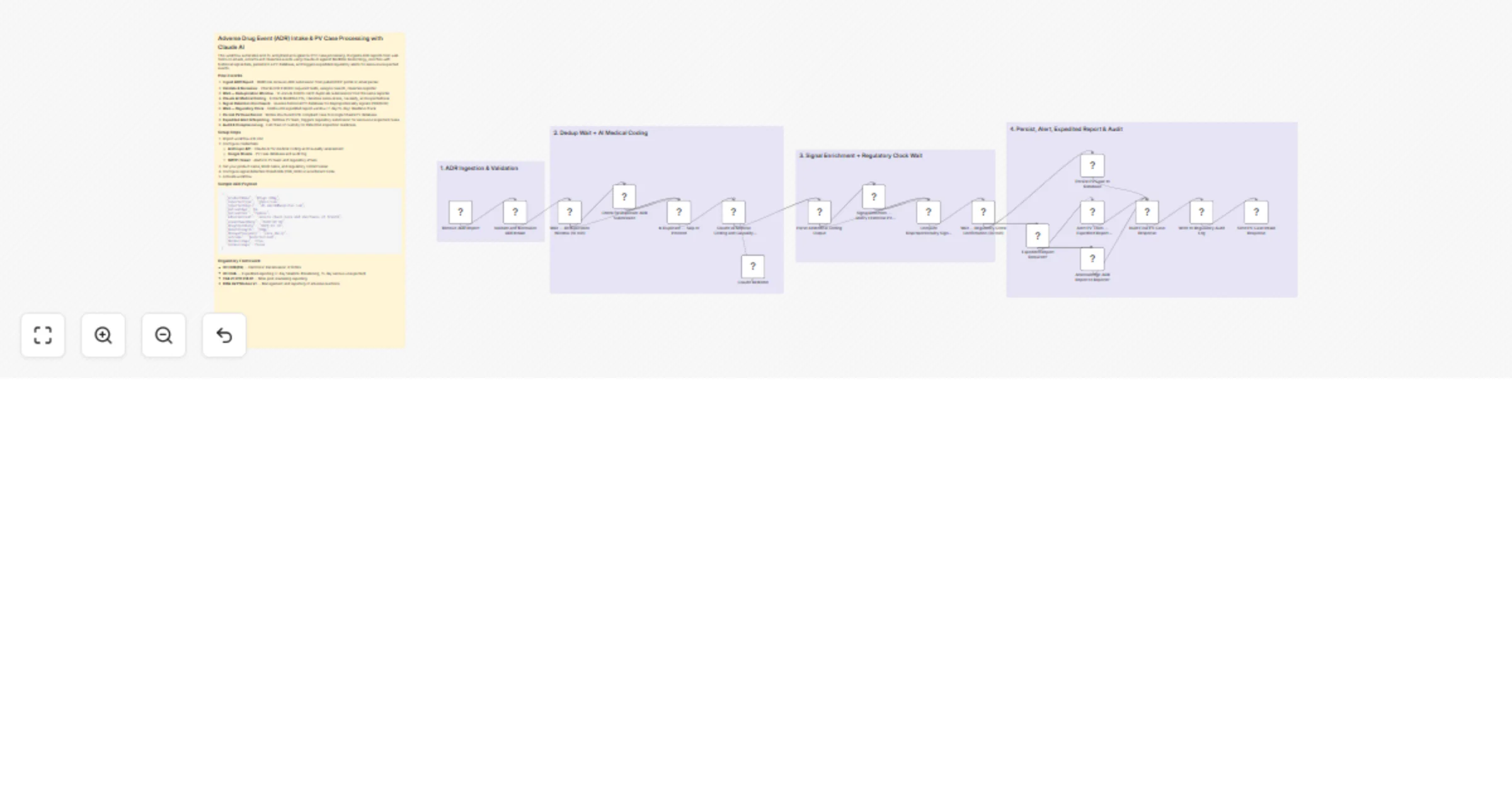
This workflow automates end-to-end pharmacovigilance (PV) case processing. It ingests ADR reports from web forms or emails, extracts and classifies events using Claude AI against MedDRA terminology, enriches with historical signal data, persists to a PV database, and triggers expedited regulatory alerts for serious/unexpected events.

How it works

  1. Ingest ADR Report - Webhook receives ADR submission from patient/HCP portal or email parser
  2. Validate & Normalize - Checks ICH E2B(R3) required fields, assigns case ID, classifies reporter
  3. Wait — Deduplication Window - 10-minute hold to catch duplicate submissions from the same reporter
  4. Claude AI Medical Coding - Extracts MedDRA PTs, classifies seriousness, causality, and expectedness
  5. Signal Detection Enrichment - Queries historical PV database for disproportionality signals (PRR/ROR)
  6. Wait — Regulatory Clock - Holds until expedited report window (7-day/15-day) deadline check
  7. Persist PV Case Record - Writes structured E2B-compliant case to Google Sheets PV database
  8. Expedited Alert & Reporting - Notifies PV team, triggers regulatory submission for serious/unexpected cases
  9. Audit & Compliance Log - Full chain of custody for EMA/FDA inspection readiness

Setup Steps

  1. Import workflow into n8n
  2. Configure credentials:
  • Anthropic API - Claude AI for medical coding and causality assessment
  • Google Sheets - PV case database and audit log
  • SMTP / Gmail - Alerts to PV team and regulatory affairs
  1. Set your product name, MAH name, and regulatory contact email
  2. Configure signal detection thresholds (PRR, ROR) in enrichment node
  3. Activate workflow

Sample ADR Payload

{
 "productName": "DrugX 50mg",
 "reporterType": "physician",
 "reporterEmail": "[email protected]",
 "patientAge": 54,
 "patientSex": "female",
 "adverseEvent": "severe chest pain and shortness of breath",
 "eventOnsetDate": "2025-02-20",
 "drugStartDate": "2025-01-10",
 "doseStrength": "50mg",
 "dosageFrequency": "once daily",
 "outcome": "hospitalized",
 "dechallenge": true,
 "rechallenge": false
}

Regulatory Framework

  • ICH E2B(R3) — Electronic transmission of ICSRs
  • ICH E2A — Expedited reporting (7-day fatal/life-threatening, 15-day serious unexpected)
  • FDA 21 CFR 314.81 — NDA post-marketing reporting
  • EMA GVP Module VI — Management and reporting of adverse reactions

Explore More LinkedIn & Social Automation: Contact us to design AI-powered lead nurturing, content engagement, and multi-platform reply workflows tailored to your growth strategy.

1.2 Logical Blocks

This catalog entry is organized from the workflow JSON. The node-level section below shows the executable blocks available for review before importing the template.

2. Block-by-Block Analysis

Block 1 - Sticky Note

Type / Role
n8n-nodes-base.stickyNote - stickyNote
Config choices
Version 1

Block 2 - Sticky Note1

Type / Role
n8n-nodes-base.stickyNote - stickyNote
Config choices
Version 1

Block 3 - Sticky Note2

Type / Role
n8n-nodes-base.stickyNote - stickyNote
Config choices
Version 1

Block 4 - Sticky Note3

Type / Role
n8n-nodes-base.stickyNote - stickyNote
Config choices
Version 1

Block 5 - Sticky Note4

Type / Role
n8n-nodes-base.stickyNote - stickyNote
Config choices
Version 1

Block 6 - Receive ADR Report

Type / Role
n8n-nodes-base.webhook - webhook
Config choices
Version 2

Block 7 - Validate and Normalize ADR Intake

Type / Role
n8n-nodes-base.code - code
Config choices
Version 2

Block 8 - Wait — Deduplication Window (10 min)

Type / Role
n8n-nodes-base.wait - wait
Config choices
Version 1.1

Block 9 - Check for Duplicate ADR Submission

Type / Role
n8n-nodes-base.googleSheets - googleSheets
Config choices
Version 4.5

Block 10 - Is Duplicate — Skip or Proceed

Type / Role
n8n-nodes-base.if - if
Config choices
Version 2

Block 11 - Claude AI Medical Coding and Causality Assessment

Type / Role
@n8n/n8n-nodes-langchain.agent - agent
Config choices
Version 1.6

Block 12 - Claude AI Model

Type / Role
@n8n/n8n-nodes-langchain.lmChatAnthropic - lmChatAnthropic
Config choices
Version 1

Block 13 - Parse AI Medical Coding Output

Type / Role
n8n-nodes-base.code - code
Config choices
Version 2

Block 14 - Signal Detection — Query Historical PV Database

Type / Role
n8n-nodes-base.googleSheets - googleSheets
Config choices
Version 4.5

Block 15 - Compute Disproportionality Signal (PRR/ROR)

Type / Role
n8n-nodes-base.code - code
Config choices
Version 2

Block 16 - Wait — Regulatory Clock Confirmation (30 min)

Type / Role
n8n-nodes-base.wait - wait
Config choices
Version 1.1

Block 17 - Persist PV Case to Database

Type / Role
n8n-nodes-base.googleSheets - googleSheets
Config choices
Version 4.5

Block 18 - Expedited Report Required?

Type / Role
n8n-nodes-base.if - if
Config choices
Version 2

Block 19 - Alert PV Team — Expedited Report Required

Type / Role
n8n-nodes-base.emailSend - emailSend
Config choices
Version 2.1

Block 20 - Acknowledge ADR Report to Reporter

Type / Role
n8n-nodes-base.emailSend - emailSend
Config choices
Version 2.1

Block 21 - Build Final PV Case Response

Type / Role
n8n-nodes-base.code - code
Config choices
Version 2

Block 22 - Write to Regulatory Audit Log

Type / Role
n8n-nodes-base.googleSheets - googleSheets
Config choices
Version 4.5

Block 23 - Send PV Case Intake Response

Type / Role
n8n-nodes-base.respondToWebhook - respondToWebhook
Config choices
Version 1

3. Summary Table

Workflow Process ADR intake and PV cases with Claude AI and Google Sheets
Complexity advanced
Nodes 23
Categories Document Extraction, AI Summarization
Author Oneclick AI Squad
Published 04 Nov 2025

4. Reproducing the Workflow from Scratch

  1. 1. Download the workflow JSON

    Use the JSON export at /data/workflows/10493/10493.json as the source template for this automation.

  2. 2. Import the template into n8n

    Open n8n, import the downloaded JSON, and review each node before activating the workflow.

  3. 3. Configure credentials and variables

    Replace placeholder credentials, API keys, webhook URLs, account IDs, and environment-specific values with your own settings.

  4. 4. Test with sample data

    Run the workflow manually or in a staging workspace, inspect node output, and confirm downstream systems receive the expected data.

  5. 5. Activate and monitor

    Enable the workflow only after testing, then monitor executions, errors, and rate limits during the first production runs.

5. General Notes & Resources

Review imported nodes carefully before activation. This catalog entry is intended to help you inspect the workflow structure, understand required services, and find related templates faster.

Node names, credentials, schedules, webhook paths, and external service limits may need adjustment for your workspace.

Frequently asked questions

What does Process ADR intake and PV cases with Claude AI and Google Sheets do?

This workflow automates end to end pharmacovigilance (PV) case processing. It ingests ADR reports from web forms or emails, extracts and classifies events using Claude AI against MedDRA terminology...

What do I need before importing this workflow?

Review the workflow JSON, configure any required credentials in n8n, and test the automation in a safe workspace before using it in production.

Can I customize this workflow?

Yes. Use the block-by-block analysis and the downloadable JSON to inspect each node, then adjust credentials, prompts, schedules, filters, or destinations for your Document Extraction, AI Summarization use case.