Predict customer churn daily using ML or LLM models and notify via Slack/email

Workflow preview

Workflow preview
100%
Predict customer churn daily using ML or LLM models and notify via Slack/email preview
Open on n8n.io

1. Workflow Overview

This n8n workflow runs daily to analyze active customer behavior, engineers relevant features from usage and transaction data, applies a machine learning or AI based model to predict churn probabil...

Best for

  • CRM automation workflows
  • AI Summarization automation workflows
  • advanced n8n builders looking for reusable templates

Tools used

n8n-nodes-base.stickynote, n8n-nodes-base.scheduletrigger, n8n-nodes-base.httprequest, n8n-nodes-base.merge, n8n-nodes-base.code, n8n-nodes-base.switch, n8n-nodes-base.postgres, n8n-nodes-base.filter

Source and attribution

This workflow is cataloged by N8N Workflows and links back to its original n8n.io source page by Oneclick AI Squad.

Original n8n.io source

1.1 Workflow description

Title
Predict customer churn daily using ML or LLM models and notify via Slack/email
Workflow name
Predict customer churn daily using ML or LLM models and notify via Slack/email

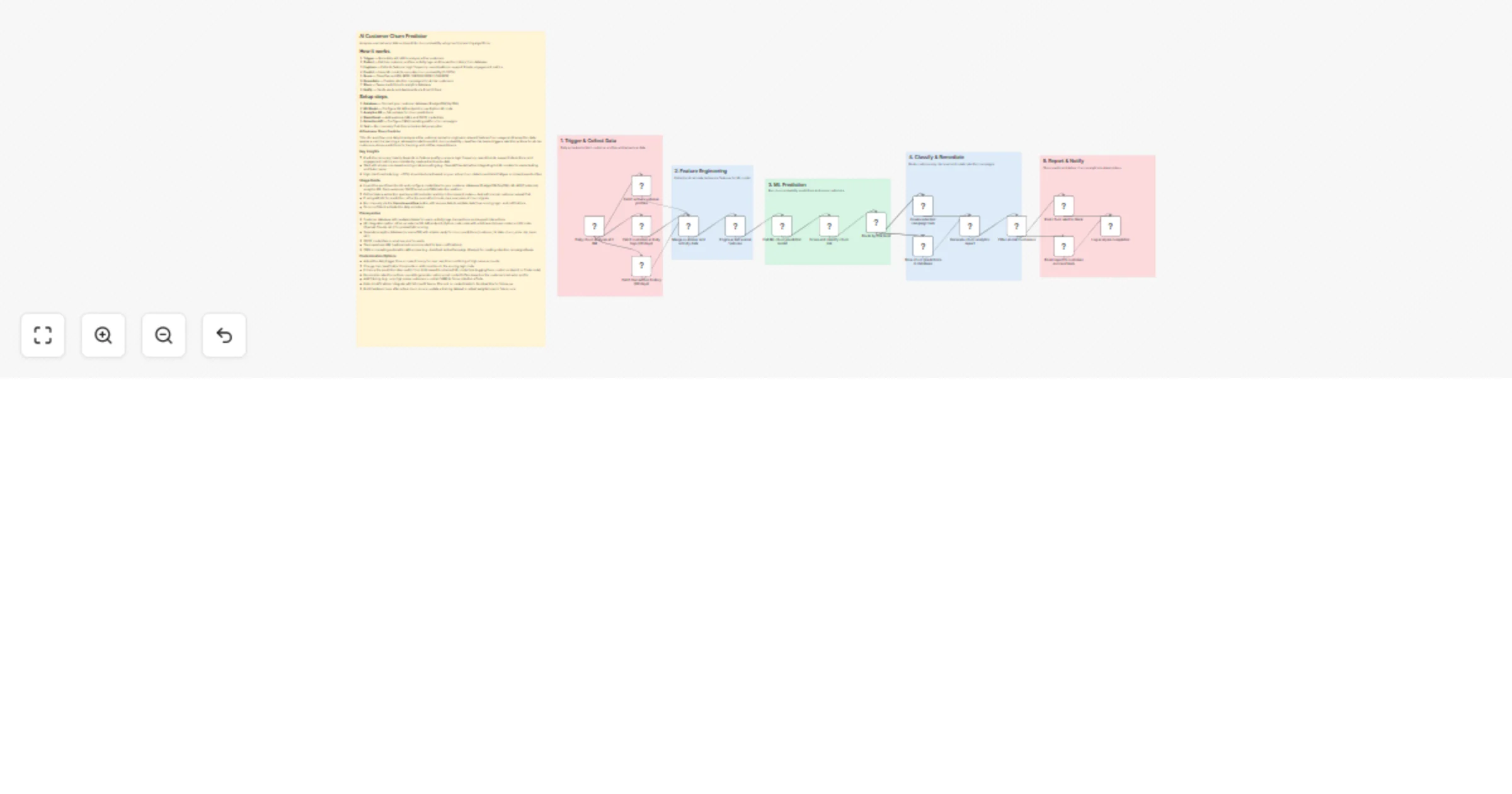
This n8n workflow runs daily to analyze active customer behavior, engineers relevant features from usage and transaction data, applies a machine learning or AI-based model to predict churn probability, classifies risk levels, triggers retention actions for at-risk customers, stores predictions for tracking, and notifies relevant teams.

Key Insights

  • Prediction accuracy heavily depends on feature quality — ensure login frequency, spend trends, support interactions, and engagement metrics are consistently captured and up-to-date.
  • Start with simple rule-based scoring or AI prompting (e.g., OpenAI/Claude) before integrating full ML models for easier testing and faster value.
  • High-risk thresholds (e.g., >70%) should be tuned based on your actual churn data to avoid alert fatigue or missed opportunities.

Workflow Process

  1. Initiate the workflow with the Daily Schedule Trigger node (runs every day at 2 AM).
  2. Query the customer database to fetch active user profiles, recent activity logs, login history, transaction records, and support ticket data.
  3. Perform feature engineering: calculate metrics such as login frequency (daily/weekly), average spend, spend velocity, days since last activity, number of support tickets, NPS/sentiment if available, and other engagement signals.
  4. Feed engineered features into the prediction step: call an ML model endpoint, run a Python code node with a lightweight model, or use an AI agent/LLM to estimate churn probability (0–100%).
  5. Classify each customer into risk tiers: HIGH RISK, MEDIUM RISK, or LOW RISK based on configurable probability thresholds.
  6. For at-risk customers (especially HIGH), trigger retention actions: create personalized campaigns, add to nurture sequences, generate discount codes, or create tasks in CRM.
  7. Store predictions, risk scores, features, and actions taken in an analytics database for historical tracking and model improvement.
  8. Send summarized alerts (e.g., list of high-risk customers with scores and recommended actions) via Email and/or Slack to customer success or retention teams.

Usage Guide

  • Import the workflow into n8n and configure credentials for your customer database (PostgreSQL/MySQL), ML API (if external), analytics DB, Slack webhook, SMTP/email, and CRM/retention platform.
  • Define feature extraction queries and thresholds carefully in the relevant nodes — test with a small customer subset first.
  • If using AI/LLM for prediction, refine the prompt to include clear examples of churn signals.
  • Run manually via the Execute workflow button with sample data to validate data flow, scoring logic, and notifications.
  • Once confident, activate the daily schedule.

Prerequisites

  • Customer database with readable tables for users, activity logs, transactions, and support interactions
  • ML integration option: either an external ML API endpoint, Python code node with scikit-learn/simple model, or LLM node (OpenAI, Claude, etc.) for probabilistic scoring
  • Separate analytics database (or same DB) with a table ready for churn predictions (customer_id, date, churn_prob, risk_level, etc.)
  • SMTP credentials or email service for alerts
  • Slack webhook URL (optional but recommended for team notifications)
  • CRM or marketing automation API access (e.g., HubSpot, ActiveCampaign, Klaviyo) for creating retention campaigns/tasks

Customization Options

  • Adjust the daily trigger time or make it hourly for near real-time monitoring of high-value accounts.
  • Change risk classification thresholds or add more tiers in the scoring logic node.
  • Enhance the prediction step: switch from LLM-based to a trained ML model (via Hugging Face, custom endpoint, or Code node).
  • Personalize retention actions: use AI to generate custom email content/offers based on the customer's behavior profile.
  • Add filtering (e.g., only high-value customers > certain MRR) to focus retention efforts.
  • Extend notifications: integrate with Microsoft Teams, Discord, or create tickets in Zendesk/Jira for follow-up.
  • Build feedback loop: after actual churn occurs, update a training dataset or adjust weights/rules in future runs.

1.2 Logical Blocks

This catalog entry is organized from the workflow JSON. The node-level section below shows the executable blocks available for review before importing the template.

2. Block-by-Block Analysis

Block 1 - Sticky Note

Type / Role
n8n-nodes-base.stickyNote - stickyNote
Config choices
Version 1

Block 2 - Sticky Note1

Type / Role
n8n-nodes-base.stickyNote - stickyNote
Config choices
Version 1

Block 3 - Sticky Note2

Type / Role
n8n-nodes-base.stickyNote - stickyNote
Config choices
Version 1

Block 4 - Sticky Note3

Type / Role
n8n-nodes-base.stickyNote - stickyNote
Config choices
Version 1

Block 5 - Sticky Note4

Type / Role
n8n-nodes-base.stickyNote - stickyNote
Config choices
Version 1

Block 6 - Sticky Note5

Type / Role
n8n-nodes-base.stickyNote - stickyNote
Config choices
Version 1

Block 7 - Daily churn analysis at 2 AM

Type / Role
n8n-nodes-base.scheduleTrigger - scheduleTrigger
Config choices
Version 1.2

Block 8 - Fetch active customer profiles

Type / Role
n8n-nodes-base.httpRequest - httpRequest
Config choices
Version 4.2

Block 9 - Fetch customer activity logs (30 days)

Type / Role
n8n-nodes-base.httpRequest - httpRequest
Config choices
Version 4.2

Block 10 - Fetch transaction history (90 days)

Type / Role
n8n-nodes-base.httpRequest - httpRequest
Config choices
Version 4.2

Block 11 - Merge customer and activity data

Type / Role
n8n-nodes-base.merge - merge
Config choices
Version 3

Block 12 - Engineer behavioral features

Type / Role
n8n-nodes-base.code - code
Config choices
Version 2

Block 13 - Call ML churn prediction model

Type / Role
n8n-nodes-base.httpRequest - httpRequest
Config choices
Version 4.2

Block 14 - Score and classify churn risk

Type / Role
n8n-nodes-base.code - code
Config choices
Version 2

Block 15 - Route by risk level

Type / Role
n8n-nodes-base.switch - switch
Config choices
Version 3

Block 16 - Create retention campaign task

Type / Role
n8n-nodes-base.httpRequest - httpRequest
Config choices
Version 4.2

Block 17 - Store churn predictions in database

Type / Role
n8n-nodes-base.postgres - postgres
Config choices
Version 2.5

Block 18 - Generate churn analytics report

Type / Role
n8n-nodes-base.code - code
Config choices
Version 2

Block 19 - Filter at-risk customers

Type / Role
n8n-nodes-base.filter - filter
Config choices
Version 2

Block 20 - Post churn alert to Slack

Type / Role
n8n-nodes-base.httpRequest - httpRequest
Config choices
Version 4.2

Block 21 - Email report to customer success team

Type / Role
n8n-nodes-base.emailSend - emailSend
Config choices
Version 2.1

Block 22 - Log analysis completion

Type / Role
n8n-nodes-base.code - code
Config choices
Version 2

3. Summary Table

Workflow Predict customer churn daily using ML or LLM models and notify via Slack/email
Complexity advanced
Nodes 22
Categories CRM, AI Summarization
Author Oneclick AI Squad
Published 26 Feb 2026

4. Reproducing the Workflow from Scratch

  1. 1. Download the workflow JSON

    Use the JSON export at /data/workflows/13726/13726.json as the source template for this automation.

  2. 2. Import the template into n8n

    Open n8n, import the downloaded JSON, and review each node before activating the workflow.

  3. 3. Configure credentials and variables

    Replace placeholder credentials, API keys, webhook URLs, account IDs, and environment-specific values with your own settings.

  4. 4. Test with sample data

    Run the workflow manually or in a staging workspace, inspect node output, and confirm downstream systems receive the expected data.

  5. 5. Activate and monitor

    Enable the workflow only after testing, then monitor executions, errors, and rate limits during the first production runs.

5. General Notes & Resources

Review imported nodes carefully before activation. This catalog entry is intended to help you inspect the workflow structure, understand required services, and find related templates faster.

Node names, credentials, schedules, webhook paths, and external service limits may need adjustment for your workspace.

Frequently asked questions

What does Predict customer churn daily using ML or LLM models and notify via Slack/email do?

This n8n workflow runs daily to analyze active customer behavior, engineers relevant features from usage and transaction data, applies a machine learning or AI based model to predict churn probabil...

What do I need before importing this workflow?

Review the workflow JSON, configure any required credentials in n8n, and test the automation in a safe workspace before using it in production.

Can I customize this workflow?

Yes. Use the block-by-block analysis and the downloadable JSON to inspect each node, then adjust credentials, prompts, schedules, filters, or destinations for your CRM, AI Summarization use case.