Organise an Event using Slack, Google Calendar and AI

Workflow preview

Workflow preview
100%
Organise an Event using Slack, Google Calendar and AI preview
Open on n8n.io

Important notice

This workflow is provided as-is. Please review and test before using in production.

1. Workflow Overview

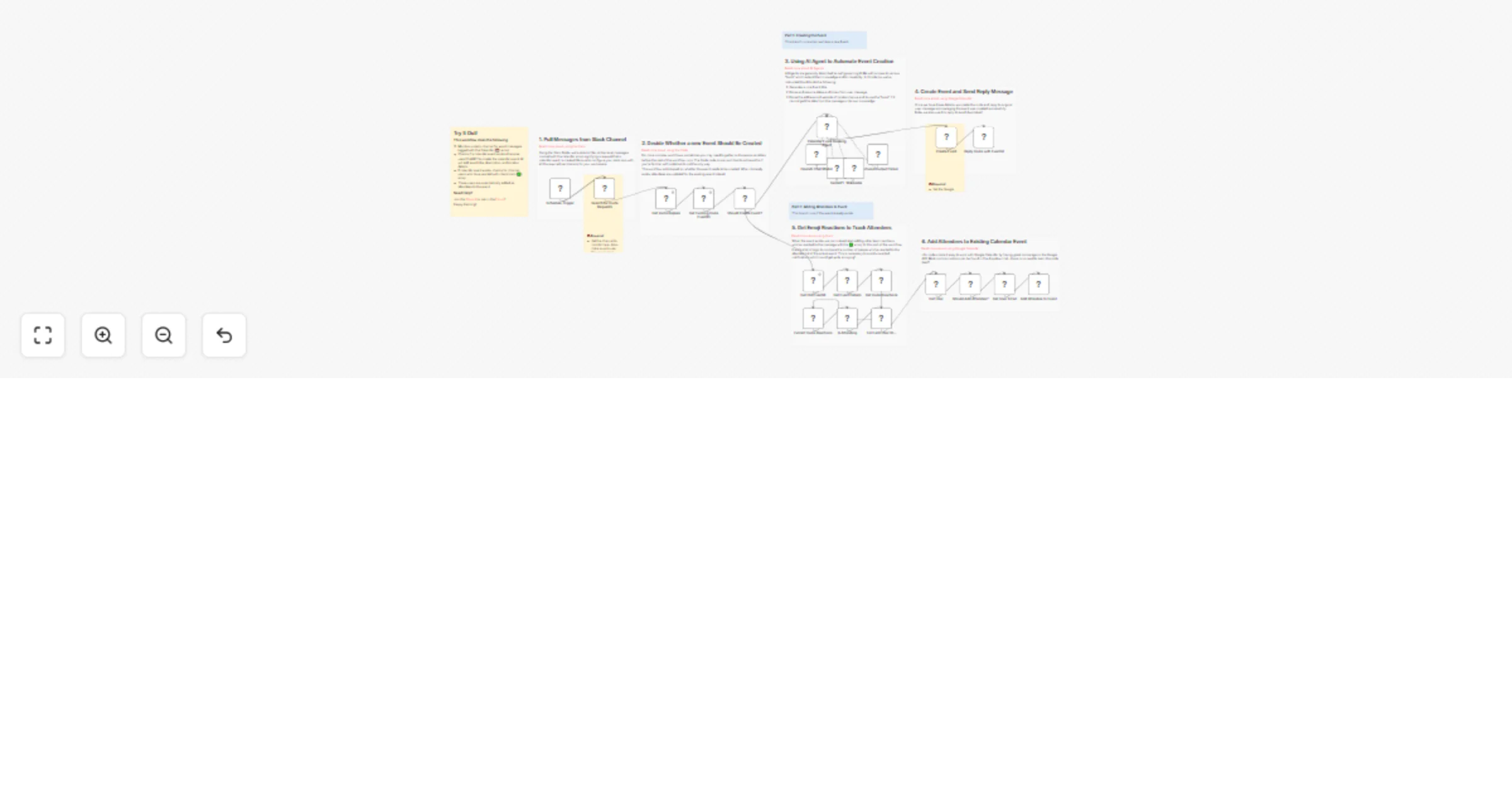
This n8n workflow takes Slack conversations and turns them into Calendar events complete with accurate date and times and location information. Adding and removing attendees are also managed automa...

Best for

  • Personal Productivity automation workflows
  • AI Chatbot automation workflows
  • advanced n8n builders looking for reusable templates

Tools used

n8n-nodes-base.splitout, n8n-nodes-base.slack, n8n-nodes-base.code, n8n-nodes-base.if, n8n-nodes-base.googlecalendar, n8n-nodes-base.set, n8n-nodes-base.filter, @n8n/n8n-nodes-langchain.outputparserstructured

Source and attribution

This workflow is cataloged by N8N Workflows and links back to its original n8n.io source page by Jimleuk.

Original n8n.io source

1.1 Workflow description

Title
Organise an Event using Slack, Google Calendar and AI
Workflow name
Organise an Event using Slack, Google Calendar and AI

This n8n workflow takes Slack conversations and turns them into Calendar events complete with accurate date and times and location information. Adding and removing attendees are also managed automatically.

How it works

  • Workflow monitors a Slack channel for invite messages with a "đź“…" reaction and sends this to the AI agent.
  • AI agent parses the message determining the time, date and location.
  • Using its Location tool, the AI agent searches for the precise location address from Google Maps.
  • Using its Calendar tool, the AI agent creates a Google Calendar invite with the title, description and location address for the user.
  • Back in the Slack channel, others can RSVP to the invite by reacting with the "âś…" emjoi.
  • The workflow polls the message after a while and adds the users who have reacted to the Calendar Invite as attendees. Conversely, removing any attendees who have since removed their reaction.

Examples

Jill: "Hey team, I'm organising a round of Laser Tag (Bunker 51) next Thursday around 6pm. Please RSVP with a âś…"

AI: "I've helped you create an event in your calendar https://cal.google.com/..."

Jack: "âś…"

AI: "I've added Jack to the event as an attendee".

Requirements

  • Slack channel to attach the workflow
  • OpenAI account to use a GPT model
  • Google Calendar to create and update events

Customising the Workflow

This workflow can work with other messaging platforms that support reactions or tagging like features such as discord. Don't use Google Calendar? Swap it out for Outlook or your own.

Use any combinations of emjoi reactions and add new rules like "RSVP maybe" which could send reminder updates nearer the event date.

1.2 Logical Blocks

This catalog entry is organized from the workflow JSON. The node-level section below shows the executable blocks available for review before importing the template.

2. Block-by-Block Analysis

Block 1 - For Each User ID...

Type / Role
n8n-nodes-base.splitOut - splitOut
Config choices
Version 1

Block 2 - Get User

Type / Role
n8n-nodes-base.slack - slack
Config choices
Version 2.2

Block 3 - Search for Invite Requests

Type / Role
n8n-nodes-base.slack - slack
Config choices
Version 2.2

Block 4 - Get Existing Invite EventID

Type / Role
n8n-nodes-base.code - code
Config choices
Version 2

Block 5 - Should Create Event?

Type / Role
n8n-nodes-base.if - if
Config choices
Version 2

Block 6 - Create Event

Type / Role
n8n-nodes-base.googleCalendar - googleCalendar
Config choices
Version 1.1

Block 7 - Get Invite Reactions

Type / Role
n8n-nodes-base.slack - slack
Config choices
Version 2.2

Block 8 - Get Invite Replies

Type / Role
n8n-nodes-base.slack - slack
Config choices
Version 2.2

Block 9 - Extract Invite Reactions

Type / Role
n8n-nodes-base.splitOut - splitOut
Config choices
Version 1

Block 10 - Get Old EventId

Type / Role
n8n-nodes-base.set - set
Config choices
Version 3.3

Block 11 - Add Attendee to Event

Type / Role
n8n-nodes-base.googleCalendar - googleCalendar
Config choices
Version 1.1

Block 12 - Get Event Details

Type / Role
n8n-nodes-base.googleCalendar - googleCalendar
Config choices
Version 1.1

Block 13 - Is Attending

Type / Role
n8n-nodes-base.filter - filter
Config choices
Version 2

Block 14 - Get User Email

Type / Role
n8n-nodes-base.set - set
Config choices
Version 3.3

Block 15 - Should Add Attendee?

Type / Role
n8n-nodes-base.if - if
Config choices
Version 2

Block 16 - Structured Output Parser

Type / Role
@n8n/n8n-nodes-langchain.outputParserStructured - outputParserStructured
Config choices
Version 1.1

Block 17 - SerpAPI

Type / Role
@n8n/n8n-nodes-langchain.toolSerpApi - toolSerpApi
Config choices
Version 1

Block 18 - OpenAI Chat Model

Type / Role
@n8n/n8n-nodes-langchain.lmChatOpenAi - lmChatOpenAi
Config choices
Version 1

Block 19 - Wikipedia

Type / Role
@n8n/n8n-nodes-langchain.toolWikipedia - toolWikipedia
Config choices
Version 1

Block 20 - Schedule Trigger

Type / Role
n8n-nodes-base.scheduleTrigger - scheduleTrigger
Config choices
Version 1.2

Block 21 - Sticky Note

Type / Role
n8n-nodes-base.stickyNote - stickyNote
Config choices
Version 1

Block 22 - Sticky Note1

Type / Role
n8n-nodes-base.stickyNote - stickyNote
Config choices
Version 1

Block 23 - Sticky Note2

Type / Role
n8n-nodes-base.stickyNote - stickyNote
Config choices
Version 1

Block 24 - Sticky Note3

Type / Role
n8n-nodes-base.stickyNote - stickyNote
Config choices
Version 1

Showing the first 24 of 33 workflow blocks. Download the JSON for the full node graph.

3. Summary Table

Workflow Organise an Event using Slack, Google Calendar and AI
Complexity advanced
Nodes 33
Categories Personal Productivity, AI Chatbot
Author Jimleuk
Published 10 Jul 2024

4. Reproducing the Workflow from Scratch

  1. 1. Download the workflow JSON

    Use the JSON export at /data/workflows/2326/2326.json as the source template for this automation.

  2. 2. Import the template into n8n

    Open n8n, import the downloaded JSON, and review each node before activating the workflow.

  3. 3. Configure credentials and variables

    Replace placeholder credentials, API keys, webhook URLs, account IDs, and environment-specific values with your own settings.

  4. 4. Test with sample data

    Run the workflow manually or in a staging workspace, inspect node output, and confirm downstream systems receive the expected data.

  5. 5. Activate and monitor

    Enable the workflow only after testing, then monitor executions, errors, and rate limits during the first production runs.

5. General Notes & Resources

Review imported nodes carefully before activation. This catalog entry is intended to help you inspect the workflow structure, understand required services, and find related templates faster.

Node names, credentials, schedules, webhook paths, and external service limits may need adjustment for your workspace.

Frequently asked questions

What does Organise an Event using Slack, Google Calendar and AI do?

This n8n workflow takes Slack conversations and turns them into Calendar events complete with accurate date and times and location information. Adding and removing attendees are also managed automa...

What do I need before importing this workflow?

Review the workflow JSON, configure any required credentials in n8n, and test the automation in a safe workspace before using it in production.

Can I customize this workflow?

Yes. Use the block-by-block analysis and the downloadable JSON to inspect each node, then adjust credentials, prompts, schedules, filters, or destinations for your Personal Productivity, AI Chatbot use case.