Orchestrate enterprise MCP AI tool access with Claude and Google Sheets

Workflow preview

Workflow preview
100%
Orchestrate enterprise MCP AI tool access with Claude and Google Sheets preview
Open on n8n.io

1. Workflow Overview

A secure, scalable enterprise AI orchestration layer built on the Model Context Protocol (MCP). This workflow standardizes tool access across all business systems, enforces permission based data ha...

Best for

  • Engineering automation workflows
  • AI RAG automation workflows
  • advanced n8n builders looking for reusable templates

Tools used

n8n-nodes-base.stickynote, n8n-nodes-base.webhook, n8n-nodes-base.code, n8n-nodes-base.googlesheets, @n8n/n8n-nodes-langchain.agent, @n8n/n8n-nodes-langchain.lmchatanthropic, n8n-nodes-base.httprequest, n8n-nodes-base.merge

Source and attribution

This workflow is cataloged by N8N Workflows and links back to its original n8n.io source page by Oneclick AI Squad.

Original n8n.io source

1.1 Workflow description

Title
Orchestrate enterprise MCP AI tool access with Claude and Google Sheets
Workflow name
Orchestrate enterprise MCP AI tool access with Claude and Google Sheets

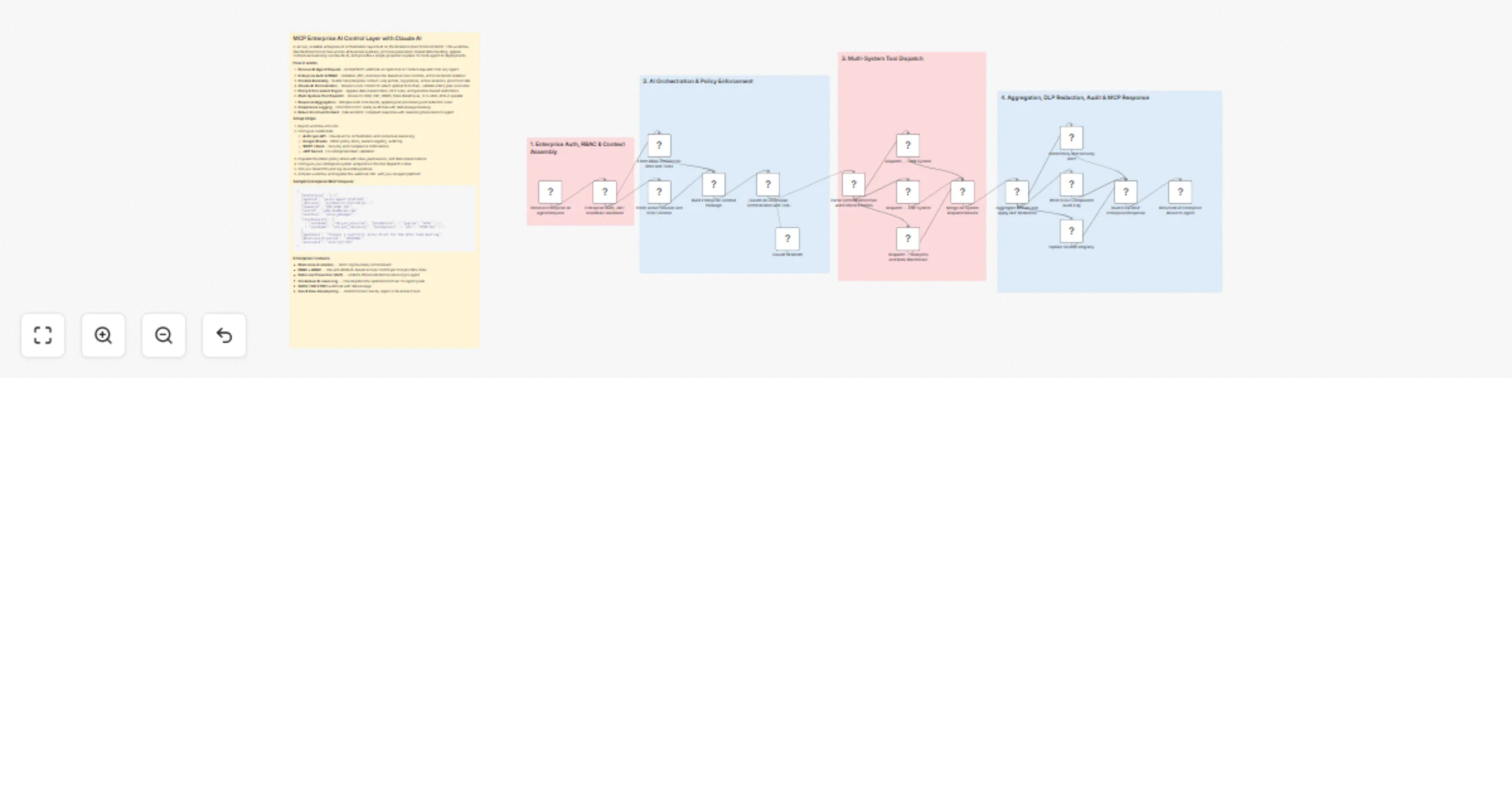
A secure, scalable enterprise AI orchestration layer built on the Model Context Protocol (MCP). This workflow standardizes tool access across all business systems, enforces permission-based data handling, applies contextual reasoning via Claude AI, and provides a single governance plane for multi-agent AI deployments.

How it works

  1. Receive AI Agent Request - Unified MCP webhook accepts tool or context requests from any agent
  2. Enterprise Auth & RBAC - Validates JWT, resolves role-based access controls, enforces tenant isolation
  3. Context Assembly - Builds full enterprise context: user profile, org policies, active sessions, prior tool calls
  4. Claude AI Orchestration - Reasons over context to select optimal tool chain, validate intent, plan execution
  5. Policy Enforcement Engine - Applies data classification, DLP rules, and geo/time-based restrictions
  6. Multi-System Tool Dispatch - Routes to CRM, ERP, HRMS, Data Warehouse, or custom APIs in parallel
  7. Response Aggregation - Merges multi-tool results, applies post-processing and redaction rules
  8. Compliance Logging - SOC2/ISO27001-ready audit trail with data lineage tracking
  9. Return Enriched Context - Delivers MCP-compliant response with reasoning trace back to agent

Setup Steps

  1. Import workflow into n8n
  2. Configure credentials:
  • Anthropic API - Claude AI for orchestration and contextual reasoning
  • Google Sheets - RBAC policy store, session registry, audit log
  • SMTP / Slack - Security and compliance notifications
  • JWT Secret - For enterprise token validation
  1. Populate the RBAC policy sheet with roles, permissions, and data classifications
  2. Configure your enterprise system endpoints in the tool dispatch nodes
  3. Set your tenant IDs and org-level data policies
  4. Activate workflow and register the webhook URL with your AI agent platform

Sample Enterprise MCP Request

{
 "mcpVersion": "1.1",
 "agentId": "sales-agent-prod-007",
 "jwtToken": "eyJhbGciOiJIUzI1NiJ9...",
 "tenantId": "ORG-ACME-001",
 "userId": "[email protected]",
 "userRole": "sales_manager",
 "toolRequests": [
 { "toolName": "crm.get_pipeline", "parameters": { "region": "APAC" } },
 { "toolName": "erp.get_inventory", "parameters": { "sku": "PROD-001" } }
 ],
 "agentGoal": "Prepare a quarterly sales brief for the APAC team meeting",
 "dataClassification": "INTERNAL",
 "sessionId": "sess-xyz-001"
}

Enterprise Features

  • Multi-tenant isolation — strict org boundary enforcement
  • RBAC + ABAC — role and attribute-based access control per tool per data class
  • Data Loss Prevention (DLP) — redacts PII/secrets before returning to agent
  • Contextual AI reasoning — Claude plans the optimal tool chain for agent goals
  • SOC2 / ISO 27001 audit trail with data lineage
  • Geo & time-based policy — restrict tool access by region or business hours

Explore More LinkedIn & Social Automation: Contact us to design AI-powered lead nurturing, content engagement, and multi-platform reply workflows tailored to your growth strategy.

1.2 Logical Blocks

This catalog entry is organized from the workflow JSON. The node-level section below shows the executable blocks available for review before importing the template.

2. Block-by-Block Analysis

Block 1 - Sticky Note

Type / Role
n8n-nodes-base.stickyNote - stickyNote
Config choices
Version 1

Block 2 - Sticky Note1

Type / Role
n8n-nodes-base.stickyNote - stickyNote
Config choices
Version 1

Block 3 - Sticky Note2

Type / Role
n8n-nodes-base.stickyNote - stickyNote
Config choices
Version 1

Block 4 - Sticky Note3

Type / Role
n8n-nodes-base.stickyNote - stickyNote
Config choices
Version 1

Block 5 - Sticky Note4

Type / Role
n8n-nodes-base.stickyNote - stickyNote
Config choices
Version 1

Block 6 - Receive Enterprise AI Agent Request

Type / Role
n8n-nodes-base.webhook - webhook
Config choices
Version 2

Block 7 - Enterprise Auth, JWT and RBAC Validation

Type / Role
n8n-nodes-base.code - code
Config choices
Version 2

Block 8 - Fetch RBAC Policies for Role and Tools

Type / Role
n8n-nodes-base.googleSheets - googleSheets
Config choices
Version 4.5

Block 9 - Fetch Active Session and Prior Context

Type / Role
n8n-nodes-base.googleSheets - googleSheets
Config choices
Version 4.5

Block 10 - Build Enterprise Context Package

Type / Role
n8n-nodes-base.code - code
Config choices
Version 2

Block 11 - Claude AI Contextual Orchestration and Tool Planning

Type / Role
@n8n/n8n-nodes-langchain.agent - agent
Config choices
Version 1.6

Block 12 - Claude AI Model

Type / Role
@n8n/n8n-nodes-langchain.lmChatAnthropic - lmChatAnthropic
Config choices
Version 1

Block 13 - Parse Orchestration Plan and Enforce Policies

Type / Role
n8n-nodes-base.code - code
Config choices
Version 2

Block 14 - Dispatch — CRM System

Type / Role
n8n-nodes-base.httpRequest - httpRequest
Config choices
Version 4.2

Block 15 - Dispatch — ERP System

Type / Role
n8n-nodes-base.httpRequest - httpRequest
Config choices
Version 4.2

Block 16 - Dispatch — Analytics and Data Warehouse

Type / Role
n8n-nodes-base.httpRequest - httpRequest
Config choices
Version 4.2

Block 17 - Merge All System Dispatch Results

Type / Role
n8n-nodes-base.merge - merge
Config choices
Version 3

Block 18 - Aggregate Results and Apply DLP Redaction

Type / Role
n8n-nodes-base.code - code
Config choices
Version 2

Block 19 - Send Policy and Security Alert

Type / Role
n8n-nodes-base.emailSend - emailSend
Config choices
Version 2.1

Block 20 - Write SOC2 Compliance Audit Log

Type / Role
n8n-nodes-base.googleSheets - googleSheets
Config choices
Version 4.5

Block 21 - Update Session Registry

Type / Role
n8n-nodes-base.googleSheets - googleSheets
Config choices
Version 4.5

Block 22 - Build Final MCP Enterprise Response

Type / Role
n8n-nodes-base.code - code
Config choices
Version 2

Block 23 - Return MCP Enterprise Result to Agent

Type / Role
n8n-nodes-base.respondToWebhook - respondToWebhook
Config choices
Version 1

3. Summary Table

Workflow Orchestrate enterprise MCP AI tool access with Claude and Google Sheets
Complexity advanced
Nodes 23
Categories Engineering, AI RAG
Author Oneclick AI Squad
Published 22 Feb 2026

4. Reproducing the Workflow from Scratch

  1. 1. Download the workflow JSON

    Use the JSON export at /data/workflows/13592/13592.json as the source template for this automation.

  2. 2. Import the template into n8n

    Open n8n, import the downloaded JSON, and review each node before activating the workflow.

  3. 3. Configure credentials and variables

    Replace placeholder credentials, API keys, webhook URLs, account IDs, and environment-specific values with your own settings.

  4. 4. Test with sample data

    Run the workflow manually or in a staging workspace, inspect node output, and confirm downstream systems receive the expected data.

  5. 5. Activate and monitor

    Enable the workflow only after testing, then monitor executions, errors, and rate limits during the first production runs.

5. General Notes & Resources

Review imported nodes carefully before activation. This catalog entry is intended to help you inspect the workflow structure, understand required services, and find related templates faster.

Node names, credentials, schedules, webhook paths, and external service limits may need adjustment for your workspace.

Frequently asked questions

What does Orchestrate enterprise MCP AI tool access with Claude and Google Sheets do?

A secure, scalable enterprise AI orchestration layer built on the Model Context Protocol (MCP). This workflow standardizes tool access across all business systems, enforces permission based data ha...

What do I need before importing this workflow?

Review the workflow JSON, configure any required credentials in n8n, and test the automation in a safe workspace before using it in production.

Can I customize this workflow?

Yes. Use the block-by-block analysis and the downloadable JSON to inspect each node, then adjust credentials, prompts, schedules, filters, or destinations for your Engineering, AI RAG use case.