Block 1 - Sticky Note
- Type / Role
- n8n-nodes-base.stickyNote - stickyNote
- Config choices
- Version 1


 Early Deal
This workflow is provided as-is. Please review and test before using in production.
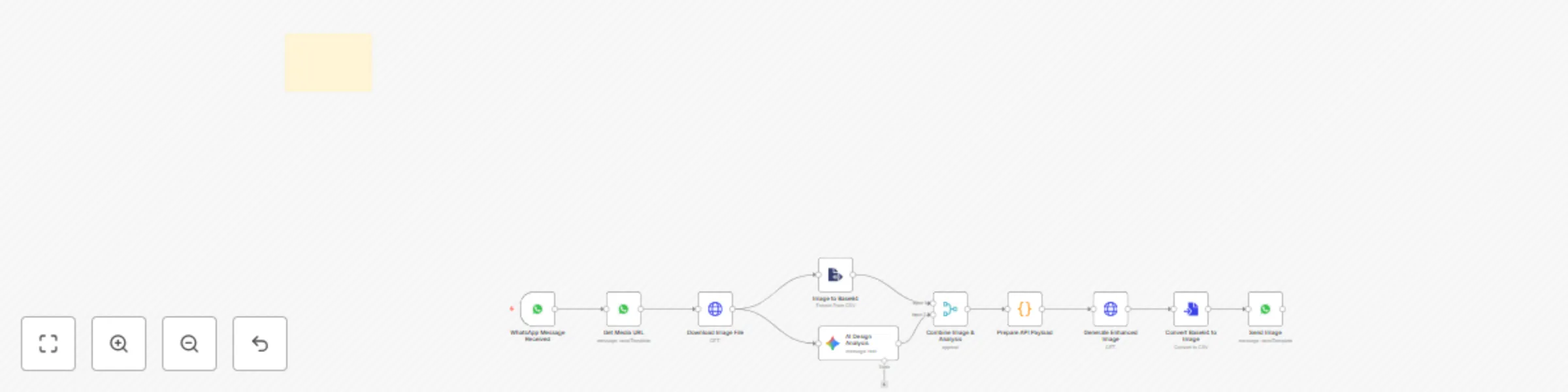
Nano Banana AI Product Image Creator via WhatsApp Transform ordinary product photos into premium marketing visuals instantly using Gemini AI for prompt enhancement and Nano Banana AI for image gene...
n8n-nodes-base.stickynote, n8n-nodes-base.whatsapptrigger, n8n-nodes-base.whatsapp, n8n-nodes-base.httprequest, n8n-nodes-base.extractfromfile, @n8n/n8n-nodes-langchain.googlegemini, n8n-nodes-base.merge, n8n-nodes-base.code
This workflow is cataloged by N8N Workflows and links back to its original n8n.io source page by Roshan Ramani.
Original n8n.io sourceTransform ordinary product photos into premium marketing visuals instantly using Gemini AI for prompt enhancement and Nano Banana AI for image generation through WhatsApp.
• Takes your normal product photo • Gets your text/caption as input • Gemini AI improves your basic prompt into professional instructions • Nano Banana AI generates new premium ad image using enhanced prompt • Keeps your original product exactly the same • Returns social media-ready marketing image
Smart Prompt Enhancement - Gemini AI makes your simple text into professional prompts
Superior Image Generation - Nano Banana AI creates premium visuals
Original Product Protected - Your product stays 100% unchanged
Fast Results - Get enhanced image in under 60 seconds
Easy to Use - Just send photo via WhatsApp
Social Media Ready - Perfect for Instagram, Facebook, ads
Your Input: "Make this look premium for Instagram"
Gemini AI Enhanced Prompt: "Create luxury product advertisement with professional studio lighting, marble background, elegant typography, commercial photography style, high-end visual appeal..."
Nano Banana AI Generated Result: Professional marketing image created with your improved prompt
• Better Prompts - Gemini AI turns simple text into detailed instructions • Professional Images - Studio-quality marketing visuals generated by Nano Banana AI • Same Product - Your original item stays unchanged • Quick Results - Ready in under 60 seconds
Perfect solution for creating professional product ads from simple WhatsApp messages using the power of both Gemini AI and Nano Banana AI.
This catalog entry is organized from the workflow JSON. The node-level section below shows the executable blocks available for review before importing the template.
| Workflow | Nano banana AI product image creator via WhatsApp |
|---|---|
| Complexity | intermediate |
| Nodes | 11 |
| Categories | Content Creation, Multimodal AI |
| Author | Roshan Ramani |
| Published | 13 Sept 2025 |
Use the JSON export at /data/workflows/8549/8549.json as the source template for this automation.
Open n8n, import the downloaded JSON, and review each node before activating the workflow.
Replace placeholder credentials, API keys, webhook URLs, account IDs, and environment-specific values with your own settings.
Run the workflow manually or in a staging workspace, inspect node output, and confirm downstream systems receive the expected data.
Enable the workflow only after testing, then monitor executions, errors, and rate limits during the first production runs.
Review imported nodes carefully before activation. This catalog entry is intended to help you inspect the workflow structure, understand required services, and find related templates faster.
Node names, credentials, schedules, webhook paths, and external service limits may need adjustment for your workspace.
Nano Banana AI Product Image Creator via WhatsApp Transform ordinary product photos into premium marketing visuals instantly using Gemini AI for prompt enhancement and Nano Banana AI for image gene...
Review the workflow JSON, configure any required credentials in n8n, and test the automation in a safe workspace before using it in production.
Yes. Use the block-by-block analysis and the downloadable JSON to inspect each node, then adjust credentials, prompts, schedules, filters, or destinations for your Content Creation, Multimodal AI use case.