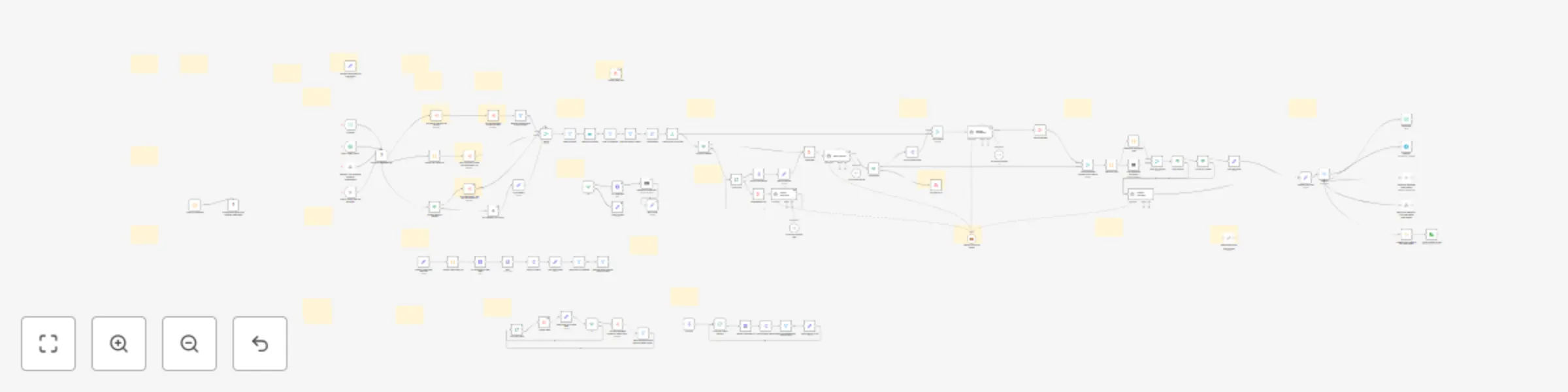
Multi-source news curator with Mistral AI analysis, summaries & custom channels

Workflow preview

Workflow preview
100%
Multi-source news curator with Mistral AI analysis, summaries & custom channels preview
Open on n8n.io

Important notice

This workflow is provided as-is. Please review and test before using in production.

1. Workflow Overview

Flexible News Curator Multi Sources, AI Analysis, Summaries, Translation, and Settable Channels Overview The Flexible News Curator workflow can automate the collection, filtering, AI driven anal...

Best for

  • Content Creation automation workflows
  • AI Summarization automation workflows
  • advanced n8n builders looking for reusable templates

Tools used

n8n-nodes-base.merge, n8n-nodes-base.aggregate, n8n-nodes-base.filter, n8n-nodes-base.limit, @n8n/n8n-nodes-langchain.lmchatmistralcloud, @n8n/n8n-nodes-langchain.agent, n8n-nodes-base.splitout, n8n-nodes-base.scheduletrigger

Source and attribution

This workflow is cataloged by N8N Workflows and links back to its original n8n.io source page by Hybroht.

Original n8n.io source

1.1 Workflow description

Title
Multi-source news curator with Mistral AI analysis, summaries & custom channels
Workflow name
Multi-source news curator with Mistral AI analysis, summaries & custom channels

Flexible News Curator - Multi-Sources, AI Analysis, Summaries, Translation, and Settable Channels

🎬 Overview

The Flexible News Curator workflow can automate the collection, filtering, AI-driven analysis, and summarization of news from diverse sources of your interest. Using customizable search themes, RSS feeds, and (optional) video descriptions, it delivers concise, quality news summaries via configurable channels. This workflow is designed to help reduce information overload and keep you updated effortlessly.

Click the image below to watch the video guide:

✨ Features

  • Multi-Source News Aggregation: Collect news from customizable RSS feeds, SerpAPI, and Video Channel Feeds (if enabled).
  • AI-Powered News Selection & Summarization: Uses advanced AI agents (Mistral Cloud Chat Model by default) to select, analyze, and summarize top news.
  • Quality Assurance Step: Optional AI-powered filtering to improve news selection quality before analysis.
  • Multi-Language Translation & Tone Customization: Translate summaries and customize tone for localized or tailored consumption.
  • Multi-Channel Delivery: Send outputs via Email, Telegram, WhatsApp, Webhook, or save to disk.
  • Advanced Filtering: Regex-based filtering on URLs, titles, and content to exclude unwanted articles.
  • Sub-Workflow Architecture: Modular handling of video transcripts, content retrieval, multi-theme searching, and more.
  • Flexible Scheduling & Trigger Options: Supports schedule-based triggering, email (IMAP) triggers, and webhook-based activation.
  • (Optional) Video Search: Video content descriptions via Video Channel Feeds.

πŸ‘€ Who is this for?

This workflow benefits professionals, researchers, marketers, and anyone who needs to stay informed about specific news themes without wasting time on irrelevant information or reading too many news to select the most interesting ones.

πŸ’‘ What problem does this solve?

The workflow tackles the challenge of information overload by automatically filtering, summarizing, and delivering the essential news tailored to your interests and preferences. It integrates various data sources and channels for comprehensive yet efficient news consumption. Ideal use-cases include:

  • Monitoring breakthroughs in research fields
  • Receiving daily business opportunity updates (e.g., real estate)
  • Lower the cognitive load required to follow your favorite news
  • Translating news summaries to your chosen language

πŸ” What this workflow does

The workflow gathers news from RSS feeds, search engines, and social media, then:

  • Filters duplicates and irrelevant content via custom regex filters and date ranges.
  • Applies optional AI-powered Quality Assurance for headline evaluation.
  • Selects top news articles with AI analysis focused on user-defined criteria and audience.
  • Summarizes individual articles using AI summarization agents, ensuring structured, consistent outputs.
  • Optionally translates and adjusts the tone of summaries.
  • Distributes summaries through configured channels such as email, social media, messaging apps, or webhook calls.

πŸ”„ Workflow Steps

1. News Gathering

  • Fetch news using RSS feeds, SerpAPI search, and optionally video channel feeds.
  • Standardize output structures for seamless merging.
  • Employ sub-workflows for video transcript retrieval and looping over custom RSS feed lists.

2. Filtering

  • Remove duplicates and news outside the specified date range.
  • Exclude articles matching user-defined keywords via regex filters in URLs, titles, and content.
  • Limit the number of news articles for AI analysis.

3. News Selection

  • Optionally invoke an AI Quality Assurance agent to pre-filter headlines.
  • Aggregate news for AI analysis.
  • Select and summarize top news articles with AI agents using customizable criteria.
  • Parse AI responses into defined JSON structures to ensure consistent data.

4. News Summarization

  • Prepare individual article content.
  • Summarize content with AI agents and validate structured output.

5. Sender Preparation

  • Combine general summaries with selected top news summaries.
  • Format final summaries as text and HTML suitable for delivery.
  • Optionally apply translation and tone adjustment.

6. Sending

  • Deliver summaries through selected channels (Email, Telegram, WhatsApp, Webhook).
  • Optionally save the output to disk as JSON.

πŸ“Œ Expected Input / Configuration

The workflow is primarily configured via the Configure Workflow Args node or the Global Variables custom node, with these key parameters:

Parameter Description Type
search_themes List of keywords/themes to search in SerpAPI List of strings
datetime_delta Number of days back to include news from; e.g., 0 = today Integer
link_censor Regex to exclude unwanted URLs Regex string
title_censor Regex to exclude unwanted titles Regex string
content_censor Regex to exclude unwanted content Regex string
use_qa Flag to enable AI Quality Assurance for headline filtering Boolean
max_news_analysis Max number of articles sent to News Analyzer Integer
qa_max_news Number of headlines the QA Agent analyzes Integer
qa_max_top_news Number of headlines selected by QA Agent Integer
qa_check_criteria Criteria used by QA Agent to discard low-quality headlines List of strings
qa_select_criteria Criteria used by QA Agent to rank/select the best headlines List of strings
news_focus What the News Analyzer should focus on while selecting news String
news_target_audience Target audience description for the News Analyzer String
news_criteria Instructions for the News Analyzer to identify relevant news List of strings
language Language for news summaries; triggers translation if not English String
translator_tone Tone for translation (e.g., casual, professional) String
translator_notes Additional instructions for the translator String
email_sender Email address used for sending (via SMTP) String
email_recipients Recipient email addresses (comma-separated) String
email_subject Email subject line String
telegram_chat_id Telegram chat ID for sending notifications String
phone_number Phone number for WhatsApp messages String
rss_feeds Custom list of RSS feeds (objects with link and needs_content_search properties) JSON array of objects
video_rss_feeds Custom list of video RSS feeds JSON array of objects
enable_video_search Enable/disable video search functionality Boolean
enabled_senders List of enabled delivery channels (email, telegram, whatsapp, webhook, save-to-disk) List of strings

Hint: To add or combine keywords in censors, use the pattern "keyword1|keyword2|keyword3".

πŸ“¦ Expected Output

Structured JSON containing a general news summary, top news with summaries, and metadata, suitable for your preferred channel delivery.

πŸ“Œ Example

An example that includes workflow parameters is provided in a note within the workflow.

βš™οΈ n8n Setup Used

  • n8n version: 1.100.1
  • n8n-nodes-serpapi: 0.1.6
  • n8n-nodes-globals: 1.1.0
  • LLM Model: mistral-small-latest (API)
  • IMAP: imap.gmail.com (Port 993)
  • Platform: Podman 4.3.1 on Linux
  • Date: 2025-07-15

⚑ Requirements to Use / Setup

  • Self-hosted n8n instance. (This workflow contains community nodes that are only compatible with the self-hosted version of n8n.)
  • Install necessary custom nodes:
  • Configure all sub-workflows bundled within this template (see Sub-Workflows Guide).
  • Provide valid credentials to nodes for SerpAPI, Telegram, WhatsApp, Mistral Cloud Chat API, and SMTP (for email).
  • Custom RSS feed list must be set by you in the workflow args.
  • You must either install the SerpAPI custom node or deactivate it.

⚠️ Notes, Assumptions & Warnings

  • The workflow timeout is set to 30 minutes by default; adjust depending on your setup and workload.
  • Duplicate removal is applied, but occasional overlaps might still appear depending on feed sources.
  • This workflow assumes familiarity with n8n, RSS feeds, API key management and regex expressions.
  • Video search only works for configured video channels; remember to respect the rights of these channels.
  • Using AI agents (Mistral or substitute LLMs) requires access to their API services and keys.
  • Out-of-the-box customization is done via the Global Variables node or direct workflow argument edits.

ℹ️ About Us

This workflow was developed by the Hybroht team of AI enthusiasts and developers dedicated to enhancing the capabilities of AI through collaborative processes. Our goal is to create tools that harness the possibilities of AI technology and more. For questions, support, or feature requests, reach out via [email protected].


❓ Questions & Issues

We will answer any questions, provided they are related to this workflow.

Please contact us if there is any bug/issue with this workflow. We will assist you.

βš–οΈ Warranty & Legal Notice

You can view the full license terms here. Please review them before making your purchase.

By purchasing this product, you agree to these terms.


1.2 Logical Blocks

This catalog entry is organized from the workflow JSON. The node-level section below shows the executable blocks available for review before importing the template.

2. Block-by-Block Analysis

Block 1 - Merge

Type / Role
n8n-nodes-base.merge - merge
Config choices
Version 3.1

Block 2 - Aggregate

Type / Role
n8n-nodes-base.aggregate - aggregate
Config choices
Version 1

Block 3 - Filter by Datetime

Type / Role
n8n-nodes-base.filter - filter
Config choices
Version 2.2

Block 4 - Limit Number of Articles

Type / Role
n8n-nodes-base.limit - limit
Config choices
Version 1

Block 5 - Mistral Cloud Chat Model

Type / Role
@n8n/n8n-nodes-langchain.lmChatMistralCloud - lmChatMistralCloud
Config choices
Version 1

Block 6 - News Analyzer

Type / Role
@n8n/n8n-nodes-langchain.agent - agent
Config choices
Version 1.6

Block 7 - Split Out News Data

Type / Role
n8n-nodes-base.splitOut - splitOut
Config choices
Version 1

Block 8 - Remove Certain Content

Type / Role
n8n-nodes-base.filter - filter
Config choices
Version 2.2

Block 9 - Schedule

Type / Role
n8n-nodes-base.scheduleTrigger - scheduleTrigger
Config choices
Version 1.2

Block 10 - Join Outputs

Type / Role
n8n-nodes-base.merge - merge
Config choices
Version 3.2

Block 11 - Final Aggregate

Type / Role
n8n-nodes-base.aggregate - aggregate
Config choices
Version 1

Block 12 - Website Summarizer

Type / Role
@n8n/n8n-nodes-langchain.agent - agent
Config choices
Version 1.6

Block 13 - Results to Text

Type / Role
n8n-nodes-base.code - code
Config choices
Version 2

Block 14 - Sticky Note

Type / Role
n8n-nodes-base.stickyNote - stickyNote
Config choices
Version 1

Block 15 - Sticky Note1

Type / Role
n8n-nodes-base.stickyNote - stickyNote
Config choices
Version 1

Block 16 - Sticky Note2

Type / Role
n8n-nodes-base.stickyNote - stickyNote
Config choices
Version 1

Block 17 - Sticky Note3

Type / Role
n8n-nodes-base.stickyNote - stickyNote
Config choices
Version 1

Block 18 - Sticky Note4

Type / Role
n8n-nodes-base.stickyNote - stickyNote
Config choices
Version 1

Block 19 - Sticky Note5

Type / Role
n8n-nodes-base.stickyNote - stickyNote
Config choices
Version 1

Block 20 - Sticky Note6

Type / Role
n8n-nodes-base.stickyNote - stickyNote
Config choices
Version 1

Block 21 - Sticky Note7

Type / Role
n8n-nodes-base.stickyNote - stickyNote
Config choices
Version 1

Block 22 - JSON Output Parser 2

Type / Role
@n8n/n8n-nodes-langchain.outputParserStructured - outputParserStructured
Config choices
Version 1.2

Block 23 - JSON Output Parser

Type / Role
@n8n/n8n-nodes-langchain.outputParserStructured - outputParserStructured
Config choices
Version 1.2

Block 24 - Final Markdown Conversion

Type / Role
n8n-nodes-base.markdown - markdown
Config choices
Version 1

Showing the first 24 of 120 workflow blocks. Download the JSON for the full node graph.

3. Summary Table

Workflow Multi-source news curator with Mistral AI analysis, summaries & custom channels
Complexity advanced
Nodes 120
Categories Content Creation, AI Summarization
Author Hybroht
Published 18 Jul 2025

4. Reproducing the Workflow from Scratch

  1. 1. Download the workflow JSON

    Use the JSON export at /data/workflows/6157/6157.json as the source template for this automation.

  2. 2. Import the template into n8n

    Open n8n, import the downloaded JSON, and review each node before activating the workflow.

  3. 3. Configure credentials and variables

    Replace placeholder credentials, API keys, webhook URLs, account IDs, and environment-specific values with your own settings.

  4. 4. Test with sample data

    Run the workflow manually or in a staging workspace, inspect node output, and confirm downstream systems receive the expected data.

  5. 5. Activate and monitor

    Enable the workflow only after testing, then monitor executions, errors, and rate limits during the first production runs.

5. General Notes & Resources

Review imported nodes carefully before activation. This catalog entry is intended to help you inspect the workflow structure, understand required services, and find related templates faster.

Node names, credentials, schedules, webhook paths, and external service limits may need adjustment for your workspace.

Frequently asked questions

What does Multi-source news curator with Mistral AI analysis, summaries & custom channels do?

Flexible News Curator Multi Sources, AI Analysis, Summaries, Translation, and Settable Channels Overview The Flexible News Curator workflow can automate the collection, filtering, AI driven anal...

What do I need before importing this workflow?

Review the workflow JSON, configure any required credentials in n8n, and test the automation in a safe workspace before using it in production.

Can I customize this workflow?

Yes. Use the block-by-block analysis and the downloadable JSON to inspect each node, then adjust credentials, prompts, schedules, filters, or destinations for your Content Creation, AI Summarization use case.