Block 1 - Retrieve relevant info
- Type / Role
- n8n-nodes-base.set - set
- Config choices
- Version 3.4


 Early Deal
This workflow is provided as-is. Please review and test before using in production.
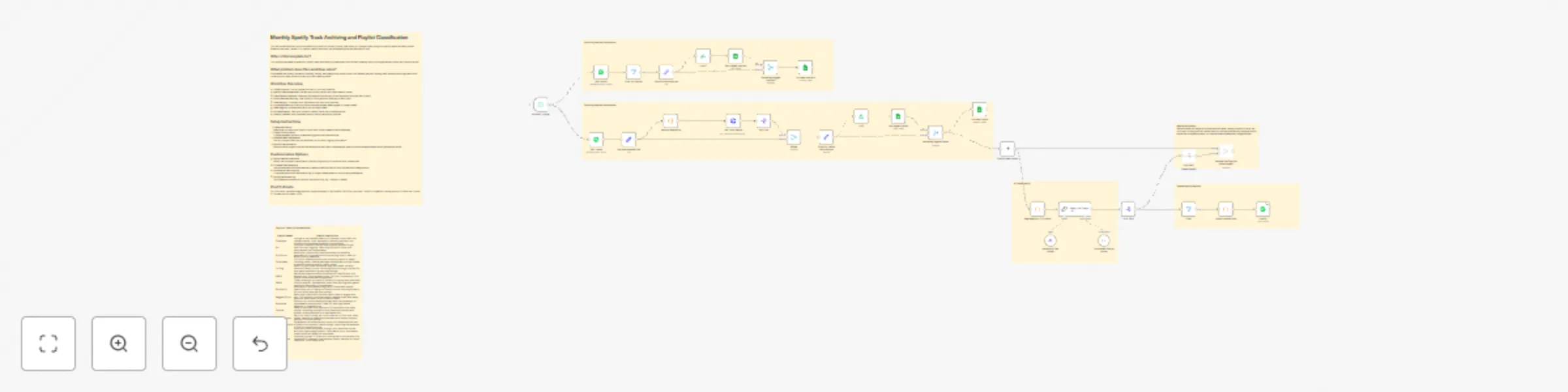
Monthly Spotify Track Archiving and Playlist Classification This n8n workflow allows you to automatically archive your monthly Spotify liked tracks in a Google Sheet, along with playlist details an...
n8n-nodes-base.set, n8n-nodes-base.code, n8n-nodes-base.httprequest, n8n-nodes-base.splitout, @n8n/n8n-nodes-langchain.lmchatanthropic, n8n-nodes-base.spotify, @n8n/n8n-nodes-langchain.outputparserstructured, n8n-nodes-base.filter
This workflow is cataloged by N8N Workflows and links back to its original n8n.io source page by Arnaud MARIE.
Original n8n.io sourceThis n8n workflow allows you to automatically archive your monthly Spotify liked tracks in a Google Sheet, along with playlist details and descriptions. Based on this data, Claude 3.5 is used to classify each track into multiple playlists and add them in bulk.
This workflow template is perfect for Spotify users who want to systematically archive their listening history and organize their tracks into custom playlists.
It automates the monthly process of tracking, storing, and categorizing Spotify tracks into relevant playlists, helping users maintain well-organized music collections and keep a historical record of their listening habits.
For 300 tracks, the token usage amounts to approximately 60,000 tokens (58,000 for input and 2,000 for completion), costing around 20 cents with Claude 3.5 Sonnet (as of October 2024).
| Playlist Name | Playlist Description |
|---|---|
| Classique | Indulge in the timeless beauty of classical music with this refined playlist. From baroque to romantic periods, this collection showcases renowned compositions. |
| Poi | Find your flow with this dynamic playlist tailored for poi, staff, and ball juggling. Featuring rhythmic tracks that complement your movements. |
| Pro Sound | Boost your productivity and focus with this carefully selected mix of concentration-enhancing music. Ideal for work or study sessions. |
| ChillySleep | Drift off to dreamland with this soothing playlist of sleep-inducing tracks. Gentle melodies and ambient sounds create a peaceful atmosphere for restful sleep. |
| To Sing | Warm up your vocal cords and sing your heart out with karaoke-friendly tracks. Featuring popular songs, perfect for solo performances or group sing-alongs. |
| 1990s | Relive the diverse musical landscape of the 90s with this eclectic mix. From grunge to pop, hip-hop to electronic, this playlist showcases defining genres. |
| 1980s | Take a nostalgic trip back to the era of big hair and neon with this 80s playlist. Packed with iconic hits and forgotten gems, capturing the energy of the decade. |
| Groove Up | Elevate your mood and energy with this upbeat playlist. Featuring a mix of feel-good tracks across various genres to lift your spirits and get you moving. |
| Reggae & Dub | Relax and unwind with the laid-back vibes of reggae and dub. This playlist combines classic reggae tunes with deep, spacious dub tracks for a chilled-out vibe. |
| Psytrance | Embark on a mind-bending journey with this collection of psychedelic trance tracks. Ideal for late-night dance sessions or intense focus. |
| Cumbia | Sway to the infectious rhythms of Cumbia with this lively playlist. Blending traditional Latin American sounds with modern interpretations for a danceable mix. |
| Funky Groove | Get your body moving with this collection of funk and disco tracks. Featuring irresistible basslines and catchy rhythms, perfect for dance parties. |
| French Chanson | Experience the romance and charm of France with this mix of classic and modern French songs, capturing the essence of French musical culture. |
| Workout Motivation | Push your limits and power through your exercise routine with this high-energy playlist. From warm-up to cool-down, these tracks will keep you motivated. |
| Cinematic Instrumentals | Immerse yourself in a world of atmospheric sounds with this collection of cinematic instrumental tracks, perfect for focus, relaxation, or contemplation. |
This catalog entry is organized from the workflow JSON. The node-level section below shows the executable blocks available for review before importing the template.
Showing the first 24 of 37 workflow blocks. Download the JSON for the full node graph.
| Workflow | Monthly Spotify track archiving and playlist classification |
|---|---|
| Complexity | advanced |
| Nodes | 37 |
| Categories | Personal Productivity, AI Summarization |
| Author | Arnaud MARIE |
| Published | 27 Oct 2024 |
Use the JSON export at /data/workflows/2502/2502.json as the source template for this automation.
Open n8n, import the downloaded JSON, and review each node before activating the workflow.
Replace placeholder credentials, API keys, webhook URLs, account IDs, and environment-specific values with your own settings.
Run the workflow manually or in a staging workspace, inspect node output, and confirm downstream systems receive the expected data.
Enable the workflow only after testing, then monitor executions, errors, and rate limits during the first production runs.
Review imported nodes carefully before activation. This catalog entry is intended to help you inspect the workflow structure, understand required services, and find related templates faster.
Node names, credentials, schedules, webhook paths, and external service limits may need adjustment for your workspace.
Monthly Spotify Track Archiving and Playlist Classification This n8n workflow allows you to automatically archive your monthly Spotify liked tracks in a Google Sheet, along with playlist details an...
Review the workflow JSON, configure any required credentials in n8n, and test the automation in a safe workspace before using it in production.
Yes. Use the block-by-block analysis and the downloadable JSON to inspect each node, then adjust credentials, prompts, schedules, filters, or destinations for your Personal Productivity, AI Summarization use case.