Monitor Docker host health via SSH with GPT-4o-mini and alerts to Discord

Workflow preview

Workflow preview
100%
Monitor Docker host health via SSH with GPT-4o-mini and alerts to Discord preview
Open on n8n.io

1. Workflow Overview

This n8n template builds an automated health monitoring dashboard for your homelab Docker host. It SSHs into your server, collects 30+ system and container metrics, analyzes trends with AI, and del...

Best for

  • DevOps automation workflows
  • AI Summarization automation workflows
  • advanced n8n builders looking for reusable templates

Tools used

n8n-nodes-base.stickynote, n8n-nodes-base.scheduletrigger, n8n-nodes-base.set, n8n-nodes-base.ssh, n8n-nodes-base.code, n8n-nodes-base.googlesheets, @n8n/n8n-nodes-langchain.chainllm, @n8n/n8n-nodes-langchain.lmchatopenai

Source and attribution

This workflow is cataloged by N8N Workflows and links back to its original n8n.io source page by nXsi.

Original n8n.io source

1.1 Workflow description

Title
Monitor Docker host health via SSH with GPT-4o-mini and alerts to Discord
Workflow name
Monitor Docker host health via SSH with GPT-4o-mini and alerts to Discord

This n8n template builds an automated health monitoring dashboard for your homelab Docker host.

It SSHs into your server, collects 30+ system and container metrics, analyzes trends with AI, and delivers a structured multi-embed dashboard to Discord -- plus real-time critical alerts when things go wrong.

Stop SSHing into your server every morning to check if everything's still running. AI reads your metrics and tells you exactly what needs attention, with copy-paste fix commands.

Good to know

  • Estimated cost is ~$0.003 per daily run using GPT-4o-mini. Compatible with Claude or any OpenAI-compatible LLM -- swap the model sub-node to switch providers. See the setup notes inside the workflow for Claude configuration.
  • Uses Google Sheets for 7-day metric history and trend analysis. A one-click setup trigger auto-creates a formatted tracking spreadsheet with frozen headers and conditional formatting.
  • The critical alert path runs every 5 minutes with a lightweight check (configurable). The daily digest runs once in the morning. Both schedules are adjustable.

How it works

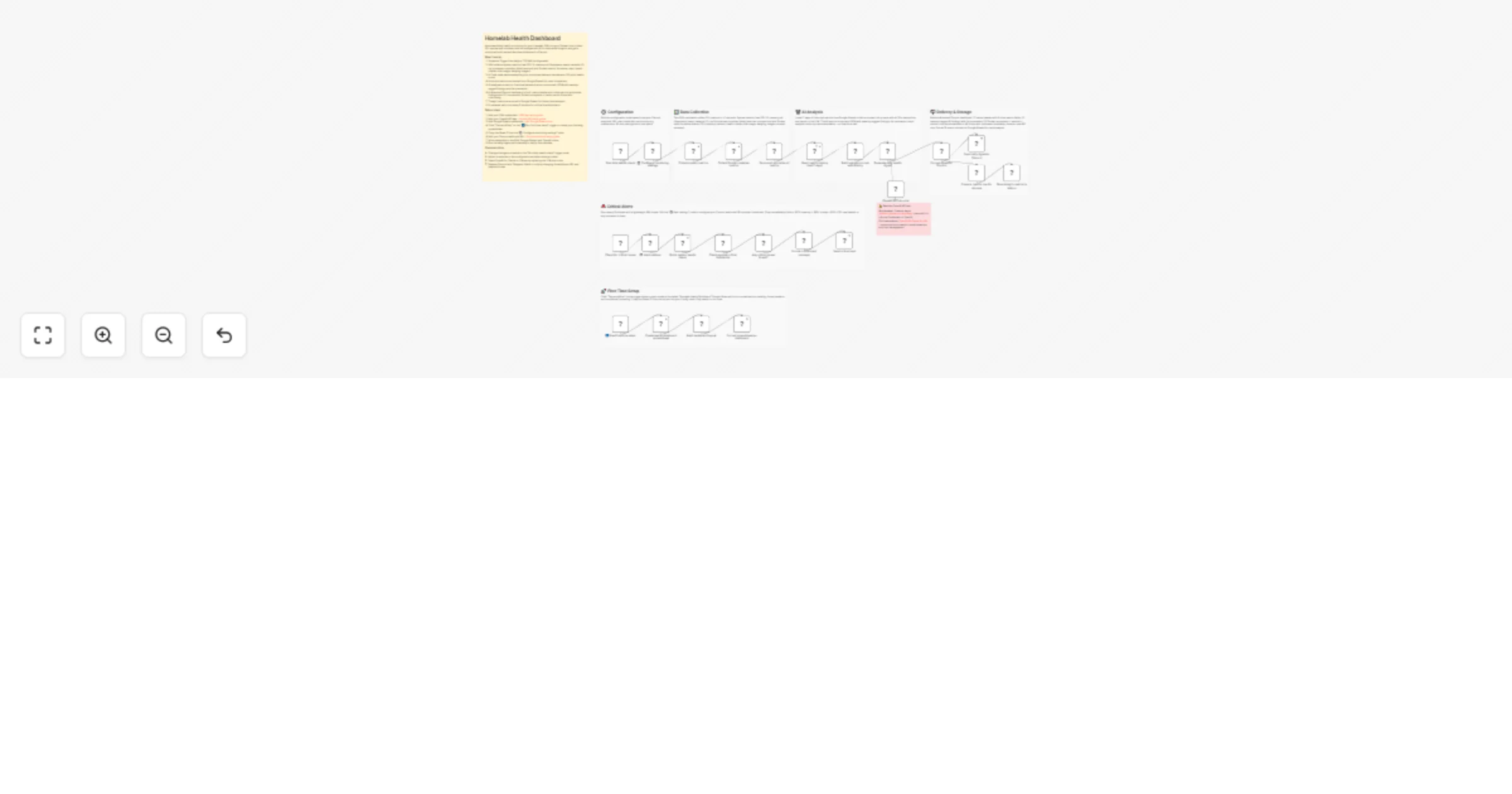
  • Daily schedule trigger SSHs into your Docker host and collects system metrics (real CPU % from /proc/stat, memory, all filesystems, swap, network I/O, top processes, zombie processes, failed services) and Docker metrics (container status, CPU, memory, restarts, health checks, disk usage, dangling images) in ~2 seconds
  • A 100-point health score is calculated from weighted metrics across CPU, memory, disk, swap, containers, and system health
  • 7 days of historical data is loaded from Google Sheets for trend comparison
  • AI analyzes current vs. historical metrics and returns structured JSON with severity-tagged findings, CLI fix commands, trend analysis, and a top recommendation
  • A 4-embed Discord dashboard is delivered: status header with inline metrics, actionable findings, Docker ecosystem overview with trends, and a footer with timing and API cost
  • Today's metrics are stored in Google Sheets for future trend tracking
  • A separate lightweight path runs every 5 minutes checking critical thresholds (disk > 90%, memory > 95%, inodes > 90%, containers down) and fires immediate alerts

How to use

  • Click "Test workflow" on the first-time setup trigger to auto-create your Google Sheets tracking dashboard
  • Copy the Sheet ID into the configuration node, add your Discord webhook URL, wire your SSH and OpenAI credentials, and activate
  • Full setup guides linked inside the workflow for SSH keys, API keys, and Discord webhooks

Requirements

Customizing this workflow

  • Adjust alert thresholds in the configuration node (disk warning/critical, memory warning/critical, inode critical, restart threshold)
  • Change the daily digest and critical alert schedules in the trigger nodes
  • Swap OpenAI for Claude or Ollama by replacing the LLM sub-node
  • Replace Discord with Slack, Telegram, or ntfy by modifying the webhook payload format
  • Add additional SSH metrics by editing the collection commands

1.2 Logical Blocks

This catalog entry is organized from the workflow JSON. The node-level section below shows the executable blocks available for review before importing the template.

2. Block-by-Block Analysis

Block 1 - Sticky Note - Overview

Type / Role
n8n-nodes-base.stickyNote - stickyNote
Config choices
Version 1

Block 2 - Sticky Note - Configuration

Type / Role
n8n-nodes-base.stickyNote - stickyNote
Config choices
Version 1

Block 3 - Sticky Note - Data Collection

Type / Role
n8n-nodes-base.stickyNote - stickyNote
Config choices
Version 1

Block 4 - Sticky Note - AI Analysis

Type / Role
n8n-nodes-base.stickyNote - stickyNote
Config choices
Version 1

Block 5 - Sticky Note - Delivery

Type / Role
n8n-nodes-base.stickyNote - stickyNote
Config choices
Version 1

Block 6 - Sticky Note - Critical Alerts

Type / Role
n8n-nodes-base.stickyNote - stickyNote
Config choices
Version 1

Block 7 - Sticky Note - API Cost Warning

Type / Role
n8n-nodes-base.stickyNote - stickyNote
Config choices
Version 1

Block 8 - Run daily health check

Type / Role
n8n-nodes-base.scheduleTrigger - scheduleTrigger
Config choices
Version 1.2

Block 9 - ⚙️ Configure monitoring settings

Type / Role
n8n-nodes-base.set - set
Config choices
Version 3.4

Block 10 - Collect system metrics

Type / Role
n8n-nodes-base.ssh - ssh
Config choices
Version 1

Block 11 - Collect Docker container metrics

Type / Role
n8n-nodes-base.ssh - ssh
Config choices
Version 1

Block 12 - Parse and normalize all metrics

Type / Role
n8n-nodes-base.code - code
Config choices
Version 2

Block 13 - Read metrics history (last 7 days)

Type / Role
n8n-nodes-base.googleSheets - googleSheets
Config choices
Version 4.5

Block 14 - Build analysis prompt with history

Type / Role
n8n-nodes-base.code - code
Config choices
Version 2

Block 15 - Generate daily health digest

Type / Role
@n8n/n8n-nodes-langchain.chainLlm - chainLlm
Config choices
Version 1.7

Block 16 - OpenAI GPT-4o-mini

Type / Role
@n8n/n8n-nodes-langchain.lmChatOpenAi - lmChatOpenAi
Config choices
Version 1.2

Block 17 - Format digest for Discord

Type / Role
n8n-nodes-base.code - code
Config choices
Version 2

Block 18 - Send daily digest to Discord

Type / Role
n8n-nodes-base.httpRequest - httpRequest
Config choices
Version 4.2

Block 19 - Store today's metrics in history

Type / Role
n8n-nodes-base.googleSheets - googleSheets
Config choices
Version 4.5

Block 20 - Check for critical issues

Type / Role
n8n-nodes-base.scheduleTrigger - scheduleTrigger
Config choices
Version 1.2

Block 21 - Quick system health check

Type / Role
n8n-nodes-base.ssh - ssh
Config choices
Version 1

Block 22 - Check against critical thresholds

Type / Role
n8n-nodes-base.code - code
Config choices
Version 2

Block 23 - Any critical issues found?

Type / Role
n8n-nodes-base.if - if
Config choices
Version 2.3

Block 24 - Format critical alert message

Type / Role
n8n-nodes-base.code - code
Config choices
Version 2

Showing the first 24 of 32 workflow blocks. Download the JSON for the full node graph.

3. Summary Table

Workflow Monitor Docker host health via SSH with GPT-4o-mini and alerts to Discord
Complexity advanced
Nodes 32
Categories DevOps, AI Summarization
Author nXsi
Published 20 Feb 2026

4. Reproducing the Workflow from Scratch

  1. 1. Download the workflow JSON

    Use the JSON export at /data/workflows/13565/13565.json as the source template for this automation.

  2. 2. Import the template into n8n

    Open n8n, import the downloaded JSON, and review each node before activating the workflow.

  3. 3. Configure credentials and variables

    Replace placeholder credentials, API keys, webhook URLs, account IDs, and environment-specific values with your own settings.

  4. 4. Test with sample data

    Run the workflow manually or in a staging workspace, inspect node output, and confirm downstream systems receive the expected data.

  5. 5. Activate and monitor

    Enable the workflow only after testing, then monitor executions, errors, and rate limits during the first production runs.

5. General Notes & Resources

Review imported nodes carefully before activation. This catalog entry is intended to help you inspect the workflow structure, understand required services, and find related templates faster.

Node names, credentials, schedules, webhook paths, and external service limits may need adjustment for your workspace.

Frequently asked questions

What does Monitor Docker host health via SSH with GPT-4o-mini and alerts to Discord do?

This n8n template builds an automated health monitoring dashboard for your homelab Docker host. It SSHs into your server, collects 30+ system and container metrics, analyzes trends with AI, and del...

What do I need before importing this workflow?

Review the workflow JSON, configure any required credentials in n8n, and test the automation in a safe workspace before using it in production.

Can I customize this workflow?

Yes. Use the block-by-block analysis and the downloadable JSON to inspect each node, then adjust credentials, prompts, schedules, filters, or destinations for your DevOps, AI Summarization use case.