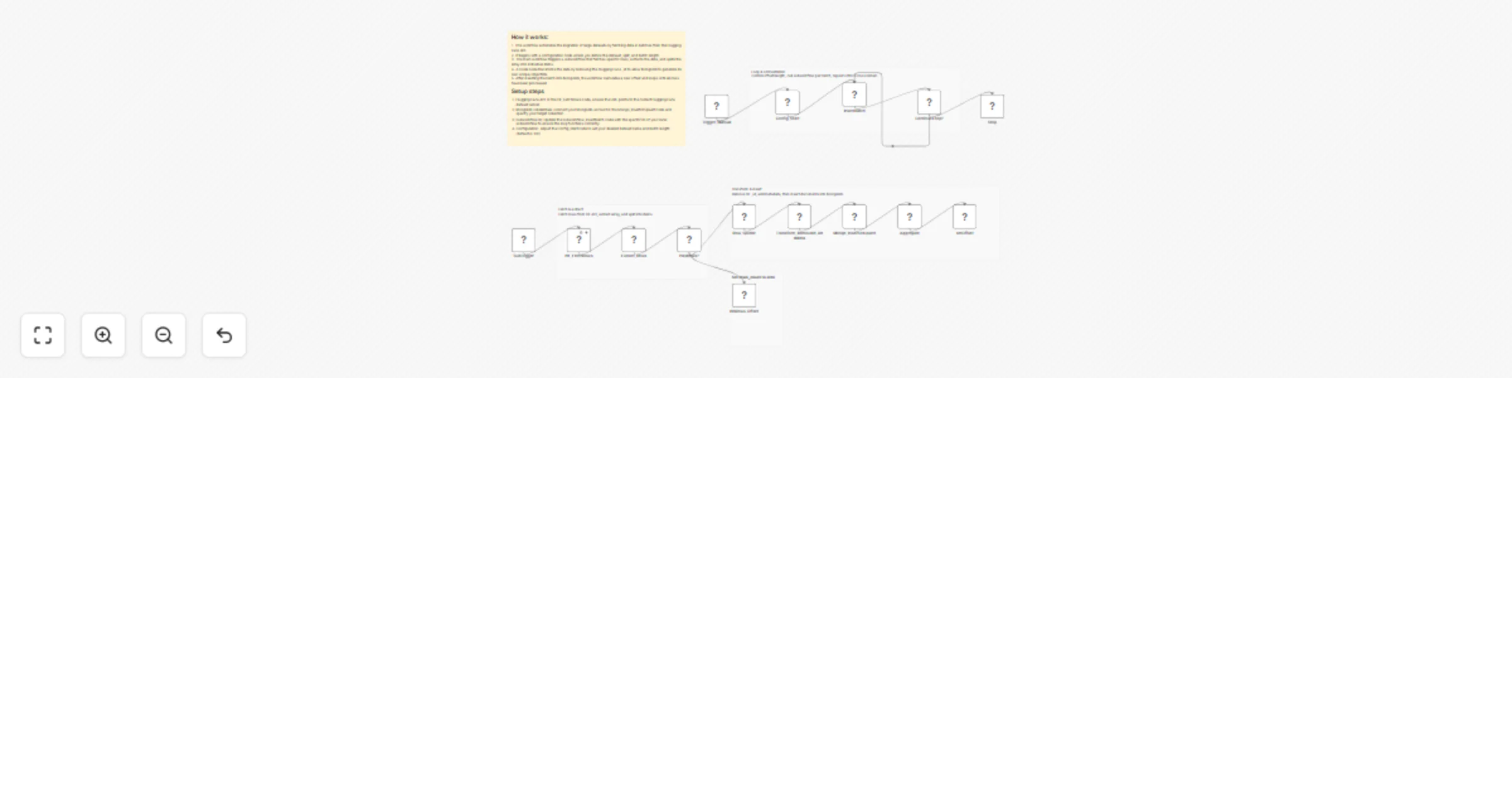
Migrate large Hugging Face datasets to MongoDB with a looping subworkflow

Workflow preview

Workflow preview
100%
Migrate large Hugging Face datasets to MongoDB with a looping subworkflow preview
Open on n8n.io

1. Workflow Overview

This n8n template provides a production ready, memory safe pipeline for ingesting large Hugging Face datasets into MongoDB using batch pagination. It is designed as a reusable data ingestion layer ...

Best for

  • Engineering automation workflows
  • advanced n8n builders looking for reusable templates

Tools used

n8n-nodes-base.aggregate, n8n-nodes-base.set, n8n-nodes-base.executeworkflowtrigger, n8n-nodes-base.httprequest, n8n-nodes-base.if, n8n-nodes-base.splitout, n8n-nodes-base.code, n8n-nodes-base.mongodb

Source and attribution

This workflow is cataloged by N8N Workflows and links back to its original n8n.io source page by Mohamed Abdelwahab.

Original n8n.io source

1.1 Workflow description

Title
Migrate large Hugging Face datasets to MongoDB with a looping subworkflow
Workflow name
Migrate large Hugging Face datasets to MongoDB with a looping subworkflow

This n8n template provides a production-ready, memory-safe pipeline for ingesting large Hugging Face datasets into MongoDB using batch pagination. It is designed as a reusable data ingestion layer for RAG systems, recommendation engines, analytics pipelines, and ML workflows.

The template includes:

  • A main workflow that orchestrates pagination and looping
  • A subworkflow that fetches dataset rows, sanitizes them, and inserts them into MongoDB safely

πŸš€ What This Template Does

  • Fetches rows from a Hugging Face dataset using the datasets-server API
  • Processes data in configurable batches (offset + length)
  • Removes Hugging Face _id fields to avoid MongoDB duplicate key errors
  • Inserts clean documents into MongoDB
  • Automatically loops until all dataset rows are ingested
  • Handles large datasets without memory overflow

🧩 Architecture Overview

Main Workflow (Orchestrator)

  • Starts the ingestion process
  • Defines dataset, batch size, and MongoDB collection
  • Repeatedly calls the subworkflow until no rows remain

Subworkflow (Batch Processor)

  • Fetches a single batch of rows from Hugging Face
  • Splits rows into individual items
  • Removes _id fields
  • Inserts documents into MongoDB
  • Returns batch statistics to the main workflow

πŸ” Workflow Logic (High-Level)

  1. Set initial configuration:
  • Dataset name
  • Split (train, test, etc.)
  • Batch size
  • Offset
  1. Fetch rows from Hugging Face
  2. If rows exist:
  • Split rows into items
  • Remove _id
  • Insert into MongoDB
  1. Increase offset
  2. Repeat until no rows are returned

πŸ“¦ Default Configuration

Parameter Default Value
Dataset MongoDB/airbnb_embeddings
Config default
Split train
Batch Size 100
MongoDB Collection airbnb

All values can be changed easily from the Config_Start node.


πŸ›  Prerequisites

  • n8n (self-hosted or cloud)
  • MongoDB (local or hosted)
  • MongoDB credentials configured in n8n
  • Internet access to datasets-server.huggingface.co

▢️ How to Use

  1. Import the workflow JSON into n8n
  2. Configure MongoDB credentials in the MongoDB node
  3. Update dataset parameters if needed:
  • Dataset name
  • Split
  • Batch size
  • Collection name
  1. Run the workflow using the Manual Trigger
  2. Monitor execution until completion

🧠 Why _id Is Removed

Hugging Face dataset rows often include an _id field. MongoDB requires _id values to be unique, so reusing these values can cause insertion failures.

This template:

  • Removes the Hugging Face _id
  • Lets MongoDB generate its own ObjectId
  • Prevents duplicate key errors
  • Allows safe re-runs and incremental ingestion

πŸ” Ideal Use Cases

βœ… RAG (Retrieval-Augmented Generation)

  • Store dataset content as source documents
  • Add embeddings later using OpenAI, Mistral, or local models
  • Connect MongoDB to a vector database or hybrid search

βœ… Recommendation Systems

  • Build item catalogs from public datasets
  • Use embeddings or metadata for similarity search
  • Combine with user behavior data downstream

βœ… ML & Analytics Pipelines

  • Centralize dataset ingestion
  • Normalize data before training or analysis

βš™οΈ Recommended Enhancements

You can easily extend this template with:

  • Upsert logic using a deterministic hash (idempotent ingestion)
  • Embedding generation before or after insertion
  • Schema validation or field filtering
  • Rate-limit handling & backoff
  • Parallel ingestion for faster processing

⚠️ Notes & Best Practices

  • Reduce batch size if you encounter memory limits
  • Verify dataset license before production use
  • Add indexes in MongoDB for faster downstream querying
  • Use upserts if you plan to re-run ingestion frequently

πŸ“„ License & Disclaimer

This workflow template is provided as-is. You are responsible for:

  • Dataset licensing compliance
  • Infrastructure costs
  • Downstream data usage

Hugging Face datasets are subject to their respective licenses.


⭐ Template Summary

Category: Data Ingestion Complexity: Intermediate Scalability: High Memory Safe: Yes Production Ready: Yes


If you want a version with:

  • Upserts instead of inserts
  • Built-in embeddings
  • Vector database support
  • Logging & monitoring

Just say the word and I’ll generate the enhanced workflow JSON.

1.2 Logical Blocks

This catalog entry is organized from the workflow JSON. The node-level section below shows the executable blocks available for review before importing the template.

2. Block-by-Block Analysis

Block 1 - Aggregate

Type / Role
n8n-nodes-base.aggregate - aggregate
Config choices
Version 1

Block 2 - setOffset

Type / Role
n8n-nodes-base.set - set
Config choices
Version 3.4

Block 3 - SubTrigger

Type / Role
n8n-nodes-base.executeWorkflowTrigger - executeWorkflowTrigger
Config choices
Version 1.1

Block 4 - HF_FetchRows

Type / Role
n8n-nodes-base.httpRequest - httpRequest
Config choices
Version 4.3

Block 5 - Extract_Rows

Type / Role
n8n-nodes-base.set - set
Config choices
Version 3.4

Block 6 - HasRows?

Type / Role
n8n-nodes-base.if - if
Config choices
Version 2.3

Block 7 - Row_Splitter

Type / Role
n8n-nodes-base.splitOut - splitOut
Config choices
Version 1

Block 8 - Transform_RemoveId_AddMeta

Type / Role
n8n-nodes-base.code - code
Config choices
Version 2

Block 9 - Mongo_InsertOrUpsert

Type / Role
n8n-nodes-base.mongoDb - mongoDb
Config choices
Version 1.2

Block 10 - Config_Start

Type / Role
n8n-nodes-base.set - set
Config choices
Version 3.4

Block 11 - Trigger_Manual

Type / Role
n8n-nodes-base.manualTrigger - manualTrigger
Config choices
Version 1

Block 12 - ContinueLoop?

Type / Role
n8n-nodes-base.if - if
Config choices
Version 2.3

Block 13 - Stop

Type / Role
n8n-nodes-base.noOp - noOp
Config choices
Version 1

Block 14 - Sticky Note3

Type / Role
n8n-nodes-base.stickyNote - stickyNote
Config choices
Version 1

Block 15 - Sticky Note2

Type / Role
n8n-nodes-base.stickyNote - stickyNote
Config choices
Version 1

Block 16 - Sticky Note4

Type / Role
n8n-nodes-base.stickyNote - stickyNote
Config choices
Version 1

Block 17 - InsertBatch

Type / Role
n8n-nodes-base.executeWorkflow - executeWorkflow
Config choices
Version 1.3

Block 18 - Sticky Note5

Type / Role
n8n-nodes-base.stickyNote - stickyNote
Config choices
Version 1

Block 19 - NoRows_Offset

Type / Role
n8n-nodes-base.set - set
Config choices
Version 3.4

Block 20 - Sticky Note9

Type / Role
n8n-nodes-base.stickyNote - stickyNote
Config choices
Version 1

3. Summary Table

Workflow Migrate large Hugging Face datasets to MongoDB with a looping subworkflow
Complexity advanced
Nodes 20
Categories Engineering
Author Mohamed Abdelwahab
Published 31 Dec 2025

4. Reproducing the Workflow from Scratch

  1. 1. Download the workflow JSON

    Use the JSON export at /data/workflows/12338/12338.json as the source template for this automation.

  2. 2. Import the template into n8n

    Open n8n, import the downloaded JSON, and review each node before activating the workflow.

  3. 3. Configure credentials and variables

    Replace placeholder credentials, API keys, webhook URLs, account IDs, and environment-specific values with your own settings.

  4. 4. Test with sample data

    Run the workflow manually or in a staging workspace, inspect node output, and confirm downstream systems receive the expected data.

  5. 5. Activate and monitor

    Enable the workflow only after testing, then monitor executions, errors, and rate limits during the first production runs.

5. General Notes & Resources

Review imported nodes carefully before activation. This catalog entry is intended to help you inspect the workflow structure, understand required services, and find related templates faster.

Node names, credentials, schedules, webhook paths, and external service limits may need adjustment for your workspace.

Frequently asked questions

What does Migrate large Hugging Face datasets to MongoDB with a looping subworkflow do?

This n8n template provides a production ready, memory safe pipeline for ingesting large Hugging Face datasets into MongoDB using batch pagination. It is designed as a reusable data ingestion layer ...

What do I need before importing this workflow?

Review the workflow JSON, configure any required credentials in n8n, and test the automation in a safe workspace before using it in production.

Can I customize this workflow?

Yes. Use the block-by-block analysis and the downloadable JSON to inspect each node, then adjust credentials, prompts, schedules, filters, or destinations for your Engineering use case.