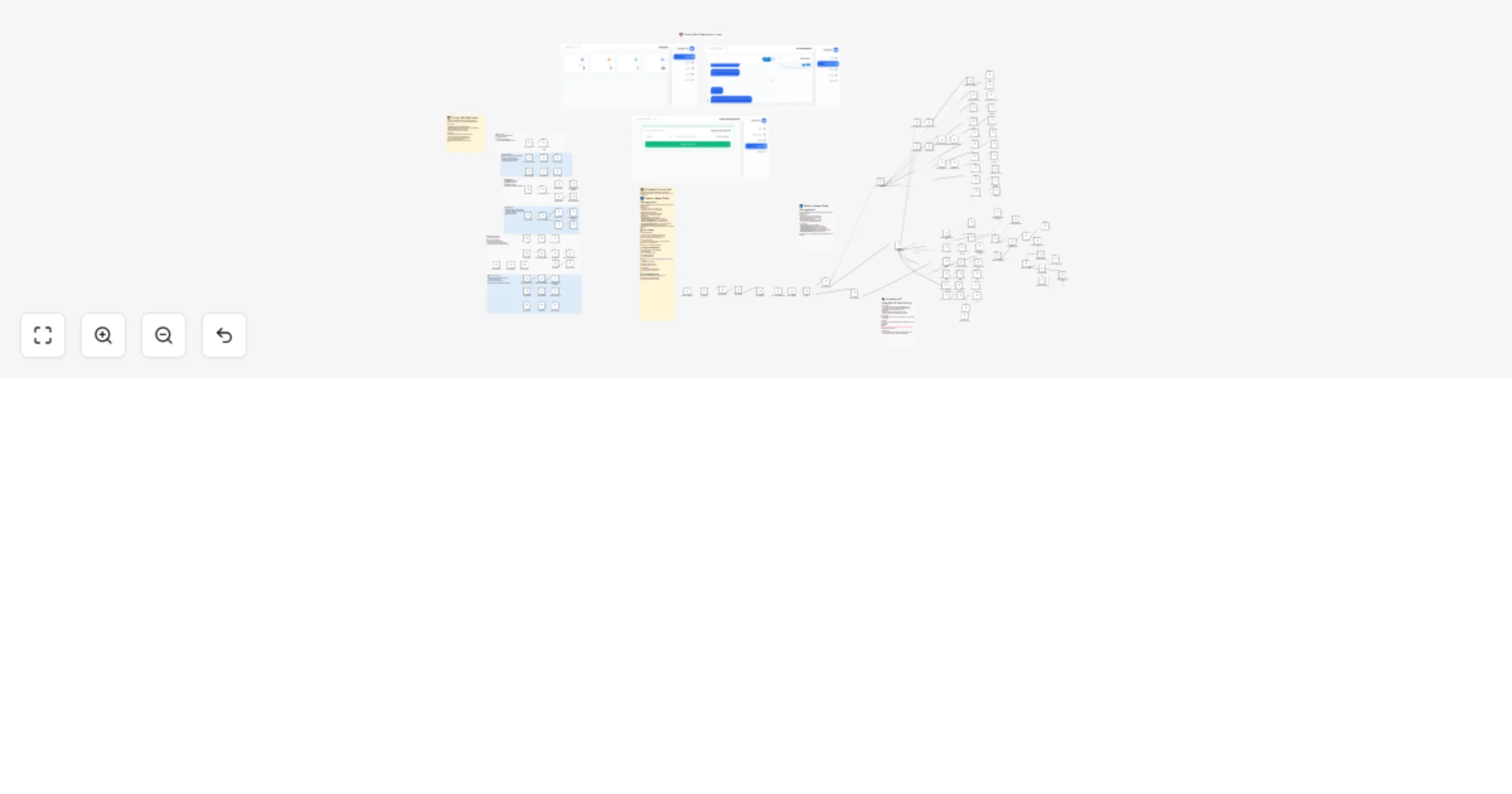
Manage coupon campaigns and customer chats with WhatsApp and PostgreSQL

Workflow preview

Workflow preview
100%
Manage coupon campaigns and customer chats with WhatsApp and PostgreSQL preview
Open on n8n.io

1. Workflow Overview

Coupon Bot Dashboard & WhatsApp Management System A complete bilingual admin dashboard and WhatsApp bot solution for managing discount coupons, partner companies, and customer conversations through...

Best for

  • CRM automation workflows
  • AI Chatbot automation workflows
  • advanced n8n builders looking for reusable templates

Tools used

n8n-nodes-base.webhook, n8n-nodes-base.respondtowebhook, n8n-nodes-base.postgres, n8n-nodes-base.if, n8n-nodes-base.set, n8n-nodes-base.httprequest, n8n-nodes-base.switch, n8n-nodes-base.stickynote

Source and attribution

This workflow is cataloged by N8N Workflows and links back to its original n8n.io source page by Mira Melhem.

Original n8n.io source

1.1 Workflow description

Title
Manage coupon campaigns and customer chats with WhatsApp and PostgreSQL
Workflow name
Manage coupon campaigns and customer chats with WhatsApp and PostgreSQL

Coupon Bot Dashboard & WhatsApp Management System

A complete bilingual admin dashboard and WhatsApp bot solution for managing discount coupons, partner companies, and customer conversations through an intuitive web interface and automated chatbot.

What does this workflow do?

This workflow provides a comprehensive coupon management system with dual interfaces: a modern Vue.js admin dashboard for managers and an interactive WhatsApp bot for customers. It handles everything from company onboarding and coupon issuance to real-time customer support and conversation tracking.

Key features:

  • πŸŽ›οΈ Admin Dashboard - Full-featured Vue.js 3 interface with Tailwind CSS for managing companies, coupons, and viewing analytics
  • πŸ€– WhatsApp Bot - Automated customer service bot with session-based state management
  • 🏒 Company Management - CRUD operations for partner companies and their coupon catalogs
  • 🎫 Advanced Coupon System - Support for percentage/fixed discounts, expiry dates, minimum purchase requirements, and maximum discount caps
  • πŸ’¬ Real-time Inbox - Live chat interface for viewing customer conversation history
  • 🌐 Bilingual Support - Full Arabic (RTL) and English interface support
  • πŸ“Š Analytics Dashboard - Track customers, messages, coupons issued, and partner companies
  • πŸ”§ Database Tools - Built-in schema initialization and migration capabilities
  • πŸ‘€ Role-Based Access - Separate admin and customer flows with phone number authentication

Setup Requirements

Integrations Needed:

  1. PostgreSQL - Primary database for all system data
  2. WhatsApp Business API - For customer bot interactions via Facebook Graph API
  3. n8n - Workflow automation platform (self-hosted or cloud)

Credentials Required:

  • PostgreSQL database credentials (host, port, database, user, password)
  • WhatsApp Business API Bearer Token (Facebook Graph API v22.0)
  • Phone Number ID from WhatsApp Business account

How to Use

Initial Setup:

  1. Import the workflow into your n8n instance
  2. Configure PostgreSQL credentials - Connect to your database (named "discounts DB" in the workflow)
  3. Configure WhatsApp credentials - Add your Facebook Graph API Bearer Token
  4. Initialize the database - Send POST request to /webhook/coupon-bot/execute-init to create all tables
  5. Set admin phone - Access dashboard at /webhook/coupon-bot/dashboard, go to Settings, and set your admin phone number
  6. Configure WhatsApp webhook - Point your WhatsApp Business webhook to /webhook/whatsapp

Dashboard Access:

  • URL: /webhook/coupon-bot/dashboard
  • Features: Statistics, Company Management, Coupon Management, Inbox, System Settings

Admin WhatsApp Commands:

Once your phone is set as admin, send any message to the bot to access:

  • Add/Edit/Delete Companies
  • Add/Edit/Delete Coupons
  • Edit Welcome/End Messages
  • Browse as regular customer

Workflow Structure

1. Dashboard Webhook (/coupon-bot/dashboard)

Serves the complete Vue.js 3 admin interface with:

  • Responsive RTL layout for Arabic
  • Mobile-optimized sidebar navigation
  • Real-time statistics cards
  • Company and coupon management forms
  • Interactive inbox with chat history
  • System settings and database maintenance tools

2. API Endpoints (/coupon-bot/api/*)

RESTful API routes for dashboard operations:

  • POST /stats - System analytics (customers, messages, records, companies)
  • POST /companies - CRUD operations for partner companies
  • POST /coupons - CRUD operations with advanced fields (percentage, expiry, limits)
  • POST /inbox - Retrieve unique customer conversations
  • POST /history - Fetch complete chat history for a customer
  • POST /settings - Manage admin phone and message templates
  • POST /customers - Customer records retrieval
  • POST /records - Coupon redemption tracking

3. Database Management (/coupon-bot/execute-init, /coupon-bot/migrate)

  • Full Initialization - Creates all tables: customers, companies, coupons, records, messages, settings, sessions
  • Schema Migration - Non-destructive updates to add missing columns and constraints
  • Repair Tools - Fixes corrupted data and ensures schema consistency

4. WhatsApp Bot Handler (/webhook/whatsapp)

Processes incoming WhatsApp messages with:

  • Authentication - Detects admin vs. regular customers by phone number
  • Session Management - PostgreSQL-based state machine for multi-step conversations
  • Interactive Messages - List menus for company/coupon selection
  • Message Logging - All incoming/outgoing messages stored for inbox feature

5. Customer Flow (Regular Users)

  1. Receive welcome message from settings
  2. Browse list of partner companies
  3. Select company to view available coupons
  4. Choose coupon to receive details
  5. Get end message with coupon code and terms

6. Admin Flow (Authenticated Users)

  1. Access main management menu
  2. Manage companies (add, edit, delete)
  3. Manage coupons (add with advanced options, edit, delete)
  4. Customize welcome and end messages
  5. Test customer experience

Database Schema

customers

- customer_id (SERIAL PRIMARY KEY)
- name (VARCHAR 255)
- phone (VARCHAR 50, UNIQUE)
- selected_sites (TEXT)
- created_at (TIMESTAMP)
- updated_at (TIMESTAMP)

companies

- company_id (SERIAL PRIMARY KEY)
- name (VARCHAR 255, NOT NULL)
- info (TEXT)

coupons

- coupon_id (SERIAL PRIMARY KEY)
- company_id (INT, FOREIGN KEY)
- coupon_text (TEXT, NOT NULL) -- The actual coupon code
- coupon_value (NUMERIC 10,2)
- is_percentage (BOOLEAN DEFAULT FALSE)
- has_max (BOOLEAN DEFAULT FALSE)
- max_value (NUMERIC 10,2)
- is_max_percentage (BOOLEAN DEFAULT FALSE)
- has_min_purchase (BOOLEAN DEFAULT FALSE)
- min_purchase_value (NUMERIC 10,2)
- is_on_items_quantity (BOOLEAN DEFAULT FALSE)
- registration_date (TIMESTAMP)
- has_expiry (BOOLEAN DEFAULT FALSE)
- expiry_date (TIMESTAMP)
- other_info (TEXT)

records

- record_id (SERIAL PRIMARY KEY)
- customer_id (INT, FOREIGN KEY)
- company_id (INT, FOREIGN KEY)
- coupon_id (INT, FOREIGN KEY)
- created_at (TIMESTAMP)

messages

- message_id (SERIAL PRIMARY KEY)
- customer_id (INT, FOREIGN KEY, nullable)
- sender_phone (VARCHAR 50)
- sender_name (VARCHAR 255)
- external_message_id (VARCHAR 255)
- message_text (TEXT, NOT NULL)
- message_type (VARCHAR 50 DEFAULT 'text')
- direction (VARCHAR 20 DEFAULT 'INCOMING')
- is_from_customer (BOOLEAN DEFAULT TRUE)
- created_at (TIMESTAMP)

settings

- key (VARCHAR 50 PRIMARY KEY)
- value (TEXT)
-- Keys: admin_phone, welcome_message, end_message

sessions

- phone (VARCHAR 50 PRIMARY KEY)
- state (VARCHAR 50, NOT NULL)
- data (JSONB DEFAULT '{}')
- last_updated (TIMESTAMP)

Session States (State Machine)

The bot uses PostgreSQL sessions for conversation persistence:

  • IDLE - Default state, waiting for input
  • WAITING_COMPANY_NAME - Admin adding new company
  • WAITING_EDIT_COMPANY_SELECT - Admin selecting company to edit
  • WAITING_EDIT_COMPANY_NAME - Admin entering new company name
  • WAITING_DELETE_COMPANY_SELECT - Admin selecting company to delete
  • WAITING_ADD_COUPON_COMPANY - Admin selecting company for new coupon
  • WAITING_ADD_COUPON_TEXT - Admin entering coupon code
  • WAITING_ADD_COUPON_VALUE - Admin entering discount value
  • WAITING_EDIT_COUPON_SELECT - Admin selecting coupon to edit
  • WAITING_EDIT_COUPON_TEXT - Admin entering new coupon code
  • WAITING_DELETE_COUPON_SELECT - Admin selecting coupon to delete
  • EDIT_WELCOME - Admin updating welcome message
  • EDIT_END - Admin updating end message

Message Templates

Default Welcome Message (Customizable):

Default End Message (Customizable):

Customization Tips

  • Add more languages: Extend the dashboard and bot to support additional languages beyond Arabic/English
  • Coupon restrictions: Use the advanced coupon fields to set minimum purchase amounts, maximum discount caps, and expiry dates
  • Analytics enhancement: Add more statistics nodes to track coupon usage by company or time period
  • Telegram integration: Duplicate the WhatsApp webhook nodes and modify for Telegram Bot API
  • Email notifications: Add SMTP nodes to send coupon details via email
  • Multi-admin support: Modify the settings schema to support multiple admin phone numbers
  • Coupon categories: Add a categories table and filter coupons by category in the bot

Use Cases

  • Marketing agencies managing discount campaigns for multiple clients
  • E-commerce platforms offering partner store coupons
  • Loyalty programs with tiered discount systems
  • Event-based promotional campaigns with expiry dates
  • Multi-vendor marketplaces with individual seller coupons
  • Customer retention programs with personalized offers

Technical Notes

  • Frontend: Vue.js 3 (Composition API) + Tailwind CSS + Font Awesome icons
  • Backend: n8n workflow automation with PostgreSQL
  • WhatsApp API: Facebook Graph API v22.0 with interactive list messages
  • Security: Phone number-based admin authentication, SQL injection protection via parameterized queries
  • Performance: Database indexing on phone numbers and foreign keys, session cleanup recommended
  • Mobile: Fully responsive dashboard with mobile-optimized WhatsApp interactions

Tags: #n8n #whatsapp #coupons #dashboard #vuejs #postgresql #automation #customer-service #bilingual

1.2 Logical Blocks

This catalog entry is organized from the workflow JSON. The node-level section below shows the executable blocks available for review before importing the template.

2. Block-by-Block Analysis

Block 1 - Dashboard Webhook

Type / Role
n8n-nodes-base.webhook - webhook
Config choices
Version 1

Block 2 - Respond with Dashboard HTML

Type / Role
n8n-nodes-base.respondToWebhook - respondToWebhook
Config choices
Version 1

Block 3 - Execute SQL Webhook

Type / Role
n8n-nodes-base.webhook - webhook
Config choices
Version 1

Block 4 - Postgres Init

Type / Role
n8n-nodes-base.postgres - postgres
Config choices
Version 1

Block 5 - Respond Success

Type / Role
n8n-nodes-base.respondToWebhook - respondToWebhook
Config choices
Version 1

Block 6 - Stats API Webhook

Type / Role
n8n-nodes-base.webhook - webhook
Config choices
Version 1

Block 7 - Get Stats Query

Type / Role
n8n-nodes-base.postgres - postgres
Config choices
Version 1

Block 8 - Respond Stats

Type / Role
n8n-nodes-base.respondToWebhook - respondToWebhook
Config choices
Version 1

Block 9 - Companies API

Type / Role
n8n-nodes-base.webhook - webhook
Config choices
Version 1

Block 10 - Switch Company Method

Type / Role
n8n-nodes-base.if - if
Config choices
Version 1

Block 11 - Get Companies

Type / Role
n8n-nodes-base.postgres - postgres
Config choices
Version 1

Block 12 - Modify Company

Type / Role
n8n-nodes-base.postgres - postgres
Config choices
Version 1

Block 13 - Respond Companies

Type / Role
n8n-nodes-base.respondToWebhook - respondToWebhook
Config choices
Version 1

Block 14 - Respond Company Modified

Type / Role
n8n-nodes-base.respondToWebhook - respondToWebhook
Config choices
Version 1

Block 15 - Coupons API

Type / Role
n8n-nodes-base.webhook - webhook
Config choices
Version 1

Block 16 - Switch Coupon Method

Type / Role
n8n-nodes-base.if - if
Config choices
Version 1

Block 17 - Get Coupons

Type / Role
n8n-nodes-base.postgres - postgres
Config choices
Version 1

Block 18 - Modify Coupon

Type / Role
n8n-nodes-base.postgres - postgres
Config choices
Version 1

Block 19 - Respond Coupons

Type / Role
n8n-nodes-base.respondToWebhook - respondToWebhook
Config choices
Version 1

Block 20 - Respond Coupon Modified

Type / Role
n8n-nodes-base.respondToWebhook - respondToWebhook
Config choices
Version 1

Block 21 - Inbox API

Type / Role
n8n-nodes-base.webhook - webhook
Config choices
Version 1

Block 22 - Get Messages

Type / Role
n8n-nodes-base.postgres - postgres
Config choices
Version 1

Block 23 - Respond Messages

Type / Role
n8n-nodes-base.respondToWebhook - respondToWebhook
Config choices
Version 1

Block 24 - Settings API

Type / Role
n8n-nodes-base.webhook - webhook
Config choices
Version 1

Showing the first 24 of 130 workflow blocks. Download the JSON for the full node graph.

3. Summary Table

Workflow Manage coupon campaigns and customer chats with WhatsApp and PostgreSQL
Complexity advanced
Nodes 130
Categories CRM, AI Chatbot
Author Mira Melhem
Published 15 Feb 2026

4. Reproducing the Workflow from Scratch

  1. 1. Download the workflow JSON

    Use the JSON export at /data/workflows/13406/13406.json as the source template for this automation.

  2. 2. Import the template into n8n

    Open n8n, import the downloaded JSON, and review each node before activating the workflow.

  3. 3. Configure credentials and variables

    Replace placeholder credentials, API keys, webhook URLs, account IDs, and environment-specific values with your own settings.

  4. 4. Test with sample data

    Run the workflow manually or in a staging workspace, inspect node output, and confirm downstream systems receive the expected data.

  5. 5. Activate and monitor

    Enable the workflow only after testing, then monitor executions, errors, and rate limits during the first production runs.

5. General Notes & Resources

Review imported nodes carefully before activation. This catalog entry is intended to help you inspect the workflow structure, understand required services, and find related templates faster.

Node names, credentials, schedules, webhook paths, and external service limits may need adjustment for your workspace.

Frequently asked questions

What does Manage coupon campaigns and customer chats with WhatsApp and PostgreSQL do?

Coupon Bot Dashboard & WhatsApp Management System A complete bilingual admin dashboard and WhatsApp bot solution for managing discount coupons, partner companies, and customer conversations through...

What do I need before importing this workflow?

Review the workflow JSON, configure any required credentials in n8n, and test the automation in a safe workspace before using it in production.

Can I customize this workflow?

Yes. Use the block-by-block analysis and the downloadable JSON to inspect each node, then adjust credentials, prompts, schedules, filters, or destinations for your CRM, AI Chatbot use case.