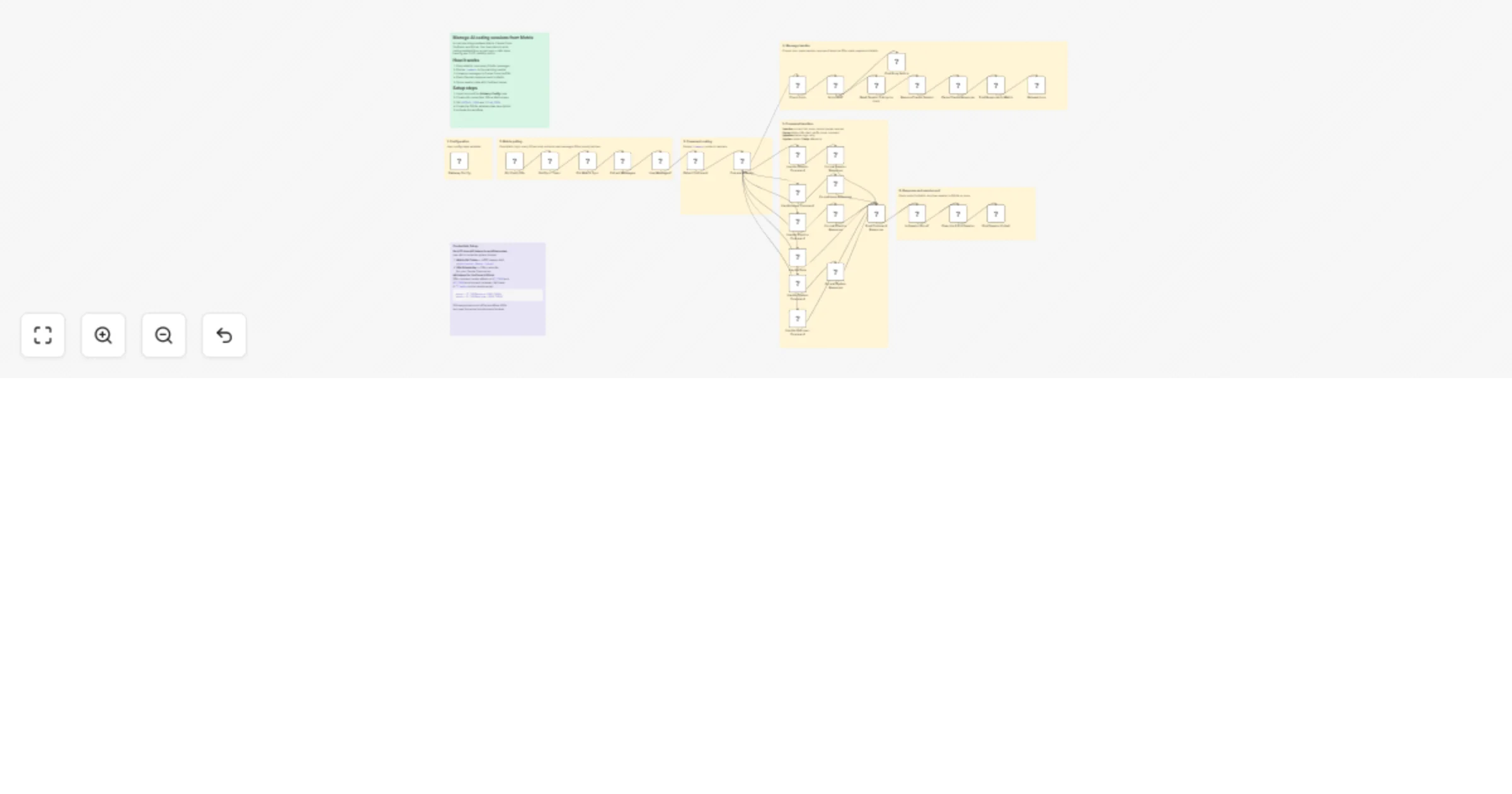
Manage Claude Code sessions from Matrix with YouTrack and GitLab

Workflow preview

Workflow preview
100%
Manage Claude Code sessions from Matrix with YouTrack and GitLab preview
Open on n8n.io

1. Workflow Overview

Manage AI coding sessions from Matrix with YouTrack and GitLab Who is this for Development teams using Claude Code who want a chat ops interface for project management. Instead of SSH ing into a se...

Best for

  • DevOps automation workflows
  • AI Chatbot automation workflows
  • advanced n8n builders looking for reusable templates

Tools used

n8n-nodes-base.stickynote, n8n-nodes-base.set, n8n-nodes-base.scheduletrigger, n8n-nodes-base.code, n8n-nodes-base.httprequest, n8n-nodes-base.if, n8n-nodes-base.switch, n8n-nodes-base.ssh

Source and attribution

This workflow is cataloged by N8N Workflows and links back to its original n8n.io source page by Kyriakos Papadopoulos.

Original n8n.io source

1.1 Workflow description

Title
Manage Claude Code sessions from Matrix with YouTrack and GitLab
Workflow name
Manage Claude Code sessions from Matrix with YouTrack and GitLab

Manage AI coding sessions from Matrix with YouTrack and GitLab

Who is this for

Development teams using Claude Code who want a chat-ops interface for project management. Instead of SSH-ing into a server to run Claude, your whole team interacts with it through a Matrix chat room — with issue tracking and CI/CD pipeline visibility built in.

What it does

  • Polls a Matrix room every 30 seconds and routes commands to handlers
  • Forwards messages to Claude Code sessions via SSH, posts responses back
  • Manages multiple concurrent sessions — start, pause, resume, switch, end
  • Updates YouTrack issues directly from chat (change state, post comments, query status)
  • Fetches GitLab CI pipeline status and logs, retries failed pipelines
  • Reports server load and Claude process status
  • Tracks sessions in SQLite with lock-based concurrency and cooldown guards

Template Image

How it works

The workflow polls a Matrix room for new messages. A command router parses !commands and dispatches them to the right handler:

  • Regular messages resume an active Claude Code session and post the response
  • !session — manage sessions (current, list, done, cancel, pause, resume, switch, log)
  • !issue — update YouTrack issues (status, info, start, stop, verify, done, close, comment)
  • !pipeline — fetch GitLab CI pipeline status and logs, retry failed pipelines
  • !system — report server load and running processes
  • !help — show command reference

Requirements

  • Matrix homeserver with a bot account (E2EE must be disabled — n8n cannot decrypt Matrix messages)
  • YouTrack instance with API token
  • GitLab instance with API token
  • Linux server with Claude Code CLI installed, accessible via SSH
  • n8n self-hosted with SSH private key credentials configured

> This is a self-hosted template. It requires your own infrastructure — > it will not run on n8n Cloud without a server accessible via SSH.

How to set up

  1. Import the workflow into n8n
  2. Edit the Gateway Config Set node with your URLs and paths
  3. Set YOUTRACK_TOKEN and GITLAB_TOKEN as environment variables on your server (not in the workflow)
  4. Create n8n credentials: SSH Private Key and HTTP Header Auth (Matrix bot token as Authorization: Bearer <token>)
  5. Create the SQLite database on your server:
CREATE TABLE sessions (
 issue_id TEXT PRIMARY KEY, issue_title TEXT,
 session_id TEXT, started_at TEXT, last_active TEXT,
 message_count INTEGER DEFAULT 0, paused INTEGER DEFAULT 0,
 is_current INTEGER DEFAULT 0
);
CREATE TABLE queue (
 id INTEGER PRIMARY KEY AUTOINCREMENT,
 issue_id TEXT, message TEXT, queued_at TEXT
);
CREATE TABLE session_log (
 id INTEGER PRIMARY KEY AUTOINCREMENT,
 issue_id TEXT, issue_title TEXT, session_id TEXT,
 started_at TEXT, ended_at TEXT,
 message_count INTEGER, outcome TEXT
);
  1. Activate the workflow

How to customize

  • Add commands — add a case to the Command Router Switch node
  • Change polling interval — edit the Schedule Trigger node
  • Swap issue tracker — replace YouTrack API calls with Jira or Linear
  • Swap chat platform — replace Matrix HTTP nodes with Slack or Discord
  • Add pipeline detail — extend Handle Pipeline to fetch individual job logs

1.2 Logical Blocks

This catalog entry is organized from the workflow JSON. The node-level section below shows the executable blocks available for review before importing the template.

2. Block-by-Block Analysis

Block 1 - Sticky Note

Type / Role
n8n-nodes-base.stickyNote - stickyNote
Config choices
Version 1

Block 2 - Sticky Note 4fa9

Type / Role
n8n-nodes-base.stickyNote - stickyNote
Config choices
Version 1

Block 3 - Sticky Note 7417

Type / Role
n8n-nodes-base.stickyNote - stickyNote
Config choices
Version 1

Block 4 - Sticky Note 782c

Type / Role
n8n-nodes-base.stickyNote - stickyNote
Config choices
Version 1

Block 5 - Sticky Note c9e3

Type / Role
n8n-nodes-base.stickyNote - stickyNote
Config choices
Version 1

Block 6 - Sticky Note 6e7b

Type / Role
n8n-nodes-base.stickyNote - stickyNote
Config choices
Version 1

Block 7 - Sticky Note dbbd

Type / Role
n8n-nodes-base.stickyNote - stickyNote
Config choices
Version 1

Block 8 - Gateway Config

Type / Role
n8n-nodes-base.set - set
Config choices
Version 3.4

Block 9 - Poll Every 30s

Type / Role
n8n-nodes-base.scheduleTrigger - scheduleTrigger
Config choices
Version 1.2

Block 10 - Get Sync Token

Type / Role
n8n-nodes-base.code - code
Config choices
Version 2

Block 11 - Poll Matrix Sync

Type / Role
n8n-nodes-base.httpRequest - httpRequest
Config choices
Version 4.2

Block 12 - Extract Messages

Type / Role
n8n-nodes-base.code - code
Config choices
Version 2

Block 13 - Has Messages?

Type / Role
n8n-nodes-base.if - if
Config choices
Version 2

Block 14 - Detect Command

Type / Role
n8n-nodes-base.code - code
Config choices
Version 2

Block 15 - Command Router

Type / Role
n8n-nodes-base.switch - switch
Config choices
Version 3

Block 16 - Check Lock

Type / Role
n8n-nodes-base.ssh - ssh
Config choices
Version 1

Block 17 - Is Locked?

Type / Role
n8n-nodes-base.if - if
Config choices
Version 2

Block 18 - Post Busy Notice

Type / Role
n8n-nodes-base.httpRequest - httpRequest
Config choices
Version 4.2

Block 19 - Read Session & Acquire Lock

Type / Role
n8n-nodes-base.ssh - ssh
Config choices
Version 1

Block 20 - Resume Claude Session

Type / Role
n8n-nodes-base.ssh - ssh
Config choices
Version 1

Block 21 - Parse Claude Response

Type / Role
n8n-nodes-base.code - code
Config choices
Version 2

Block 22 - Post Response to Matrix

Type / Role
n8n-nodes-base.httpRequest - httpRequest
Config choices
Version 4.2

Block 23 - Release Lock

Type / Role
n8n-nodes-base.ssh - ssh
Config choices
Version 1

Block 24 - Handle Session Command

Type / Role
n8n-nodes-base.ssh - ssh
Config choices
Version 1

Showing the first 24 of 38 workflow blocks. Download the JSON for the full node graph.

3. Summary Table

Workflow Manage Claude Code sessions from Matrix with YouTrack and GitLab
Complexity advanced
Nodes 38
Categories DevOps, AI Chatbot
Author Kyriakos Papadopoulos
Published 08 Mar 2026

4. Reproducing the Workflow from Scratch

  1. 1. Download the workflow JSON

    Use the JSON export at /data/workflows/13943/13943.json as the source template for this automation.

  2. 2. Import the template into n8n

    Open n8n, import the downloaded JSON, and review each node before activating the workflow.

  3. 3. Configure credentials and variables

    Replace placeholder credentials, API keys, webhook URLs, account IDs, and environment-specific values with your own settings.

  4. 4. Test with sample data

    Run the workflow manually or in a staging workspace, inspect node output, and confirm downstream systems receive the expected data.

  5. 5. Activate and monitor

    Enable the workflow only after testing, then monitor executions, errors, and rate limits during the first production runs.

5. General Notes & Resources

Review imported nodes carefully before activation. This catalog entry is intended to help you inspect the workflow structure, understand required services, and find related templates faster.

Node names, credentials, schedules, webhook paths, and external service limits may need adjustment for your workspace.

Frequently asked questions

What does Manage Claude Code sessions from Matrix with YouTrack and GitLab do?

Manage AI coding sessions from Matrix with YouTrack and GitLab Who is this for Development teams using Claude Code who want a chat ops interface for project management. Instead of SSH ing into a se...

What do I need before importing this workflow?

Review the workflow JSON, configure any required credentials in n8n, and test the automation in a safe workspace before using it in production.

Can I customize this workflow?

Yes. Use the block-by-block analysis and the downloadable JSON to inspect each node, then adjust credentials, prompts, schedules, filters, or destinations for your DevOps, AI Chatbot use case.