Block 1 - Get Images from Google Drive
- Type / Role
- n8n-nodes-base.googleDrive - googleDrive
- Config choices
- Version 3


 Early Deal
This workflow is provided as-is. Please review and test before using in production.
Watch the video to better understand this workflow : ARRE automation Good to know: This workflow automatically proc...
n8n-nodes-base.googledrive, @n8n/n8n-nodes-langchain.agent, n8n-nodes-base.stickynote, n8n-nodes-base.httprequest, @n8n/n8n-nodes-langchain.lmchatopenai
This workflow is cataloged by N8N Workflows and links back to its original n8n.io source page by ARRE.
Original n8n.io sourceThis workflow automatically processes product images from Google Drive, generates AI-powered background prompts using multiple AI models (ChatGPT, Claude, or Groq), creates professional background scenes using Pixelcut.ai, and saves enhanced images back to your Google Drive. Perfect for e-commerce businesses and product photography workflows.
➖E-commerce store owners who need professional product backgrounds ➖Product photographers looking to automate background generation ➖Marketing teams creating consistent product imagery ➖Small businesses wanting to enhance their product photos without expensive studio setups ➖Anyone who needs to quickly transform transparent product images into commercial-ready photos
This workflow solves the challenge of creating professional product photography backgrounds at scale. Instead of manually editing each product image or setting up expensive photo shoots, it automatically generates contextually appropriate backgrounds for your products using AI technology. It eliminates the time-consuming process of background creation while maintaining professional quality and consistency across your product catalog.
✅Automatically fetches product images from your Google Drive folder ✅Downloads transparent/background-free product images ✅Uses advanced AI models (ChatGPT, Claude, or Groq) to generate intelligent background prompts based on product analysis ✅Creates professional backgrounds using Pixelcut.ai API with AI-generated or custom prompts ✅Saves enhanced product images back to Google Drive with organized naming ✅Processes multiple images in batch automatically
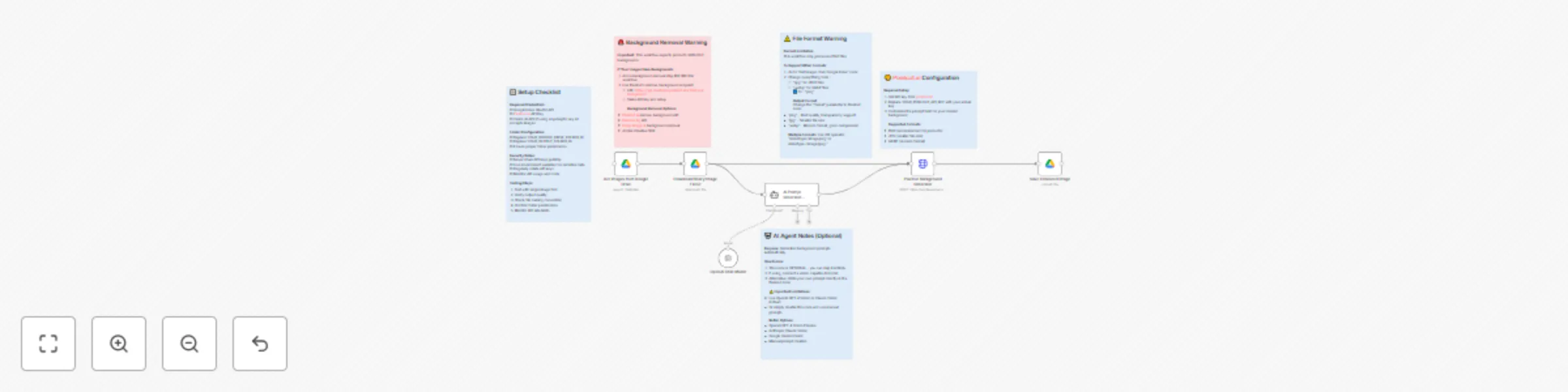
1️⃣Google Drive node searches for PNG product images in your specified folder 2️⃣Binary download node retrieves the actual image files for processing 3️⃣Optional AI agent analyzes products using your chosen AI model (OpenAI GPT-4, Claude, or Groq) and generates appropriate background prompts 4️⃣Pixelcut.ai API processes images and adds professional backgrounds using AI-generated or manual prompts 5️⃣Enhanced images are automatically saved back to Google Drive with "enhanced-" prefix
Set up Google Drive OAuth2 credentials in n8n Create a Pixelcut.ai account and get your API key Configure your source folder ID in the Google Drive nodes Set up your output folder ID for enhanced images Choose and configure your preferred AI model credentials (OpenAI for ChatGPT, Anthropic for Claude, or Groq) Replace placeholder API keys with your actual credentials Execute the workflow to process your product images
✅n8n instance (cloud or self-hosted) ✅Google Drive account with OAuth2 access ✅Pixelcut.ai API account and key ✅Product images in PNG format (transparent backgrounds recommended) ✅AI API credentials for automatic prompt generation (choose from):
🟢Modify the image format filter to support JPG, WEBP, or other formats 🟢Switch between different AI models (ChatGPT, Claude, Groq) for prompt generation 🟢Customize background prompts for different product categories 🟢Add background removal step for products with existing backgrounds 🟢Switch to different AI background services (Deep-Image.ai, Remove.bg, etc.) 🟢Configure different AI model parameters for varied prompt creativity 🟢Add image resizing or quality optimization steps 🟢Create multiple output folders for different product categories 🟢Add error handling and retry mechanisms for failed processes 🟢Implement A/B testing with different AI models for prompt quality comparison
This catalog entry is organized from the workflow JSON. The node-level section below shows the executable blocks available for review before importing the template.
| Workflow | Make every product photo look like a luxury ad fully automated AI + google drive |
|---|---|
| Complexity | intermediate |
| Nodes | 11 |
| Categories | Content Creation, Multimodal AI |
| Author | ARRE |
| Published | 18 Jul 2025 |
Use the JSON export at /data/workflows/6151/6151.json as the source template for this automation.
Open n8n, import the downloaded JSON, and review each node before activating the workflow.
Replace placeholder credentials, API keys, webhook URLs, account IDs, and environment-specific values with your own settings.
Run the workflow manually or in a staging workspace, inspect node output, and confirm downstream systems receive the expected data.
Enable the workflow only after testing, then monitor executions, errors, and rate limits during the first production runs.
Review imported nodes carefully before activation. This catalog entry is intended to help you inspect the workflow structure, understand required services, and find related templates faster.
Node names, credentials, schedules, webhook paths, and external service limits may need adjustment for your workspace.
Watch the video to better understand this workflow : ARRE automation Good to know: This workflow automatically proc...
Review the workflow JSON, configure any required credentials in n8n, and test the automation in a safe workspace before using it in production.
Yes. Use the block-by-block analysis and the downloadable JSON to inspect each node, then adjust credentials, prompts, schedules, filters, or destinations for your Content Creation, Multimodal AI use case.