Block 1 - Webhook Trigger
- Type / Role
- n8n-nodes-base.webhook - webhook
- Config choices
- Version 2.1


 Early Deal
TEMPLATE DESCRIPTION Eliminate manual farm operations logging and gain real time visibility into machinery performance, fuel consumption, and equipment breakdowns. This webhook based workflow autom...
n8n-nodes-base.webhook, n8n-nodes-base.googlesheets, n8n-nodes-base.code, n8n-nodes-base.set, n8n-nodes-base.stickynote
This workflow is cataloged by N8N Workflows and links back to its original n8n.io source page by vaughn959.
Original n8n.io sourceEliminate manual farm operations logging and gain real-time visibility into machinery performance, fuel consumption, and equipment breakdowns.
This webhook-based workflow automatically captures operational data from your web interface and organizes it across three structured Google Sheets—giving you audit-ready records without the 30-60 minutes of daily paperwork.
Farm operations managers running 200-2000 acre operations who need enterprise-grade operational tracking without enterprise software costs.
Perfect for teams struggling with incomplete manual logs, delayed maintenance alerts, or unclear fuel waste patterns.
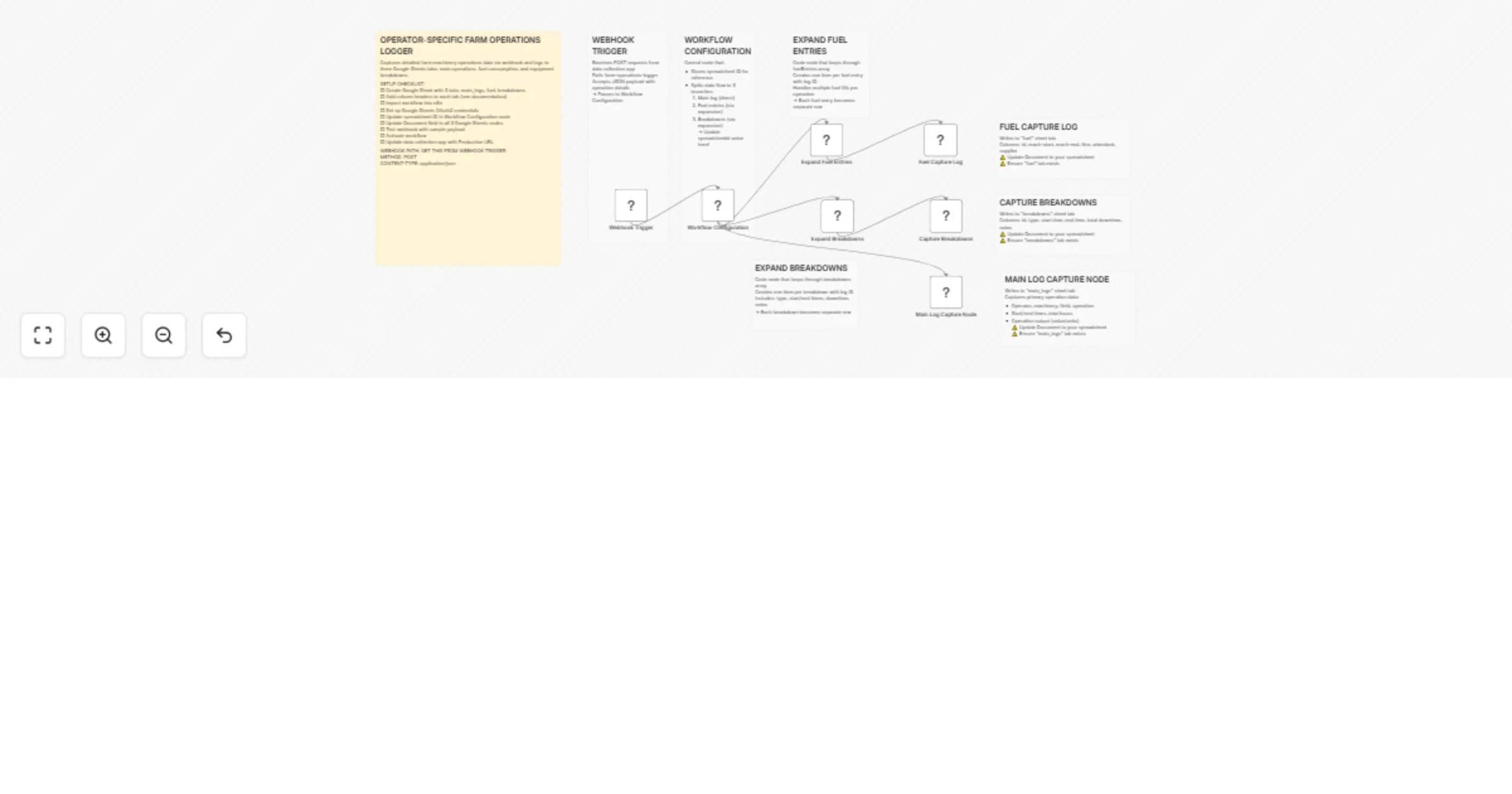
The webhook receives JSON data from your web UI capturing operator details, timestamps, fuel usage, breakdown incidents, and field work completion. Data is automatically parsed and routed to three separate Google Sheets: daily operations log, fuel consumption tracking, and equipment maintenance records. Each entry is timestamped and validated for completeness.
📥 Import the workflow JSON into your n8n instance.
🔗 Configure the webhook URL and add your Google Sheets credentials.
📊 Create three Google Sheets with the provided column headers (main_logs, fuel, breakdowns), then update the workflow with your Sheet IDs.
🚀 Deploy the webhook and integrate the URL into your existing web form or data collection UI.
⏱️ Setup takes less than 30 minutes.
🔐 Security note: Store Google Sheets credentials securely using n8n's credential system. Never expose webhook URLs publicly without authentication.
🧩 Modify the JSON parsing nodes to match your specific data structure.
🚨 Add conditional routing for priority alerts, for example critical breakdowns trigger Slack notifications.
📦 Integrate additional sheets for inventory tracking or employee time logs.
📈 Add data validation rules or calculated columns in Google Sheets for automatic fuel efficiency metrics and maintenance forecasting.
This template gives you the core engine. What most farms need is a version tuned to their machines, their operators, and their reporting requirements.
If you want this set up, customized, or fully implemented for your operation, I can:
Connect this to your existing web or mobile capture system
Map your machines, operators, and fields
Add automatic alerts for breakdowns, fuel abuse, or missed logs
Create clean, management-ready reports from the data
Make sure it runs reliably day after day with no babysitting
This is built for real farms running real equipment, not demo data.
📧 Email: [email protected]
🔗 LinkedIn: https://www.linkedin.com/in/vaughnbotha/
This catalog entry is organized from the workflow JSON. The node-level section below shows the executable blocks available for review before importing the template.
| Workflow | Log farm machinery operations from a webhook into Google Sheets |
|---|---|
| Complexity | advanced |
| Nodes | 15 |
| Categories | Document Extraction |
| Author | vaughn959 |
| Published | 12 Jan 2026 |
Use the JSON export at /data/workflows/12656/12656.json as the source template for this automation.
Open n8n, import the downloaded JSON, and review each node before activating the workflow.
Replace placeholder credentials, API keys, webhook URLs, account IDs, and environment-specific values with your own settings.
Run the workflow manually or in a staging workspace, inspect node output, and confirm downstream systems receive the expected data.
Enable the workflow only after testing, then monitor executions, errors, and rate limits during the first production runs.
Review imported nodes carefully before activation. This catalog entry is intended to help you inspect the workflow structure, understand required services, and find related templates faster.
Node names, credentials, schedules, webhook paths, and external service limits may need adjustment for your workspace.
TEMPLATE DESCRIPTION Eliminate manual farm operations logging and gain real time visibility into machinery performance, fuel consumption, and equipment breakdowns. This webhook based workflow autom...
Review the workflow JSON, configure any required credentials in n8n, and test the automation in a safe workspace before using it in production.
Yes. Use the block-by-block analysis and the downloadable JSON to inspect each node, then adjust credentials, prompts, schedules, filters, or destinations for your Document Extraction use case.