Generate weekly dinner meal plans and shopping lists using Mealie

Workflow preview

Workflow preview
100%
Generate weekly dinner meal plans and shopping lists using Mealie preview
Open on n8n.io

1. Workflow Overview

This n8n template demonstrates how to automatically generate a full week of dinner meal plans in your self hosted Mealie instance and create a corresponding shopping list based on those planned mea...

Best for

  • Personal Productivity automation workflows
  • intermediate n8n builders looking for reusable templates

Tools used

n8n-nodes-base.httprequest, n8n-nodes-base.code, n8n-nodes-base.scheduletrigger, n8n-nodes-base.stickynote

Source and attribution

This workflow is cataloged by N8N Workflows and links back to its original n8n.io source page by Kory Clark.

Original n8n.io source

1.1 Workflow description

Title
Generate weekly dinner meal plans and shopping lists using Mealie
Workflow name
Generate weekly dinner meal plans and shopping lists using Mealie

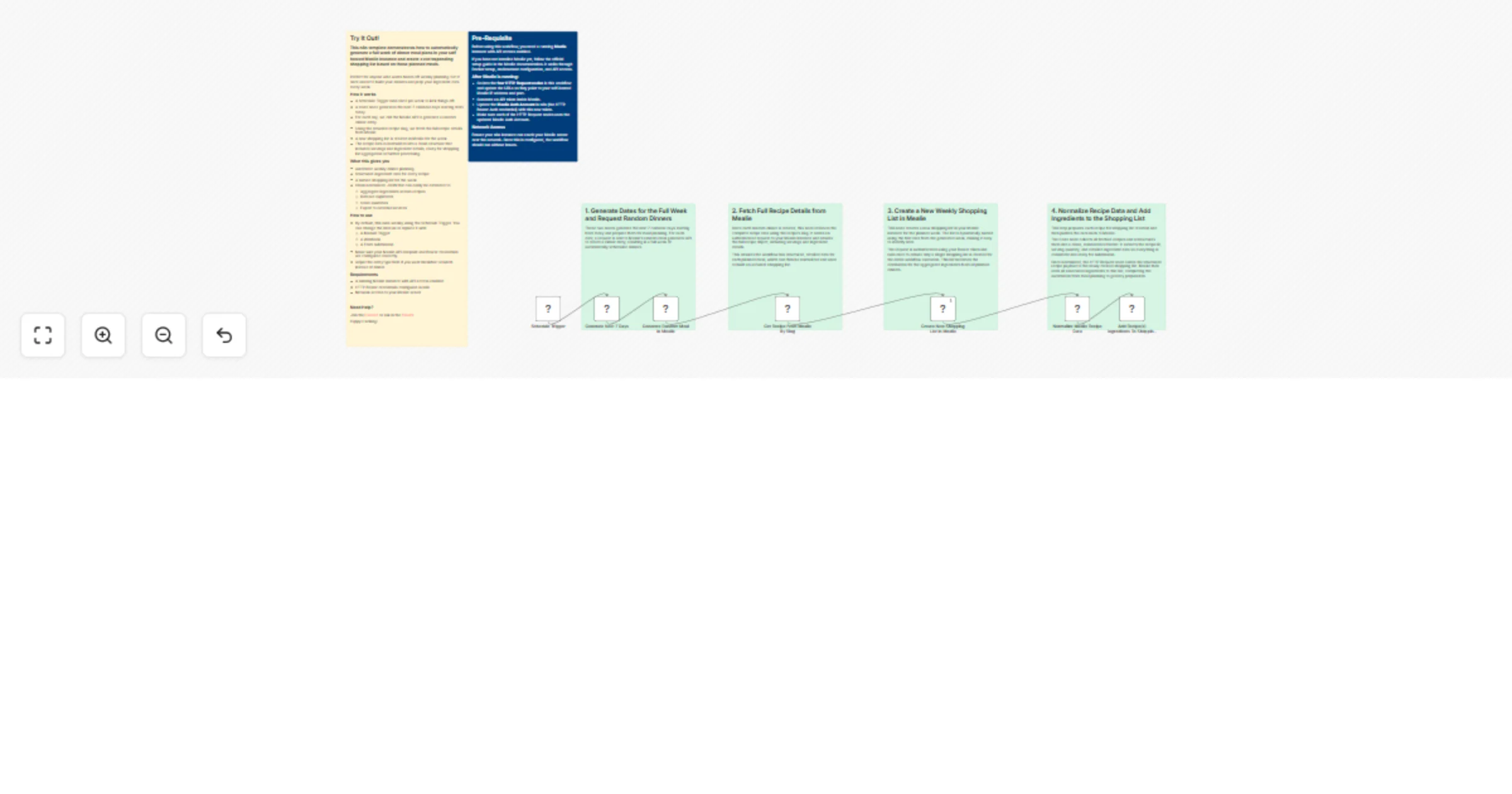
This n8n template demonstrates how to automatically generate a full week of dinner meal plans in your self hosted Mealie instance and create a corresponding shopping list based on those planned meals.

Perfect for anyone who wants hands off weekly planning. Set it once and let it build your dinners and prep your ingredient data every week.

How it works

  • A Schedule Trigger runs once per week to kick things off.
  • A Code node generates the next 7 calendar days starting from today.
  • For each day, we call the Mealie API to generate a random dinner entry.
  • Using the returned recipe slug, we fetch the full recipe details from Mealie.
  • A new shopping list is created in Mealie for the week.
  • The recipe data is normalized into a clean structure that includes servings and ingredient details, ready for shopping list aggregation or further processing.

What this gives you

  • Automatic weekly dinner planning
  • Structured ingredient data for every recipe
  • A named shopping list for the week
  • Clean normalized JSON that can easily be extended to:
  • Aggregate ingredients across recipes
  • Remove duplicates
  • Scale quantities
  • Export to external services

How to use

  • By default, this runs weekly using the Schedule Trigger. You can change the interval or replace it with:
  • A Manual Trigger
  • A Webhook
  • A Form submission
  • Make sure your Mealie API endpoint and Bearer credentials are configured correctly.
  • Adjust the entryType field if you want breakfast or lunch instead of dinner.

Requirements

  • A running Mealie instance with API access enabled
  • HTTP Bearer credentials configured in n8n
  • Network access to your Mealie server

1.2 Logical Blocks

This catalog entry is organized from the workflow JSON. The node-level section below shows the executable blocks available for review before importing the template.

2. Block-by-Block Analysis

Block 1 - Generate Random Meal in Mealie

Type / Role
n8n-nodes-base.httpRequest - httpRequest
Config choices
Version 4.4

Block 2 - Get Recipe From Mealie By Slug

Type / Role
n8n-nodes-base.httpRequest - httpRequest
Config choices
Version 4.4

Block 3 - Normalize Mealie Recipe Data

Type / Role
n8n-nodes-base.code - code
Config choices
Version 2

Block 4 - Schedule Trigger

Type / Role
n8n-nodes-base.scheduleTrigger - scheduleTrigger
Config choices
Version 1.3

Block 5 - Sticky Note7

Type / Role
n8n-nodes-base.stickyNote - stickyNote
Config choices
Version 1

Block 6 - Sticky Note

Type / Role
n8n-nodes-base.stickyNote - stickyNote
Config choices
Version 1

Block 7 - Create New Shopping List in Mealie

Type / Role
n8n-nodes-base.httpRequest - httpRequest
Config choices
Version 4.4

Block 8 - Sticky Note1

Type / Role
n8n-nodes-base.stickyNote - stickyNote
Config choices
Version 1

Block 9 - Sticky Note4

Type / Role
n8n-nodes-base.stickyNote - stickyNote
Config choices
Version 1

Block 10 - Sticky Note2

Type / Role
n8n-nodes-base.stickyNote - stickyNote
Config choices
Version 1

Block 11 - Sticky Note3

Type / Role
n8n-nodes-base.stickyNote - stickyNote
Config choices
Version 1

Block 12 - Add Recipe(s) Ingredients To Shopping List in Mealie

Type / Role
n8n-nodes-base.httpRequest - httpRequest
Config choices
Version 4.4

Block 13 - Generate Next 7 Days

Type / Role
n8n-nodes-base.code - code
Config choices
Version 2

3. Summary Table

Workflow Generate weekly dinner meal plans and shopping lists using Mealie
Complexity intermediate
Nodes 13
Categories Personal Productivity
Author Kory Clark
Published 02 Mar 2026

4. Reproducing the Workflow from Scratch

  1. 1. Download the workflow JSON

    Use the JSON export at /data/workflows/13815/13815.json as the source template for this automation.

  2. 2. Import the template into n8n

    Open n8n, import the downloaded JSON, and review each node before activating the workflow.

  3. 3. Configure credentials and variables

    Replace placeholder credentials, API keys, webhook URLs, account IDs, and environment-specific values with your own settings.

  4. 4. Test with sample data

    Run the workflow manually or in a staging workspace, inspect node output, and confirm downstream systems receive the expected data.

  5. 5. Activate and monitor

    Enable the workflow only after testing, then monitor executions, errors, and rate limits during the first production runs.

5. General Notes & Resources

Review imported nodes carefully before activation. This catalog entry is intended to help you inspect the workflow structure, understand required services, and find related templates faster.

Node names, credentials, schedules, webhook paths, and external service limits may need adjustment for your workspace.

Frequently asked questions

What does Generate weekly dinner meal plans and shopping lists using Mealie do?

This n8n template demonstrates how to automatically generate a full week of dinner meal plans in your self hosted Mealie instance and create a corresponding shopping list based on those planned mea...

What do I need before importing this workflow?

Review the workflow JSON, configure any required credentials in n8n, and test the automation in a safe workspace before using it in production.

Can I customize this workflow?

Yes. Use the block-by-block analysis and the downloadable JSON to inspect each node, then adjust credentials, prompts, schedules, filters, or destinations for your Personal Productivity use case.