Block 1 - Main Overview
- Type / Role
- n8n-nodes-base.stickyNote - stickyNote
- Config choices
- Version 1


 Early Deal
This workflow is a fully automated AI video production pipeline. It accepts a raw script or topic via webhook, uses Claude AI to break the script into optimized video scenes, generates AI images fo...
n8n-nodes-base.stickynote, n8n-nodes-base.webhook, n8n-nodes-base.set, n8n-nodes-base.if, n8n-nodes-base.respondtowebhook, n8n-nodes-base.httprequest, n8n-nodes-base.code, n8n-nodes-base.splitinbatches
This workflow is cataloged by N8N Workflows and links back to its original n8n.io source page by Oneclick AI Squad.
Original n8n.io sourceThis workflow is a fully automated AI video production pipeline. It accepts a raw script or topic via webhook, uses Claude AI to break the script into optimized video scenes, generates AI images for each scene using Stability AI, submits each scene to Runway Gen-3 Alpha for video generation, polls until all videos are ready, stitches metadata together, and delivers the final video package — all without any manual editing or human intervention.
Designed for content creators, marketing agencies, social media teams, and SaaS platforms that need to produce consistent, high-quality AI video content at scale.
To eliminate the bottleneck between having a script and having a publishable video. Traditional video production takes days and thousands of dollars. This workflow produces a multi-scene AI video package in under 15 minutes for a fraction of the cost.
Specific goals:
Video is the highest-performing content format across every platform — but it has always required expensive equipment, editors, and time. Runway Gen-3 and other generative video tools have changed that. This workflow makes AI video production:
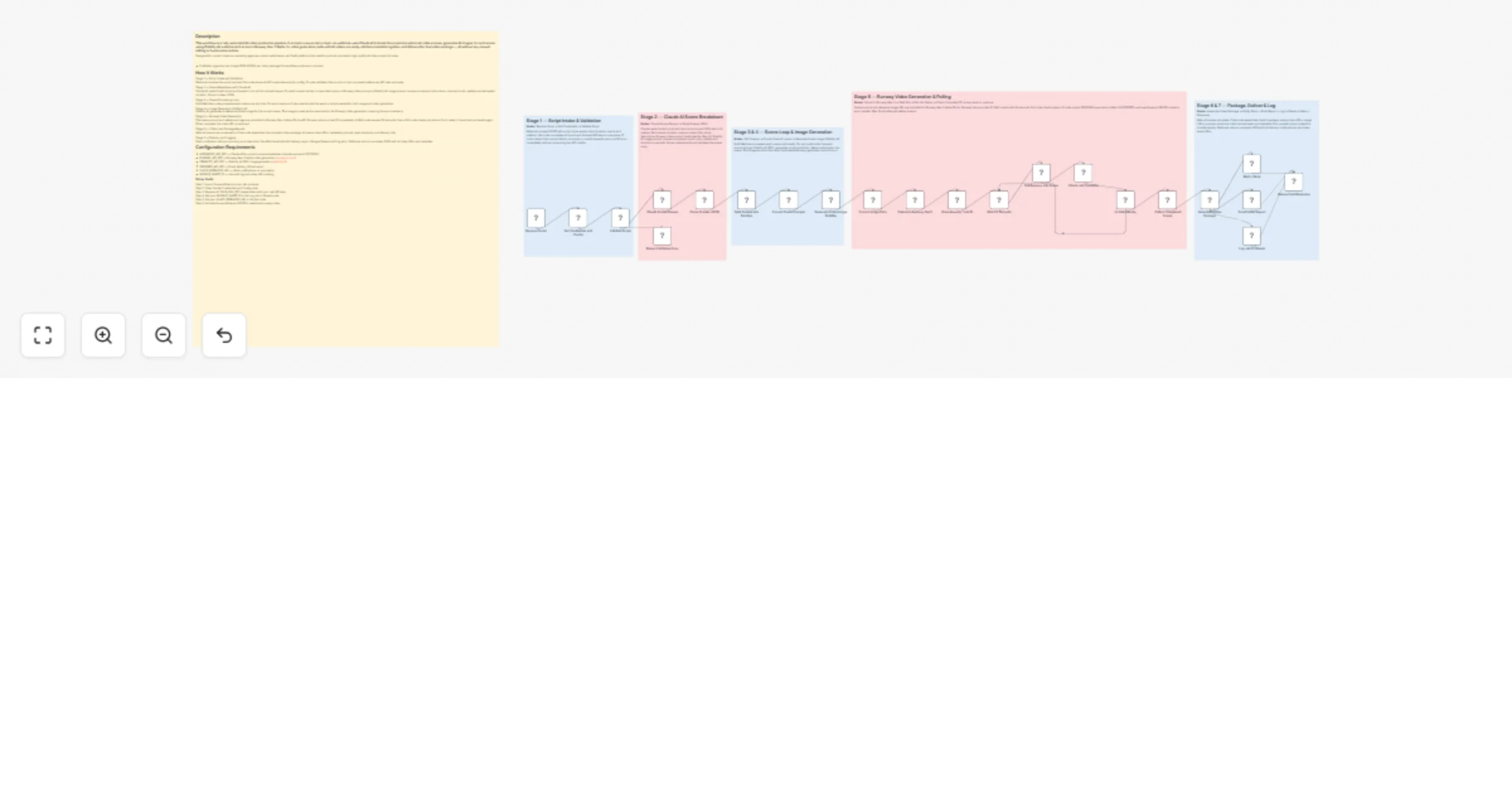
Stage 1 — Script Intake and Validation Webhook receives the script payload. Set node stores all API credentials and job config. IF node validates that a script or topic is present before any API calls are made.
Stage 2 — Scene Breakdown with Claude AI Claude AI reads the full script and breaks it into 4-6 structured scenes. For each scene it writes: a visual description, a Runway video prompt, a Stability AI image prompt, camera movement instructions, mood and color palette, and estimated duration. Output is clean JSON.
Stage 3 — Scene Processing Loop SplitInBatches node processes each scene one at a time. For each scene, a Code node formats the exact prompts needed for both image and video generation.
Stage 4 — Image Generation (Stability AI) Stability AI generates a reference frame image for the current scene. This image is used as the visual anchor for Runway video generation, ensuring frame consistency.
Stage 5 — Runway Video Generation The scene prompt and reference image are submitted to Runway Gen-3 Alpha Turbo API. Runway returns a task ID immediately. A Wait node pauses 30 seconds, then a Poll node checks job status. If not ready, it loops back and waits again. When complete, the video URL is captured.
Stage 6 — Collect and Package Results After all scenes are processed, a Code node assembles the complete video package: all scene video URLs, metadata, prompts used, durations, and delivery info.
Stage 7 — Delivery and Logging Slack notification with job summary and video links. SendGrid email with full delivery report. Google Sheets audit log entry. Webhook returns complete JSON with all video URLs and metadata.
Step 1: Import this workflow into your n8n instance Step 2: Open the Set Credentials and Config node Step 3: Replace all YOUR_XXX_KEY placeholders with your real API keys Step 4: Set your GOOGLE_SHEET_ID in the Log Job to Sheets node Step 5: Set your SLACK_WEBHOOK_URL in the Set node Step 6: Activate the workflow and POST to /webhook/runway-video
This catalog entry is organized from the workflow JSON. The node-level section below shows the executable blocks available for review before importing the template.
Showing the first 24 of 28 workflow blocks. Download the JSON for the full node graph.
| Workflow | Generate multi-scene AI videos from scripts with Claude, Stability AI and Runway |
|---|---|
| Complexity | advanced |
| Nodes | 28 |
| Categories | Content Creation, Multimodal AI |
| Author | Oneclick AI Squad |
| Published | 02 Mar 2026 |
Use the JSON export at /data/workflows/13807/13807.json as the source template for this automation.
Open n8n, import the downloaded JSON, and review each node before activating the workflow.
Replace placeholder credentials, API keys, webhook URLs, account IDs, and environment-specific values with your own settings.
Run the workflow manually or in a staging workspace, inspect node output, and confirm downstream systems receive the expected data.
Enable the workflow only after testing, then monitor executions, errors, and rate limits during the first production runs.
Review imported nodes carefully before activation. This catalog entry is intended to help you inspect the workflow structure, understand required services, and find related templates faster.
Node names, credentials, schedules, webhook paths, and external service limits may need adjustment for your workspace.
This workflow is a fully automated AI video production pipeline. It accepts a raw script or topic via webhook, uses Claude AI to break the script into optimized video scenes, generates AI images fo...
Review the workflow JSON, configure any required credentials in n8n, and test the automation in a safe workspace before using it in production.
Yes. Use the block-by-block analysis and the downloadable JSON to inspect each node, then adjust credentials, prompts, schedules, filters, or destinations for your Content Creation, Multimodal AI use case.