Block 1 - Wait
- Type / Role
- n8n-nodes-base.wait - wait
- Config choices
- Version 1.1


 Early Deal
This workflow is provided as-is. Please review and test before using in production.
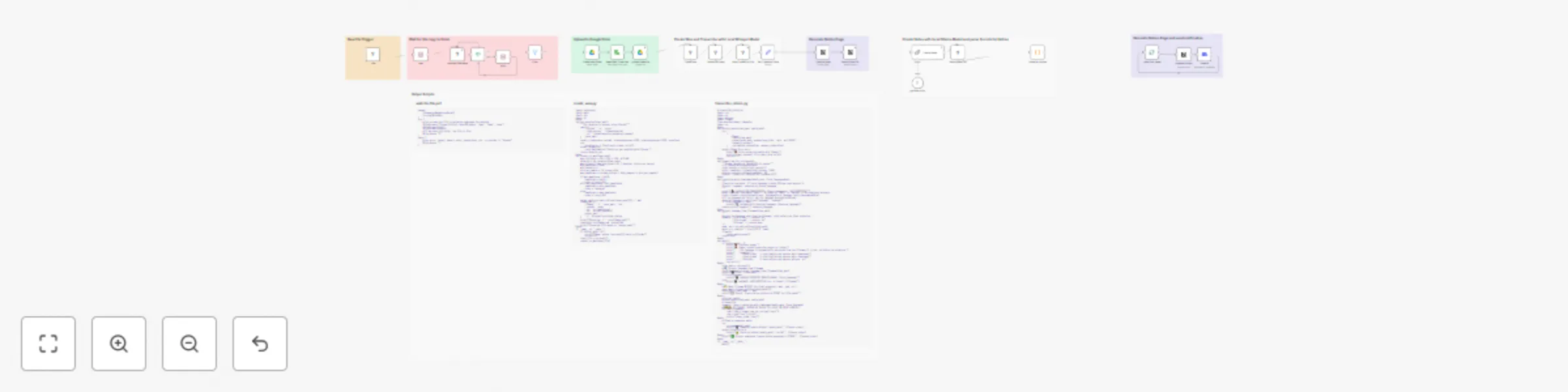
Automated Meeting Minutes from Video Recordings This workflow automatically transforms video recordings of meetings into structured, professional meeting minutes in Notion. It uses local AI models ...
n8n-nodes-base.wait, n8n-nodes-base.executecommand, n8n-nodes-base.if, n8n-nodes-base.stickynote, n8n-nodes-base.notion, n8n-nodes-base.filter, @n8n/n8n-nodes-langchain.chainllm, n8n-nodes-base.code
This workflow is cataloged by N8N Workflows and links back to its original n8n.io source page by Facundo Cabrera.
Original n8n.io sourceThis workflow automatically transforms video recordings of meetings into structured, professional meeting minutes in Notion. It uses local AI models (Whisper for transcription and Ollama for summarization) to ensure privacy and cost efficiency, while uploading the original video to Google Drive for safekeeping. Ideal for creative teams, production reviews, or any scenario where visual context is as important as the spoken word.
.mkv video file is added, it waits until the file has finished copying..wav audio file optimized for transcription (under 25 MB with high clarity).openai-whisper, ffmpeg-python).gpt-oss:20b, llama3, mistral).wait-for-file.ps1, create_wav.py, transcribe_return.py) in the respective "Execute Command" nodes.G:\OBS\videos) in the "File" node to your own recording directory.> 💡 Note: Detailed instructions for each step, including error handling and variable setup, are documented in the Sticky Notes within the workflow itself.
wait-for-file.ps1A PowerShell script that checks if a file is still being written to (i.e., locked by another process). It returns 0 if the file is free and 1 if it is still locked.
Usage:
.\wait-for-file.ps1 -FilePath "C:\path\to\your\file.mkv"
create_wav.pyA Python script that converts a video file into a .wav audio file. It automatically calculates the necessary audio bitrate to keep the output file under 25 MB—a common requirement for many transcription services.
Usage:
python create_wav.py "C:\path\to\your\file.mkv"
transcribe_return.pyA Python script that uses a local Whisper model to transcribe an audio file. It can auto-detect the language or use a language code specified in the filename (e.g., meeting.en.mkv for English, meeting.es.mkv for Spanish). The transcript is printed directly to stdout with timestamps, which is then captured by the n8n workflow.
Usage:
# Auto-detect language
python transcribe_return.py "C:\path\to\your\file.mkv"

# Force language via filename
python transcribe_return.py "C:\path\to\your\file.es.mkv"
This catalog entry is organized from the workflow JSON. The node-level section below shows the executable blocks available for review before importing the template.
Showing the first 24 of 33 workflow blocks. Download the JSON for the full node graph.
| Workflow | Generate meeting minutes from videos with Whisper, Ollama LLM and Notion |
|---|---|
| Complexity | advanced |
| Nodes | 33 |
| Categories | Document Extraction |
| Author | Facundo Cabrera |
| Published | 01 Oct 2025 |
Use the JSON export at /data/workflows/9158/9158.json as the source template for this automation.
Open n8n, import the downloaded JSON, and review each node before activating the workflow.
Replace placeholder credentials, API keys, webhook URLs, account IDs, and environment-specific values with your own settings.
Run the workflow manually or in a staging workspace, inspect node output, and confirm downstream systems receive the expected data.
Enable the workflow only after testing, then monitor executions, errors, and rate limits during the first production runs.
Review imported nodes carefully before activation. This catalog entry is intended to help you inspect the workflow structure, understand required services, and find related templates faster.
Node names, credentials, schedules, webhook paths, and external service limits may need adjustment for your workspace.
Automated Meeting Minutes from Video Recordings This workflow automatically transforms video recordings of meetings into structured, professional meeting minutes in Notion. It uses local AI models ...
Review the workflow JSON, configure any required credentials in n8n, and test the automation in a safe workspace before using it in production.
Yes. Use the block-by-block analysis and the downloadable JSON to inspect each node, then adjust credentials, prompts, schedules, filters, or destinations for your Document Extraction use case.