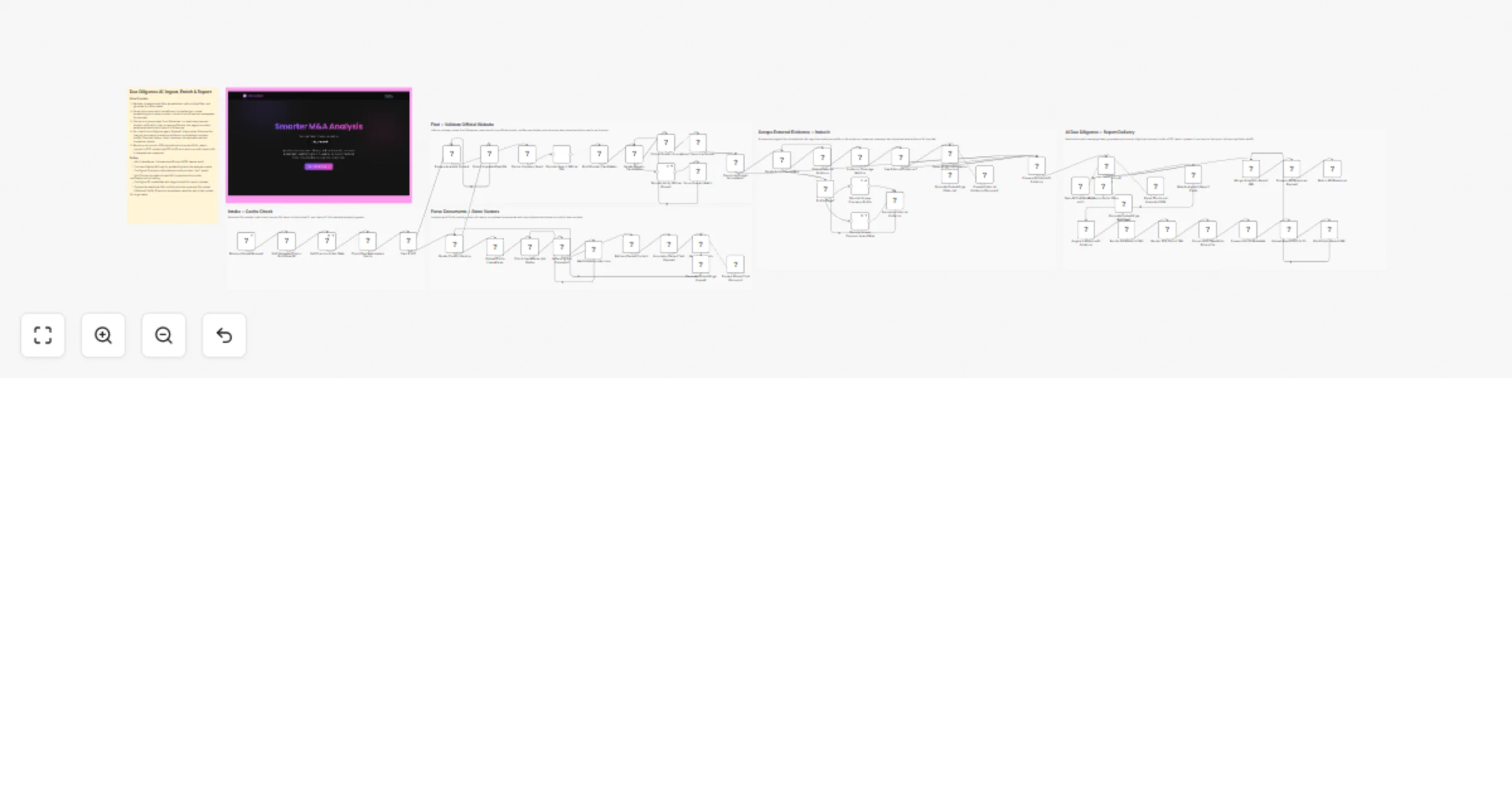
Generate M&A due diligence reports with Decodo, OpenAI and Pinecone

Workflow preview

Workflow preview
100%
Generate M&A due diligence reports with Decodo, OpenAI and Pinecone preview
Open on n8n.io

1. Workflow Overview

Turn unstructured pitch decks and investment memos into polished Due Diligence PDF reports automatically. This n8n workflow handles everything from document ingestion to final delivery, combining i...

Best for

  • Document Extraction automation workflows
  • AI RAG automation workflows
  • advanced n8n builders looking for reusable templates

Tools used

n8n-nodes-base.httprequest, n8n-nodes-base.webhook, n8n-nodes-base.code, n8n-nodes-base.splitinbatches, @n8n/n8n-nodes-langchain.vectorstorepinecone, @n8n/n8n-nodes-langchain.embeddingsopenai, @n8n/n8n-nodes-langchain.documentdefaultdataloader, n8n-nodes-base.aggregate

Source and attribution

This workflow is cataloged by N8N Workflows and links back to its original n8n.io source page by Khairul Muhtadin.

Original n8n.io source

1.1 Workflow description

Title
Generate M&A due diligence reports with Decodo, OpenAI and Pinecone
Workflow name
Generate M&A due diligence reports with Decodo, OpenAI and Pinecone

Turn unstructured pitch decks and investment memos into polished Due Diligence PDF reports automatically. This n8n workflow handles everything from document ingestion to final delivery, combining internal document analysis with live web research to produce analyst-grade output in minutes.

The Problem It Solves

Reviewing a single deal manually reading the deck, cross-checking claims online, formatting the summary easily takes half a day. Multiply that by 10–20 inbound deals per week, and your team is buried in low-leverage work before any real analysis begins.

This workflow compresses that cycle into a single automated pipeline.

How It Works

  1. Upload: Send a PDF, DOCX, or PPTX to the webhook endpoint.
  2. Parse: LlamaParse extracts clean Markdown from complex layouts, preserving tables and financial data.
  3. Enrich: The workflow identifies the target company, then pulls supplementary data from the open web (corporate pages, risk signals) using Decodo's search and scraping APIs to verify and contextualize claims made in the source documents.
  4. Analyze: An AI Agent runs six targeted retrieval queries against the combined dataset: revenue history, key risks, business model, competitive landscape, management profile, and deal terms.
  5. Deliver: Results render into a branded HTML template, convert to PDF via Puppeteer, upload to Cloudflare R2, and return a download link.

Each deal gets a unique namespace in Pinecone, so documents are isolated and repeat uploads skip redundant parsing.

What You Need

Service Role
n8n Workflow orchestration
LlamaIndex Cloud Document parsing (LlamaParse)
Pinecone Vector storage & retrieval
OpenAI API Embeddings (text-embedding-3-small) & LLM analysis (GPT-5.4)
Decodo API Web search & page scraping
Cloudflare R2 Report file storage (S3-compatible)

Quick Start

  1. Import the workflow JSON into your n8n instance.
  2. Add credentials for OpenAI, Pinecone, LlamaIndex (Header Auth), Decodo, and Cloudflare R2 (S3-compatible).
  3. Update the R2 base URL in the "Build Public Report URL" node.
  4. Fire a test POST with a sample deck to the webhook.

Customization Ideas

  • Swap the HTML template to match your firm's branding and report structure.
  • Extend the AI Agent prompt to cover additional dimensions like ESG scoring or technical debt.
  • Route the finished PDF to Slack, email, or your CRM instead of (or alongside) R2.

Troubleshooting

Symptom Likely Fix
Parsing times out Increase the Wait node duration; check file size against LlamaParse limits
Thin or generic analysis Verify the source PDF is text-based, not a scanned image, enable OCR if needed
Broken PDF layout Simplify CSS in the HTML render node; older Puppeteer builds handle basic layouts better

Created by: Khmuhtadin Category: Business Intelligence | Tags: AI, RAG, Due Diligence, Decodo

PortfolioStoreLinkedInMediumThreads

1.2 Logical Blocks

This catalog entry is organized from the workflow JSON. The node-level section below shows the executable blocks available for review before importing the template.

2. Block-by-Block Analysis

Block 1 - Retrieve Parsed Content

Type / Role
n8n-nodes-base.httpRequest - httpRequest
Config choices
Version 4.2

Block 2 - Receive Upload Request

Type / Role
n8n-nodes-base.webhook - webhook
Config choices
Version 2.1

Block 3 - Split Uploaded Files + Build Deal ID

Type / Role
n8n-nodes-base.code - code
Config choices
Version 2

Block 4 - Iterate Files for Parsing

Type / Role
n8n-nodes-base.splitInBatches - splitInBatches
Config choices
Version 3

Block 5 - Get Pinecone Index Stats

Type / Role
n8n-nodes-base.httpRequest - httpRequest
Config choices
Version 4.3

Block 6 - Upsert Chunks to Pinecone

Type / Role
@n8n/n8n-nodes-langchain.vectorStorePinecone - vectorStorePinecone
Config choices
Version 1.3

Block 7 - Generate Embeddings (Ingest)

Type / Role
@n8n/n8n-nodes-langchain.embeddingsOpenAi - embeddingsOpenAi
Config choices
Version 1.2

Block 8 - Prepare Parsed Text Document

Type / Role
@n8n/n8n-nodes-langchain.documentDefaultDataLoader - documentDefaultDataLoader
Config choices
Version 1.1

Block 9 - Collect Ingested Deal IDs

Type / Role
n8n-nodes-base.aggregate - aggregate
Config choices
Version 1

Block 10 - Prepare Analysis Context

Type / Role
n8n-nodes-base.code - code
Config choices
Version 2

Block 11 - Run Due Diligence AI Analysis

Type / Role
@n8n/n8n-nodes-langchain.agent - agent
Config choices
Version 3.1

Block 12 - OpenAI Chat Model (5-mini)

Type / Role
@n8n/n8n-nodes-langchain.lmChatOpenAi - lmChatOpenAi
Config choices
Version 1.3

Block 13 - Parse Structured Analysis JSON

Type / Role
@n8n/n8n-nodes-langchain.outputParserStructured - outputParserStructured
Config choices
Version 1.3

Block 14 - Generate Embeddings (Retrieval)

Type / Role
@n8n/n8n-nodes-langchain.embeddingsOpenAi - embeddingsOpenAi
Config choices
Version 1.2

Block 15 - Map Analysis to Report Fields

Type / Role
n8n-nodes-base.code - code
Config choices
Version 2

Block 16 - Render DD Report HTML

Type / Role
n8n-nodes-base.html - html
Config choices
Version 1.2

Block 17 - Render PDF from HTML

Type / Role
n8n-nodes-puppeteer.puppeteer - puppeteer
Config choices
Version 1

Block 18 - Convert PDF Base64 to Binary File

Type / Role
n8n-nodes-base.convertToFile - convertToFile
Config choices
Version 1.1

Block 19 - Upload Report PDF to S3

Type / Role
n8n-nodes-base.s3 - s3
Config choices
Version 1

Block 20 - Build Public Report URL

Type / Role
n8n-nodes-base.code - code
Config choices
Version 2

Block 21 - Merge Analysis + Report URL

Type / Role
n8n-nodes-base.merge - merge
Config choices
Version 3.2

Block 22 - Is Parsing Job Complete?

Type / Role
n8n-nodes-base.if - if
Config choices
Version 2.2

Block 23 - Upload File to LlamaParse

Type / Role
n8n-nodes-base.httpRequest - httpRequest
Config choices
Version 4.2

Block 24 - Check LlamaParse Job Status

Type / Role
n8n-nodes-base.httpRequest - httpRequest
Config choices
Version 4.2

Showing the first 24 of 61 workflow blocks. Download the JSON for the full node graph.

3. Summary Table

Workflow Generate M&A due diligence reports with Decodo, OpenAI and Pinecone
Complexity advanced
Nodes 61
Categories Document Extraction, AI RAG
Author Khairul Muhtadin
Published 18 Feb 2026

4. Reproducing the Workflow from Scratch

  1. 1. Download the workflow JSON

    Use the JSON export at /data/workflows/13500/13500.json as the source template for this automation.

  2. 2. Import the template into n8n

    Open n8n, import the downloaded JSON, and review each node before activating the workflow.

  3. 3. Configure credentials and variables

    Replace placeholder credentials, API keys, webhook URLs, account IDs, and environment-specific values with your own settings.

  4. 4. Test with sample data

    Run the workflow manually or in a staging workspace, inspect node output, and confirm downstream systems receive the expected data.

  5. 5. Activate and monitor

    Enable the workflow only after testing, then monitor executions, errors, and rate limits during the first production runs.

5. General Notes & Resources

Review imported nodes carefully before activation. This catalog entry is intended to help you inspect the workflow structure, understand required services, and find related templates faster.

Node names, credentials, schedules, webhook paths, and external service limits may need adjustment for your workspace.

Frequently asked questions

What does Generate M&A due diligence reports with Decodo, OpenAI and Pinecone do?

Turn unstructured pitch decks and investment memos into polished Due Diligence PDF reports automatically. This n8n workflow handles everything from document ingestion to final delivery, combining i...

What do I need before importing this workflow?

Review the workflow JSON, configure any required credentials in n8n, and test the automation in a safe workspace before using it in production.

Can I customize this workflow?

Yes. Use the block-by-block analysis and the downloadable JSON to inspect each node, then adjust credentials, prompts, schedules, filters, or destinations for your Document Extraction, AI RAG use case.