Block 1 - Retrieve Parsed Content
- Type / Role
- n8n-nodes-base.httpRequest - httpRequest
- Config choices
- Version 4.2
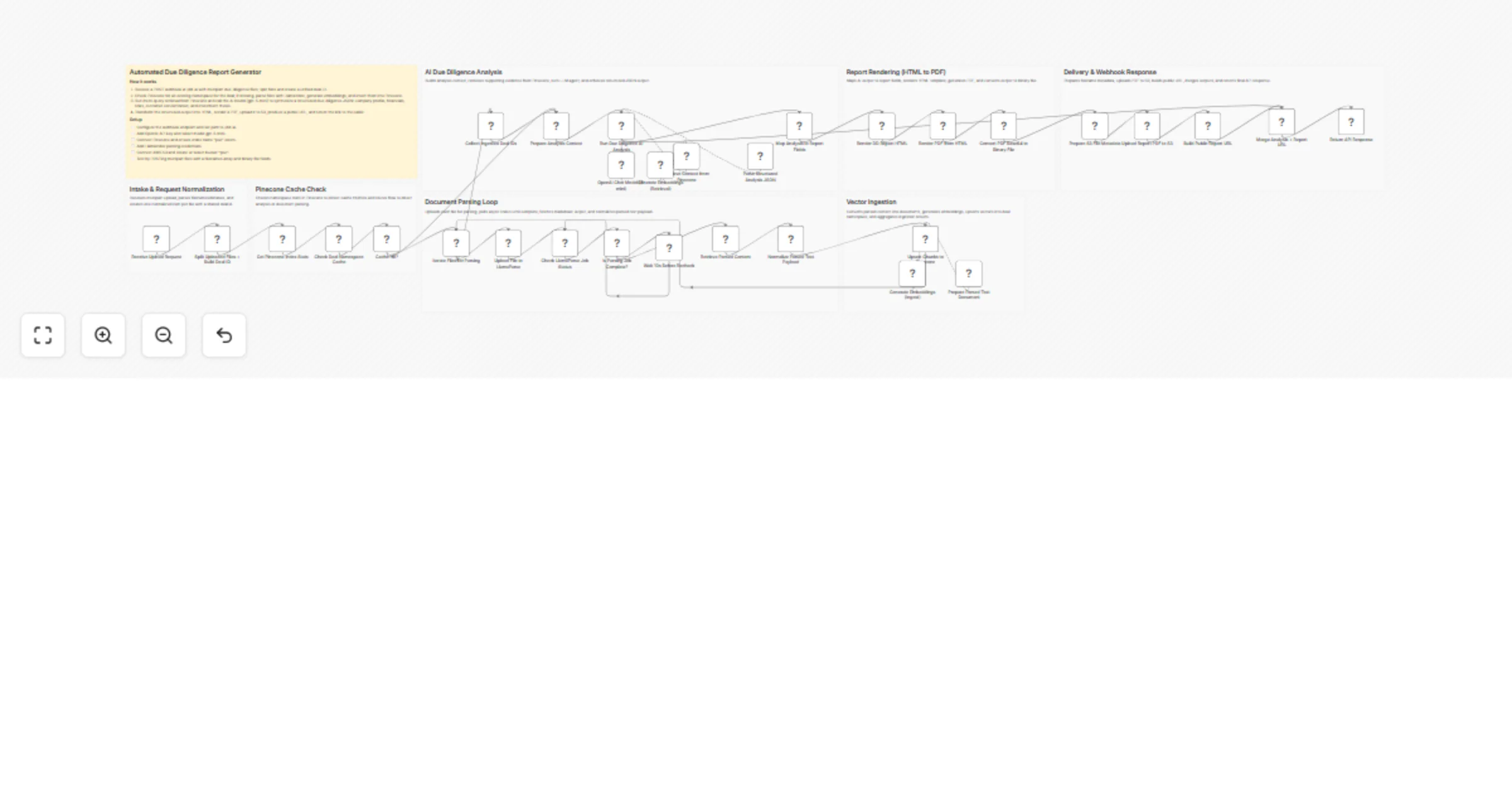


 Early Deal
Streamline M&A due diligence with AI. This n8n workflow automatically parses financial documents using LlamaIndex, embeds data into Pinecone, and generates comprehensive, AI driven reports with GPT...
n8n-nodes-base.httprequest, n8n-nodes-base.stickynote, n8n-nodes-base.webhook, n8n-nodes-base.code, n8n-nodes-base.splitinbatches, @n8n/n8n-nodes-langchain.vectorstorepinecone, @n8n/n8n-nodes-langchain.embeddingsopenai, @n8n/n8n-nodes-langchain.documentdefaultdataloader
This workflow is cataloged by N8N Workflows and links back to its original n8n.io source page by Khairul Muhtadin.
Original n8n.io sourceStreamline M&A due diligence with AI. This n8n workflow automatically parses financial documents using LlamaIndex, embeds data into Pinecone, and generates comprehensive, AI-driven reports with GPT-5-mini, saving hours of manual review and ensuring consistent, data-backed insights.
Time Savings: Reduces manual document review and report generation from days to minutes. Cost Reduction: Minimizes reliance on expensive human analysts for initial data extraction and summary. Error Prevention: AI-driven analysis ensures consistent data extraction, reducing human error and oversight. Scalability: Effortlessly processes multiple documents and deals in parallel, scaling with your business needs.
| Requirement | Type | Purpose |
|---|---|---|
| n8n instance | Essential | Workflow execution platform |
| LlamaIndex API Key | Essential | For robust document parsing and text extraction |
| OpenAI API Key | Essential | For creating text embeddings and powering the GPT-5-mini AI agent |
| Pinecone API Key | Essential | For storing and retrieving vector embeddings |
| AWS S3 Account | Essential | For secure storage of generated PDF reports |
x-api-key in the header and your LlamaIndex API key as the value.bucketName is set to your desired S3 bucket.baseUrl variable to match your S3 bucket's public access URL or CDN if applicable (e.g., https://your-s3-bucket-name.s3.amazonaws.com)./webhook/dd-ai) to verify all connections and processing steps work as expected.| Node | Purpose | Key Configuration |
|---|---|---|
Webhook |
Initiates workflow with document uploads | Path: dd-ai, HTTP Method: POST |
Split Multi-File (Code) |
Splits binary files, generates unique deal ID | Parses filenames from body or binary, creates dealId from sorted names. |
Parse Document via LlamaIndex |
Extracts structured text from various document types | URL: https://api.cloud.llamaindex.ai/api/v1/parsing/upload, Authentication: HTTP Header Auth with x-api-key. |
Monitor Document Processing |
Polls LlamaIndex for parsing status | URL: https://api.cloud.llamaindex.ai/api/v1/parsing/job/{{ $json.id }}, Authentication: HTTP Header Auth. |
Insert to Pinecone |
Stores vector embeddings in Pinecone | Mode: insert, Pinecone Index: poc, Pinecone Namespace: dealId. |
Data Retrieval (Pinecone) |
Enables AI agent to search due diligence documents | Mode: retrieve-as-tool, Pinecone Index: poc, Pinecone Namespace: {{ $json.dealId }}, topK: 100. |
Analyze (Langchain Agent) |
Orchestrates AI analysis using specific queries | Prompt Type: define, detailed role and 6 mandatory Pinecone queries, Model: gpt-5-mini, Output Parser: Parser. |
Generate PDF (Puppeteer) |
Converts HTML report to a professional PDF | Script Code: await $page.pdf(...) with A4 format, margins, and 60s timeout. |
Upload to S3 |
Stores final PDF reports securely | Bucket Name: poc, File Name: {{ $json.fileName }}, Credentials: AWS S3. |
If (Check Namespace Exists) |
Implements caching logic | Checks stats.namespaces[dealId].vectorCount > 0 to determine cache hit/miss. |
The workflow begins by accepting multiple files via a webhook. It intelligently checks if the specific "deal" (identified by a unique ID generated from filenames) has already had its documents processed and embedded in Pinecone. This cache mechanism prevents redundant processing, saving time and API costs. If a cache miss occurs, documents are parsed by LlamaIndex, their content vectorized by OpenAI, and stored in a Pinecone namespace unique to the deal.
For analysis, a Langchain Agent, powered by GPT-5-mini, is instructed with a specific persona and a mandatory sequence of Pinecone queries (e.g., company overview, financials, risks). It uses the Data Retrieval tool to interact with Pinecone, synthesizing information from the stored embeddings. The AI's output is then structured by a dedicated parser, transformed into a human-readable HTML report, and converted into a PDF. Finally, this comprehensive report is uploaded to AWS S3, and a public access URL is provided as a response.
Basic Adjustments:
Prompt field in the "Analyze" (Langchain Agent) node to adjust the AI's persona, introduce new mandatory queries, or change reporting style.Advanced Enhancements:
Challenge: A private equity firm receives dozens of due diligence documents (financials, CIM, management presentations) for a potential acquisition, needing a rapid initial assessment. Solution: The workflow ingests all documents, automatically parses them, and an AI agent synthesizes key company information, financial summaries (revenue history, margins), and identified risks into a structured report within minutes. Result: The firm's analysts gain an immediate, comprehensive overview, enabling faster screening and more focused deep-dive questions, significantly accelerating the deal cycle.
Challenge: An M&A advisory firm needs to provide clients with a quick, consistent, and standardized preliminary due diligence report across multiple prospects. Solution: Advisors upload relevant prospect documents to the workflow. The AI-powered system automatically extracts core business model details, investment thesis highlights, and customer concentration analysis, along with key financials. Result: The firm can generate standardized, high-quality preliminary reports efficiently, ensuring consistency across all client engagements and freeing up senior staff for strategic analysis.
Created by: Khmuhtadin Category: AI | Tags: Due Diligence, AI, Automation, M&A, LlamaIndex, Pinecone, GPT-5-mini, Document Processing Need custom workflows? Contact us
Connect with the creator: Portfolio • Workflows • LinkedIn • Medium • Threads
This catalog entry is organized from the workflow JSON. The node-level section below shows the executable blocks available for review before importing the template.
Showing the first 24 of 39 workflow blocks. Download the JSON for the full node graph.
| Workflow | Generate M&A due diligence PDF reports with LlamaIndex, OpenAI, Pinecone, and S3 |
|---|---|
| Complexity | advanced |
| Nodes | 39 |
| Categories | Document Extraction, AI RAG |
| Author | Khairul Muhtadin |
| Published | 13 Feb 2026 |
Use the JSON export at /data/workflows/13364/13364.json as the source template for this automation.
Open n8n, import the downloaded JSON, and review each node before activating the workflow.
Replace placeholder credentials, API keys, webhook URLs, account IDs, and environment-specific values with your own settings.
Run the workflow manually or in a staging workspace, inspect node output, and confirm downstream systems receive the expected data.
Enable the workflow only after testing, then monitor executions, errors, and rate limits during the first production runs.
Review imported nodes carefully before activation. This catalog entry is intended to help you inspect the workflow structure, understand required services, and find related templates faster.
Node names, credentials, schedules, webhook paths, and external service limits may need adjustment for your workspace.
Streamline M&A due diligence with AI. This n8n workflow automatically parses financial documents using LlamaIndex, embeds data into Pinecone, and generates comprehensive, AI driven reports with GPT...
Review the workflow JSON, configure any required credentials in n8n, and test the automation in a safe workspace before using it in production.
Yes. Use the block-by-block analysis and the downloadable JSON to inspect each node, then adjust credentials, prompts, schedules, filters, or destinations for your Document Extraction, AI RAG use case.