Block 1 - 1. Daily Schedule Trigger
- Type / Role
- n8n-nodes-base.scheduleTrigger - scheduleTrigger
- Config choices
- Version 1.1


 Early Deal
Status: Published Description Generate high quality, long form SEO articles from trending news using mobile first approvals via LINE. Who’s it for This workflow is designed for content marketers...
n8n-nodes-base.scheduletrigger, n8n-nodes-base.set, n8n-nodes-base.httprequest, n8n-nodes-base.code, @n8n/n8n-nodes-langchain.agent, n8n-nodes-base.googlesheets, n8n-nodes-base.wait, n8n-nodes-base.googledocs
This workflow is cataloged by N8N Workflows and links back to its original n8n.io source page by HayatoFujita/藤田隼人.
Original n8n.io sourceStatus: Published
Description Generate high-quality, long-form SEO articles from trending news using mobile-first approvals via LINE.
This workflow is designed for content marketers, SEO specialists, and solo bloggers who want to scale their content production without losing editorial control. It is ideal for users who want to manage a deep-dive writing process entirely from their smartphone, ensuring every article meets their standards before being drafted.
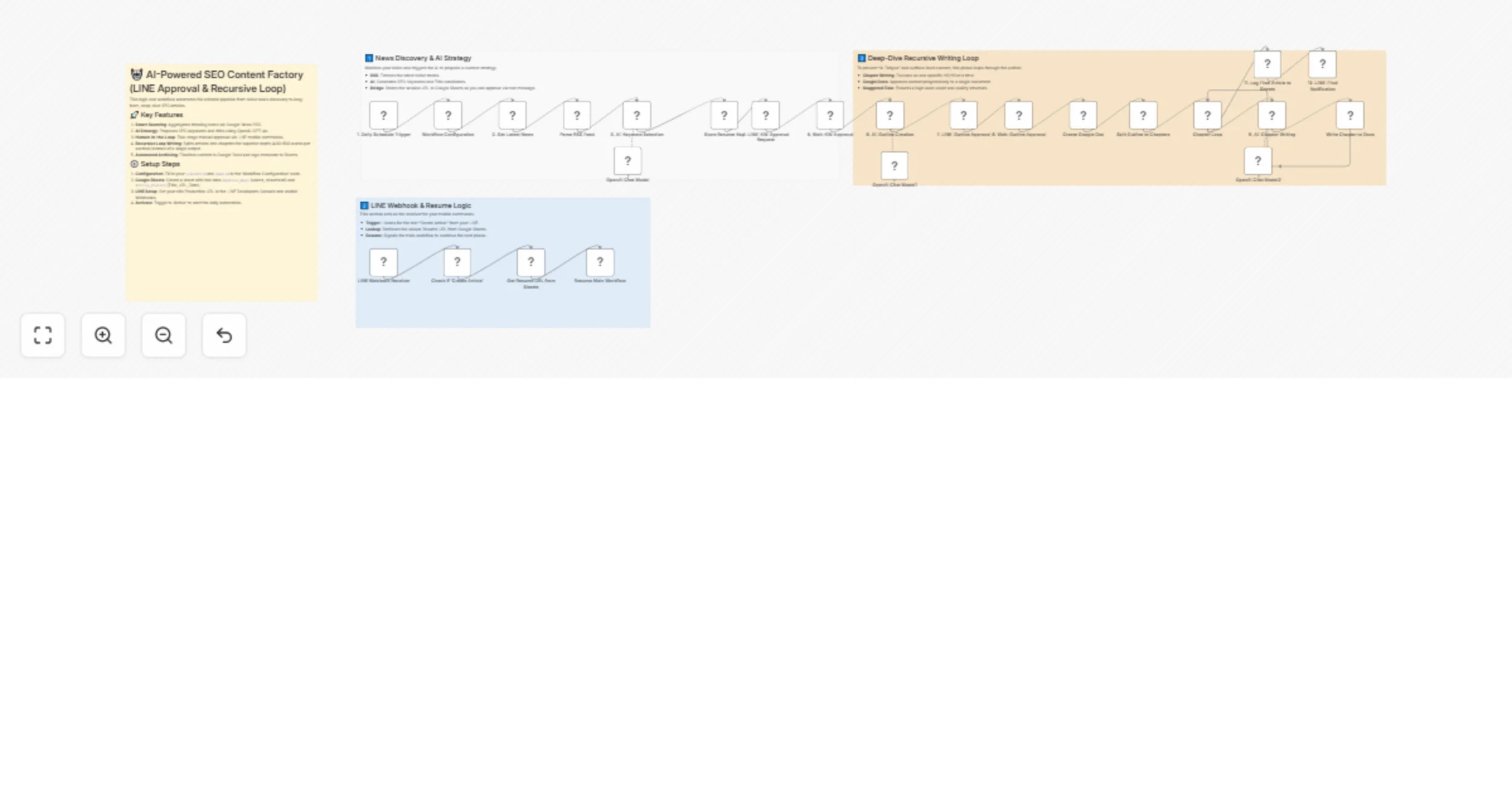
This template acts as a sophisticated "AI Editorial Staff" that connects RSS feeds, LINE, OpenAI, and Google Workspace.
Smart News Sourcing: Automatically monitors niche-specific RSS feeds to identify the latest trending topics.
AI Strategic Planning: Uses OpenAI (GPT-4o/GPT-4o-mini) to propose high-potential SEO keywords and catchy titles based on live news.
Mobile Editorial Control: Sends proposals directly to your LINE. By replying with "Create Article," you trigger the next phase of the workflow.
Stateful Session Management: Uses a Google Sheets "Bridge" to store unique resume URLs, allowing you to resume the automated process through simple text commands.
High-Quality Looping: Instead of generating an entire article at once (which often results in shallow content), this workflow loops through each chapter. The AI writes one section at a time in detail and appends it to a Google Doc.
Automated Archiving: Once the deep-dive writing is finished, it logs the final article title, URL, and date into a master Google Sheets ledger and notifies you via LINE.
Prepare Google Sheet: Create a spreadsheet with two tabs.
Tab 1 (シート1): Headers should be userId and resumeurl.
Tab 2 (Article_History): Headers should be Title, URL, and Date.
Configure Credentials: Set up your credentials in n8n for OpenAI (API Key), Google Workspace (OAuth2), and LINE Messaging API (Header Auth).
Update Workflow Configuration Node:
Paste your LINE User ID (from the LINE Developers Console).
Paste your Google Spreadsheet ID.
Update the RSS URL in the news node to your target niche.
Update Google Sheets Nodes:
In the "Store Resume Key" and "Get Resume URL" nodes, select your specific spreadsheet.
Configure LINE Webhook:
Copy the Production URL from the "LINE Webhook Receiver" node.
Paste it into the LINE Developers Console under "Webhook URL" and enable "Use Webhook."
Activate: Save the workflow and toggle it to “Active.”
n8n version 1.0 or later
OpenAI API Key (GPT-4o recommended for high-quality writing)
Google Workspace Account (Google Docs, Google Sheets)
LINE Developers Account (Messaging API)
Refine Writing Style: Edit the System Message in the "Chapter Writing" node to change the tone (e.g., from "Formal Technical" to "Conversational Storyteller").
Switch Approval Keywords: Change the IF node condition to respond to "Approve" or "Go" instead of "Create Article."
Direct-to-WordPress: Replace the "Create Google Doc" and "Update Docs" nodes with a WordPress node to automatically publish or save as a draft on your website once the loop is complete.
Language Adaptation: Update the RSS URL and AI prompts to source news in any language and output the final article in another.
This catalog entry is organized from the workflow JSON. The node-level section below shows the executable blocks available for review before importing the template.
Showing the first 24 of 29 workflow blocks. Download the JSON for the full node graph.
| Workflow | Generate long-form SEO articles from news with LINE approvals and Google Docs |
|---|---|
| Complexity | advanced |
| Nodes | 29 |
| Categories | Content Creation, Multimodal AI |
| Author | HayatoFujita/藤田隼人 |
| Published | 21 Jan 2026 |
Use the JSON export at /data/workflows/12866/12866.json as the source template for this automation.
Open n8n, import the downloaded JSON, and review each node before activating the workflow.
Replace placeholder credentials, API keys, webhook URLs, account IDs, and environment-specific values with your own settings.
Run the workflow manually or in a staging workspace, inspect node output, and confirm downstream systems receive the expected data.
Enable the workflow only after testing, then monitor executions, errors, and rate limits during the first production runs.
Review imported nodes carefully before activation. This catalog entry is intended to help you inspect the workflow structure, understand required services, and find related templates faster.
Node names, credentials, schedules, webhook paths, and external service limits may need adjustment for your workspace.
Status: Published Description Generate high quality, long form SEO articles from trending news using mobile first approvals via LINE. Who’s it for This workflow is designed for content marketers...
Review the workflow JSON, configure any required credentials in n8n, and test the automation in a safe workspace before using it in production.
Yes. Use the block-by-block analysis and the downloadable JSON to inspect each node, then adjust credentials, prompts, schedules, filters, or destinations for your Content Creation, Multimodal AI use case.