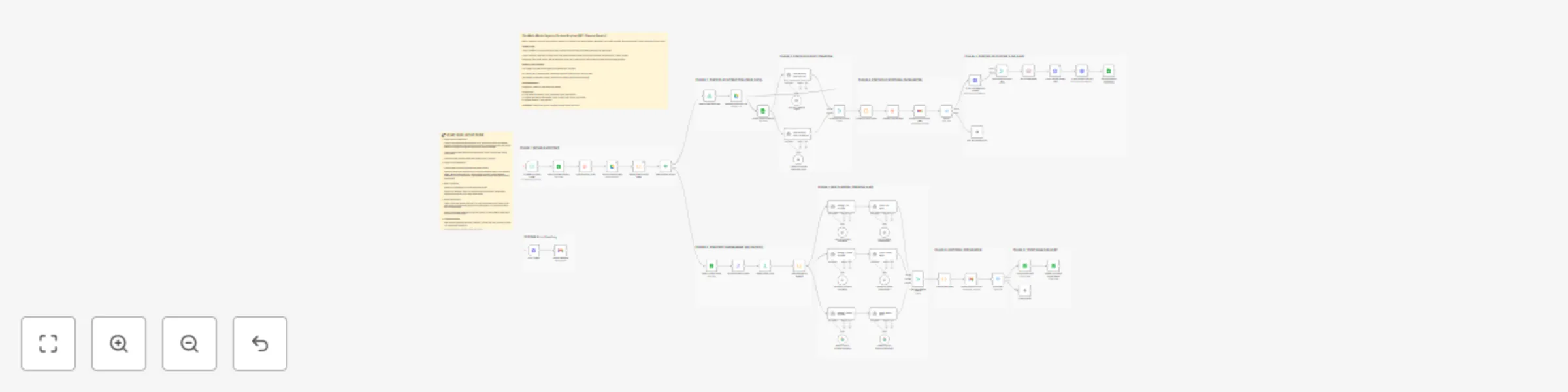
Generate LinkedIn agency content with GPT‑4o, Claude 4.5 and Gemini

Workflow preview

Workflow preview
100%
Generate LinkedIn agency content with GPT‑4o, Claude 4.5 and Gemini preview
Open on n8n.io

Important notice

This workflow is provided as-is. Please review and test before using in production.

1. Workflow Overview

The Multi Model Agency Content Engine is a high performance editorial system designed for agencies. It solves the "blank page" problem by alternating between real world social proof and strategic e...

Best for

  • Content Creation automation workflows
  • Multimodal AI automation workflows
  • advanced n8n builders looking for reusable templates

Tools used

n8n-nodes-base.switch, n8n-nodes-base.googlesheets, n8n-nodes-base.code, n8n-nodes-base.if, n8n-nodes-base.gmail, n8n-nodes-base.scheduletrigger, n8n-nodes-base.aggregate, n8n-nodes-base.googledrive

Source and attribution

This workflow is cataloged by N8N Workflows and links back to its original n8n.io source page by Ailin Werner.

Original n8n.io source

1.1 Workflow description

Title
Generate LinkedIn agency content with GPT‑4o, Claude 4.5 and Gemini
Workflow name
Generate LinkedIn agency content with GPT‑4o, Claude 4.5 and Gemini

The Multi-Model Agency Content Engine is a high-performance editorial system designed for agencies. It solves the "blank page" problem by alternating between real-world social proof and strategic expertise.

Features Dual-Track Logic: Automatically switches between Portfolio Case Studies (via Google Drive) and Strategic Thought Leadership (via Google Sheets).

Triple-AI Brain: Parallel processing using GPT-4o, Claude 4.5, and Gemini 1.5 to provide three distinct strategic angles for every post.

Human-in-the-Loop: Interactive Gmail approval system - review drafts side-by-side and approve with a single letter reply.

Clean Formatting: Custom code logic that strips AI artifacts and enforces LinkedIn-optimized typography.

Enterprise Reliability: Includes a global error-handling branch with instant email alerts.

1.2 Logical Blocks

This catalog entry is organized from the workflow JSON. The node-level section below shows the executable blocks available for review before importing the template.

2. Block-by-Block Analysis

Block 1 - Approved?

Type / Role
n8n-nodes-base.switch - switch
Config choices
Version 3.4

Block 2 - Fetch Published History

Type / Role
n8n-nodes-base.googleSheets - googleSheets
Config choices
Version 4.7

Block 3 - Identify New Portfolio Items

Type / Role
n8n-nodes-base.code - code
Config choices
Version 2

Block 4 - New Portfolio Found?

Type / Role
n8n-nodes-base.if - if
Config choices
Version 2.3

Block 5 - Human Editor Approval

Type / Role
n8n-nodes-base.gmail - gmail
Config choices
Version 2.2

Block 6 - Bi-Weekly Content Trigger

Type / Role
n8n-nodes-base.scheduleTrigger - scheduleTrigger
Config choices
Version 1.2

Block 7 - Compile History Array

Type / Role
n8n-nodes-base.aggregate - aggregate
Config choices
Version 1

Block 8 - Scan Portfolio Assets

Type / Role
n8n-nodes-base.googleDrive - googleDrive
Config choices
Version 3

Block 9 - Select Oldest New Item

Type / Role
n8n-nodes-base.limit - limit
Config choices
Version 1

Block 10 - Retrieve Case Study File

Type / Role
n8n-nodes-base.googleDrive - googleDrive
Config choices
Version 3

Block 11 - Draft Portfolio Post (GPT-4o)

Type / Role
@n8n/n8n-nodes-langchain.agent - agent
Config choices
Version 3

Block 12 - Combine Draft Options

Type / Role
n8n-nodes-base.merge - merge
Config choices
Version 3.2

Block 13 - Format Portfolio Drafts

Type / Role
n8n-nodes-base.code - code
Config choices
Version 2

Block 14 - Prepare Draft Package

Type / Role
n8n-nodes-base.aggregate - aggregate
Config choices
Version 1

Block 15 - Portfolio Post Approval Gate

Type / Role
n8n-nodes-base.gmail - gmail
Config choices
Version 2.2

Block 16 - LI API: Init Image/Doc Upload

Type / Role
n8n-nodes-base.httpRequest - httpRequest
Config choices
Version 4.3

Block 17 - Sync File & Approved Text

Type / Role
n8n-nodes-base.merge - merge
Config choices
Version 3.2

Block 18 - API Throttle Delay

Type / Role
n8n-nodes-base.wait - wait
Config choices
Version 1.1

Block 19 - LI API: Transfer Binary Data

Type / Role
n8n-nodes-base.httpRequest - httpRequest
Config choices
Version 4.3

Block 20 - LI API: Publish Live Post

Type / Role
n8n-nodes-base.httpRequest - httpRequest
Config choices
Version 4.3

Block 21 - Strategy: GPT Architect

Type / Role
@n8n/n8n-nodes-langchain.agent - agent
Config choices
Version 3

Block 22 - Strategy: Claude Architect

Type / Role
@n8n/n8n-nodes-langchain.agent - agent
Config choices
Version 3

Block 23 - Voice: GPT Editor

Type / Role
@n8n/n8n-nodes-langchain.agent - agent
Config choices
Version 3

Block 24 - Voice: Claude Editor

Type / Role
@n8n/n8n-nodes-langchain.agent - agent
Config choices
Version 3

Showing the first 24 of 62 workflow blocks. Download the JSON for the full node graph.

3. Summary Table

Workflow Generate LinkedIn agency content with GPT‑4o, Claude 4.5 and Gemini
Complexity advanced
Nodes 62
Categories Content Creation, Multimodal AI
Author Ailin Werner
Published 30 Dec 2025

4. Reproducing the Workflow from Scratch

  1. 1. Download the workflow JSON

    Use the JSON export at /data/workflows/12302/12302.json as the source template for this automation.

  2. 2. Import the template into n8n

    Open n8n, import the downloaded JSON, and review each node before activating the workflow.

  3. 3. Configure credentials and variables

    Replace placeholder credentials, API keys, webhook URLs, account IDs, and environment-specific values with your own settings.

  4. 4. Test with sample data

    Run the workflow manually or in a staging workspace, inspect node output, and confirm downstream systems receive the expected data.

  5. 5. Activate and monitor

    Enable the workflow only after testing, then monitor executions, errors, and rate limits during the first production runs.

5. General Notes & Resources

Review imported nodes carefully before activation. This catalog entry is intended to help you inspect the workflow structure, understand required services, and find related templates faster.

Node names, credentials, schedules, webhook paths, and external service limits may need adjustment for your workspace.

Frequently asked questions

What does Generate LinkedIn agency content with GPT‑4o, Claude 4.5 and Gemini do?

The Multi Model Agency Content Engine is a high performance editorial system designed for agencies. It solves the "blank page" problem by alternating between real world social proof and strategic e...

What do I need before importing this workflow?

Review the workflow JSON, configure any required credentials in n8n, and test the automation in a safe workspace before using it in production.

Can I customize this workflow?

Yes. Use the block-by-block analysis and the downloadable JSON to inspect each node, then adjust credentials, prompts, schedules, filters, or destinations for your Content Creation, Multimodal AI use case.