Generate HIPAA-safe patient-friendly EMR summaries with GPT-4, PDF tools and Google Drive

Workflow preview

Workflow preview
100%
Generate HIPAA-safe patient-friendly EMR summaries with GPT-4, PDF tools and Google Drive preview
Open on n8n.io

1. Workflow Overview

Medical Sovereign: Atomic Patient Portal Generator & HIPAA Triage Hub Description This is an elite tier HealthTech solution designed for the secure processing of high volume medical records. Mon...

Best for

  • Document Extraction automation workflows
  • AI Summarization automation workflows
  • advanced n8n builders looking for reusable templates

Tools used

n8n-nodes-base.stickynote, n8n-nodes-base.httprequest, n8n-nodes-base.code, n8n-nodes-base.switch, n8n-nodes-base.merge, n8n-nodes-base.if, n8n-nodes-base.postgres, n8n-nodes-base.googledrive

Source and attribution

This workflow is cataloged by N8N Workflows and links back to its original n8n.io source page by Jitesh Dugar.

Original n8n.io source

1.1 Workflow description

Title
Generate HIPAA-safe patient-friendly EMR summaries with GPT-4, PDF tools and Google Drive
Workflow name
Generate HIPAA-safe patient-friendly EMR summaries with GPT-4, PDF tools and Google Drive

Medical Sovereign: Atomic Patient Portal Generator & HIPAA Triage Hub

🎯 Description

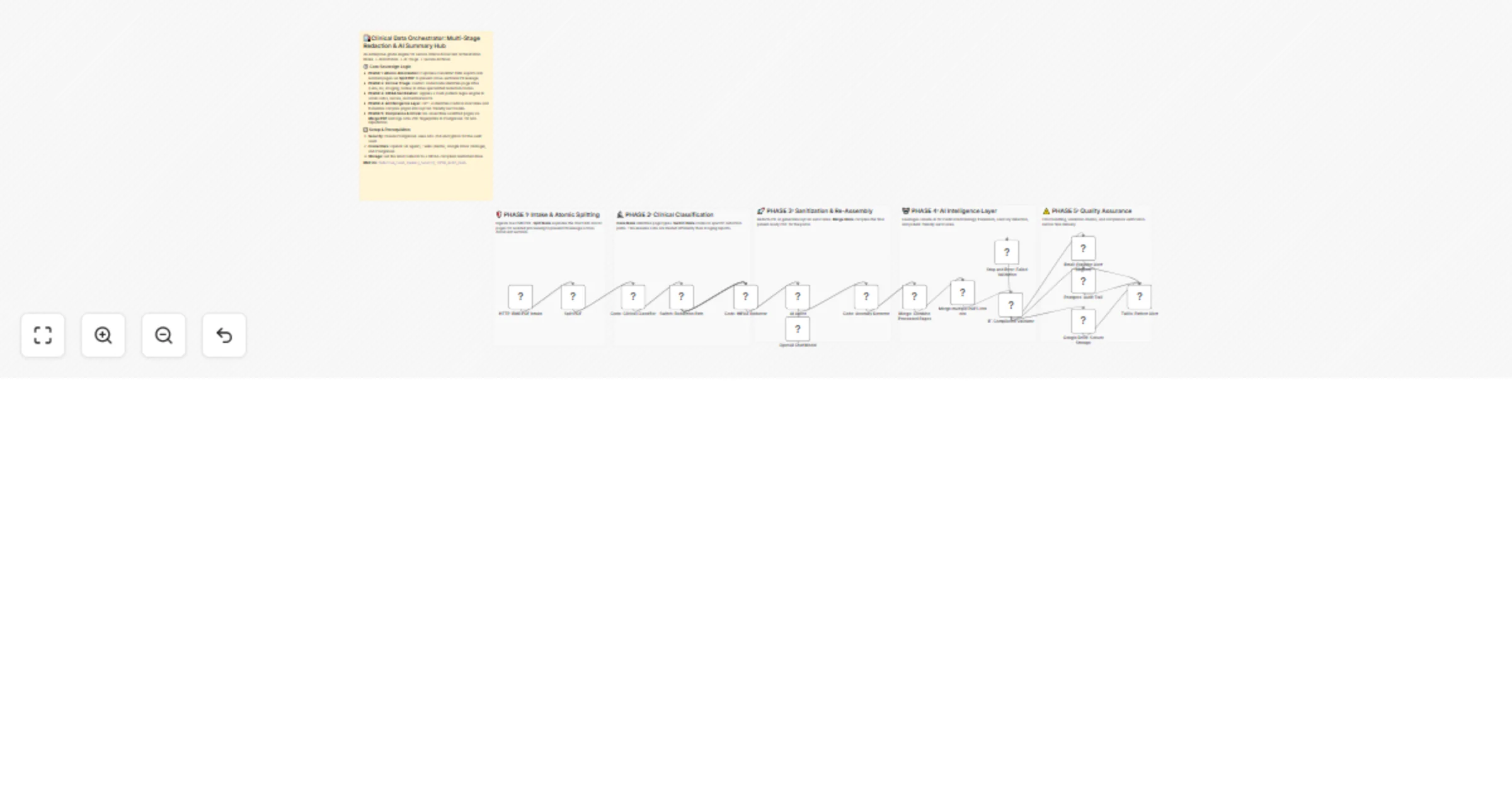
This is an elite-tier HealthTech solution designed for the secure processing of high-volume medical records. Monolithic EMR exports (often 200+ pages) are atomized into individual pages, allowing for granular, clinical-grade redaction and AI-driven summarization before being re-assembled into a secure patient portal summary.

✨ The Sovereign Lifecycle

  1. Phase 1: Intake & Atomic Splitting - Ingests monolithic EMR PDFs and utilizes the Split PDF node to explode the chart into isolated "Atomic Pages." This prevents "PII leakage"—a common failure in batch processing where data from one section accidentally remains visible in another.
  2. Phase 2: Clinical Classification & Triage - A sophisticated Code Node analyzes the text DNA of each page to identify its type: Labs, Prescriptions, Imaging, or Clinical Notes.
  3. Phase 3: HIPAA-Compliant Redaction - Applies a heavy-duty regex engine across the atomized stream to scrub sensitive PII, including SSNs, technician names, and provider-to-provider notes that should not be in a patient-facing portal.
  4. Phase 4: AI Intelligence & Anomaly Detection - An AI Agent (GPT-4) translates complex medical terminology into patient-friendly language. Simultaneously, an Anomaly Detector flags critical lab values (e.g., critical glucose levels) for immediate provider intervention.
  5. Phase 5: Secure Re-Assembly & Archival - Sanitized pages are re-assembled using the Merge PDF node. The final document is vaulted in Google Drive, while a forensic audit trail (including SHA-256 hashes of every action) is logged to PostgreSQL.
  6. Phase 6: Multi-Channel Alerts - High-severity findings trigger urgent Email Alerts to providers, while patients receive a secure Twilio SMS notification once their record is ready for viewing.

💡 Key Technical Features

  • Fail-Safe Validation: A compliance validator ensures that every page has undergone PII scrubbing before the final merge. Any failure triggers a Stop & Error to prevent data breaches.
  • Perceptual Integrity: Every redaction and clinical finding is assigned a severity score to prioritize provider review.
  • Forensic Auditing: Every processed record creates an immutable paper trail for HIPAA/GDPR oversight.

🚀 Benefits

99.9% Redaction Precision - Page-level atomization ensures maximum data security. ✅ Enhanced Patient Engagement - Translates overwhelming clinical data into clear, actionable summaries. ✅ Regulatory Readiness - Built-in audit logs satisfy strict "Right to Access" and data privacy laws.


Tags: #healthtech #hipaa #medical-records #pdf-split #automation #ai #compliance

Category: Healthcare & Security | Difficulty: Advanced

1.2 Logical Blocks

This catalog entry is organized from the workflow JSON. The node-level section below shows the executable blocks available for review before importing the template.

2. Block-by-Block Analysis

Block 1 - Sticky_Intake

Type / Role
n8n-nodes-base.stickyNote - stickyNote
Config choices
Version 1

Block 2 - Sticky_Triage

Type / Role
n8n-nodes-base.stickyNote - stickyNote
Config choices
Version 1

Block 3 - Sticky_Assembly

Type / Role
n8n-nodes-base.stickyNote - stickyNote
Config choices
Version 1

Block 4 - Sticky_AI_Intelligence

Type / Role
n8n-nodes-base.stickyNote - stickyNote
Config choices
Version 1

Block 5 - HTTP: EMR PDF Intake

Type / Role
n8n-nodes-base.httpRequest - httpRequest
Config choices
Version 4.2

Block 6 - Code: Clinical Classifier

Type / Role
n8n-nodes-base.code - code
Config choices
Version 2

Block 7 - Switch: Redaction Path

Type / Role
n8n-nodes-base.switch - switch
Config choices
Version 1

Block 8 - Code: HIPAA Redactor

Type / Role
n8n-nodes-base.code - code
Config choices
Version 2

Block 9 - Code: Anomaly Detector

Type / Role
n8n-nodes-base.code - code
Config choices
Version 2

Block 10 - Merge: Combine Processed Pages

Type / Role
n8n-nodes-base.merge - merge
Config choices
Version 2.1

Block 11 - IF: Compliance Validator

Type / Role
n8n-nodes-base.if - if
Config choices
Version 2

Block 12 - Postgres: Audit Trail

Type / Role
n8n-nodes-base.postgres - postgres
Config choices
Version 2.4

Block 13 - Google Drive: Secure Storage

Type / Role
n8n-nodes-base.googleDrive - googleDrive
Config choices
Version 3

Block 14 - Twilio: Patient Alert

Type / Role
n8n-nodes-base.twilio - twilio
Config choices
Version 1

Block 15 - Email: Provider Alert (Urgent)

Type / Role
n8n-nodes-base.emailSend - emailSend
Config choices
Version 2.1

Block 16 - Stop and Error: Failed Validation

Type / Role
n8n-nodes-base.stopAndError - stopAndError
Config choices
Version 1

Block 17 - Sticky_QA1

Type / Role
n8n-nodes-base.stickyNote - stickyNote
Config choices
Version 1

Block 18 - Split PDF

Type / Role
n8n-nodes-htmlcsstopdf.htmlcsstopdf - htmlcsstopdf
Config choices
Version 1

Block 19 - AI Agent

Type / Role
@n8n/n8n-nodes-langchain.agent - agent
Config choices
Version 3

Block 20 - OpenAI Chat Model

Type / Role
@n8n/n8n-nodes-langchain.lmChatOpenAi - lmChatOpenAi
Config choices
Version 1.3

Block 21 - Merge multiple PDFS into one

Type / Role
n8n-nodes-htmlcsstopdf.htmlcsstopdf - htmlcsstopdf
Config choices
Version 1

Block 22 - Sticky Note

Type / Role
n8n-nodes-base.stickyNote - stickyNote
Config choices
Version 1

3. Summary Table

Workflow Generate HIPAA-safe patient-friendly EMR summaries with GPT-4, PDF tools and Google Drive
Complexity advanced
Nodes 22
Categories Document Extraction, AI Summarization
Author Jitesh Dugar
Published 08 Jan 2026

4. Reproducing the Workflow from Scratch

  1. 1. Download the workflow JSON

    Use the JSON export at /data/workflows/12583/12583.json as the source template for this automation.

  2. 2. Import the template into n8n

    Open n8n, import the downloaded JSON, and review each node before activating the workflow.

  3. 3. Configure credentials and variables

    Replace placeholder credentials, API keys, webhook URLs, account IDs, and environment-specific values with your own settings.

  4. 4. Test with sample data

    Run the workflow manually or in a staging workspace, inspect node output, and confirm downstream systems receive the expected data.

  5. 5. Activate and monitor

    Enable the workflow only after testing, then monitor executions, errors, and rate limits during the first production runs.

5. General Notes & Resources

Review imported nodes carefully before activation. This catalog entry is intended to help you inspect the workflow structure, understand required services, and find related templates faster.

Node names, credentials, schedules, webhook paths, and external service limits may need adjustment for your workspace.

Frequently asked questions

What does Generate HIPAA-safe patient-friendly EMR summaries with GPT-4, PDF tools and Google Drive do?

Medical Sovereign: Atomic Patient Portal Generator & HIPAA Triage Hub Description This is an elite tier HealthTech solution designed for the secure processing of high volume medical records. Mon...

What do I need before importing this workflow?

Review the workflow JSON, configure any required credentials in n8n, and test the automation in a safe workspace before using it in production.

Can I customize this workflow?

Yes. Use the block-by-block analysis and the downloadable JSON to inspect each node, then adjust credentials, prompts, schedules, filters, or destinations for your Document Extraction, AI Summarization use case.