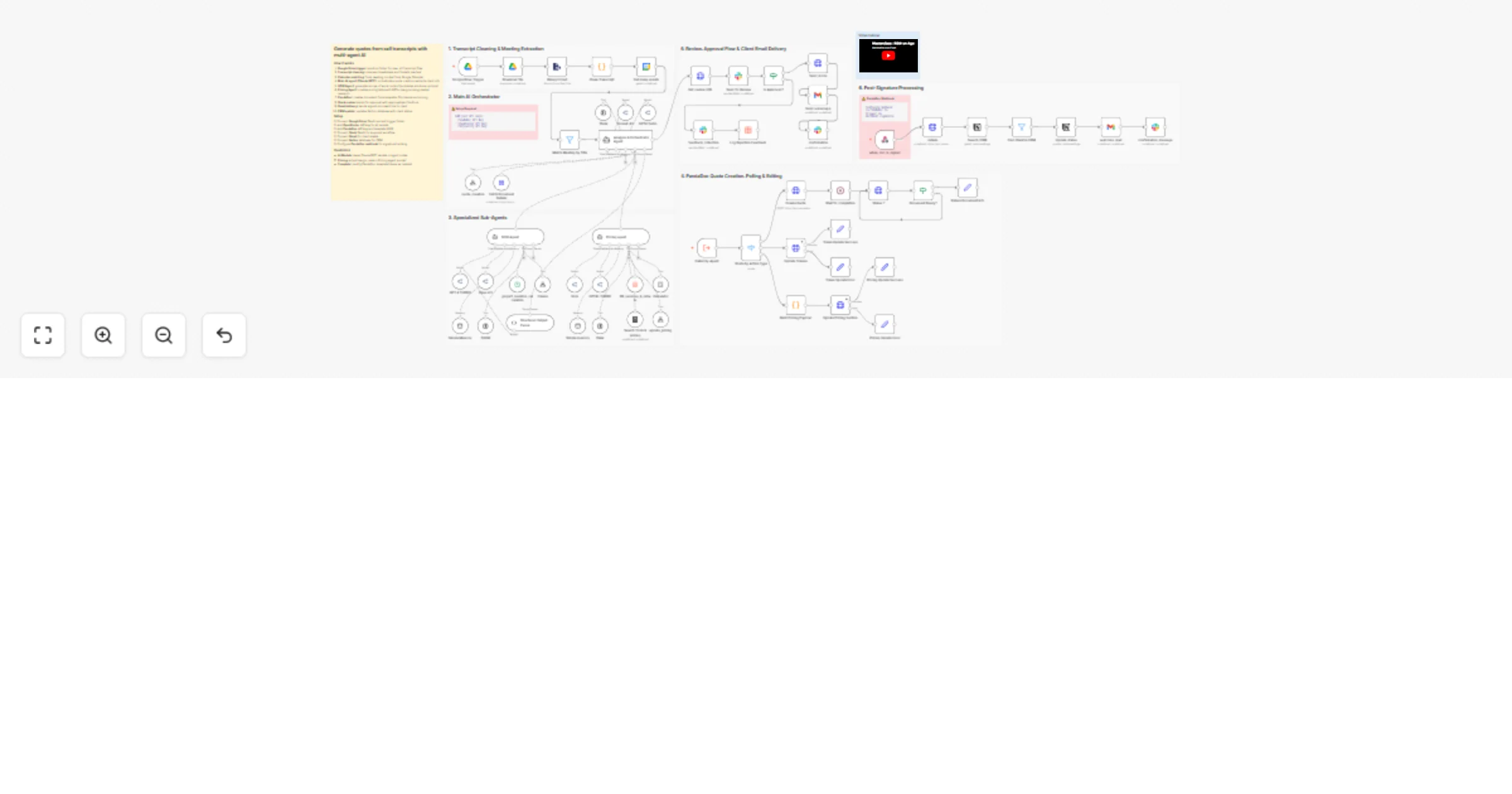
Generate client quotes from call transcripts with Claude/GPT, Google Drive, and PandaDoc

Workflow preview

Workflow preview
100%
Generate client quotes from call transcripts with Claude/GPT, Google Drive, and PandaDoc preview
Open on n8n.io

1. Workflow Overview

Who is this for? Agencies, consultants, and service providers who conduct discovery calls and need to quickly turn conversations into professional proposals. What it does: This workflow transforms ...

Best for

  • CRM automation workflows
  • AI Summarization automation workflows
  • advanced n8n builders looking for reusable templates

Tools used

@n8n/n8n-nodes-langchain.toolthink, @n8n/n8n-nodes-langchain.toolcalculator, @n8n/n8n-nodes-langchain.agenttool, n8n-nodes-base.googledrive, n8n-nodes-base.googledrivetrigger, n8n-nodes-base.extractfromfile, @n8n/n8n-nodes-langchain.lmchatopenrouter, n8n-nodes-base.stickynote

Source and attribution

This workflow is cataloged by N8N Workflows and links back to its original n8n.io source page by Hugo Le Poole.

Original n8n.io source

1.1 Workflow description

Title
Generate client quotes from call transcripts with Claude/GPT, Google Drive, and PandaDoc
Workflow name
Generate client quotes from call transcripts with Claude/GPT, Google Drive, and PandaDoc

Who is this for? Agencies, consultants, and service providers who conduct discovery calls and need to quickly turn conversations into professional proposals.

What it does: This workflow transforms meeting transcripts into complete, professional quotes using a sophisticated multi-agent AI architecture. It handles the entire quote lifecycle: from transcript analysis to client signature and onboarding.

How it works:

  1. Trigger: Google Drive detects a new VTT/transcript file in a designated folder
  2. Extraction: The transcript is cleaned and parsed, then matched with calendar data to identify the client
  3. AI Analysis: A main orchestrator agent analyzes the call and delegates tasks to specialized sub-agents:
  • SOW Agent: Generates problems, solutions, and action items
  • Pricing Agent: Creates competitive pricing based on service catalog and market research
  1. Document Creation: PandaDoc API creates the quote with all tokens populated
  2. Review & Approval: Quote is sent to Slack for human review with approve/reject buttons
  3. Delivery: Approved quotes are sent via Gmail with custom HTML templates
  4. Post-Signature: Webhook triggers CRM update and welcome email upon signature

Key Features:

  • Multi-agent architecture with specialized AI agents
  • Automatic pricing calculation with 80%+ margin targeting
  • Market research integration via Perplexity API
  • Human-in-the-loop approval via Slack
  • Professional HTML email templates
  • CRM integration (Notion) for client status tracking

Requirements

  • Google Drive account (for transcript storage)
  • Google Calendar (for meeting context)
  • PandaDoc account (for quote generation)
  • OpenRouter API (for LLM access - Claude/GPT models)
  • Perplexity API (for market research)
  • Slack workspace (for approval workflow)
  • Gmail account (for client communication)
  • Notion database (for CRM)

Setup Instructions

  1. Configure Google Drive trigger folder
  2. Set up PandaDoc template with required tokens
  3. Add API credentials for OpenRouter and Perplexity
  4. Connect Slack workspace for approval notifications
  5. Configure Gmail for outbound emails
  6. Set up Notion CRM database with required properties

1.2 Logical Blocks

This catalog entry is organized from the workflow JSON. The node-level section below shows the executable blocks available for review before importing the template.

2. Block-by-Block Analysis

Block 1 - Think

Type / Role
@n8n/n8n-nodes-langchain.toolThink - toolThink
Config choices
Version 1.1

Block 2 - Calculator

Type / Role
@n8n/n8n-nodes-langchain.toolCalculator - toolCalculator
Config choices
Version 1

Block 3 - Pricing agent

Type / Role
@n8n/n8n-nodes-langchain.agentTool - agentTool
Config choices
Version 2.2

Block 4 - SOW Agent

Type / Role
@n8n/n8n-nodes-langchain.agentTool - agentTool
Config choices
Version 2.2

Block 5 - Download file

Type / Role
n8n-nodes-base.googleDrive - googleDrive
Config choices
Version 3

Block 6 - Google Drive Trigger

Type / Role
n8n-nodes-base.googleDriveTrigger - googleDriveTrigger
Config choices
Version 1

Block 7 - Binary to text

Type / Role
n8n-nodes-base.extractFromFile - extractFromFile
Config choices
Version 1.1

Block 8 - Grok

Type / Role
@n8n/n8n-nodes-langchain.lmChatOpenRouter - lmChatOpenRouter
Config choices
Version 1

Block 9 - Sticky Note6

Type / Role
n8n-nodes-base.stickyNote - stickyNote
Config choices
Version 1

Block 10 - Get many events

Type / Role
n8n-nodes-base.googleCalendar - googleCalendar
Config choices
Version 1.3

Block 11 - Sticky Note7

Type / Role
n8n-nodes-base.stickyNote - stickyNote
Config choices
Version 1

Block 12 - Sticky Note8

Type / Role
n8n-nodes-base.stickyNote - stickyNote
Config choices
Version 1

Block 13 - Search Tools & pricing

Type / Role
n8n-nodes-base.perplexityTool - perplexityTool
Config choices
Version 1

Block 14 - Sonnet 4.5

Type / Role
@n8n/n8n-nodes-langchain.lmChatOpenRouter - lmChatOpenRouter
Config choices
Version 1

Block 15 - GPT4 Turbo

Type / Role
@n8n/n8n-nodes-langchain.lmChatOpenRouter - lmChatOpenRouter
Config choices
Version 1

Block 16 - GPT 4 TURBO

Type / Role
@n8n/n8n-nodes-langchain.lmChatOpenRouter - lmChatOpenRouter
Config choices
Version 1

Block 17 - Opus 4.5

Type / Role
@n8n/n8n-nodes-langchain.lmChatOpenRouter - lmChatOpenRouter
Config choices
Version 1

Block 18 - GPT4o TURBO

Type / Role
@n8n/n8n-nodes-langchain.lmChatOpenRouter - lmChatOpenRouter
Config choices
Version 1

Block 19 - Simple memory

Type / Role
@n8n/n8n-nodes-langchain.memoryBufferWindow - memoryBufferWindow
Config choices
Version 1.3

Block 20 - think

Type / Role
@n8n/n8n-nodes-langchain.toolThink - toolThink
Config choices
Version 1.1

Block 21 - Simple Memory

Type / Role
@n8n/n8n-nodes-langchain.memoryBufferWindow - memoryBufferWindow
Config choices
Version 1.3

Block 22 - THINK

Type / Role
@n8n/n8n-nodes-langchain.toolThink - toolThink
Config choices
Version 1.1

Block 23 - Sticky Note11

Type / Role
n8n-nodes-base.stickyNote - stickyNote
Config choices
Version 1

Block 24 - tokens

Type / Role
@n8n/n8n-nodes-langchain.toolWorkflow - toolWorkflow
Config choices
Version 2.2

Showing the first 24 of 68 workflow blocks. Download the JSON for the full node graph.

3. Summary Table

Workflow Generate client quotes from call transcripts with Claude/GPT, Google Drive, and PandaDoc
Complexity advanced
Nodes 68
Categories CRM, AI Summarization
Author Hugo Le Poole
Published 29 Dec 2025

4. Reproducing the Workflow from Scratch

  1. 1. Download the workflow JSON

    Use the JSON export at /data/workflows/12285/12285.json as the source template for this automation.

  2. 2. Import the template into n8n

    Open n8n, import the downloaded JSON, and review each node before activating the workflow.

  3. 3. Configure credentials and variables

    Replace placeholder credentials, API keys, webhook URLs, account IDs, and environment-specific values with your own settings.

  4. 4. Test with sample data

    Run the workflow manually or in a staging workspace, inspect node output, and confirm downstream systems receive the expected data.

  5. 5. Activate and monitor

    Enable the workflow only after testing, then monitor executions, errors, and rate limits during the first production runs.

5. General Notes & Resources

Review imported nodes carefully before activation. This catalog entry is intended to help you inspect the workflow structure, understand required services, and find related templates faster.

Node names, credentials, schedules, webhook paths, and external service limits may need adjustment for your workspace.

Frequently asked questions

What does Generate client quotes from call transcripts with Claude/GPT, Google Drive, and PandaDoc do?

Who is this for? Agencies, consultants, and service providers who conduct discovery calls and need to quickly turn conversations into professional proposals. What it does: This workflow transforms ...

What do I need before importing this workflow?

Review the workflow JSON, configure any required credentials in n8n, and test the automation in a safe workspace before using it in production.

Can I customize this workflow?

Yes. Use the block-by-block analysis and the downloadable JSON to inspect each node, then adjust credentials, prompts, schedules, filters, or destinations for your CRM, AI Summarization use case.