Block 1 - When clicking 'Test workflow'
- Type / Role
- n8n-nodes-base.manualTrigger - manualTrigger
- Config choices
- Version 1


 Early Deal
Bulk certificate generator from Google Sheets and Slides Categories: Productivity, Education, Google, Automation Automate the creation of personalized certificates, diplomas, or event invitations a...
n8n-nodes-base.manualtrigger, n8n-nodes-base.googlesheets, n8n-nodes-base.splitinbatches, n8n-nodes-base.httprequest, n8n-nodes-base.googledrive, n8n-nodes-base.wait, n8n-nodes-base.stickynote
This workflow is cataloged by N8N Workflows and links back to its original n8n.io source page by Diego Alejandro Parrás.
Original n8n.io sourceCategories: Productivity, Education, Google, Automation
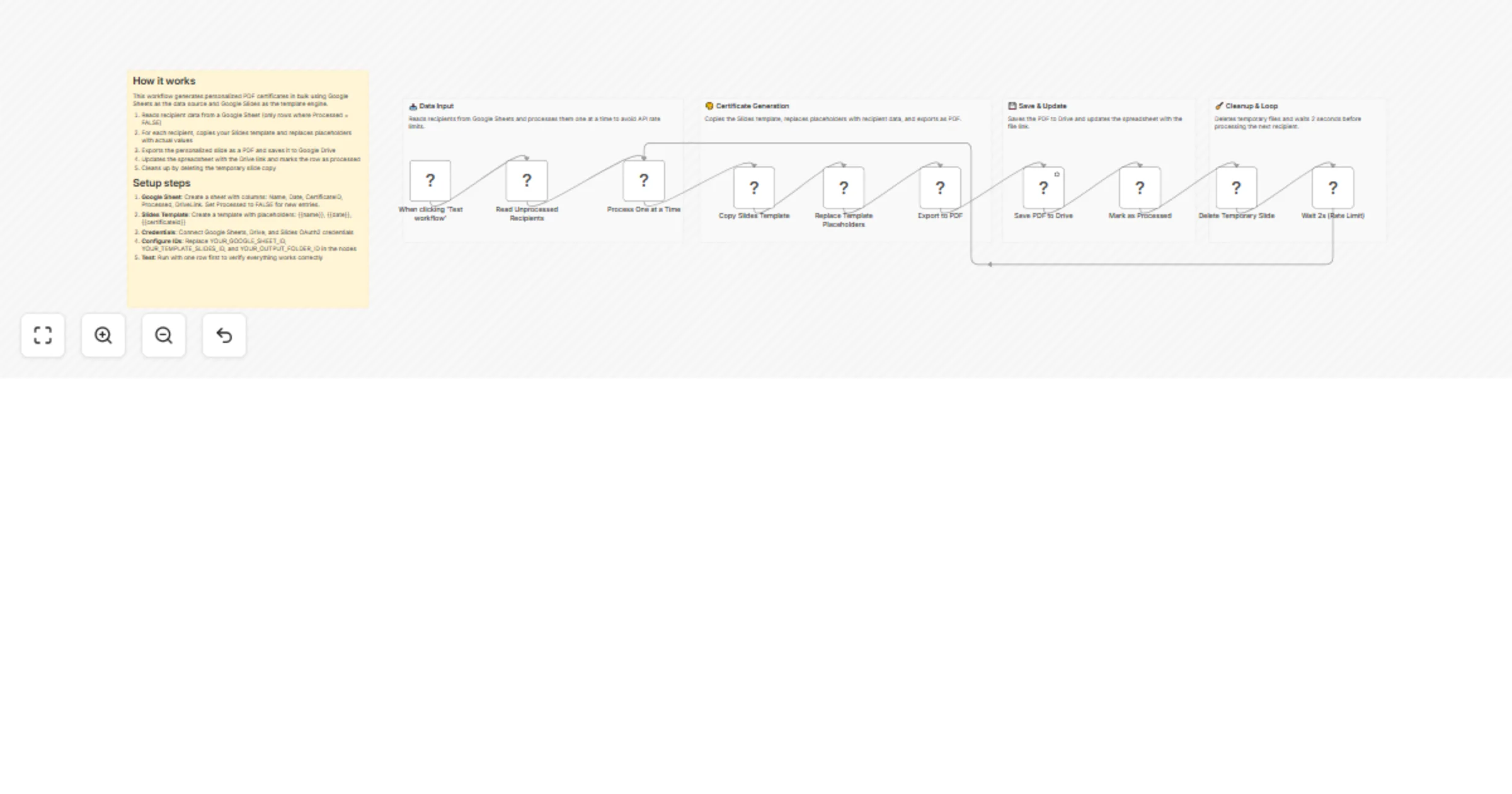
Automate the creation of personalized certificates, diplomas, or event invitations at scale. This workflow takes a list of recipients from Google Sheets, generates customized PDFs from a Google Slides template, and tracks completion—perfect for course completions, event attendance, or team recognition programs.
The workflow processes recipients one at a time in a loop:
The loop continues until all unprocessed recipients are handled.
Your spreadsheet needs these columns (exact names):
| Column Name | Description | Example |
|---|---|---|
CertificateID |
Unique identifier (used for filename) | CERT-001 |
Name |
Recipient's full name | John Smith |
Date |
Date to display on certificate | January 15, 2026 |
Processed |
Track status (FALSE/TRUE) | FALSE |
DriveLink |
Auto-filled with PDF link | (empty initially) |
You can add other columns (email, course name, etc.) for your records—the workflow only uses the ones above.
Create a slide in Google Slides with these placeholders:
{{name}} - Will be replaced with recipient's name{{date}} - Will be replaced with the date{{certificateid}} - Will be replaced with the unique IDDesign tip: You can design your certificate in Canva, export as PPTX, then upload to Google Slides. This gives you access to Canva's beautiful templates while keeping Google's automation power.
FALSE{{name}}, {{date}}, {{certificateid}}/presentation/d/)Optional Canva workflow:
Replace placeholder IDs in these nodes:
"Read Unprocessed Recipients" node:
"Copy Slides Template" node:
YOUR_TEMPLATE_SLIDES_ID with your template's file ID"Save PDF to Drive" node:
"Mark as Processed" node:
Add your Google account credentials for:
(All three can use the same Google account)
"Rate limit exceeded" errors:
Placeholders not replacing:
{{name}} not {{ name }} (no spaces)PDFs not saving:
Sheet not updating:
Difficulty Level: Intermediate Estimated Build Time: 30-45 minutes (including template design) Monthly Operating Cost: $0 (uses Google's free tier APIs for reasonable volumes)
Built with ❤️ for educators, event organizers, and anyone who needs to issue bulk certificates without the manual tedium.
This catalog entry is organized from the workflow JSON. The node-level section below shows the executable blocks available for review before importing the template.
| Workflow | Generate bulk certificates from Google Sheets and Google Slides |
|---|---|
| Complexity | advanced |
| Nodes | 15 |
| Categories | Document Extraction, Multimodal AI |
| Author | Diego Alejandro Parrás |
| Published | 04 Feb 2026 |
Use the JSON export at /data/workflows/13219/13219.json as the source template for this automation.
Open n8n, import the downloaded JSON, and review each node before activating the workflow.
Replace placeholder credentials, API keys, webhook URLs, account IDs, and environment-specific values with your own settings.
Run the workflow manually or in a staging workspace, inspect node output, and confirm downstream systems receive the expected data.
Enable the workflow only after testing, then monitor executions, errors, and rate limits during the first production runs.
Review imported nodes carefully before activation. This catalog entry is intended to help you inspect the workflow structure, understand required services, and find related templates faster.
Node names, credentials, schedules, webhook paths, and external service limits may need adjustment for your workspace.
Bulk certificate generator from Google Sheets and Slides Categories: Productivity, Education, Google, Automation Automate the creation of personalized certificates, diplomas, or event invitations a...
Review the workflow JSON, configure any required credentials in n8n, and test the automation in a safe workspace before using it in production.
Yes. Use the block-by-block analysis and the downloadable JSON to inspect each node, then adjust credentials, prompts, schedules, filters, or destinations for your Document Extraction, Multimodal AI use case.