Block 1 - Quotation Form
- Type / Role
- n8n-nodes-base.formTrigger - formTrigger
- Config choices
- Version 2.2


 Early Deal
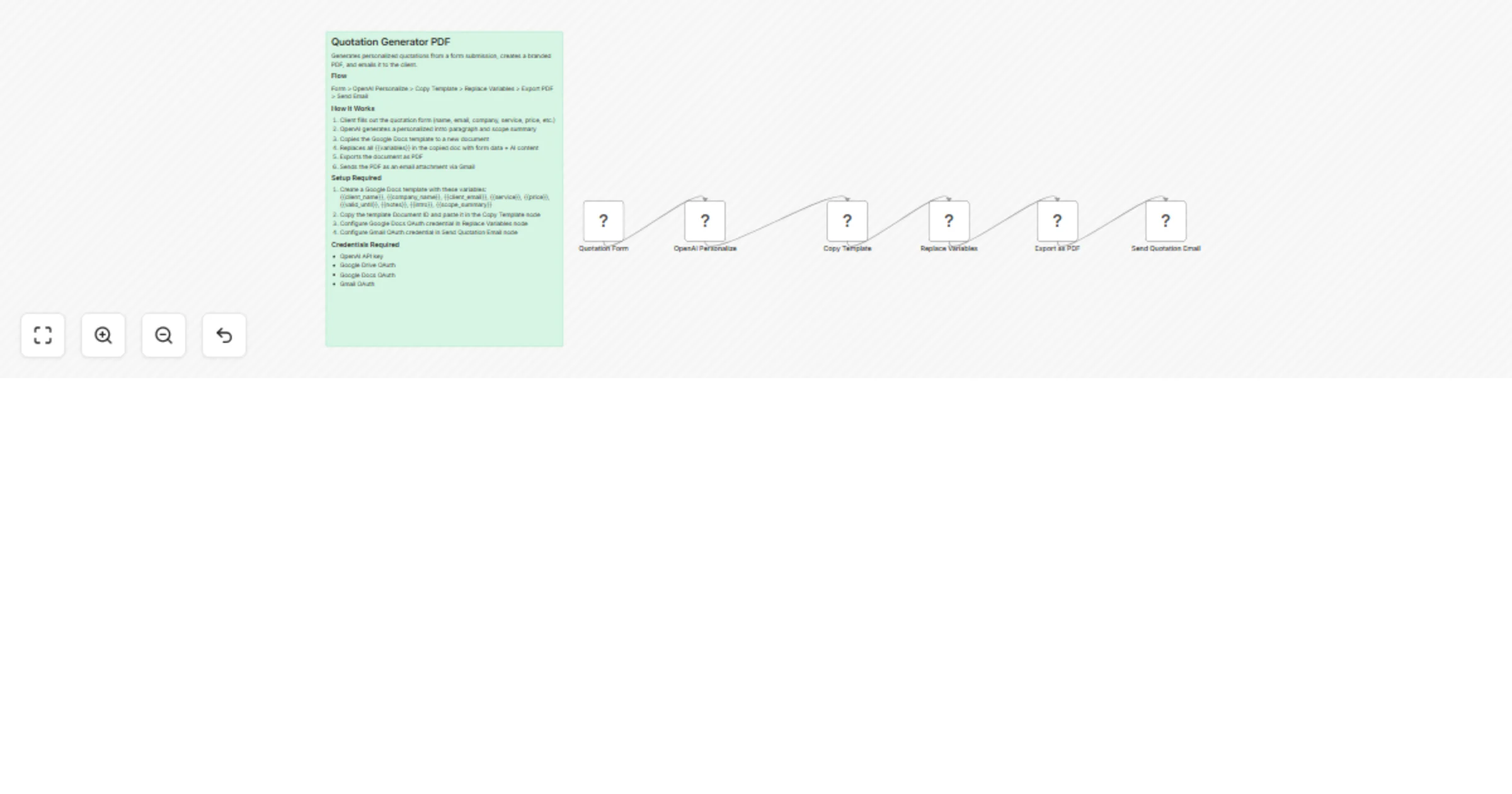
This Template Demonstrates How To Automate Generating and Sending Personalized Quotations as PDF. Use cases are many: send branded quotations to new leads after a discovery call, distribute pricing...
n8n-nodes-base.formtrigger, @n8n/n8n-nodes-langchain.openai, n8n-nodes-base.googledrive, n8n-nodes-base.googledocs, n8n-nodes-base.gmail, n8n-nodes-base.stickynote
This workflow is cataloged by N8N Workflows and links back to its original n8n.io source page by Devon Toh.
Original n8n.io sourceUse cases are many: send branded quotations to new leads after a discovery call, distribute pricing proposals to inbound form submissions, or push service packages to prospects. All without manually creating documents, exporting PDFs, or writing individual emails.
Good to know
PHASE 1: FORM INTAKE
PHASE 2: AI PERSONALIZATION
PHASE 3: DOCUMENT GENERATION
PHASE 4: EMAIL DELIVERY
• OpenAI API — personalized intro and scope generation • Google Drive OAuth — template copying and PDF export • Google Docs OAuth — variable replacement in the document • Gmail OAuth — personalized email delivery with PDF attachment • n8n instance (self-hosted or cloud)
• Swap the form trigger for a webhook or CRM integration (HubSpot, GoHighLevel, Airtable) if you want quotations generated from pipeline stage changes instead of manual form submissions. • Add a Slack or email approval step before sending — insert a Slack node between Export as PDF and Send Quotation Email if you want a manager to review before it goes out. • Replace Gmail with any email provider (Outlook, SMTP, SendGrid) if your team doesn’t use Google Workspace. • Add a Google Sheets logging step after sending to track all sent quotations with client name, date, service, and price for reporting. • This pattern works beyond quotations — try it for proposals, invoices, contracts, or any document where the structure stays fixed but the data changes. • Add multiple service line items by extending the form with repeating fields and adjusting the template to include a table of services with individual pricing.
This catalog entry is organized from the workflow JSON. The node-level section below shows the executable blocks available for review before importing the template.
| Workflow | Generate and Send Personalized Quotations PDF |
|---|---|
| Complexity | intermediate |
| Nodes | 7 |
| Categories | Document Extraction, AI Summarization |
| Author | Devon Toh |
| Published | 19 Mar 2026 |
Use the JSON export at /data/workflows/14185/14185.json as the source template for this automation.
Open n8n, import the downloaded JSON, and review each node before activating the workflow.
Replace placeholder credentials, API keys, webhook URLs, account IDs, and environment-specific values with your own settings.
Run the workflow manually or in a staging workspace, inspect node output, and confirm downstream systems receive the expected data.
Enable the workflow only after testing, then monitor executions, errors, and rate limits during the first production runs.
Review imported nodes carefully before activation. This catalog entry is intended to help you inspect the workflow structure, understand required services, and find related templates faster.
Node names, credentials, schedules, webhook paths, and external service limits may need adjustment for your workspace.
This Template Demonstrates How To Automate Generating and Sending Personalized Quotations as PDF. Use cases are many: send branded quotations to new leads after a discovery call, distribute pricing...
Review the workflow JSON, configure any required credentials in n8n, and test the automation in a safe workspace before using it in production.
Yes. Use the block-by-block analysis and the downloadable JSON to inspect each node, then adjust credentials, prompts, schedules, filters, or destinations for your Document Extraction, AI Summarization use case.