Generate and Publish SEO-Optimized Blog Posts to WordPress

Workflow preview

Workflow preview
100%
Generate and Publish SEO-Optimized Blog Posts to WordPress preview
Open on n8n.io

Important notice

This workflow is provided as-is. Please review and test before using in production.

1. Workflow Overview

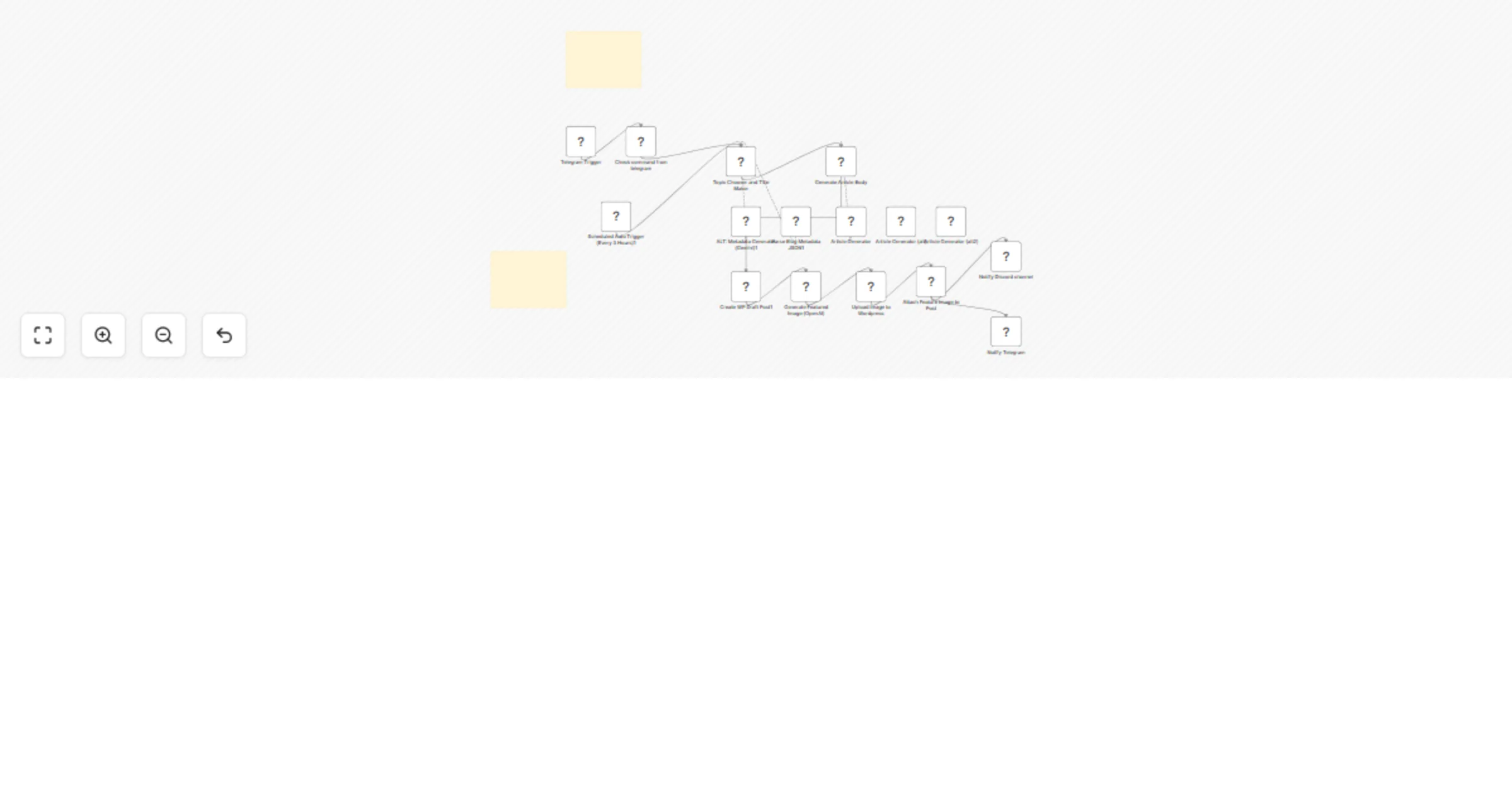
BlogBlitz is a powerful workflow that automates the creation and publishing of SEO optimized blog posts to WordPress, saving you hours of manual content creation. Triggered on a schedule or via Tel...

Best for

  • Content Creation automation workflows
  • Multimodal AI automation workflows
  • advanced n8n builders looking for reusable templates

Tools used

@n8n/n8n-nodes-langchain.chainllm, n8n-nodes-base.telegramtrigger, n8n-nodes-base.stickynote, n8n-nodes-base.if, n8n-nodes-base.scheduletrigger, n8n-nodes-base.discord, n8n-nodes-base.httprequest, n8n-nodes-base.wordpress

Source and attribution

This workflow is cataloged by N8N Workflows and links back to its original n8n.io source page by Khairul Muhtadin.

Original n8n.io source

1.1 Workflow description

Title
Generate and Publish SEO-Optimized Blog Posts to WordPress
Workflow name
Generate and Publish SEO-Optimized Blog Posts to WordPress

BlogBlitz is a powerful n8n workflow that automates the creation and publishing of SEO-optimized blog posts to WordPress, saving you hours of manual content creation. Triggered on a schedule or via Telegram, it generates high-quality, 1,500–2,500-word articles complete with titles, slugs, meta descriptions, images, and more.

🎯 Who is this for?

  • Bloggers who want fresh, consistent content.
  • Content marketers aiming for SEO efficiency.
  • WordPress site owners looking to automate blog publishing without sacrificing quality.

🚨 Problem Solved

Manually creating engaging, SEO-friendly content is time-consuming and requires writing expertise. BlogBlitz solves this by:

  • Automating ideation, writing, formatting, and publishing.
  • Generating images and SEO elements.
  • Keeping your blog active and visible to search engines.

βš™οΈ What This Workflow Does

Feature Description
Triggers - Runs every 3 hours via Schedule Trigger
- Or on-demand via Telegram command: /generate
Generates Content Uses OpenRouter to:
- Select a category (Technology, AI, etc.)
- Create a title, slug, focus keyphrase, and meta description
Writes Articles OpenAI generates 1,500–2,500-word articles:
- SEO-optimized
- Structured with headings
- Includes CTA
Adds Visuals Generates realistic featured images with OpenAI and uploads them to WordPress
SEO Features Generates:
- Optimized slug
- Focus keyphrase
- Meta description
Publishes Posts directly to WordPress:
- With correct category
- Featured image
- Author ID
Notifies Sends publish alerts via Discord webhook and Telegram message

πŸš€ Setup Instructions

βœ… Requirements

  • Self-hosted or cloud n8n instance
  • Stable internet connection

πŸ” Credentials Needed

  • WordPress API (wp-json/wp/v2)
  • OpenAI API (text + image generation)
  • OpenRouter API (category & title generation)
  • Telegram Bot API
  • Discord Webhook

πŸ”§ WordPress Configuration

  • Set up post categories:

    • Technology [ID:3]
    • AI [ID:4]
    • Tech Fact [ID:7]
    • Tech History [ID:8]
    • Tech Tips [ID:9]
  • Use admin user ID for publishing (default: 1)

🧩 Node Setup

  • Telegram Trigger β€” Initiates workflow with /generate
  • Schedule Trigger β€” Runs workflow every 3 hours
  • Edit Fields Node β€” Centralizes variable setup (e.g., category IDs)
  • OpenRouter Node β€” Generates topic and meta info
  • OpenAI Node β€” Generates full article and image
  • WordPress Node β€” Publishes post
  • Discord Node β€” Sends publish alert
  • HTTP Request Node β€” Handles image upload or utility calls

πŸ› οΈ Customization Tips

Feature How to Customize
Categories Update category IDs in the WordPress Post Draft node
Schedule Modify the interval in the Schedule Trigger
Tone & Style Adjust prompts in the LLM Chain node
Notifications Add Slack, Email, or other channels
Image Style Change OpenAI prompt for β€œvivid”, β€œnatural”, etc.

πŸ“¦ Pre-Requirements

  • n8n Instance (Cloud/Self-hosted)
  • Install: @n8n/n8n-nodes-langchain
  • All required API credentials configured
  • WordPress categories set
  • Admin user ID available

πŸ”§ Nodes Used

  • Telegram Trigger
  • Schedule Trigger
  • OpenRouter
  • OpenAI
  • WordPress
  • Discord
  • HTTP Request

βœ… Test the Workflow

  1. Deploy and connect your n8n instance.
  2. Send /generate to your Telegram bot.
  3. Check your WordPress site for the newly published post!

Made by: Khaisa Studio
Tag: youtube, summarizer, telegram, openai
Category: AI Automation, Video Tools Need a custom? contact me on LinkedIn or Web

1.2 Logical Blocks

This catalog entry is organized from the workflow JSON. The node-level section below shows the executable blocks available for review before importing the template.

2. Block-by-Block Analysis

Block 1 - Topic Chooser and Title Maker

Type / Role
@n8n/n8n-nodes-langchain.chainLlm - chainLlm
Config choices
Version 1.6

Block 2 - Telegram Trigger

Type / Role
n8n-nodes-base.telegramTrigger - telegramTrigger
Config choices
Version 1.2

Block 3 - βš™οΈ Setup Guide

Type / Role
n8n-nodes-base.stickyNote - stickyNote
Config choices
Version 1

Block 4 - 🧠 Overview - What This Workflow Does

Type / Role
n8n-nodes-base.stickyNote - stickyNote
Config choices
Version 1

Block 5 - Check command from telegram

Type / Role
n8n-nodes-base.if - if
Config choices
Version 2.2

Block 6 - Scheduled Auto Trigger (Every 3 Hours)1

Type / Role
n8n-nodes-base.scheduleTrigger - scheduleTrigger
Config choices
Version 1.2

Block 7 - Notify Discord channel

Type / Role
n8n-nodes-base.discord - discord
Config choices
Version 2

Block 8 - Attach Feature Image to Post

Type / Role
n8n-nodes-base.httpRequest - httpRequest
Config choices
Version 4.2

Block 9 - Upload Image to Wordpress

Type / Role
n8n-nodes-base.httpRequest - httpRequest
Config choices
Version 4.2

Block 10 - Create WP Draft Post1

Type / Role
n8n-nodes-base.wordpress - wordpress
Config choices
Version 1

Block 11 - ALT: Metadata Generator (Gemini)1

Type / Role
@n8n/n8n-nodes-langchain.lmChatOpenRouter - lmChatOpenRouter
Config choices
Version 1

Block 12 - Parse Blog Metadata JSON1

Type / Role
@n8n/n8n-nodes-langchain.outputParserStructured - outputParserStructured
Config choices
Version 1.2

Block 13 - Article Generator (alt)

Type / Role
@n8n/n8n-nodes-langchain.lmChatOpenAi - lmChatOpenAi
Config choices
Version 1.2

Block 14 - Article Generator (alt2)

Type / Role
@n8n/n8n-nodes-langchain.lmChatGoogleGemini - lmChatGoogleGemini
Config choices
Version 1

Block 15 - Article Generator

Type / Role
@n8n/n8n-nodes-langchain.lmChatOpenRouter - lmChatOpenRouter
Config choices
Version 1

Block 16 - Generate Featured Image (OpenAI)

Type / Role
@n8n/n8n-nodes-langchain.openAi - openAi
Config choices
Version 1.8

Block 17 - Generate Article Body

Type / Role
@n8n/n8n-nodes-langchain.chainLlm - chainLlm
Config choices
Version 1.6

Block 18 - Notify Telegram

Type / Role
n8n-nodes-base.telegram - telegram
Config choices
Version 1.2

3. Summary Table

Workflow Generate and Publish SEO-Optimized Blog Posts to WordPress
Complexity advanced
Nodes 18
Categories Content Creation, Multimodal AI
Author Khairul Muhtadin
Published 24 May 2025

4. Reproducing the Workflow from Scratch

  1. 1. Download the workflow JSON

    Use the JSON export at /data/workflows/4362/4362.json as the source template for this automation.

  2. 2. Import the template into n8n

    Open n8n, import the downloaded JSON, and review each node before activating the workflow.

  3. 3. Configure credentials and variables

    Replace placeholder credentials, API keys, webhook URLs, account IDs, and environment-specific values with your own settings.

  4. 4. Test with sample data

    Run the workflow manually or in a staging workspace, inspect node output, and confirm downstream systems receive the expected data.

  5. 5. Activate and monitor

    Enable the workflow only after testing, then monitor executions, errors, and rate limits during the first production runs.

5. General Notes & Resources

Review imported nodes carefully before activation. This catalog entry is intended to help you inspect the workflow structure, understand required services, and find related templates faster.

Node names, credentials, schedules, webhook paths, and external service limits may need adjustment for your workspace.

Frequently asked questions

What does Generate and Publish SEO-Optimized Blog Posts to WordPress do?

BlogBlitz is a powerful workflow that automates the creation and publishing of SEO optimized blog posts to WordPress, saving you hours of manual content creation. Triggered on a schedule or via Tel...

What do I need before importing this workflow?

Review the workflow JSON, configure any required credentials in n8n, and test the automation in a safe workspace before using it in production.

Can I customize this workflow?

Yes. Use the block-by-block analysis and the downloadable JSON to inspect each node, then adjust credentials, prompts, schedules, filters, or destinations for your Content Creation, Multimodal AI use case.