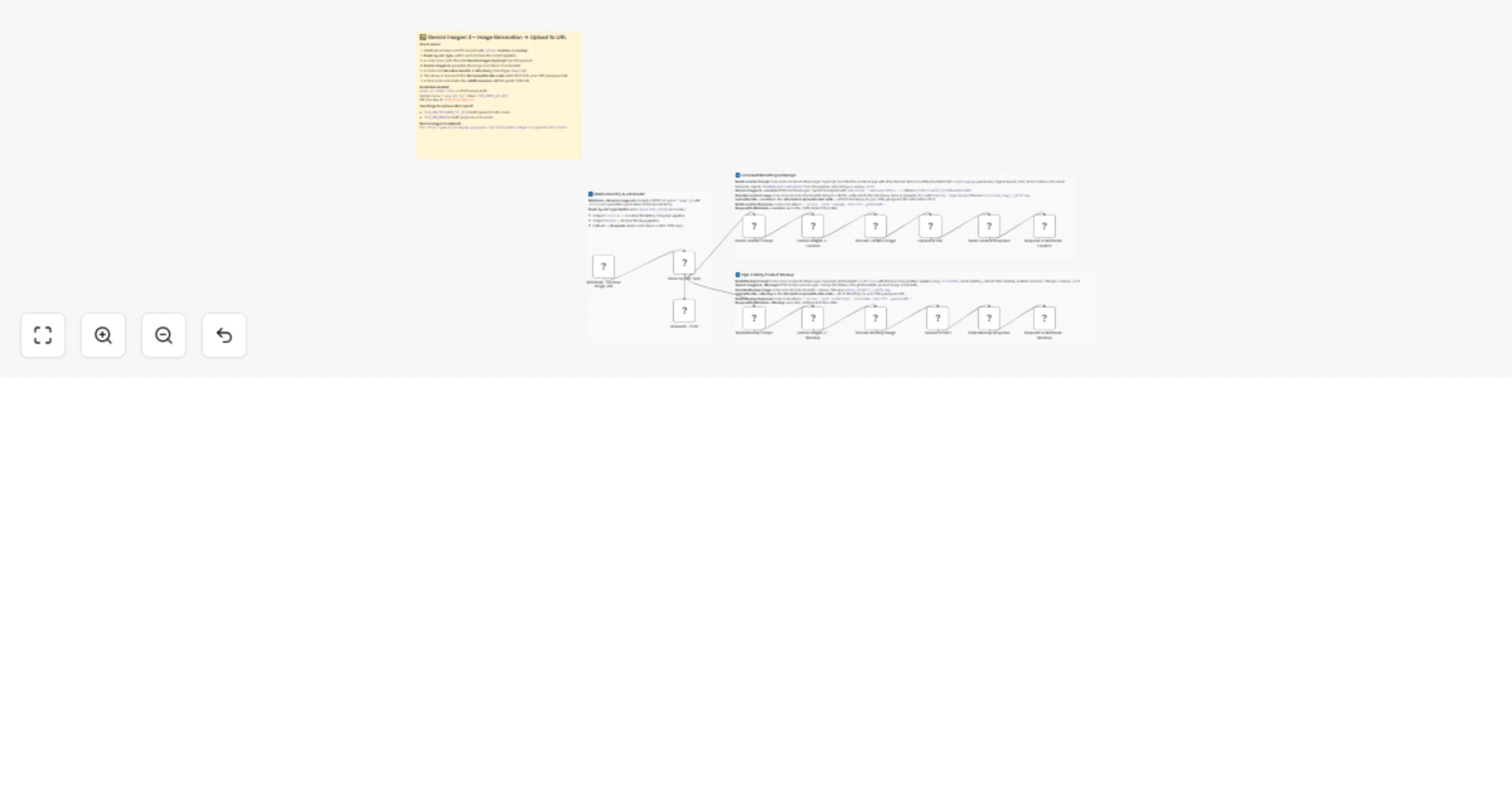
Generate and host AI images on your CDN with Gemini Imagen 3 and Upload to URL

Workflow preview

Workflow preview
100%
Generate and host AI images on your CDN with Gemini Imagen 3 and Upload to URL preview
Open on n8n.io

1. Workflow Overview

AI Image Generation & CDN Hosting Automation with Gemini Imagen 3 Streamline your creative production with this high performance image generation and hosting pipeline. This workflow automates th...

Best for

  • Content Creation automation workflows
  • Multimodal AI automation workflows
  • advanced n8n builders looking for reusable templates

Tools used

n8n-nodes-base.stickynote, n8n-nodes-base.webhook, n8n-nodes-base.switch, n8n-nodes-base.respondtowebhook, n8n-nodes-base.code, n8n-nodes-base.httprequest, n8n-nodes-uploadtourl.uploadtourl

Source and attribution

This workflow is cataloged by N8N Workflows and links back to its original n8n.io source page by Jitesh Dugar.

Original n8n.io source

1.1 Workflow description

Title
Generate and host AI images on your CDN with Gemini Imagen 3 and Upload to URL
Workflow name
Generate and host AI images on your CDN with Gemini Imagen 3 and Upload to URL

🎨 AI Image Generation & CDN Hosting Automation with Gemini Imagen 3

Streamline your creative production with this high-performance image generation and hosting pipeline. This workflow automates the transition from raw creative prompts to hosted assets, leveraging Gemini Imagen 3 for photorealistic visual generation and an automated Upload to URL sequence to deploy images directly to your CDN.


🎯 What This Workflow Does

This template is designed to handle two high-value commercial creative tasks via a single Webhook endpoint:

🌍 Pipeline 1: Localized Marketing Campaigns

Perfect for global brands, this path takes a master marketing image and recreates it with embedded text accurately translated into a target language. The system preserves your original branding, fonts, and visual hierarchy while ensuring localized messaging is sharp and professional.

πŸ›οΈ Pipeline 2: High-Fidelity Product Mockups

Generate photorealistic e-commerce assets instantly. By providing a product type and color scheme, Imagen 3 creates studio-quality mockups with realistic textures and lighting. This is ideal for visualizing new apparel, packaging, or merchandise without a physical photoshoot.


✨ Key Features

  • Automated Base64 Processing: Includes custom logic to decode Gemini's base64 output into n8n binary files (PNG) automatically, removing manual file handling.
  • Direct CDN Deployment: Uses the built-in Upload to URL node to PUT your generated images directly to a presigned URL, making them instantly available via a public link.
  • Intelligent Prompt Engineering: Dedicated code nodes translate simple input parameters (like jobType or targetLanguage) into detailed, optimized prompts for the highest quality AI output.
  • Scalable Webhook Architecture: Centralizes your image generation tasks into a single API endpoint that routes traffic based on your specific business needs.

πŸ’Ό Perfect For

  • Digital Agencies: Rapidly producing localized ad variants for international clients.
  • E-commerce Store Owners: Visualizing custom products or "on-demand" merchandise.
  • Social Media Managers: Creating consistent, high-quality visual content for daily posts.
  • Product Designers: Prototyping colorways and branding on various item types.

πŸ”§ What You'll Need

Required Integrations

  • Google AI (Gemini) API Key: Required for access to the Imagen 3.0 model.
  • CDN/Storage Provider: Access to a service (like AWS S3 or Google Cloud Storage) that provides presigned PUT URLs for image hosting.

βš™οΈ Configuration Steps

  1. API Credentials: Set up an HTTP Header Auth credential named Google AI Header Auth using your key from AI Studio.
  2. Endpoint Setup: The template is pre-configured to use the imagen-3.0-generate-001 predict endpoint.
  3. URL Mapping: After import, update the Upload to URL nodes and response nodes with your specific CDN domain and presigned URL logic.

Ready to automate your creative assets? Import this template and connect your Gemini API key to start generating and hosting professional images in seconds!

1.2 Logical Blocks

This catalog entry is organized from the workflow JSON. The node-level section below shows the executable blocks available for review before importing the template.

2. Block-by-Block Analysis

Block 1 - πŸ“‹ Flow Overview

Type / Role
n8n-nodes-base.stickyNote - stickyNote
Config choices
Version 1

Block 2 - Sticky – Entry & Routing

Type / Role
n8n-nodes-base.stickyNote - stickyNote
Config choices
Version 1

Block 3 - Sticky – Localize Pipeline

Type / Role
n8n-nodes-base.stickyNote - stickyNote
Config choices
Version 1

Block 4 - Sticky – Mockup Pipeline

Type / Role
n8n-nodes-base.stickyNote - stickyNote
Config choices
Version 1

Block 5 - Webhook – Receive Image Job

Type / Role
n8n-nodes-base.webhook - webhook
Config choices
Version 2

Block 6 - Route by Job Type

Type / Role
n8n-nodes-base.switch - switch
Config choices
Version 3

Block 7 - Respond – Error

Type / Role
n8n-nodes-base.respondToWebhook - respondToWebhook
Config choices
Version 1

Block 8 - Build Localize Prompt

Type / Role
n8n-nodes-base.code - code
Config choices
Version 2

Block 9 - Gemini Imagen 3 – Localize

Type / Role
n8n-nodes-base.httpRequest - httpRequest
Config choices
Version 4.2

Block 10 - Decode Localize Image

Type / Role
n8n-nodes-base.code - code
Config choices
Version 2

Block 11 - Build Localize Response

Type / Role
n8n-nodes-base.code - code
Config choices
Version 2

Block 12 - Respond to Webhook – Localize

Type / Role
n8n-nodes-base.respondToWebhook - respondToWebhook
Config choices
Version 1

Block 13 - Build Mockup Prompt

Type / Role
n8n-nodes-base.code - code
Config choices
Version 2

Block 14 - Gemini Imagen 3 – Mockup

Type / Role
n8n-nodes-base.httpRequest - httpRequest
Config choices
Version 4.2

Block 15 - Decode Mockup Image

Type / Role
n8n-nodes-base.code - code
Config choices
Version 2

Block 16 - Build Mockup Response

Type / Role
n8n-nodes-base.code - code
Config choices
Version 2

Block 17 - Respond to Webhook – Mockup

Type / Role
n8n-nodes-base.respondToWebhook - respondToWebhook
Config choices
Version 1

Block 18 - Upload to URL

Type / Role
n8n-nodes-uploadtourl.uploadToUrl - uploadToUrl
Config choices
Version 1

Block 19 - Upload to URL1

Type / Role
n8n-nodes-uploadtourl.uploadToUrl - uploadToUrl
Config choices
Version 1

3. Summary Table

Workflow Generate and host AI images on your CDN with Gemini Imagen 3 and Upload to URL
Complexity advanced
Nodes 19
Categories Content Creation, Multimodal AI
Author Jitesh Dugar
Published 27 Feb 2026

4. Reproducing the Workflow from Scratch

  1. 1. Download the workflow JSON

    Use the JSON export at /data/workflows/13751/13751.json as the source template for this automation.

  2. 2. Import the template into n8n

    Open n8n, import the downloaded JSON, and review each node before activating the workflow.

  3. 3. Configure credentials and variables

    Replace placeholder credentials, API keys, webhook URLs, account IDs, and environment-specific values with your own settings.

  4. 4. Test with sample data

    Run the workflow manually or in a staging workspace, inspect node output, and confirm downstream systems receive the expected data.

  5. 5. Activate and monitor

    Enable the workflow only after testing, then monitor executions, errors, and rate limits during the first production runs.

5. General Notes & Resources

Review imported nodes carefully before activation. This catalog entry is intended to help you inspect the workflow structure, understand required services, and find related templates faster.

Node names, credentials, schedules, webhook paths, and external service limits may need adjustment for your workspace.

Frequently asked questions

What does Generate and host AI images on your CDN with Gemini Imagen 3 and Upload to URL do?

AI Image Generation & CDN Hosting Automation with Gemini Imagen 3 Streamline your creative production with this high performance image generation and hosting pipeline. This workflow automates th...

What do I need before importing this workflow?

Review the workflow JSON, configure any required credentials in n8n, and test the automation in a safe workspace before using it in production.

Can I customize this workflow?

Yes. Use the block-by-block analysis and the downloadable JSON to inspect each node, then adjust credentials, prompts, schedules, filters, or destinations for your Content Creation, Multimodal AI use case.