Generate AI videos and carousels with Blotato for Instagram and TikTok

Workflow preview

Workflow preview
100%
Generate AI videos and carousels with Blotato for Instagram and TikTok preview
Open on n8n.io

1. Workflow Overview

Generate AI videos and carousels with Blotato and publish to Instagram & TikTok Documentation : [Notion Guide](https://automatisation.notion.site/Turn AI Videos Carousels Into Income with n8n Fu...

Best for

  • Content Creation automation workflows
  • Multimodal AI automation workflows
  • intermediate n8n builders looking for reusable templates

Tools used

@blotato/n8n-nodes-blotato.blotatotool, @n8n/n8n-nodes-langchain.memorybufferwindow, @n8n/n8n-nodes-langchain.lmchatopenai, n8n-nodes-base.telegramtrigger, n8n-nodes-base.telegramtool, @n8n/n8n-nodes-langchain.agent, n8n-nodes-base.stickynote

Source and attribution

This workflow is cataloged by N8N Workflows and links back to its original n8n.io source page by Dr. Firas.

Original n8n.io source

1.1 Workflow description

Title
Generate AI videos and carousels with Blotato for Instagram and TikTok
Workflow name
Generate AI videos and carousels with Blotato for Instagram and TikTok

Generate AI videos and carousels with Blotato and publish to Instagram & TikTok

πŸ“„ Documentation: Notion Guide

Who is this for?

This workflow is designed for content creators, marketers, solopreneurs, and automation enthusiasts who want to generate and publish short-form content on Instagram and TikTok automatically. It is ideal for users looking to combine AI-generated videos and carousels with Blotato and orchestrate everything using n8n.


What this workflow does

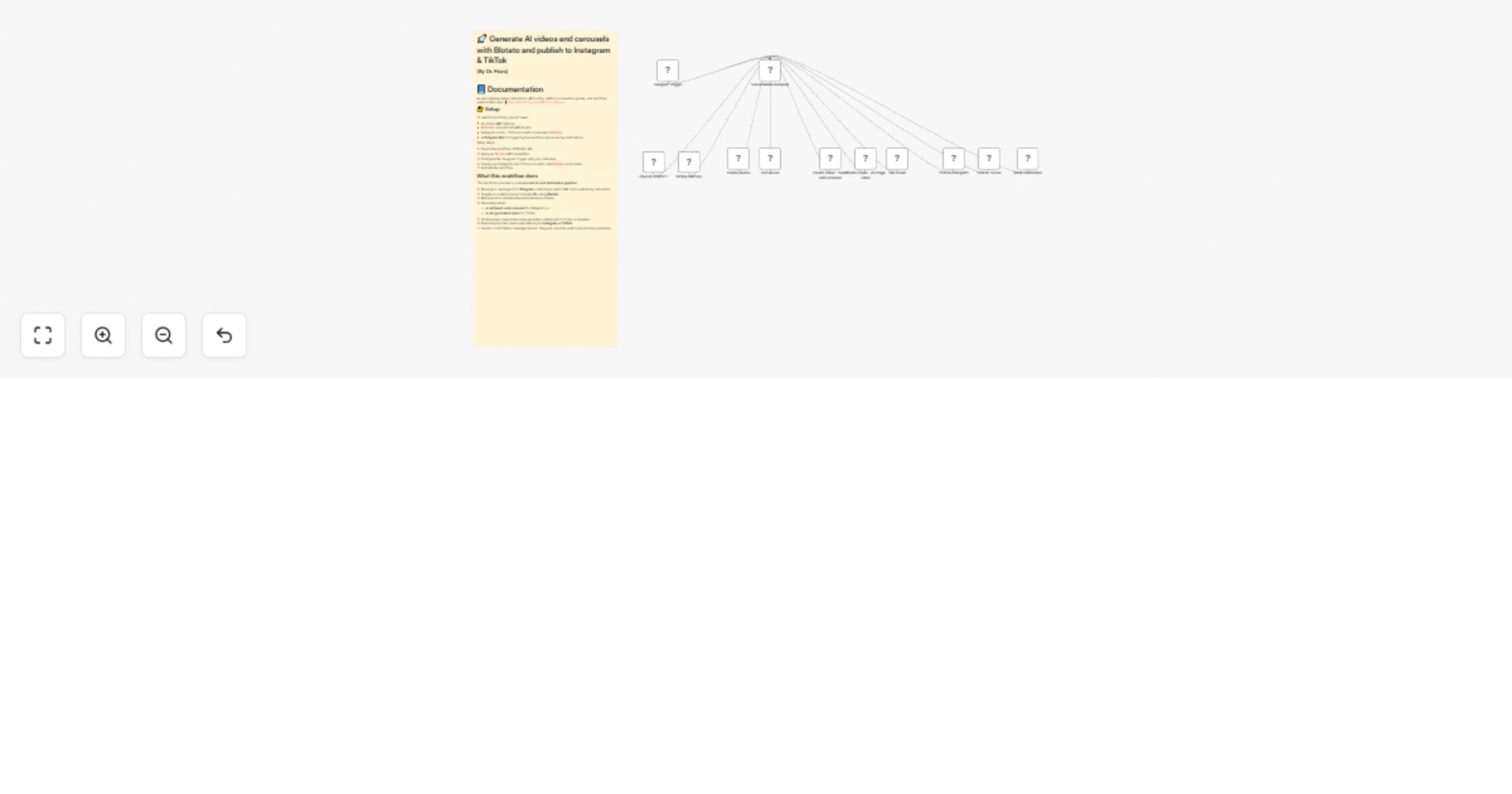
This workflow provides a complete end-to-end automation pipeline:

  1. Receives a message from Telegram containing a public URL and a publishing instruction.
  2. Creates a content source from the URL using Blotato.
  3. Retrieves and validates the extracted text content.
  4. Generates either:
  • An AI tweet-card carousel for Instagram, or
  • An AI-generated video for TikTok.
  1. Continuously checks the visual generation status until it is fully completed.
  2. Publishes the final media automatically to Instagram or TikTok.
  3. Sends a confirmation message back to Telegram once the post is successfully published.

Setup

To use this workflow, you will need:

  • An active n8n instance
  • A Blotato account with API access
  • Instagram and/or TikTok accounts connected in Blotato
  • A Telegram Bot for triggering the workflow and receiving notifications

Setup steps:

  1. Import the workflow JSON into n8n.
  2. Add your Blotato API credentials.
  3. Configure the Telegram Trigger with your bot token.
  4. Select your Instagram and TikTok accounts in the Blotato post nodes.
  5. Activate the workflow.

How to customize this workflow to your needs

You can customize this workflow by:

  • Changing the visual templates used in Blotato.
  • Adjusting AI prompts to control tone, format, or content style.
  • Adding additional publishing platforms after the posting step.
  • Modifying polling behavior or adding timeouts for long visual renders.
  • Replacing Telegram with another trigger such as Webhooks or Slack.

The workflow is modular and easy to extend, making it suitable for a wide range of content automation use cases.

πŸŽ₯ Watch This Tutorial


πŸ‘‹ Need help or want to customize this?

πŸ“© Contact: LinkedIn πŸ“Ί YouTube: @DRFIRASS πŸš€ Workshops: Mes Ateliers n8n

Need help customizing?

Contact me for consulting and support : Linkedin / Youtube / πŸš€ Mes Ateliers n8n

1.2 Logical Blocks

This catalog entry is organized from the workflow JSON. The node-level section below shows the executable blocks available for review before importing the template.

2. Block-by-Block Analysis

Block 1 - Create visual - tweet card carousel

Type / Role
@blotato/n8n-nodes-blotato.blotatoTool - blotatoTool
Config choices
Version 2

Block 2 - Create visual - AI image video

Type / Role
@blotato/n8n-nodes-blotato.blotatoTool - blotatoTool
Config choices
Version 2

Block 3 - Post to Instagram

Type / Role
@blotato/n8n-nodes-blotato.blotatoTool - blotatoTool
Config choices
Version 2

Block 4 - Simple Memory

Type / Role
@n8n/n8n-nodes-langchain.memoryBufferWindow - memoryBufferWindow
Config choices
Version 1.3

Block 5 - OpenAI ChatGPT

Type / Role
@n8n/n8n-nodes-langchain.lmChatOpenAi - lmChatOpenAi
Config choices
Version 1.2

Block 6 - Telegram Trigger

Type / Role
n8n-nodes-base.telegramTrigger - telegramTrigger
Config choices
Version 1.2

Block 7 - Create source

Type / Role
@blotato/n8n-nodes-blotato.blotatoTool - blotatoTool
Config choices
Version 2

Block 8 - Get source

Type / Role
@blotato/n8n-nodes-blotato.blotatoTool - blotatoTool
Config choices
Version 2

Block 9 - Post to TikTok

Type / Role
@blotato/n8n-nodes-blotato.blotatoTool - blotatoTool
Config choices
Version 2

Block 10 - Get visual

Type / Role
@blotato/n8n-nodes-blotato.blotatoTool - blotatoTool
Config choices
Version 2

Block 11 - Send notification

Type / Role
n8n-nodes-base.telegramTool - telegramTool
Config choices
Version 1.2

Block 12 - Social Media Autopilot

Type / Role
@n8n/n8n-nodes-langchain.agent - agent
Config choices
Version 2.2

Block 13 - Sticky Note6

Type / Role
n8n-nodes-base.stickyNote - stickyNote
Config choices
Version 1

3. Summary Table

Workflow Generate AI videos and carousels with Blotato for Instagram and TikTok
Complexity intermediate
Nodes 13
Categories Content Creation, Multimodal AI
Author Dr. Firas
Published 19 Feb 2026

4. Reproducing the Workflow from Scratch

  1. 1. Download the workflow JSON

    Use the JSON export at /data/workflows/13526/13526.json as the source template for this automation.

  2. 2. Import the template into n8n

    Open n8n, import the downloaded JSON, and review each node before activating the workflow.

  3. 3. Configure credentials and variables

    Replace placeholder credentials, API keys, webhook URLs, account IDs, and environment-specific values with your own settings.

  4. 4. Test with sample data

    Run the workflow manually or in a staging workspace, inspect node output, and confirm downstream systems receive the expected data.

  5. 5. Activate and monitor

    Enable the workflow only after testing, then monitor executions, errors, and rate limits during the first production runs.

5. General Notes & Resources

Review imported nodes carefully before activation. This catalog entry is intended to help you inspect the workflow structure, understand required services, and find related templates faster.

Node names, credentials, schedules, webhook paths, and external service limits may need adjustment for your workspace.

Frequently asked questions

What does Generate AI videos and carousels with Blotato for Instagram and TikTok do?

Generate AI videos and carousels with Blotato and publish to Instagram & TikTok Documentation : [Notion Guide](https://automatisation.notion.site/Turn AI Videos Carousels Into Income with n8n Fu...

What do I need before importing this workflow?

Review the workflow JSON, configure any required credentials in n8n, and test the automation in a safe workspace before using it in production.

Can I customize this workflow?

Yes. Use the block-by-block analysis and the downloadable JSON to inspect each node, then adjust credentials, prompts, schedules, filters, or destinations for your Content Creation, Multimodal AI use case.