Generate AI video sales letters with Google VEO3, Creatomate captions & Facebook publishing

Workflow preview

Workflow preview
100%
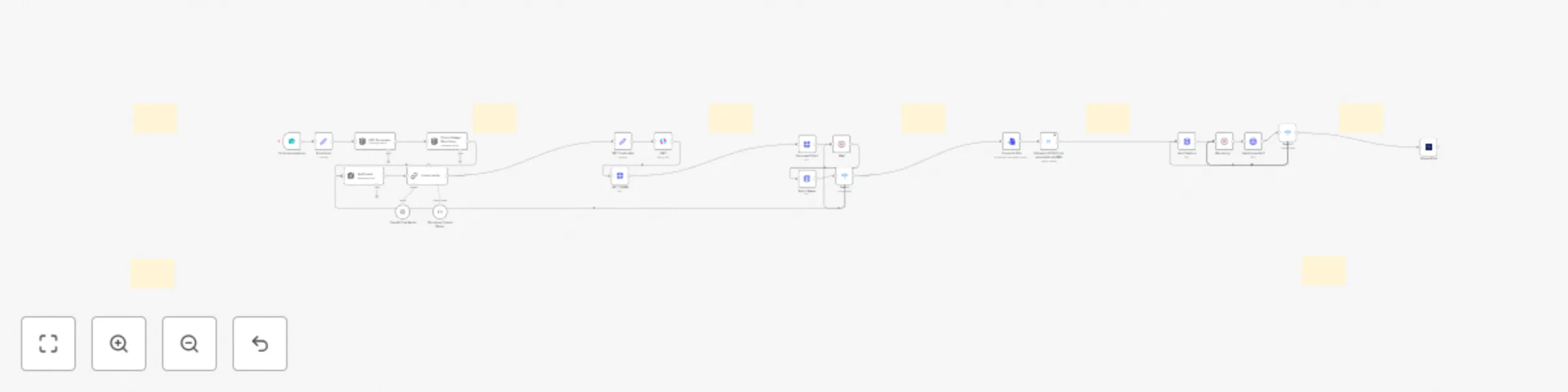
Generate AI video sales letters with Google VEO3, Creatomate captions & Facebook publishing preview
Open on n8n.io

Important notice

This workflow is provided as-is. Please review and test before using in production.

1. Workflow Overview

This workflow contains community nodes that are only compatible with the self hosted version of n8n. VEO3 VSL Generator & Facebook Auto Publisher What this workflow does This n8n workflow automates...

Best for

  • Content Creation automation workflows
  • Multimodal AI automation workflows
  • advanced n8n builders looking for reusable templates

Tools used

n8n-nodes-base.converttofile, n8n-nodes-base.switch, n8n-nodes-base.httprequest, n8n-nodes-base.wait, n8n-nodes-base.jwt, @n8n/n8n-nodes-langchain.openai, n8n-nodes-base.googlecloudstorage, n8n-nodes-base.formtrigger

Source and attribution

This workflow is cataloged by N8N Workflows and links back to its original n8n.io source page by LukaszB.

Original n8n.io source

1.1 Workflow description

Title
Generate AI video sales letters with Google VEO3, Creatomate captions & Facebook publishing
Workflow name
Generate AI video sales letters with Google VEO3, Creatomate captions & Facebook publishing

This workflow contains community nodes that are only compatible with the self-hosted version of n8n.

VEO3 VSL Generator & Facebook Auto-Publisher

What this workflow does

This n8n workflow automates the full process of creating a short-form Video Sales Letter (VSL) using Google VEO3, adding captions via Creatomate, and publishing the final video directly to a Facebook Page.

It's designed for creators, ecommerce brands, and marketers who want to generate and publish high-converting videos without video editing, manual uploads, or third-party tools.

Technologies used

  • Google Vertex AI (VEO3) – for AI-generated video generation
  • Creatomate – for dynamic captioning
  • Google Cloud Storage – for video hosting (public access)
  • Upload Post – for direct video publishing
  • OpenAI (optional) – for script generation
  • n8n – as the automation engine

Required inputs

The workflow starts from a form and expects:

  • Product Name – the product or offer to promote
  • Product Image – a visual representation of the product

Optional:

  • Prompt override – custom prompt text if you want to bypass the AI script generation

Output

  • One AI-generated vertical video (9:16), rendered via VEO3
  • Captions applied automatically via Creatomate
  • Final video posted to your connected Facebook Page
  • File stored in Google Cloud Storage with public access

Documentation

This template includes full step-by-step setup instructions:

  • Setting up JWT credentials for Google VEO3
  • Configuring a public GCS bucket
  • Creating and connecting a Creatomate API key
  • Generating a long-lived Facebook Page token
  • Connecting credentials inside n8n
  • Editing the form, caption templates, and upload destination
  • Notes on maintenance, quota limits, and API behavior

Customization

This workflow is modular and easy to adapt. You can:

  • Replace the form trigger with Google Sheets, Airtable, or webhook
  • Swap Facebook with Instagram, LinkedIn, or Telegram
  • Modify prompt structure, voice, visual style, or caption format

Summary

Just submit a product name and image via form — and get a ready-to-publish VSL on your Facebook Page. Fast, automated, and fully editable.

1.2 Logical Blocks

This catalog entry is organized from the workflow JSON. The node-level section below shows the executable blocks available for review before importing the template.

2. Block-by-Block Analysis

Block 1 - Convert to File

Type / Role
n8n-nodes-base.convertToFile - convertToFile
Config choices
Version 1.1

Block 2 - Switch

Type / Role
n8n-nodes-base.switch - switch
Config choices
Version 3.2

Block 3 - Fetch Status

Type / Role
n8n-nodes-base.httpRequest - httpRequest
Config choices
Version 4.2

Block 4 - Wait

Type / Role
n8n-nodes-base.wait - wait
Config choices
Version 1.1

Block 5 - Generate Video1

Type / Role
n8n-nodes-base.httpRequest - httpRequest
Config choices
Version 4.2

Block 6 - JWT

Type / Role
n8n-nodes-base.jwt - jwt
Config choices
Version 1

Block 7 - GET TOKEN

Type / Role
n8n-nodes-base.httpRequest - httpRequest
Config choices
Version 4.2

Block 8 - Product Image Describing

Type / Role
@n8n/n8n-nodes-langchain.openAi - openAi
Config choices
Version 1.8

Block 9 - VeoPrompt

Type / Role
@n8n/n8n-nodes-langchain.openAi - openAi
Config choices
Version 1.8

Block 10 - Upload to GCS (To be accessible via URL)

Type / Role
n8n-nodes-base.googleCloudStorage - googleCloudStorage
Config choices
Version 1

Block 11 - Add Captions

Type / Role
n8n-nodes-base.httpRequest - httpRequest
Config choices
Version 4.2

Block 12 - Rendering....

Type / Role
n8n-nodes-base.wait - wait
Config choices
Version 1.1

Block 13 - Captions added?

Type / Role
n8n-nodes-base.httpRequest - httpRequest
Config choices
Version 4.2

Block 14 - Switch1

Type / Role
n8n-nodes-base.switch - switch
Config choices
Version 3.2

Block 15 - On form submission

Type / Role
n8n-nodes-base.formTrigger - formTrigger
Config choices
Version 2.2

Block 16 - Form Input

Type / Role
n8n-nodes-base.set - set
Config choices
Version 3.4

Block 17 - SET Credentials

Type / Role
n8n-nodes-base.set - set
Config choices
Version 3.4

Block 18 - Upload Post

Type / Role
n8n-nodes-upload-post.uploadPost - uploadPost
Config choices
Version 1

Block 19 - Content writer

Type / Role
@n8n/n8n-nodes-langchain.chainLlm - chainLlm
Config choices
Version 1.7

Block 20 - OpenAI Chat Model

Type / Role
@n8n/n8n-nodes-langchain.lmChatOpenAi - lmChatOpenAi
Config choices
Version 1.2

Block 21 - Structured Output Parser

Type / Role
@n8n/n8n-nodes-langchain.outputParserStructured - outputParserStructured
Config choices
Version 1.3

Block 22 - UGC.Formulator

Type / Role
@n8n/n8n-nodes-langchain.openAi - openAi
Config choices
Version 1.8

Block 23 - Sticky Note

Type / Role
n8n-nodes-base.stickyNote - stickyNote
Config choices
Version 1

Block 24 - Sticky Note1

Type / Role
n8n-nodes-base.stickyNote - stickyNote
Config choices
Version 1

Showing the first 24 of 30 workflow blocks. Download the JSON for the full node graph.

3. Summary Table

Workflow Generate AI video sales letters with Google VEO3, Creatomate captions & Facebook publishing
Complexity advanced
Nodes 30
Categories Content Creation, Multimodal AI
Author LukaszB
Published 25 Jul 2025

4. Reproducing the Workflow from Scratch

  1. 1. Download the workflow JSON

    Use the JSON export at /data/workflows/6449/6449.json as the source template for this automation.

  2. 2. Import the template into n8n

    Open n8n, import the downloaded JSON, and review each node before activating the workflow.

  3. 3. Configure credentials and variables

    Replace placeholder credentials, API keys, webhook URLs, account IDs, and environment-specific values with your own settings.

  4. 4. Test with sample data

    Run the workflow manually or in a staging workspace, inspect node output, and confirm downstream systems receive the expected data.

  5. 5. Activate and monitor

    Enable the workflow only after testing, then monitor executions, errors, and rate limits during the first production runs.

5. General Notes & Resources

Review imported nodes carefully before activation. This catalog entry is intended to help you inspect the workflow structure, understand required services, and find related templates faster.

Node names, credentials, schedules, webhook paths, and external service limits may need adjustment for your workspace.

Frequently asked questions

What does Generate AI video sales letters with Google VEO3, Creatomate captions & Facebook publishing do?

This workflow contains community nodes that are only compatible with the self hosted version of n8n. VEO3 VSL Generator & Facebook Auto Publisher What this workflow does This n8n workflow automates...

What do I need before importing this workflow?

Review the workflow JSON, configure any required credentials in n8n, and test the automation in a safe workspace before using it in production.

Can I customize this workflow?

Yes. Use the block-by-block analysis and the downloadable JSON to inspect each node, then adjust credentials, prompts, schedules, filters, or destinations for your Content Creation, Multimodal AI use case.