Extract text from Google Drive files to Google Sheets using NVIDIA NIM

Workflow preview

Workflow preview
100%
Extract text from Google Drive files to Google Sheets using NVIDIA NIM preview
Open on n8n.io

1. Workflow Overview

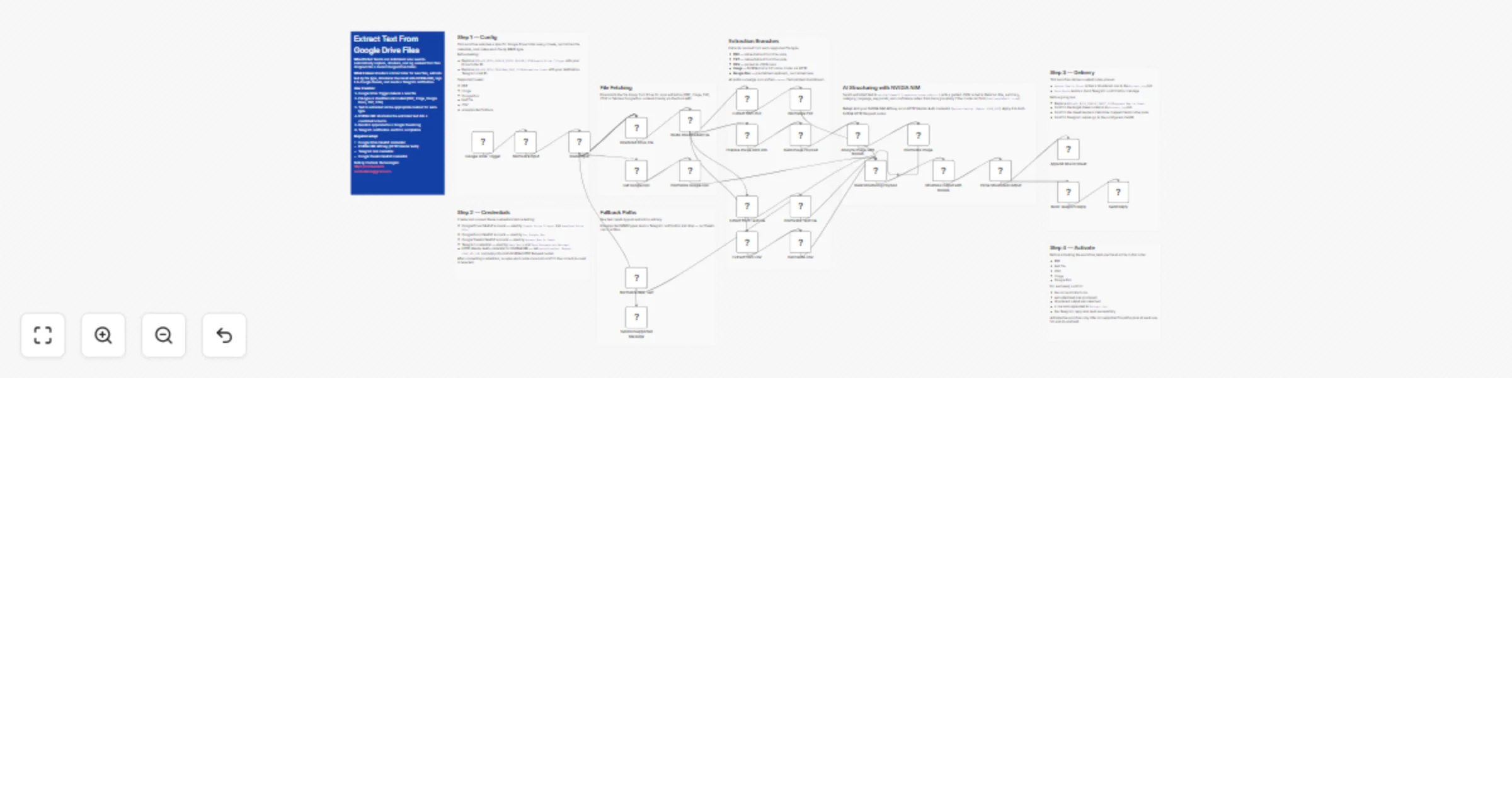
This template monitors Google Drive folder for new files, extracts text from PDFs, images, text files, CSVs, and Google Docs., reads images with meta/llama 3.2 11b vision instruct, structures the r...

Best for

  • Document Extraction automation workflows
  • AI Summarization automation workflows
  • advanced n8n builders looking for reusable templates

Tools used

n8n-nodes-base.stickynote, n8n-nodes-base.googledrivetrigger, n8n-nodes-base.code, n8n-nodes-base.switch, n8n-nodes-base.googledrive, n8n-nodes-base.googledocs, n8n-nodes-base.extractfromfile, n8n-nodes-base.httprequest

Source and attribution

This workflow is cataloged by N8N Workflows and links back to its original n8n.io source page by Cordexa Technologies.

Original n8n.io source

1.1 Workflow description

Title
Extract text from Google Drive files to Google Sheets using NVIDIA NIM
Workflow name
Extract text from Google Drive files to Google Sheets using NVIDIA NIM

This template monitors Google Drive folder for new files, extracts text from PDFs, images, text files, CSVs, and Google Docs., reads images with meta/llama-3.2-11b-vision-instruct, structures the result with nvidia/llama-3.3-nemotron-super-49b-v1.5, logs everything to Google Sheets, and sends a Telegram notification when processing finishes. ✨

What This Template Does

  • Watches a specific Google Drive folder for new files with Google Drive Trigger. πŸ“‚
  • Downloads each new file with Google Drive before processing. ⬇️
  • Routes PDFs, images, text files, CSVs, and Google Docs through the correct extraction branch. πŸ”€
  • Extracts image text with meta/llama-3.2-11b-vision-instruct πŸ–ΌοΈ
  • Structures extracted content into JSON fields with nvidia/llama-3.3-nemotron-super-49b-v1.5 through NVIDIA NIM. πŸ€–
  • Appends the final result to Google Sheets in Extract_Log. πŸ“Š
  • Sends a Telegram notification when processing is complete. πŸ“¬

Key Benefits

  • Turns a Drive folder into a reusable intake point for mixed file types. ⏱️
  • Creates a searchable audit trail in Google Sheets for every processed file. πŸ“š
  • Sends a lightweight Telegram notification without requiring Telegram as the input channel. βœ…
  • Keeps the extraction and structuring logic reusable for internal ops or client delivery workflows. πŸ”
  • Makes it easier to test multimodal document processing with free-tier NVIDIA NIM models. πŸ’‘

Features

  • Google Drive Trigger configured for new files in a specific folder. πŸ“₯
  • Google Drive download step for binary file access before extraction. βš™οΈ
  • File-type routing with Switch and normalization with Code nodes. 🧠
  • Native n8n Extract from File nodes for PDF, TXT, and CSV parsing. πŸ“„
  • NVIDIA NIM HTTP Request nodes for image OCR and structured JSON generation. πŸ€–
  • Google Sheets append logging with a fixed Extract_Log tab schema. πŸ“ˆ
  • Plain-text Telegram completion notifications with a fixed destination chat ID. πŸ“¨

Requirements

  • n8n instance with access to Google Drive Trigger, Google Drive, Google Docs, Google Sheets, HTTP Request, Telegram, and Extract from File nodes. 🧰
  • Google Drive OAuth2 credential with access to the watched folder. πŸ”
  • Google Docs OAuth2 credential with access to any Google Docs files you want to process. πŸ“˜
  • Google Sheets OAuth2 credential and a sheet with an Extract_Log tab. πŸ“Š
  • Telegram bot credential plus a valid destination chat ID for notifications. 🀝
  • NVIDIA NIM API key stored as an HTTP Header Auth credential. πŸ”‘
  • A folder ID and Google Sheet ID added to the provided placeholders before activation. πŸ› οΈ

Target Audience

  • Operations teams monitoring a shared Drive folder for inbound files. πŸ—‚οΈ
  • Founders and solo operators who want document extraction. πŸ‘€
  • Agencies building reusable back-office workflows for receipts, notes, and uploaded files. 🏒
  • Analysts who want structured text output logged into Google Sheets automatically. πŸ“‹
  • Automation builders testing file-driven multimodal extraction with Drive as the source. πŸ§ͺ

Step-by-Step Setup Instructions

  1. Import the workflow and read every sticky note on the canvas before editing any nodes. πŸ“
  2. Connect your Google Drive, Google Docs, Google Sheets, Telegram, and NVIDIA NIM credentials. πŸ”
  3. Replace REPLACE_WITH_GOOGLE_DRIVE_FOLDER_ID, REPLACE_WITH_GOOGLE_SHEET_ID, and REPLACE_WITH_TELEGRAM_CHAT_ID in the marked nodes. πŸ“Œ
  4. Create the Extract_Log tab with the required headers shown in the sticky notes. πŸ“‘
  5. Test one file at a time in this order: PDF, TXT, CSV, image, then Google Docs file. πŸ§ͺ
  6. Confirm that each test adds one clean row to Google Sheets and sends one Telegram notification. βœ…
  7. Activate the workflow only after every supported path works end to end. πŸš€

Built by Cordexa Technologies

https://cordexa.tech | [email protected]

1.2 Logical Blocks

This catalog entry is organized from the workflow JSON. The node-level section below shows the executable blocks available for review before importing the template.

2. Block-by-Block Analysis

Block 1 - Overview

Type / Role
n8n-nodes-base.stickyNote - stickyNote
Config choices
Version 1

Block 2 - Section - Trigger and Input

Type / Role
n8n-nodes-base.stickyNote - stickyNote
Config choices
Version 1

Block 3 - Section - File Fetching

Type / Role
n8n-nodes-base.stickyNote - stickyNote
Config choices
Version 1

Block 4 - Section - Extraction Branches

Type / Role
n8n-nodes-base.stickyNote - stickyNote
Config choices
Version 1

Block 5 - Section - Fallback Paths

Type / Role
n8n-nodes-base.stickyNote - stickyNote
Config choices
Version 1

Block 6 - Section - AI Structuring

Type / Role
n8n-nodes-base.stickyNote - stickyNote
Config choices
Version 1

Block 7 - Section - Log and Notify

Type / Role
n8n-nodes-base.stickyNote - stickyNote
Config choices
Version 1

Block 8 - Google Drive Trigger

Type / Role
n8n-nodes-base.googleDriveTrigger - googleDriveTrigger
Config choices
Version 1

Block 9 - Normalize Input

Type / Role
n8n-nodes-base.code - code
Config choices
Version 2

Block 10 - Route Input

Type / Role
n8n-nodes-base.switch - switch
Config choices
Version 2

Block 11 - Download Drive File

Type / Role
n8n-nodes-base.googleDrive - googleDrive
Config choices
Version 3

Block 12 - Route Downloaded File

Type / Role
n8n-nodes-base.switch - switch
Config choices
Version 2

Block 13 - Get Google Doc

Type / Role
n8n-nodes-base.googleDocs - googleDocs
Config choices
Version 2

Block 14 - Normalize Google Doc

Type / Role
n8n-nodes-base.code - code
Config choices
Version 2

Block 15 - Extract from PDF

Type / Role
n8n-nodes-base.extractFromFile - extractFromFile
Config choices
Version 1

Block 16 - Normalize PDF

Type / Role
n8n-nodes-base.code - code
Config choices
Version 2

Block 17 - Prepare Image Data URL

Type / Role
n8n-nodes-base.code - code
Config choices
Version 2

Block 18 - Build Image Payload

Type / Role
n8n-nodes-base.code - code
Config choices
Version 2

Block 19 - Analyze Image with NVIDIA

Type / Role
n8n-nodes-base.httpRequest - httpRequest
Config choices
Version 4.2

Block 20 - Normalize Image

Type / Role
n8n-nodes-base.code - code
Config choices
Version 2

Block 21 - Extract from Text File

Type / Role
n8n-nodes-base.extractFromFile - extractFromFile
Config choices
Version 1

Block 22 - Normalize Text File

Type / Role
n8n-nodes-base.code - code
Config choices
Version 2

Block 23 - Extract from CSV

Type / Role
n8n-nodes-base.extractFromFile - extractFromFile
Config choices
Version 1

Block 24 - Normalize CSV

Type / Role
n8n-nodes-base.code - code
Config choices
Version 2

Showing the first 24 of 34 workflow blocks. Download the JSON for the full node graph.

3. Summary Table

Workflow Extract text from Google Drive files to Google Sheets using NVIDIA NIM
Complexity advanced
Nodes 34
Categories Document Extraction, AI Summarization
Author Cordexa Technologies
Published 20 Mar 2026

4. Reproducing the Workflow from Scratch

  1. 1. Download the workflow JSON

    Use the JSON export at /data/workflows/14188/14188.json as the source template for this automation.

  2. 2. Import the template into n8n

    Open n8n, import the downloaded JSON, and review each node before activating the workflow.

  3. 3. Configure credentials and variables

    Replace placeholder credentials, API keys, webhook URLs, account IDs, and environment-specific values with your own settings.

  4. 4. Test with sample data

    Run the workflow manually or in a staging workspace, inspect node output, and confirm downstream systems receive the expected data.

  5. 5. Activate and monitor

    Enable the workflow only after testing, then monitor executions, errors, and rate limits during the first production runs.

5. General Notes & Resources

Review imported nodes carefully before activation. This catalog entry is intended to help you inspect the workflow structure, understand required services, and find related templates faster.

Node names, credentials, schedules, webhook paths, and external service limits may need adjustment for your workspace.

Frequently asked questions

What does Extract text from Google Drive files to Google Sheets using NVIDIA NIM do?

This template monitors Google Drive folder for new files, extracts text from PDFs, images, text files, CSVs, and Google Docs., reads images with meta/llama 3.2 11b vision instruct, structures the r...

What do I need before importing this workflow?

Review the workflow JSON, configure any required credentials in n8n, and test the automation in a safe workspace before using it in production.

Can I customize this workflow?

Yes. Use the block-by-block analysis and the downloadable JSON to inspect each node, then adjust credentials, prompts, schedules, filters, or destinations for your Document Extraction, AI Summarization use case.