Block 1 - Sticky Note2
- Type / Role
- n8n-nodes-base.stickyNote - stickyNote
- Config choices
- Version 1


 Early Deal
This workflow is provided as-is. Please review and test before using in production.
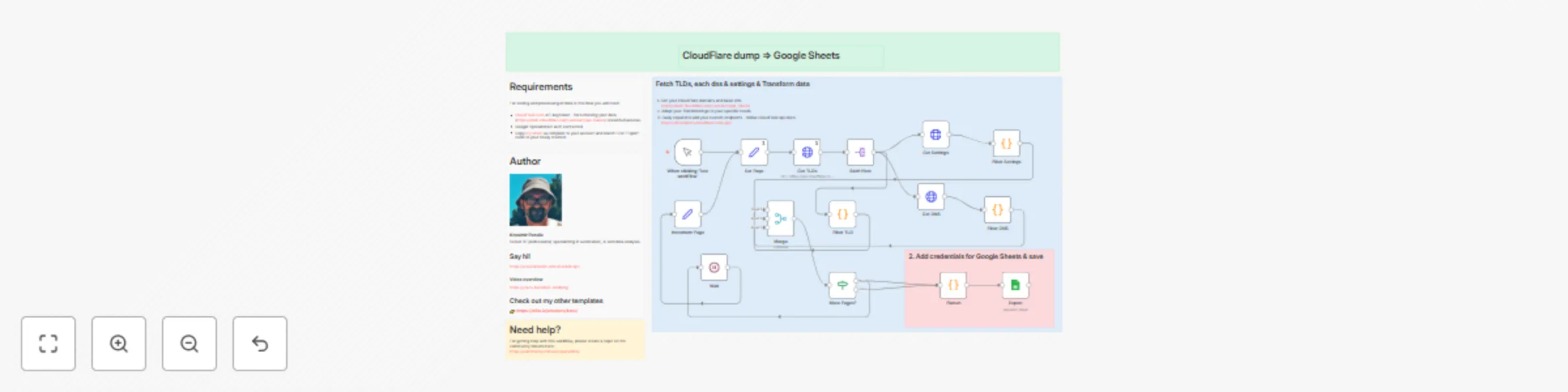
How it works This workflow simply exports all your 托管平台 domains to Google Sheet to get high overview of all of your settings. This could help for easy debugging, searching or similar needs. In flow...
n8n-nodes-base.stickynote, n8n-nodes-base.manualtrigger, n8n-nodes-base.wait, n8n-nodes-base.set, n8n-nodes-base.if, n8n-nodes-base.merge, n8n-nodes-base.httprequest, n8n-nodes-base.splitout
This workflow is cataloged by N8N Workflows and links back to its original n8n.io source page by KPendic.
Original n8n.io source## How it works
This workflow simply exports all your 托管平台 domains to Google Sheet to get high overview of all of your settings. This could help for easy debugging, searching or similar needs. In flow simple pagging nodes are used to iterate over all your domains, because this list could be huge. For each host we are merging DNS & Settings and transforming them into columns for all our domains.
For storing and processing of data in this flow you will need:
For full details and specifications please use API documentation from: https://developers.托管平台.com/api/
If you encounter CF API timeouts - I would suggest to only put somewhere in the loop simple sleep/wait node - for couple of seconds - and it should resolve timeouts.
I've used simple Google Sheet feature conditional formatting to visually distinct my on|off toggles that was of my interest to easily get high overview for debuggint some of the settings on my hosts - but please use your own logic or change it completely.
This catalog entry is organized from the workflow JSON. The node-level section below shows the executable blocks available for review before importing the template.
| Workflow | Export 托管平台 domains with DNS records and settings to Google Sheets |
|---|---|
| Complexity | advanced |
| Nodes | 22 |
| Categories | DevOps |
| Author | KPendic |
| Published | 10 Jun 2025 |
Use the JSON export at /data/workflows/4850/4850.json as the source template for this automation.
Open n8n, import the downloaded JSON, and review each node before activating the workflow.
Replace placeholder credentials, API keys, webhook URLs, account IDs, and environment-specific values with your own settings.
Run the workflow manually or in a staging workspace, inspect node output, and confirm downstream systems receive the expected data.
Enable the workflow only after testing, then monitor executions, errors, and rate limits during the first production runs.
Review imported nodes carefully before activation. This catalog entry is intended to help you inspect the workflow structure, understand required services, and find related templates faster.
Node names, credentials, schedules, webhook paths, and external service limits may need adjustment for your workspace.
How it works This workflow simply exports all your 托管平台 domains to Google Sheet to get high overview of all of your settings. This could help for easy debugging, searching or similar needs. In flow...
Review the workflow JSON, configure any required credentials in n8n, and test the automation in a safe workspace before using it in production.
Yes. Use the block-by-block analysis and the downloadable JSON to inspect each node, then adjust credentials, prompts, schedules, filters, or destinations for your DevOps use case.