Block 1 - Parse PDF
- Type / Role
- n8n-nodes-base.extractFromFile - extractFromFile
- Config choices
- Version 1.1


 Early Deal
AI Vendor / Partner Proposal Evaluation & Auto Response System Description Automate vendor and partner proposal evaluation from slow, manual PDF reviews into a fast, consistent, and AI powered deci...
n8n-nodes-base.extractfromfile, n8n-nodes-base.code, n8n-nodes-base.webhook, n8n-nodes-base.httprequest, @n8n/n8n-nodes-langchain.openai, n8n-nodes-base.if, n8n-nodes-base.slack, n8n-nodes-base.respondtowebhook
This workflow is cataloged by N8N Workflows and links back to its original n8n.io source page by Jitesh Dugar.
Original n8n.io sourceAutomate vendor and partner proposal evaluation from slow, manual PDF reviews into a fast, consistent, and AI-powered decision workflow.
This workflow accepts proposal PDFs via webhook, extracts and cleans document content, uses AI to analyze proposals for key information and risks, and automatically decides whether the proposal should be flagged for review or approved instantly.
The system guarantees one proposal = one decision, eliminates duplicate outputs, and ensures stakeholders are notified immediately when risks are detected — while low-risk proposals are auto-approved without human intervention.
Transforms vendor proposal evaluation into a single, reliable automation:
📥 Proposal Intake via Webhook – Accepts vendor or partner proposal PDFs through an API-ready webhook endpoint.
📄 PDF Download & Text Extraction – Downloads the submitted PDF and extracts readable text from the document.
🧹 Text Cleanup & Normalization – Removes noise such as headers, page numbers, and repeated titles to improve AI accuracy.
🧠 AI Proposal Evaluation – Uses OpenAI to summarize the proposal, extract key points, identify the category, and detect risks or missing information.
🧩 Structured JSON Parsing – Converts AI output into clean, automation-safe JSON.
⚖️ Risk Decision Logic – Calculates a single risk flag for the entire proposal (no fragmented decisions).
🚨 Risk Alerts – Sends a structured Slack alert when risks are detected, prompting manual review.
✅ Auto-Approval Flow – Automatically approves proposals with no risks and returns a success response via webhook.
🤖 AI-Powered Proposal Analysis – Consistent summaries and risk detection across all proposals.
📄 PDF-First Workflow – Designed specifically for real-world proposal documents.
⚖️ One Proposal = One Decision Logic – Prevents duplicate items or conflicting outcomes.
🚨 Instant Risk Notifications – Alerts stakeholders the moment issues are detected.
✅ Automatic Approvals – Saves time by instantly approving low-risk proposals.
⚙️ Automation-Safe JSON Output – Perfect for extending into CRMs, databases, or dashboards.
🏢 Procurement & Vendor Management Teams 🤝 Partnerships & Business Development Teams 📊 Operations & Strategy Teams 🚀 Startups reviewing vendor or partner proposals 🧾 Compliance & Risk Review Teams
🤖 OpenAI – Proposal evaluation, summarization, and risk detection 💬 Slack – Risk alerts and internal notifications 🌐 Webhook Access – Proposal submission endpoint
📄 PDF Report Generation – Create downloadable AI evaluation reports 📊 Google Sheets / Database Logging – Track proposal decisions 📧 Email Notifications – Notify vendors of approval or next steps 🗂 CRM Integration – Push approved vendors into onboarding systems 🌍 Multi-Language Analysis – Support international proposals
1️⃣ Import the workflow into your n8n workspace 2️⃣ Add OpenAI and Slack credentials 3️⃣ Deploy the webhook and copy the URL 4️⃣ Submit a proposal PDF to the webhook 5️⃣ Review Slack alerts or approval responses 6️⃣ Activate the workflow
1️⃣ AI Prompt Tuning – Adjust evaluation depth or industry focus 2️⃣ Risk Rules – Change what qualifies as a flagged proposal 3️⃣ Approval Messaging – Customize webhook responses 4️⃣ Notification Channels – Swap Slack for email or Teams 5️⃣ Additional Fields – Extract budgets, timelines, or compliance data
⚡ Faster proposal review cycles 🤖 Consistent and unbiased evaluations 📉 Reduced manual workload 🚨 Immediate visibility into risky proposals ✅ Clean, documented approval decisions
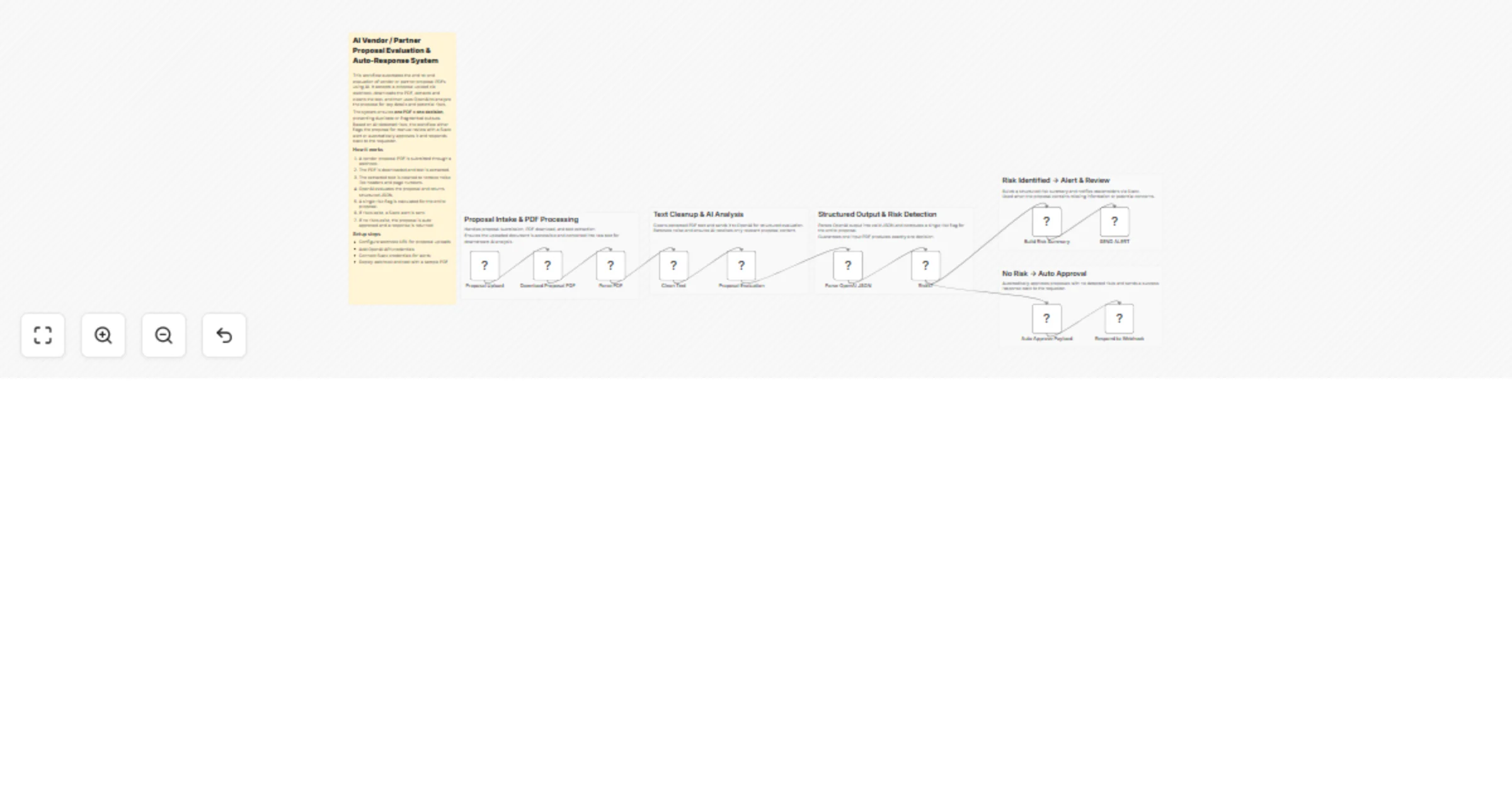
📥 Proposal Upload ↓ 📄 PDF Download & Parsing ↓ 🧹 Text Cleanup ↓ 🧠 AI Proposal Evaluation ↓ 🧩 JSON Parsing ↓ ⚖️ Risk Decision ↓ 🚨 Slack Alert or ✅ Auto Approval
This catalog entry is organized from the workflow JSON. The node-level section below shows the executable blocks available for review before importing the template.
| Workflow | Evaluate vendor PDFs with OpenAI and auto-respond via Slack and webhook |
|---|---|
| Complexity | advanced |
| Nodes | 17 |
| Categories | Document Extraction, AI Summarization |
| Author | Jitesh Dugar |
| Published | 12 Dec 2025 |
Use the JSON export at /data/workflows/11737/11737.json as the source template for this automation.
Open n8n, import the downloaded JSON, and review each node before activating the workflow.
Replace placeholder credentials, API keys, webhook URLs, account IDs, and environment-specific values with your own settings.
Run the workflow manually or in a staging workspace, inspect node output, and confirm downstream systems receive the expected data.
Enable the workflow only after testing, then monitor executions, errors, and rate limits during the first production runs.
Review imported nodes carefully before activation. This catalog entry is intended to help you inspect the workflow structure, understand required services, and find related templates faster.
Node names, credentials, schedules, webhook paths, and external service limits may need adjustment for your workspace.
AI Vendor / Partner Proposal Evaluation & Auto Response System Description Automate vendor and partner proposal evaluation from slow, manual PDF reviews into a fast, consistent, and AI powered deci...
Review the workflow JSON, configure any required credentials in n8n, and test the automation in a safe workspace before using it in production.
Yes. Use the block-by-block analysis and the downloadable JSON to inspect each node, then adjust credentials, prompts, schedules, filters, or destinations for your Document Extraction, AI Summarization use case.