Block 1 - 🚀 Form Submission Trigger
- Type / Role
- n8n-nodes-base.formTrigger - formTrigger
- Config choices
- Version 2.2


 Early Deal
This workflow is provided as-is. Please review and test before using in production.
AI Image Editor with Form Upload + Telegram Delivery Who’s it for? This workflow is built for content creators, social media managers, designers, and agencies who need fast, AI powered ima...
n8n-nodes-base.formtrigger, n8n-nodes-base.set, n8n-nodes-base.googledrive, n8n-nodes-base.httprequest, n8n-nodes-base.converttofile, n8n-nodes-base.telegram, n8n-nodes-base.stickynote
This workflow is cataloged by N8N Workflows and links back to its original n8n.io source page by David Olusola.
Original n8n.io sourceWho’s it for? 👥
This workflow is built for content creators, social media managers, designers, and agencies who need fast, AI-powered image editing without the hassle. Whether you're batch-editing for clients or spicing up personal projects, this tool gets it done — effortlessly.
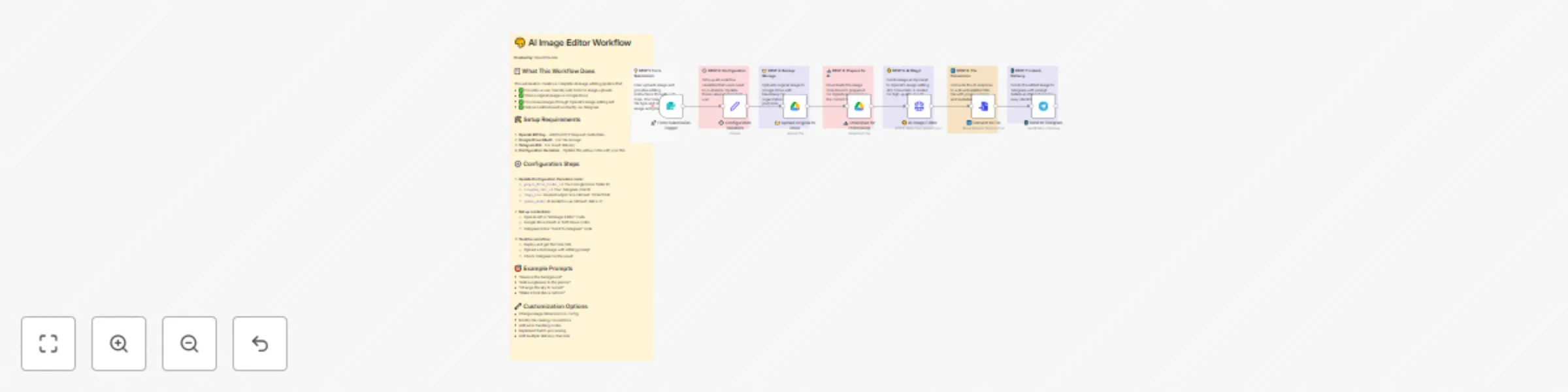
A seamless pipeline that:
📥 Accepts uploads + prompts via a clean form ☁️ Saves images to Google Drive automatically 🧠 Edits images with OpenAI’s image API 📁 Converts results to downloadable PNGs 📬 Delivers the final image instantly via Telegram Perfect for AI-enhanced workflows that need speed, structure, and simplicity.
User Uploads: Fill a form with an image + editing prompt Cloud Save: Auto-upload to your Google Drive folder AI Editing: OpenAI processes the image with your prompt Convert & Format: Image saved as PNG Telegram Delivery: Final result sent straight to your chat 💬 You’ll need ✅
🔑 OpenAI API key 📂 Google Drive OAuth2 setup 🤖 Telegram bot token & chat ID ⚙️ n8n instance (self-hosted or cloud) Setup in 4 Easy Steps 🛠️
Add OpenAI, Google Drive, and Telegram credentials to n8n Store keys securely (avoid hardcoding!)
Set Google Drive folder ID Add Telegram chat ID Tweak image size (default: 1024×1024)
Add a Webhook Trigger node Test with a sample image Share the form link with users 🎯 4. Fine-Tune Variables In the Set node, customize:
📐 Image size 📁 Folder path 📲 Delivery options ⏱️ Timeout duration Want to customize more? 🎛️
🖼️ Image Settings
Change size (e.g. 512x512 or 2048x2048) Update the model (when new versions drop) 📂 Storage
Auto-organize files by date/category Add dynamic file names using n8n expressions 📤 Delivery
Swap Telegram with Slack, email, Discord Add multiple delivery channels Include image prompt or metadata in messages 📝 Form Upgrades
Add fields for advanced editing Validate file types (e.g. PNG/JPEG only) Show a progress bar for long edits ⚡ Advanced Features
Add error handling or retry flows Support batch editing Include approvals or watermarking before delivery ⚠️ Notes & Best Practices ✅ Check OpenAI credit balance 🖼️ Test with different image sizes/types ⏱️ Adjust timeout settings for larger files 🔐 Always secure your API keys
This catalog entry is organized from the workflow JSON. The node-level section below shows the executable blocks available for review before importing the template.
| Workflow | Edit & deliver images with DALL-E 2, Google Drive & Telegram messaging |
|---|---|
| Complexity | advanced |
| Nodes | 15 |
| Categories | Content Creation, Multimodal AI |
| Author | David Olusola |
| Published | 28 Jun 2025 |
Use the JSON export at /data/workflows/5420/5420.json as the source template for this automation.
Open n8n, import the downloaded JSON, and review each node before activating the workflow.
Replace placeholder credentials, API keys, webhook URLs, account IDs, and environment-specific values with your own settings.
Run the workflow manually or in a staging workspace, inspect node output, and confirm downstream systems receive the expected data.
Enable the workflow only after testing, then monitor executions, errors, and rate limits during the first production runs.
Review imported nodes carefully before activation. This catalog entry is intended to help you inspect the workflow structure, understand required services, and find related templates faster.
Node names, credentials, schedules, webhook paths, and external service limits may need adjustment for your workspace.
AI Image Editor with Form Upload + Telegram Delivery Who’s it for? This workflow is built for content creators, social media managers, designers, and agencies who need fast, AI powered ima...
Review the workflow JSON, configure any required credentials in n8n, and test the automation in a safe workspace before using it in production.
Yes. Use the block-by-block analysis and the downloadable JSON to inspect each node, then adjust credentials, prompts, schedules, filters, or destinations for your Content Creation, Multimodal AI use case.