Detect human vs AI text using stylometric metrics and multi‐agent LLM debate

Workflow preview

Workflow preview
100%
Detect human vs AI text using stylometric metrics and multi‐agent LLM debate preview
Open on n8n.io

1. Workflow Overview

Stop guessing if text came from ChatGPT. Let three AI agents argue about it using forensic data. Paste any text and get a verdict on whether it was written by a human, AI, or a hybrid mix. Instead ...

Best for

  • Document Extraction automation workflows
  • AI Summarization automation workflows
  • advanced n8n builders looking for reusable templates

Tools used

n8n-nodes-base.stickynote, n8n-nodes-base.code, @n8n/n8n-nodes-langchain.agent, @n8n/n8n-nodes-langchain.chattrigger, n8n-nodes-base.scheduletrigger, @n8n/n8n-nodes-langchain.chainllm, @n8n/n8n-nodes-langchain.chat, n8n-nodes-base.datatable

Source and attribution

This workflow is cataloged by N8N Workflows and links back to its original n8n.io source page by Mychel Garzon.

Original n8n.io source

1.1 Workflow description

Title
Detect human vs AI text using stylometric metrics and multi‐agent LLM debate
Workflow name
Detect human vs AI text using stylometric metrics and multi‐agent LLM debate

Stop guessing if text came from ChatGPT. Let three AI agents argue about it using forensic data.

Paste any text and get a verdict on whether it was written by a human, AI, or a hybrid mix. Instead of trusting one black-box score, this workflow runs your text through statistical analysis and a three-agent debate where each agent challenges the others using hard numbers.

This is not another "detect AI with AI" template. The workflow measures six forensic markers first, then makes three separate agents argue about what those numbers mean. You see the raw data, the debate, and the final verdict with confidence scores.

How it works

The workflow runs in five stages:

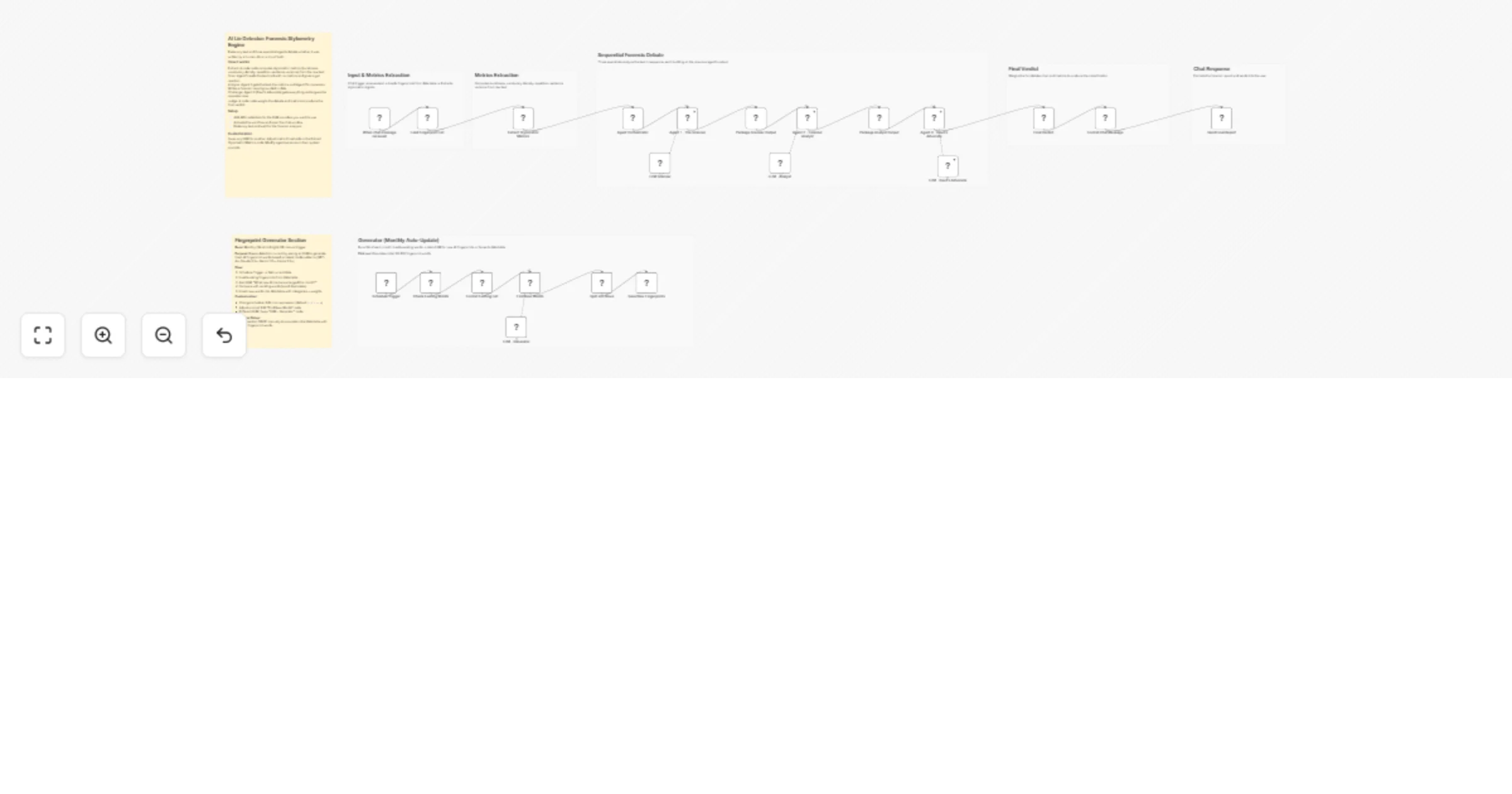
  1. Extract forensic metrics: A code node measures burstiness (sentence length variation), type-token ratio (vocabulary diversity), hapax rate (words appearing once), repetition score (repeated phrases), transition density (filler words like "furthermore"), and AI fingerprints (100+ known LLM phrases stored in a data table). Short texts under 150 words get recalibrated because metrics are less reliable.

  2. Agent 1 - The Scanner: Reads the text cold with zero metrics. Gives a gut impression (human/AI/hybrid) based purely on instinct. Acts like an editor who has read thousands of manuscripts.

  3. Agent 2 - Forensic Analyst: Gets the text, all metrics, and Agent 1's verdict. Writes a data-driven report that must cite specific numbers. Either agrees or disagrees with Agent 1 and explains why using the forensic evidence.

  4. Agent 3 - Devil's Advocate: Gets everything above and argues the opposite of whatever Agent 2 concluded. If Agent 2 said AI, Agent 3 must argue human. Finds holes in the logic and metrics that got ignored.

  5. Weighted verdict: A code node scores all three agents (35% Analyst, 15% Scanner, 15% Devil's Advocate, 35% raw metrics) and classifies as human (score under 0.35), AI (score over 0.60), or AI-augmented (in between). Confidence is calculated separately so you get verdicts like "AI with 67% confidence."

Chat output format

The chat response shows:

  • Verdict badge: 🙎🏻 Human-Written, 🤖 AI-Generated, or 🦾 AI-Augmented
  • Confidence bar: Visual bar (██████████ 85%) showing how certain the verdict is
  • Metrics table: All six forensic markers with 🟥 AI or 🟩 Human flags
  • Agent debate: Three verdicts with reasoning. Agent 1's gut check, Agent 2's forensic report, Agent 3's counter-argument. Each shows classification and confidence percentage.

Example output for AI text:

🤖 Verdict: AI-Generated
Confidence: ████████░░ 87%
 
📊 Stylometric Metrics:
Burstiness: 0.18 🟥 AI
Vocabulary Diversity: 0.36 🟥 AI
Hapax Rate: 0.32 🟥 AI
Repetition: 0.21 🟥 AI
Transition Density: 0.024 🟥 AI
 
🔎 Agent 1 (Gut Check): AI (90%)
"Monotonous rhythm, corporate vocabulary, zero personality"
 
🔬 Agent 2 (Data): AI (95%)
"Five of six metrics flag AI. Burstiness of 0.18 well below human threshold..."
 
😈 Agent 3 (Critic): AI-AUGMENTED (65%)
"Could be human technical writing. Transition density alone not conclusive..."

Self-updating fingerprint database

A separate workflow branch runs weekly to keep the AI phrase list current:

  1. Check existing words: Reads all fingerprint phrases from the data table
  2. Find new AI tells: Asks an LLM what phrases modern models currently overuse
  3. Filter duplicates: Removes words already in the database
  4. Add to table: Stores new phrases for future detection

Requires: A data table (Google Sheets, Airtable, or n8n Data Table) to store fingerprint words. The workflow includes a starter list of 100+ phrases like "delve into," "it's worth noting," "as of my last update."

LLM writing patterns shift fast. What worked for GPT-3 detection does not work for GPT-4. This keeps the detector current without manual updates.

Key benefits

  • Three classifications instead of binary. Human, AI, or AI-augmented. Most real content is hybrid.
  • You see the reasoning. Full agent debate included. When verdicts are borderline, you can read which argument won.
  • Transparent metrics. Raw numbers exposed with red/green flags. No hidden scoring.
  • Self-updating detection. Weekly workflow finds new AI phrase patterns as models evolve.
  • Error resilient. If one agent fails, the workflow continues and redistributes weights.

Who this is for

  • Content teams verifying contractor submissions are not AI-generated
  • Educators checking student essays for AI assistance
  • Publishers screening submissions to maintain editorial standards
  • SEO teams ensuring content meets Google's helpful content guidelines
  • Researchers analyzing hybrid human-AI writing patterns

Setup

  • Add API credentials for at least one LLM provider (Groq, OpenAI, Gemini, or Anthropic)
  • Create a data table for AI fingerprint phrases or use n8n's built-in Data Table node
  • Populate the table with the starter list (included in workflow documentation)
  • Activate the workflow and open the chat interface
  • Paste text and wait 30-60 seconds for forensic analysis

Required APIs & credentials

  • At least one LLM provider: OpenAI, Anthropic, Google Gemini, Groq, or any other provider with JSON output support. Each agent can use a different provider or all can use the same one.

  • Data storage for fingerprint phrases: n8n Data Table (built-in), Google Sheets, or Airtable. The workflow checks this table to identify known AI phrases during analysis.

How to customise it

  • Swap models: Each agent node has a chat model sub-node. Replace with any provider. Scanner works with smaller models. Analyst needs strong reasoning. Devil's Advocate needs good instruction-following.
  • Tune thresholds: Open Extract Stylometric Metrics code. Burstiness under 0.3 flags AI. Type-token ratio under 0.4 flags AI. Adjust for stricter or looser detection.
  • Change agent weights: Open Final Verdict code. Default is 35% Analyst, 15% Scanner, 15% Devil's Advocate, 35% metrics. Increase metric weight to trust data more.
  • Modify agent personas: Edit system prompts. Make Scanner more skeptical. Make Analyst cite sources. Make Devil's Advocate more aggressive.
  • Add quality gate: Drop a Filter node after verdict. Only proceed if confidence exceeds 70%.
  • Batch process: Replace Chat Trigger with Schedule Trigger looping over a file list.

Known limitations

The workflow works best on long-form content (500+ words). Short texts under 100 words produce less reliable metrics because statistical patterns need more data to emerge. The recalibration helps but is not perfect.

AI fingerprint phrases evolve as models improve. GPT-5 might not use "delve into" but will have new tells. The self-updating workflow helps but lags current releases by a few weeks.

The three-agent debate architecture assumes disagreement is meaningful. For extremely niche topics where only one agent has relevant training data, the minority opinion might be correct but gets outvoted. Review the individual agent reasoning when dealing with specialized content.

1.2 Logical Blocks

This catalog entry is organized from the workflow JSON. The node-level section below shows the executable blocks available for review before importing the template.

2. Block-by-Block Analysis

Block 1 - Sticky Note

Type / Role
n8n-nodes-base.stickyNote - stickyNote
Config choices
Version 1

Block 2 - Format Chat Message

Type / Role
n8n-nodes-base.code - code
Config choices
Version 2

Block 3 - Final Verdict

Type / Role
n8n-nodes-base.code - code
Config choices
Version 2

Block 4 - Agent 3 - Devil's Advocate

Type / Role
@n8n/n8n-nodes-langchain.agent - agent
Config choices
Version 3.1

Block 5 - Package Analyst Output

Type / Role
n8n-nodes-base.code - code
Config choices
Version 2

Block 6 - Agent 2 - Forensic Analyst

Type / Role
@n8n/n8n-nodes-langchain.agent - agent
Config choices
Version 3.1

Block 7 - Package Scanner Output

Type / Role
n8n-nodes-base.code - code
Config choices
Version 2

Block 8 - Agent 1 - The Scanner

Type / Role
@n8n/n8n-nodes-langchain.agent - agent
Config choices
Version 3.1

Block 9 - Extract Stylometric Metrics

Type / Role
n8n-nodes-base.code - code
Config choices
Version 2

Block 10 - Sticky Note5

Type / Role
n8n-nodes-base.stickyNote - stickyNote
Config choices
Version 1

Block 11 - Sticky Note4

Type / Role
n8n-nodes-base.stickyNote - stickyNote
Config choices
Version 1

Block 12 - Sticky Note3

Type / Role
n8n-nodes-base.stickyNote - stickyNote
Config choices
Version 1

Block 13 - Sticky Note2

Type / Role
n8n-nodes-base.stickyNote - stickyNote
Config choices
Version 1

Block 14 - When chat message received

Type / Role
@n8n/n8n-nodes-langchain.chatTrigger - chatTrigger
Config choices
Version 1.4

Block 15 - Schedule Trigger

Type / Role
n8n-nodes-base.scheduleTrigger - scheduleTrigger
Config choices
Version 1.2

Block 16 - Format Existing List

Type / Role
n8n-nodes-base.code - code
Config choices
Version 2

Block 17 - Find New Words

Type / Role
@n8n/n8n-nodes-langchain.chainLlm - chainLlm
Config choices
Version 1.4

Block 18 - Split into Rows

Type / Role
n8n-nodes-base.code - code
Config choices
Version 2

Block 19 - Agent Orchestrator

Type / Role
@n8n/n8n-nodes-langchain.chat - chat
Config choices
Version 1.3

Block 20 - Load Fingerprint List

Type / Role
n8n-nodes-base.dataTable - dataTable
Config choices
Version 1.1

Block 21 - Send Final Report

Type / Role
@n8n/n8n-nodes-langchain.chat - chat
Config choices
Version 1.3

Block 22 - Check Existing Words

Type / Role
n8n-nodes-base.dataTable - dataTable
Config choices
Version 1.1

Block 23 - Save New Fingerprints

Type / Role
n8n-nodes-base.dataTable - dataTable
Config choices
Version 1.1

Block 24 - LLM - Generator

Type / Role
@n8n/n8n-nodes-langchain.lmChatGroq - lmChatGroq
Config choices
Version 1

Showing the first 24 of 30 workflow blocks. Download the JSON for the full node graph.

3. Summary Table

Workflow Detect human vs AI text using stylometric metrics and multi‐agent LLM debate
Complexity advanced
Nodes 30
Categories Document Extraction, AI Summarization
Author Mychel Garzon
Published 01 Apr 2026

4. Reproducing the Workflow from Scratch

  1. 1. Download the workflow JSON

    Use the JSON export at /data/workflows/14551/14551.json as the source template for this automation.

  2. 2. Import the template into n8n

    Open n8n, import the downloaded JSON, and review each node before activating the workflow.

  3. 3. Configure credentials and variables

    Replace placeholder credentials, API keys, webhook URLs, account IDs, and environment-specific values with your own settings.

  4. 4. Test with sample data

    Run the workflow manually or in a staging workspace, inspect node output, and confirm downstream systems receive the expected data.

  5. 5. Activate and monitor

    Enable the workflow only after testing, then monitor executions, errors, and rate limits during the first production runs.

5. General Notes & Resources

Review imported nodes carefully before activation. This catalog entry is intended to help you inspect the workflow structure, understand required services, and find related templates faster.

Node names, credentials, schedules, webhook paths, and external service limits may need adjustment for your workspace.

Frequently asked questions

What does Detect human vs AI text using stylometric metrics and multi‐agent LLM debate do?

Stop guessing if text came from ChatGPT. Let three AI agents argue about it using forensic data. Paste any text and get a verdict on whether it was written by a human, AI, or a hybrid mix. Instead ...

What do I need before importing this workflow?

Review the workflow JSON, configure any required credentials in n8n, and test the automation in a safe workspace before using it in production.

Can I customize this workflow?

Yes. Use the block-by-block analysis and the downloadable JSON to inspect each node, then adjust credentials, prompts, schedules, filters, or destinations for your Document Extraction, AI Summarization use case.