Creating SEO-optimized blogs for WordPress using specific tools

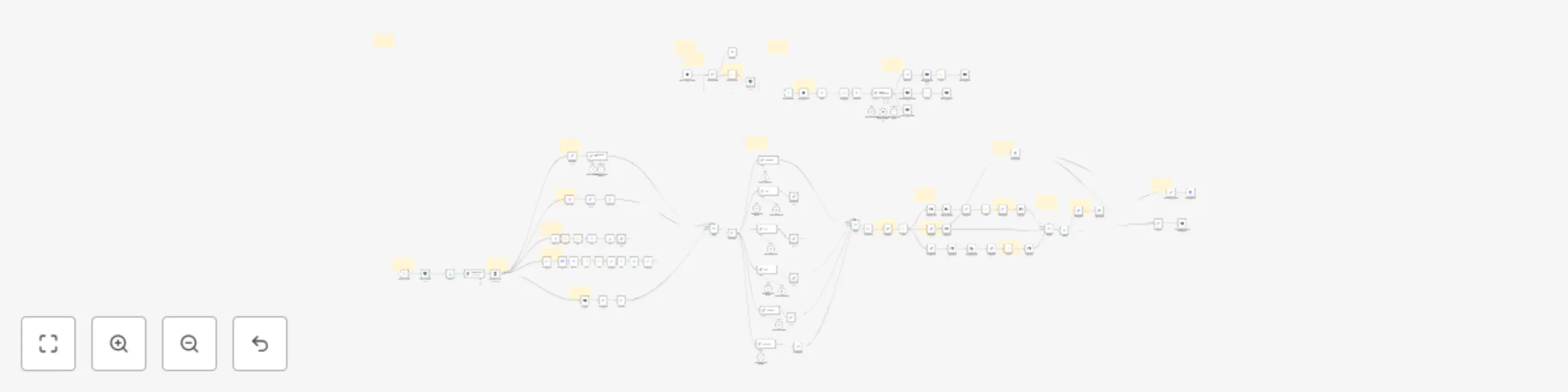
Workflow preview

Workflow preview
100%
Creating SEO-optimized blogs for WordPress using specific tools preview
Open on n8n.io

Important notice

This workflow is provided as-is. Please review and test before using in production.

1. Workflow Overview

️ AI Powered High Quality Blog Automation Automate SEO optimized blog creation, publishing, and internal linking — designed for Lovable.dev or seamless WordPress integration. Proven to boost impre...

Best for

  • Content Creation automation workflows
  • Multimodal AI automation workflows
  • advanced n8n builders looking for reusable templates

Tools used

n8n-nodes-base.stickynote, n8n-nodes-base.wordpress, @n8n/n8n-nodes-langchain.openai, n8n-nodes-base.perplexity, n8n-nodes-base.httprequest, n8n-nodes-base.splitout, n8n-nodes-base.code, n8n-nodes-base.set

Source and attribution

This workflow is cataloged by N8N Workflows and links back to its original n8n.io source page by Paul.

Original n8n.io source

1.1 Workflow description

Title
Creating SEO-optimized blogs for WordPress using specific tools
Workflow name
Creating SEO-optimized blogs for WordPress using specific tools

✍️ AI-Powered High-Quality Blog Automation

Automate SEO-optimized blog creation, publishing, and internal linking — designed for Lovable.dev or seamless WordPress integration.
Proven to boost impressions by +15% weekly on real websites. 📌 Example: AI Applications in Real Estate Playbook — fully generated, optimized, and published with this automation.


🚀 What This Workflow Does

  • Bring Your Own Keywords
    You provide the keyword list — the workflow applies a scoring formula to rank them by relevance and competition for maximum SEO impact.

  • Keyword Scoring & Logging
    Scores primary and secondary keywords, logs them in PostgreSQL, and prevents reuse until strategically relevant.

  • Deep Research & Blog Planning
    Uses Perplexity AI and other AI models to outline, plan, and enrich each article with authoritative external sources.

  • SEO-Optimized Redaction
    Writes multi-part, long-form blogs with integrated internal links (to your existing content) and external links to reputable sites.

  • Image Generation & Selection
    Creates or selects high-quality header and in-article images, optimized for your topic.

  • Full Blog Infrastructure

    • Internal & external linking logic
    • Blog card + metadata updates
    • Sitemap updates & Google indexing submission
    • Post logging for future reference
  • Publishing Flexibility

    • Direct GitHub commits for Lovable.dev
    • WordPress-ready export
    • Optional Slack approval before publishing

🔗 Integrated Services

  • PostgreSQL – Keyword & content database
  • Perplexity AI – Research & planning
  • OpenAI / OpenRouter Models – Multi-part blog writing
  • Lovable.dev / GitHub – Direct publishing
  • WordPress-ready JSON output – Easy CMS import
  • Slack – Approval workflow before going live

💼 What You Get

  • Detailed Setup Guide
  • Workflow Description

📥 Perfect For

  • Website owners wanting consistent SEO growth
  • Agencies handling multiple client sites
  • Marketers running content-heavy campaigns
  • Lovable.dev or WordPress users who want hands-off publishing

💡 Why You’ll Love It

This is more than a blog writer — it’s a complete content infrastructure. From keyword prioritization to publishing and indexing, it keeps your site growing in reach and authority while you focus on your business.

1.2 Logical Blocks

This catalog entry is organized from the workflow JSON. The node-level section below shows the executable blocks available for review before importing the template.

2. Block-by-Block Analysis

Block 1 - Sticky Note20

Type / Role
n8n-nodes-base.stickyNote - stickyNote
Config choices
Version 1

Block 2 - Create a post1

Type / Role
n8n-nodes-base.wordpress - wordpress
Config choices
Version 1

Block 3 - Sticky Note40

Type / Role
n8n-nodes-base.stickyNote - stickyNote
Config choices
Version 1

Block 4 - Preliminary Plan

Type / Role
@n8n/n8n-nodes-langchain.openAi - openAi
Config choices
Version 1.8

Block 5 - Message a model

Type / Role
n8n-nodes-base.perplexity - perplexity
Config choices
Version 1

Block 6 - Image Covers2

Type / Role
n8n-nodes-base.httpRequest - httpRequest
Config choices
Version 4.2

Block 7 - Split Out

Type / Role
n8n-nodes-base.splitOut - splitOut
Config choices
Version 1

Block 8 - Code

Type / Role
n8n-nodes-base.code - code
Config choices
Version 2

Block 9 - Edit Fields4

Type / Role
n8n-nodes-base.set - set
Config choices
Version 3.4

Block 10 - Code1

Type / Role
n8n-nodes-base.code - code
Config choices
Version 2

Block 11 - Limit

Type / Role
n8n-nodes-base.limit - limit
Config choices
Version 1

Block 12 - Split Out1

Type / Role
n8n-nodes-base.splitOut - splitOut
Config choices
Version 1

Block 13 - Filter

Type / Role
n8n-nodes-base.filter - filter
Config choices
Version 2.2

Block 14 - Limit1

Type / Role
n8n-nodes-base.limit - limit
Config choices
Version 1

Block 15 - Aggregate2

Type / Role
n8n-nodes-base.aggregate - aggregate
Config choices
Version 1

Block 16 - Edit Fields3

Type / Role
n8n-nodes-base.set - set
Config choices
Version 3.4

Block 17 - Structured Output Parser

Type / Role
@n8n/n8n-nodes-langchain.outputParserStructured - outputParserStructured
Config choices
Version 1.3

Block 18 - Insert rows in a table

Type / Role
n8n-nodes-base.postgres - postgres
Config choices
Version 2.6

Block 19 - Select rows from a table1

Type / Role
n8n-nodes-base.postgres - postgres
Config choices
Version 2.6

Block 20 - Select rows from a table2

Type / Role
n8n-nodes-base.postgres - postgres
Config choices
Version 2.6

Block 21 - Split Out2

Type / Role
n8n-nodes-base.splitOut - splitOut
Config choices
Version 1

Block 22 - Code4

Type / Role
n8n-nodes-base.code - code
Config choices
Version 2

Block 23 - Code5

Type / Role
n8n-nodes-base.code - code
Config choices
Version 2

Block 24 - Sticky Note27

Type / Role
n8n-nodes-base.stickyNote - stickyNote
Config choices
Version 1

Showing the first 24 of 124 workflow blocks. Download the JSON for the full node graph.

3. Summary Table

Workflow Creating SEO-optimized blogs for WordPress using specific tools
Complexity advanced
Nodes 124
Categories Content Creation, Multimodal AI
Author Paul
Published 08 Sept 2025

4. Reproducing the Workflow from Scratch

  1. 1. Download the workflow JSON

    Use the JSON export at /data/workflows/8394/8394.json as the source template for this automation.

  2. 2. Import the template into n8n

    Open n8n, import the downloaded JSON, and review each node before activating the workflow.

  3. 3. Configure credentials and variables

    Replace placeholder credentials, API keys, webhook URLs, account IDs, and environment-specific values with your own settings.

  4. 4. Test with sample data

    Run the workflow manually or in a staging workspace, inspect node output, and confirm downstream systems receive the expected data.

  5. 5. Activate and monitor

    Enable the workflow only after testing, then monitor executions, errors, and rate limits during the first production runs.

5. General Notes & Resources

Review imported nodes carefully before activation. This catalog entry is intended to help you inspect the workflow structure, understand required services, and find related templates faster.

Node names, credentials, schedules, webhook paths, and external service limits may need adjustment for your workspace.

Frequently asked questions

What does Creating SEO-optimized blogs for WordPress using specific tools do?

️ AI Powered High Quality Blog Automation Automate SEO optimized blog creation, publishing, and internal linking — designed for Lovable.dev or seamless WordPress integration. Proven to boost impre...

What do I need before importing this workflow?

Review the workflow JSON, configure any required credentials in n8n, and test the automation in a safe workspace before using it in production.

Can I customize this workflow?

Yes. Use the block-by-block analysis and the downloadable JSON to inspect each node, then adjust credentials, prompts, schedules, filters, or destinations for your Content Creation, Multimodal AI use case.