Create TikTok videos with GPT-4o, Digital Twins, Veo 3 and Telegram

Workflow preview

Workflow preview
100%
Create TikTok videos with GPT-4o, Digital Twins, Veo 3 and Telegram preview
Open on n8n.io

1. Workflow Overview

Create TikTok videos grounded in real human insight. One agent researches viral trends, gathers authentic audience feedback on your product to inform script creation, tests script variations with t...

Best for

  • Content Creation automation workflows
  • Multimodal AI automation workflows
  • advanced n8n builders looking for reusable templates

Tools used

n8n-nodes-base.stickynote, n8n-nodes-base.set, n8n-nodes-base.telegramtrigger, @n8n/n8n-nodes-langchain.agent, @n8n/n8n-nodes-langchain.lmchatopenai, @n8n/n8n-nodes-langchain.mcpclienttool, n8n-nodes-base.code, n8n-nodes-base.httprequest

Source and attribution

This workflow is cataloged by N8N Workflows and links back to its original n8n.io source page by Vedad Sose.

Original n8n.io source

1.1 Workflow description

Title
Create TikTok videos with GPT-4o, Digital Twins, Veo 3 and Telegram
Workflow name
Create TikTok videos with GPT-4o, Digital Twins, Veo 3 and Telegram

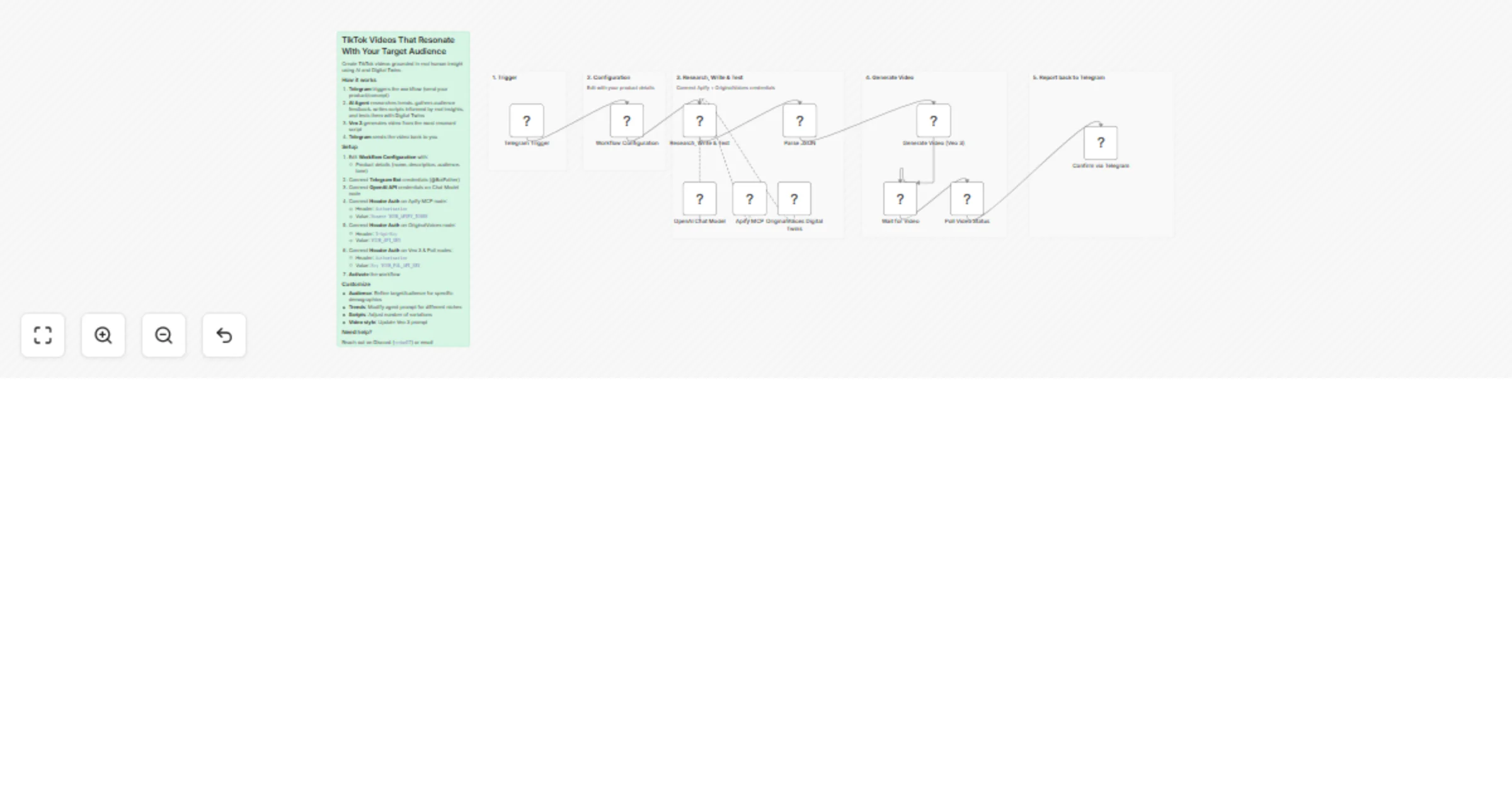
Create TikTok videos grounded in real human insight. One agent researches viral trends, gathers authentic audience feedback on your product to inform script creation, tests script variations with target audiences to identify the most resonant script option, generates the video, and sends it back to you on Telegram.

Description

Most AI video tools generate content based on assumptions and AI guesswork. That's why content often looks and feels the same. This workflow grounds every creative decision in an authentic human perspective.

The process:

  1. Research trends — Apify scrapes what's actually viral on TikTok
  2. Understand your audience — Digital Twins provide real feedback on your product/concept to inform creative direction
  3. Generate informed scripts — The agent writes variations based on actual human insights, not AI assumptions
  4. Test for resonance — Digital Twins evaluate which script will genuinely connect with your target audience
  5. Produce the winner — Veo 3 generates video from the most resonant script

By anchoring both the script development and selection in real human perspectives, you can create TikTok videos that actually resonate with your target audience.

Triggers

  • Telegram message — send your product/concept to your bot to start the workflow

Nodes Used

  • Set (Workflow Configuration) — target audience demographics
  • Telegram Trigger — starts the workflow with product/concept input
  • AI Agent — orchestrates the entire research → insight → creation → resonance testing flow
  • OpenAI Chat Model (GPT-4o) — powers the agent
  • MCP Client Tool (Apify) — scrapes trending TikTok content
  • MCP Client Tool (OriginalVoices) — queries Digital Twins for:
  • Initial product/concept feedback to inform scripts
  • Resonance testing to select the most compelling script version
  • Code (Parse JSON) — extracts structured output from the agent
  • HTTP Request (Veo 3) — generates 9:16 video via fal.ai
  • Wait — pauses for video generation
  • HTTP Request (Poll) — checks video status
  • Telegram — sends the finished video URL back to you

Required Credentials

  1. Telegram Bot — create via @BotFather
  2. OpenAI API — for GPT-4o
  3. Apify API — for TikTok trend scraping (apify.com)
  4. OriginalVoices API — for real-time audience insights and feedback (originalvoices.ai)
  5. FAL.ai API — for Veo 3 video generation (fal.ai)

Configuration

  1. Import workflow.json into n8n
  2. Edit the Workflow Configuration node:
  • productName — your product/brand name
  • productDescription — what your product does
  • targetAudience — e.g., "US women, 25-40, interested in wellness and productivity" (defines which Digital Twins provide insights and resonance feedback)
  • tone — e.g., "casual, energetic, Gen-Z friendly"
  1. Connect Telegram Bot credentials on both Telegram nodes
  2. Connect OpenAI API credentials on the Chat Model node
  3. Connect Header Auth on Apify MCP node:
  • Header: Authorization, Value: Bearer YOUR_APIFY_TOKEN
  1. Connect Header Auth on OriginalVoices node:
  • Header: X-Api-Key, Value: YOUR_API_KEY
  1. Connect Header Auth on Veo 3 and Poll Video Status nodes:
  • Header: Authorization, Value: Key YOUR_FAL_API_KEY
  1. Activate the workflow

Usage

  1. Send a message to your Telegram bot describing your product/concept (e.g., "meditation app that uses AI-generated soundscapes")
  2. The agent:
  • Researches current TikTok trends
  • Gathers authentic audience feedback on your concept from Digital Twins
  • Writes script variations informed by real human perspectives
  • Tests all scripts with Digital Twins of target audience to identify which one resonates most
  1. The most resonant script is sent to Veo 3 for video generation
  2. You receive the video URL, audience-informed caption, and hashtags back on Telegram

Why this matters: Every creative decision — from initial direction to final script selection — is grounded in how real humans in your target demographic actually think, feel, and respond. Not AI assumptions or guesswork. Real human intelligence that ensures your content actually resonates.

Customize:

  • Audience targeting — refine the targetAudience parameter to query specific Digital Twin demographics
  • Trend niche — modify the agent prompt to focus on specific hashtags or content types
  • Script count — adjust the prompt to generate more or fewer variations for testing
  • Video style — update the Veo 3 prompt for different aesthetics (cinematic, UGC, etc.)
  • Resonance criteria — specify what makes a script "compelling" for your use case

1.2 Logical Blocks

This catalog entry is organized from the workflow JSON. The node-level section below shows the executable blocks available for review before importing the template.

2. Block-by-Block Analysis

Block 1 - Sticky Note

Type / Role
n8n-nodes-base.stickyNote - stickyNote
Config choices
Version 1

Block 2 - Sticky Note Config

Type / Role
n8n-nodes-base.stickyNote - stickyNote
Config choices
Version 1

Block 3 - Sticky Note Trigger

Type / Role
n8n-nodes-base.stickyNote - stickyNote
Config choices
Version 1

Block 4 - Sticky Note Agent

Type / Role
n8n-nodes-base.stickyNote - stickyNote
Config choices
Version 1

Block 5 - Sticky Note Video

Type / Role
n8n-nodes-base.stickyNote - stickyNote
Config choices
Version 1

Block 6 - Sticky Note Report

Type / Role
n8n-nodes-base.stickyNote - stickyNote
Config choices
Version 1

Block 7 - Workflow Configuration

Type / Role
n8n-nodes-base.set - set
Config choices
Version 3.4

Block 8 - Telegram Trigger

Type / Role
n8n-nodes-base.telegramTrigger - telegramTrigger
Config choices
Version 1.1

Block 9 - Research, Write & Test

Type / Role
@n8n/n8n-nodes-langchain.agent - agent
Config choices
Version 3.1

Block 10 - OpenAI Chat Model

Type / Role
@n8n/n8n-nodes-langchain.lmChatOpenAi - lmChatOpenAi
Config choices
Version 1.3

Block 11 - Apify MCP

Type / Role
@n8n/n8n-nodes-langchain.mcpClientTool - mcpClientTool
Config choices
Version 1.2

Block 12 - OriginalVoices Digital Twins

Type / Role
@n8n/n8n-nodes-langchain.mcpClientTool - mcpClientTool
Config choices
Version 1.2

Block 13 - Parse JSON

Type / Role
n8n-nodes-base.code - code
Config choices
Version 2

Block 14 - Generate Video (Veo 3)

Type / Role
n8n-nodes-base.httpRequest - httpRequest
Config choices
Version 4.2

Block 15 - Poll Video Status

Type / Role
n8n-nodes-base.httpRequest - httpRequest
Config choices
Version 4.2

Block 16 - Confirm via Telegram

Type / Role
n8n-nodes-base.telegram - telegram
Config choices
Version 1.2

Block 17 - Wait for Video

Type / Role
n8n-nodes-base.wait - wait
Config choices
Version 1.1

3. Summary Table

Workflow Create TikTok videos with GPT-4o, Digital Twins, Veo 3 and Telegram
Complexity advanced
Nodes 17
Categories Content Creation, Multimodal AI
Author Vedad Sose
Published 29 Jan 2026

4. Reproducing the Workflow from Scratch

  1. 1. Download the workflow JSON

    Use the JSON export at /data/workflows/13097/13097.json as the source template for this automation.

  2. 2. Import the template into n8n

    Open n8n, import the downloaded JSON, and review each node before activating the workflow.

  3. 3. Configure credentials and variables

    Replace placeholder credentials, API keys, webhook URLs, account IDs, and environment-specific values with your own settings.

  4. 4. Test with sample data

    Run the workflow manually or in a staging workspace, inspect node output, and confirm downstream systems receive the expected data.

  5. 5. Activate and monitor

    Enable the workflow only after testing, then monitor executions, errors, and rate limits during the first production runs.

5. General Notes & Resources

Review imported nodes carefully before activation. This catalog entry is intended to help you inspect the workflow structure, understand required services, and find related templates faster.

Node names, credentials, schedules, webhook paths, and external service limits may need adjustment for your workspace.

Frequently asked questions

What does Create TikTok videos with GPT-4o, Digital Twins, Veo 3 and Telegram do?

Create TikTok videos grounded in real human insight. One agent researches viral trends, gathers authentic audience feedback on your product to inform script creation, tests script variations with t...

What do I need before importing this workflow?

Review the workflow JSON, configure any required credentials in n8n, and test the automation in a safe workspace before using it in production.

Can I customize this workflow?

Yes. Use the block-by-block analysis and the downloadable JSON to inspect each node, then adjust credentials, prompts, schedules, filters, or destinations for your Content Creation, Multimodal AI use case.