Block 1 - Workflow Instructions
- Type / Role
- n8n-nodes-base.stickyNote - stickyNote
- Config choices
- Version 1


 Early Deal
An intelligent n8n workflow that automates your entire blog content pipeline—from keyword research to WordPress publishing. Using Google Gemini, DeepSeek, and Perplexity, this workflow generates SE...
n8n-nodes-base.stickynote, n8n-nodes-base.scheduletrigger, n8n-nodes-base.googlesheets, n8n-nodes-base.if, n8n-nodes-base.splitinbatches, n8n-nodes-base.code, @n8n/n8n-nodes-langchain.agent, n8n-nodes-base.set
This workflow is cataloged by N8N Workflows and links back to its original n8n.io source page by isaWOW.
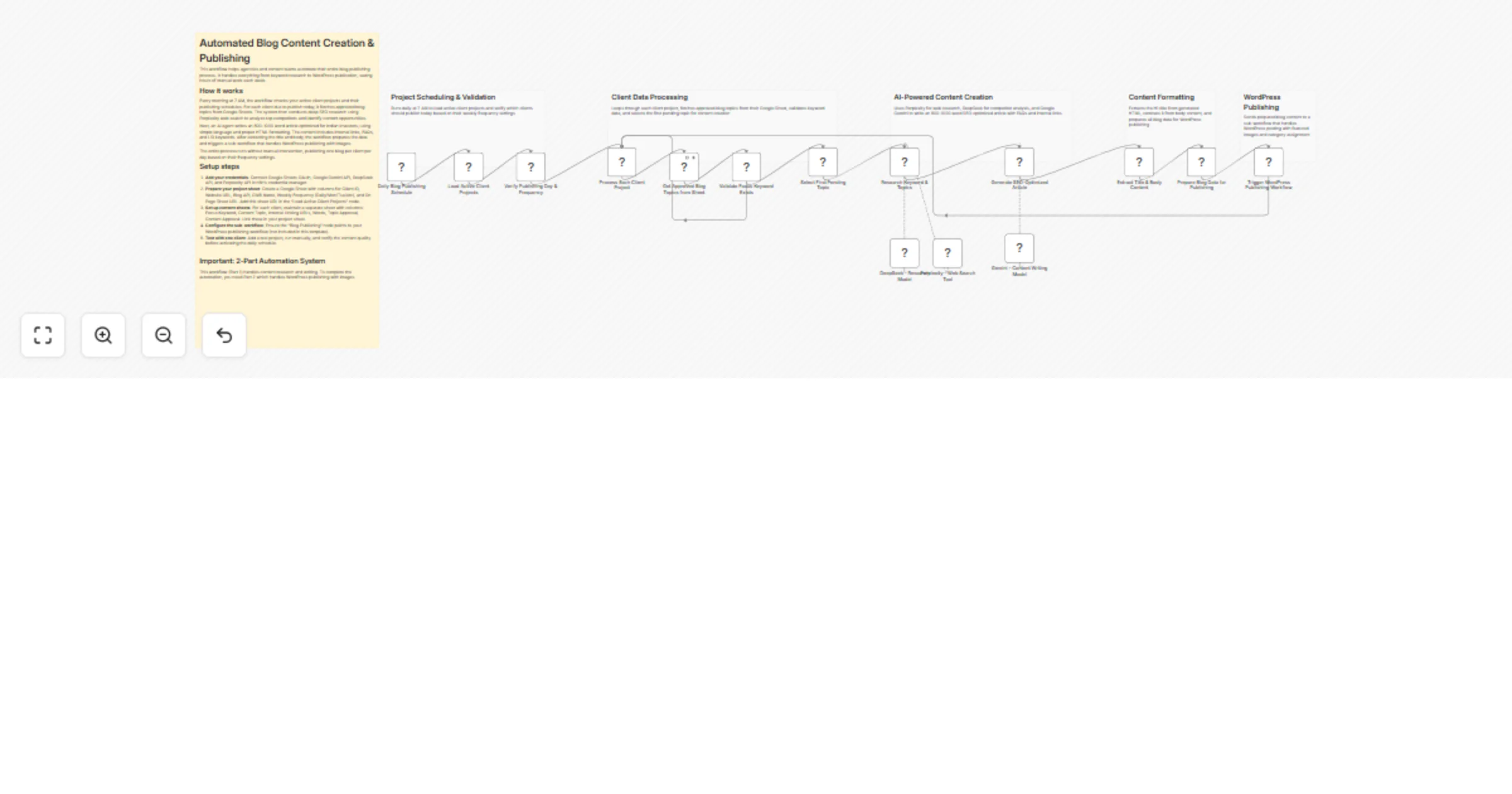
Original n8n.io sourceAn intelligent n8n workflow that automates your entire blog content pipeline—from keyword research to WordPress publishing. Using Google Gemini, DeepSeek, and Perplexity, this workflow generates SEO-optimized blog posts and publishes them automatically while tracking everything in Google Sheets.
This automation handles your complete blog creation process:
Tools you'll need:
Estimated setup time: 20-25 minutes
Create two sheets:
Client projects sheet:
Columns: Client ID | Website URL | Blog API | GMB Name | Weekly Frequency | On Page Sheet
Example: CLIENT001 | https://example.com | xxxx xxxx xxxx | Example Co | Mon,Wed,Fri | Sheet URL
Content topics sheet (one per client, named "Content Requirement & Posting"):
Columns: S.No. | Focus Keyword | Content Topic | Internal Linking URLs | Words | Topic Approval | Content Approval | Publish URLs | Weekly Frequency
Example: 1 | best investment tips | Top 10 Investment Tips | https://example.com/page | 1000 | Approved | Approved | (empty) | Mon,Wed
Google Gemini:
DeepSeek:
Perplexity (optional):
xxxx xxxx xxxx xxxx xxxx xxxx)https://example.com)1. Schedule & filtering (7 AM daily)
2. Content fetching
3. AI content creation
4. Publishing
✅ Automated research: Deep competitor analysis and SEO insights with Perplexity ✅ Dual AI models: DeepSeek for research, Gemini for writing ✅ SEO optimized: Natural keyword integration, LSI keywords, FAQs ✅ Batch processing: Handles multiple clients and topics in one run ✅ Smart scheduling: Publishes only on specified weekdays ✅ Complete tracking: End-to-end visibility in Google Sheets ✅ WordPress ready: Direct publishing with proper HTML formatting
Google Sheets not connecting:
AI API errors:
WordPress publishing fails:
https://yoursite.com/wp-json/wp/v2/postshttps://No topics being processed:
Marketing agencies: Manage 10+ client blogs, scale without hiring writers SEO teams: Execute keyword strategies at scale with consistent quality Solo bloggers: Save 5-10 hours/week, maintain regular publishing schedule Content teams: Run company blog on autopilot with oversight and tracking Publishers: Operate multiple niche blogs, reduce costs by 70-80%
This workflow (Part 1) focuses on content research and writing. To complete the full automation, you will need Part 2, which you will get in the next post. Please ensure you set it up as well, as it manages WordPress publishing along with featured images.
Need help or custom development?
📧 Email: [email protected] 🌐 Website: https://isawow.com/
This catalog entry is organized from the workflow JSON. The node-level section below shows the executable blocks available for review before importing the template.
| Workflow | Create SEO blog posts with Gemini, DeepSeek and publish to WordPress |
|---|---|
| Complexity | advanced |
| Nodes | 21 |
| Categories | Content Creation, Multimodal AI |
| Author | isaWOW |
| Published | 27 Jan 2026 |
Use the JSON export at /data/workflows/13028/13028.json as the source template for this automation.
Open n8n, import the downloaded JSON, and review each node before activating the workflow.
Replace placeholder credentials, API keys, webhook URLs, account IDs, and environment-specific values with your own settings.
Run the workflow manually or in a staging workspace, inspect node output, and confirm downstream systems receive the expected data.
Enable the workflow only after testing, then monitor executions, errors, and rate limits during the first production runs.
Review imported nodes carefully before activation. This catalog entry is intended to help you inspect the workflow structure, understand required services, and find related templates faster.
Node names, credentials, schedules, webhook paths, and external service limits may need adjustment for your workspace.
An intelligent n8n workflow that automates your entire blog content pipeline—from keyword research to WordPress publishing. Using Google Gemini, DeepSeek, and Perplexity, this workflow generates SE...
Review the workflow JSON, configure any required credentials in n8n, and test the automation in a safe workspace before using it in production.
Yes. Use the block-by-block analysis and the downloadable JSON to inspect each node, then adjust credentials, prompts, schedules, filters, or destinations for your Content Creation, Multimodal AI use case.