Create daily historical AI videos with Gemini, fal.ai, Telegram and YouTube

Workflow preview

Workflow preview
100%
Create daily historical AI videos with Gemini, fal.ai, Telegram and YouTube preview
Open on n8n.io

1. Workflow Overview

Who’s it for This workflow is ideal for: Content creators producing daily historical or educational videos YouTube automation enthusiasts building AI driven channels Educators sharing engaging hist...

Best for

  • Content Creation automation workflows
  • Multimodal AI automation workflows
  • advanced n8n builders looking for reusable templates

Tools used

n8n-nodes-base.httprequest, n8n-nodes-base.if, n8n-nodes-base.wait, n8n-nodes-base.telegram, n8n-nodes-base.code, @n8n/n8n-nodes-langchain.agent, n8n-nodes-base.youtube, n8n-nodes-base.scheduletrigger

Source and attribution

This workflow is cataloged by N8N Workflows and links back to its original n8n.io source page by Natnail Getachew.

Original n8n.io source

1.1 Workflow description

Title
Create daily historical AI videos with Gemini, fal.ai, Telegram and YouTube
Workflow name
Create daily historical AI videos with Gemini, fal.ai, Telegram and YouTube

Who’s it for

This workflow is ideal for:

  • Content creators producing daily historical or educational videos
  • YouTube automation enthusiasts building AI-driven channels
  • Educators sharing engaging historical facts in short-form video format
  • Anyone creating an automated AI video pipeline with human approval

How it works

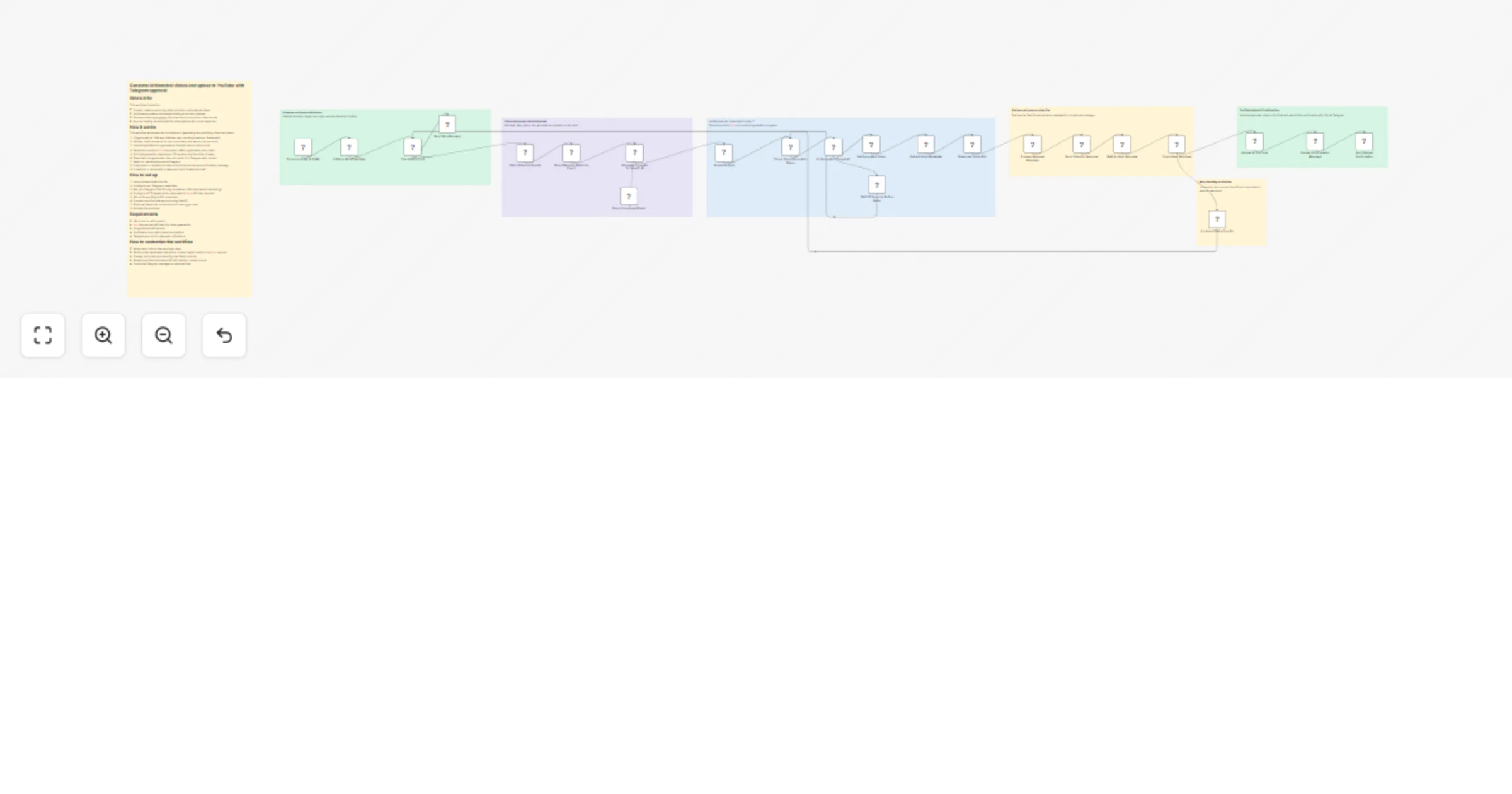
This workflow automates the full pipeline of generating and publishing historical videos:

  1. Triggers daily at 1 AM and initializes retry tracking (maximum 3 attempts)
  2. Fetches historical events for the current date and selects one randomly
  3. Uses Google Gemini to generate a cinematic text-to-video script
  4. Sends the prompt to fal.ai (Hunyuan LoRA) to generate a short video
  5. Polls the generation status every 30 seconds until the video is ready
  6. Downloads the generated video and sends it to Telegram with context
  7. Waits for manual approval via Telegram
  8. If approved → uploads the video to YouTube and sends a confirmation message
  9. If declined → retries with a new event (up to 3 attempts total)

How to set up

  1. Import the workflow into n8n
  2. Configure your Telegram credentials
  3. Set your Telegram Chat ID using a variable or Set node (avoid hardcoding)
  4. Configure HTTP Header Auth credentials for fal.ai (API key required)
  5. Set up Google Gemini API credentials
  6. Connect your YouTube account using OAuth2
  7. (Optional) Adjust the schedule time in the trigger node
  8. Activate the workflow

Requirements

  • n8n (cloud or self-hosted)
  • fal.ai account and API key (for video generation)
  • Google Gemini API access
  • YouTube account with upload permissions
  • Telegram account for approval notifications

How to customize the workflow

  • Adjust retry limits in the retry logic node
  • Modify video parameters (resolution, frames, aspect ratio) in the fal.ai request
  • Change the script style by editing the Gemini prompt
  • Replace the historical events API with another content source
  • Customize Telegram messages or approval flow

1.2 Logical Blocks

This catalog entry is organized from the workflow JSON. The node-level section below shows the executable blocks available for review before importing the template.

2. Block-by-Block Analysis

Block 1 - Check Video Generation Status

Type / Role
n8n-nodes-base.httpRequest - httpRequest
Config choices
Version 4.4

Block 2 - Is Generation Complete?

Type / Role
n8n-nodes-base.if - if
Config choices
Version 2.3

Block 3 - Wait 30 Seconds Before Retry

Type / Role
n8n-nodes-base.wait - wait
Config choices
Version 1.1

Block 4 - Get Generated Video

Type / Role
n8n-nodes-base.httpRequest - httpRequest
Config choices
Version 4.4

Block 5 - Send Video for Approval

Type / Role
n8n-nodes-base.telegram - telegram
Config choices
Version 1.2

Block 6 - Prepare Approval Message

Type / Role
n8n-nodes-base.code - code
Config choices
Version 2

Block 7 - Wait for User Approval

Type / Role
n8n-nodes-base.telegram - telegram
Config choices
Version 1.2

Block 8 - Increment Retry Counter

Type / Role
n8n-nodes-base.code - code
Config choices
Version 2

Block 9 - Upload Confirmation Message

Type / Role
n8n-nodes-base.code - code
Config choices
Version 2

Block 10 - Send Upload Confirmation

Type / Role
n8n-nodes-base.telegram - telegram
Config choices
Version 1.2

Block 11 - Select Random Historical Event

Type / Role
n8n-nodes-base.code - code
Config choices
Version 2

Block 12 - Generate Cinematic Script with AI

Type / Role
@n8n/n8n-nodes-langchain.agent - agent
Config choices
Version 3.1

Block 13 - Extract Video Metadata

Type / Role
n8n-nodes-base.code - code
Config choices
Version 2

Block 14 - Download Video File

Type / Role
n8n-nodes-base.httpRequest - httpRequest
Config choices
Version 4.4

Block 15 - Upload to YouTube

Type / Role
n8n-nodes-base.youTube - youTube
Config choices
Version 1

Block 16 - Check User Approval

Type / Role
n8n-nodes-base.if - if
Config choices
Version 2.2

Block 17 - Initialize Workflow State

Type / Role
n8n-nodes-base.code - code
Config choices
Version 2

Block 18 - Fetch Historical Events

Type / Role
n8n-nodes-base.httpRequest - httpRequest
Config choices
Version 4.4

Block 19 - Send Stop Message

Type / Role
n8n-nodes-base.telegram - telegram
Config choices
Version 1.2

Block 20 - Check Retry Limit

Type / Role
n8n-nodes-base.if - if
Config choices
Version 2.3

Block 21 - Schedule (Daily at 1 AM)

Type / Role
n8n-nodes-base.scheduleTrigger - scheduleTrigger
Config choices
Version 1.3

Block 22 - Gemini Language Model

Type / Role
@n8n/n8n-nodes-langchain.lmChatGoogleGemini - lmChatGoogleGemini
Config choices
Version 1

Block 23 - Submit to fal.ai

Type / Role
n8n-nodes-base.httpRequest - httpRequest
Config choices
Version 4.4

Block 24 - Event Selection

Type / Role
n8n-nodes-base.stickyNote - stickyNote
Config choices
Version 1

Showing the first 24 of 30 workflow blocks. Download the JSON for the full node graph.

3. Summary Table

Workflow Create daily historical AI videos with Gemini, fal.ai, Telegram and YouTube
Complexity advanced
Nodes 30
Categories Content Creation, Multimodal AI
Author Natnail Getachew
Published 26 Mar 2026

4. Reproducing the Workflow from Scratch

  1. 1. Download the workflow JSON

    Use the JSON export at /data/workflows/14372/14372.json as the source template for this automation.

  2. 2. Import the template into n8n

    Open n8n, import the downloaded JSON, and review each node before activating the workflow.

  3. 3. Configure credentials and variables

    Replace placeholder credentials, API keys, webhook URLs, account IDs, and environment-specific values with your own settings.

  4. 4. Test with sample data

    Run the workflow manually or in a staging workspace, inspect node output, and confirm downstream systems receive the expected data.

  5. 5. Activate and monitor

    Enable the workflow only after testing, then monitor executions, errors, and rate limits during the first production runs.

5. General Notes & Resources

Review imported nodes carefully before activation. This catalog entry is intended to help you inspect the workflow structure, understand required services, and find related templates faster.

Node names, credentials, schedules, webhook paths, and external service limits may need adjustment for your workspace.

Frequently asked questions

What does Create daily historical AI videos with Gemini, fal.ai, Telegram and YouTube do?

Who’s it for This workflow is ideal for: Content creators producing daily historical or educational videos YouTube automation enthusiasts building AI driven channels Educators sharing engaging hist...

What do I need before importing this workflow?

Review the workflow JSON, configure any required credentials in n8n, and test the automation in a safe workspace before using it in production.

Can I customize this workflow?

Yes. Use the block-by-block analysis and the downloadable JSON to inspect each node, then adjust credentials, prompts, schedules, filters, or destinations for your Content Creation, Multimodal AI use case.