Block 1 - Sticky Note
- Type / Role
- n8n-nodes-base.stickyNote - stickyNote
- Config choices
- Version 1


 Early Deal
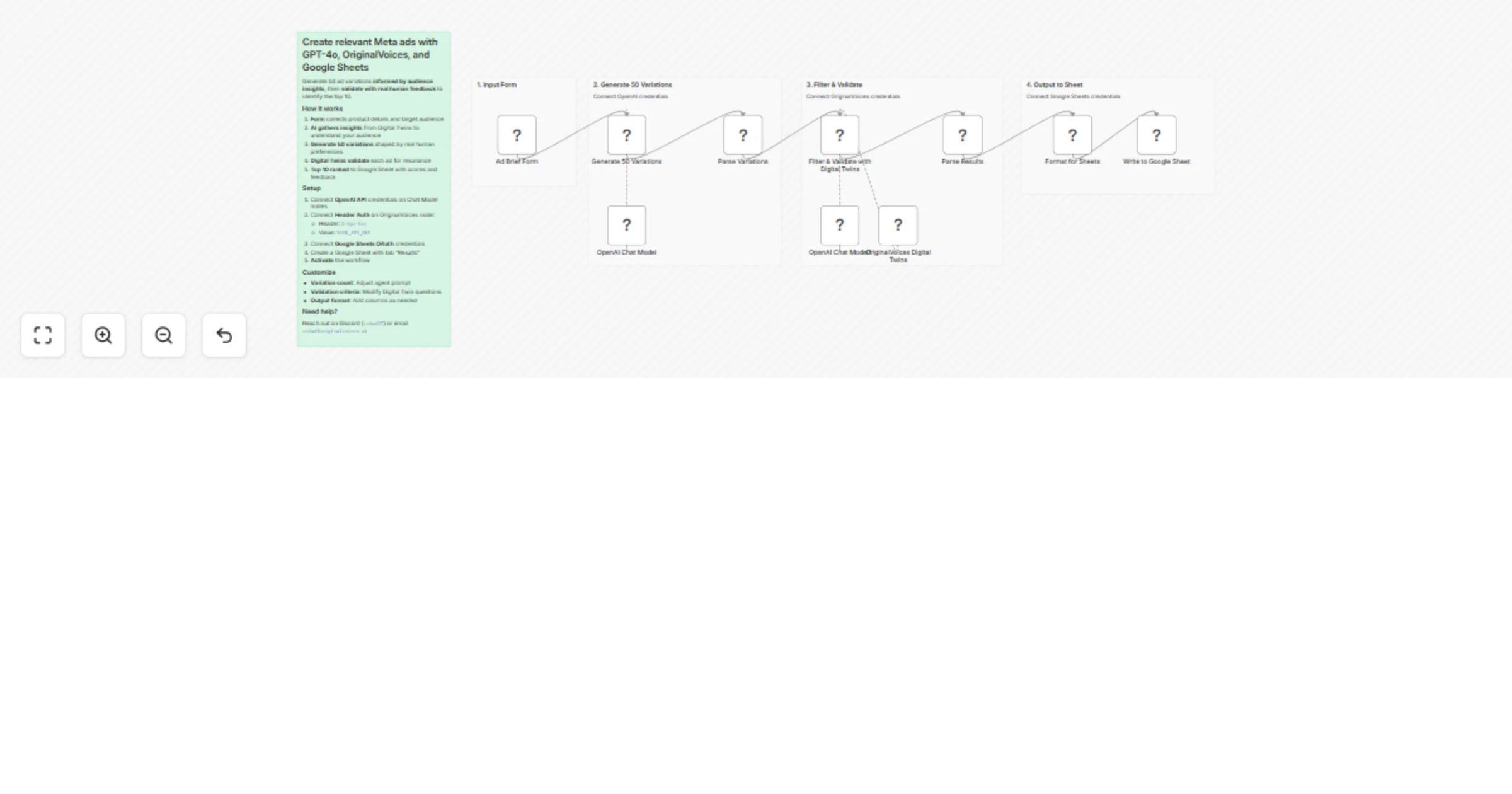
Generate 50 Meta ad copy variations informed by target audience insights , then validate with real human feedback to identify the top 10 performers — all before spending a dollar on ads. Why This M...
n8n-nodes-base.stickynote, n8n-nodes-base.formtrigger, @n8n/n8n-nodes-langchain.agent, @n8n/n8n-nodes-langchain.lmchatopenai, n8n-nodes-base.code, @n8n/n8n-nodes-langchain.mcpclienttool, n8n-nodes-base.googlesheets
This workflow is cataloged by N8N Workflows and links back to its original n8n.io source page by Vedad Sose.
Original n8n.io sourceGenerate 50 Meta ad copy variations informed by target audience insights, then validate with real human feedback to identify the top 10 performers — all before spending a dollar on ads.
Traditional ad copy generation relies on AI guesswork about what might resonate. This workflow grounds every variation in real human insight from your target audience — what actually matters to them, their specific concerns, the language they respond to, the benefits they care about.
Instead of burning ad budget testing generic variations, you start with copy shaped by authentic audience perspectives, then pre-validated by those same people before you spend a single dollar. The top 10 ads aren't AI's best guesses — they're ranked by real human feedback on what would genuinely make your audience stop scrolling and click.
This workflow uses real human perspectives at two critical stages:
1. Generation (Audience-Informed) — AI queries Digital Twins from your target demographic to understand their preferences, concerns, and emotional drivers. These insights directly shape the 50 ad variations, ensuring copy that speaks to real human motivations.
2. Validation (Pre-Tested) — Each variation is evaluated by Digital Twins matching your audience. They score and provide specific feedback on what resonates and what falls flat. Only the top 10 make it to your Google Sheet.
The result: Pre-validated ad copy ranked by actual target audience feedback, not AI assumptions.
Each variation includes:
This catalog entry is organized from the workflow JSON. The node-level section below shows the executable blocks available for review before importing the template.
| Workflow | Create and validate Meta ad copy with GPT-4o, OriginalVoices, and Sheets |
|---|---|
| Complexity | advanced |
| Nodes | 15 |
| Categories | Content Creation, AI Summarization |
| Author | Vedad Sose |
| Published | 05 Feb 2026 |
Use the JSON export at /data/workflows/13222/13222.json as the source template for this automation.
Open n8n, import the downloaded JSON, and review each node before activating the workflow.
Replace placeholder credentials, API keys, webhook URLs, account IDs, and environment-specific values with your own settings.
Run the workflow manually or in a staging workspace, inspect node output, and confirm downstream systems receive the expected data.
Enable the workflow only after testing, then monitor executions, errors, and rate limits during the first production runs.
Review imported nodes carefully before activation. This catalog entry is intended to help you inspect the workflow structure, understand required services, and find related templates faster.
Node names, credentials, schedules, webhook paths, and external service limits may need adjustment for your workspace.
Generate 50 Meta ad copy variations informed by target audience insights , then validate with real human feedback to identify the top 10 performers — all before spending a dollar on ads. Why This M...
Review the workflow JSON, configure any required credentials in n8n, and test the automation in a safe workspace before using it in production.
Yes. Use the block-by-block analysis and the downloadable JSON to inspect each node, then adjust credentials, prompts, schedules, filters, or destinations for your Content Creation, AI Summarization use case.