Create an autonomous task-handling AI agent with OpenAI and Slack

Workflow preview

Workflow preview
100%
Create an autonomous task-handling AI agent with OpenAI and Slack preview
Open on n8n.io

1. Workflow Overview

This workflow creates a self improving AI agent inside n8n that can understand natural language tasks, plan steps, use tools (HTTP, code, search, ...), reflect on results, and continue until the go...

Best for

  • Engineering automation workflows
  • AI Chatbot automation workflows
  • advanced n8n builders looking for reusable templates

Tools used

n8n-nodes-base.stickynote, n8n-nodes-base.webhook, n8n-nodes-base.set, n8n-nodes-base.openai, n8n-nodes-base.if, n8n-nodes-base.splitinbatches, n8n-nodes-base.code, n8n-nodes-base.httprequest

Source and attribution

This workflow is cataloged by N8N Workflows and links back to its original n8n.io source page by Oneclick AI Squad.

Original n8n.io source

1.1 Workflow description

Title
Create an autonomous task-handling AI agent with OpenAI and Slack
Workflow name
Create an autonomous task-handling AI agent with OpenAI and Slack

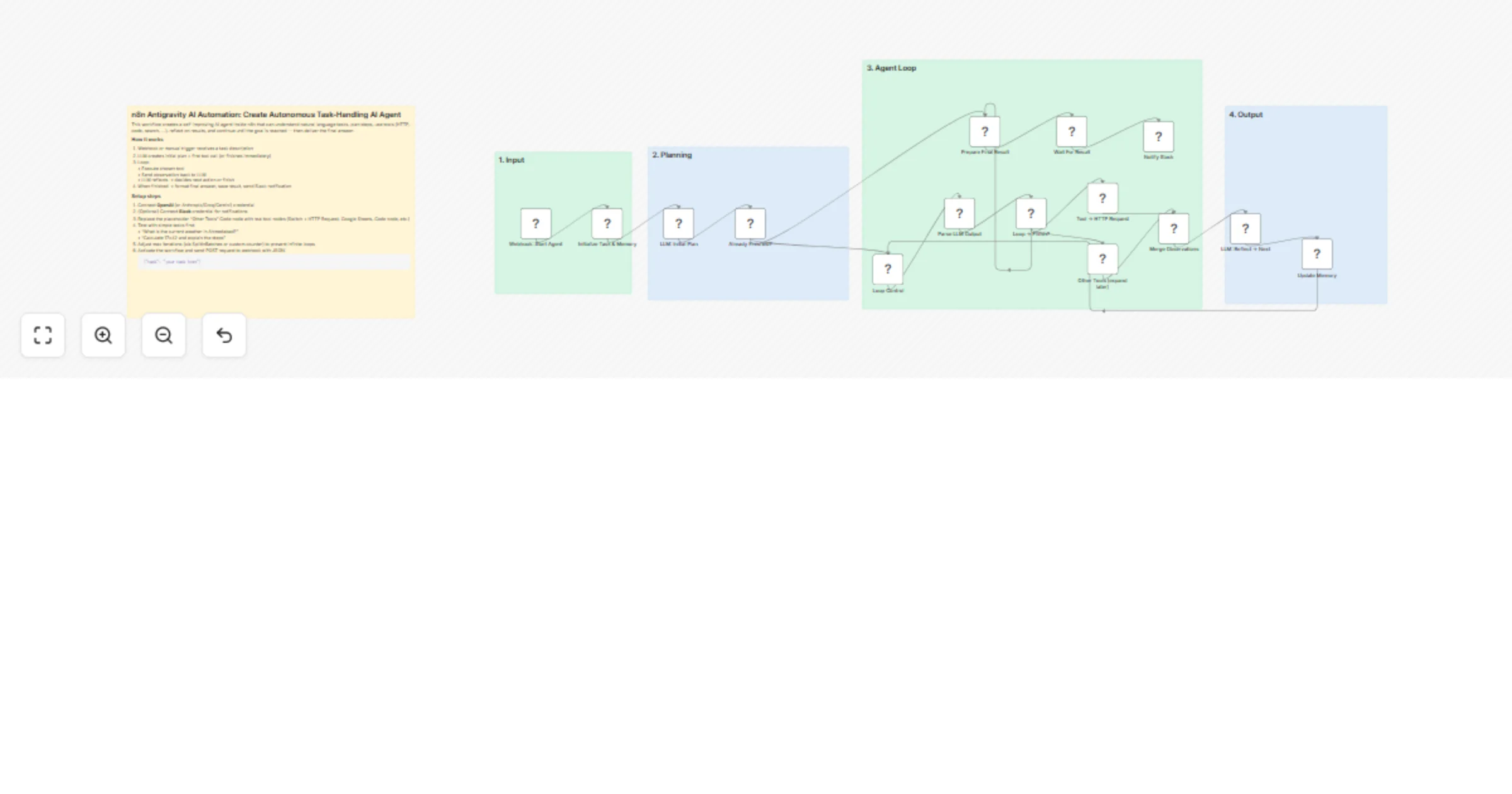
This workflow creates a self-improving AI agent inside n8n that can understand natural language tasks, plan steps, use tools (HTTP, code, search, ...), reflect on results, and continue until the goal is reached — then deliver the final answer.

How it works

  1. Webhook or manual trigger receives a task description
  2. LLM creates initial plan + first tool call (or finishes immediately)
  3. Loop: • Execute chosen tool • Send observation back to LLM • LLM reflects → decides next action or finish
  4. When finished → format final answer, save result, send Slack notification

Setup steps

  1. Connect OpenAI (or Anthropic/Groq/Gemini) credential
  2. (Optional) Connect Slack credential for notifications
  3. Replace the placeholder “Other Tools” Code node with real tool nodes (Switch + HTTP Request, Google Sheets, Code node, etc.)
  4. Test with simple tasks first: • “What is the current weather in Ahmedabad?” • “Calculate 17×42 and explain the steps”
  5. Adjust max iterations (via SplitInBatches or custom counter) to prevent infinite loops
  6. Activate the workflow and send POST request to webhook with JSON:
{"task": "your task here"}

### Requirements

- LLM API access (gpt-4o-mini works well for testing)
- Optional: Slack workspace for alerts

### Customization tips

- Upgrade to stronger reasoning models (o1-preview, Claude 3.5/3.7 Sonnet, Gemini 2.0)
- Add real tools: browser automation, vector DB lookup, file read/write, calendar
- Improve memory: append full history or use external vector store
- Add cost/safety guardrails (max iterations, forbidden actions)

### Contact Us
If you need help setting up this workflow, want custom modifications, or have questions about integrating specific tools/services:
🌐 Website: https://www.oneclickitsolution.com/contact-us/

1.2 Logical Blocks

This catalog entry is organized from the workflow JSON. The node-level section below shows the executable blocks available for review before importing the template.

2. Block-by-Block Analysis

Block 1 - Readme

Type / Role
n8n-nodes-base.stickyNote - stickyNote
Config choices
Version 1

Block 2 - Input

Type / Role
n8n-nodes-base.stickyNote - stickyNote
Config choices
Version 1

Block 3 - Planning

Type / Role
n8n-nodes-base.stickyNote - stickyNote
Config choices
Version 1

Block 4 - Loop

Type / Role
n8n-nodes-base.stickyNote - stickyNote
Config choices
Version 1

Block 5 - Output

Type / Role
n8n-nodes-base.stickyNote - stickyNote
Config choices
Version 1

Block 6 - Webhook: Start Agent

Type / Role
n8n-nodes-base.webhook - webhook
Config choices
Version 2

Block 7 - Initialize Task & Memory

Type / Role
n8n-nodes-base.set - set
Config choices
Version 2

Block 8 - LLM: Initial Plan

Type / Role
n8n-nodes-base.openAi - openAi
Config choices
Version 1.1

Block 9 - Already Finished?

Type / Role
n8n-nodes-base.if - if
Config choices
Version 1

Block 10 - Loop Control

Type / Role
n8n-nodes-base.splitInBatches - splitInBatches
Config choices
Version 1

Block 11 - Parse LLM Output

Type / Role
n8n-nodes-base.code - code
Config choices
Version 2

Block 12 - Loop → Finish?

Type / Role
n8n-nodes-base.if - if
Config choices
Version 1

Block 13 - Tool → HTTP Request

Type / Role
n8n-nodes-base.httpRequest - httpRequest
Config choices
Version 4.2

Block 14 - Other Tools (expand later)

Type / Role
n8n-nodes-base.code - code
Config choices
Version 2

Block 15 - Merge Observations

Type / Role
n8n-nodes-base.merge - merge
Config choices
Version 2.1

Block 16 - LLM: Reflect → Next

Type / Role
n8n-nodes-base.openAi - openAi
Config choices
Version 1.1

Block 17 - Update Memory

Type / Role
n8n-nodes-base.set - set
Config choices
Version 2

Block 18 - Prepare Final Result

Type / Role
n8n-nodes-base.set - set
Config choices
Version 2

Block 19 - Notify Slack

Type / Role
n8n-nodes-base.slack - slack
Config choices
Version 1

Block 20 - Wait For Result

Type / Role
n8n-nodes-base.wait - wait
Config choices
Version 1.1

3. Summary Table

Workflow Create an autonomous task-handling AI agent with OpenAI and Slack
Complexity advanced
Nodes 20
Categories Engineering, AI Chatbot
Author Oneclick AI Squad
Published 03 Mar 2026

4. Reproducing the Workflow from Scratch

  1. 1. Download the workflow JSON

    Use the JSON export at /data/workflows/13822/13822.json as the source template for this automation.

  2. 2. Import the template into n8n

    Open n8n, import the downloaded JSON, and review each node before activating the workflow.

  3. 3. Configure credentials and variables

    Replace placeholder credentials, API keys, webhook URLs, account IDs, and environment-specific values with your own settings.

  4. 4. Test with sample data

    Run the workflow manually or in a staging workspace, inspect node output, and confirm downstream systems receive the expected data.

  5. 5. Activate and monitor

    Enable the workflow only after testing, then monitor executions, errors, and rate limits during the first production runs.

5. General Notes & Resources

Review imported nodes carefully before activation. This catalog entry is intended to help you inspect the workflow structure, understand required services, and find related templates faster.

Node names, credentials, schedules, webhook paths, and external service limits may need adjustment for your workspace.

Frequently asked questions

What does Create an autonomous task-handling AI agent with OpenAI and Slack do?

This workflow creates a self improving AI agent inside n8n that can understand natural language tasks, plan steps, use tools (HTTP, code, search, ...), reflect on results, and continue until the go...

What do I need before importing this workflow?

Review the workflow JSON, configure any required credentials in n8n, and test the automation in a safe workspace before using it in production.

Can I customize this workflow?

Yes. Use the block-by-block analysis and the downloadable JSON to inspect each node, then adjust credentials, prompts, schedules, filters, or destinations for your Engineering, AI Chatbot use case.