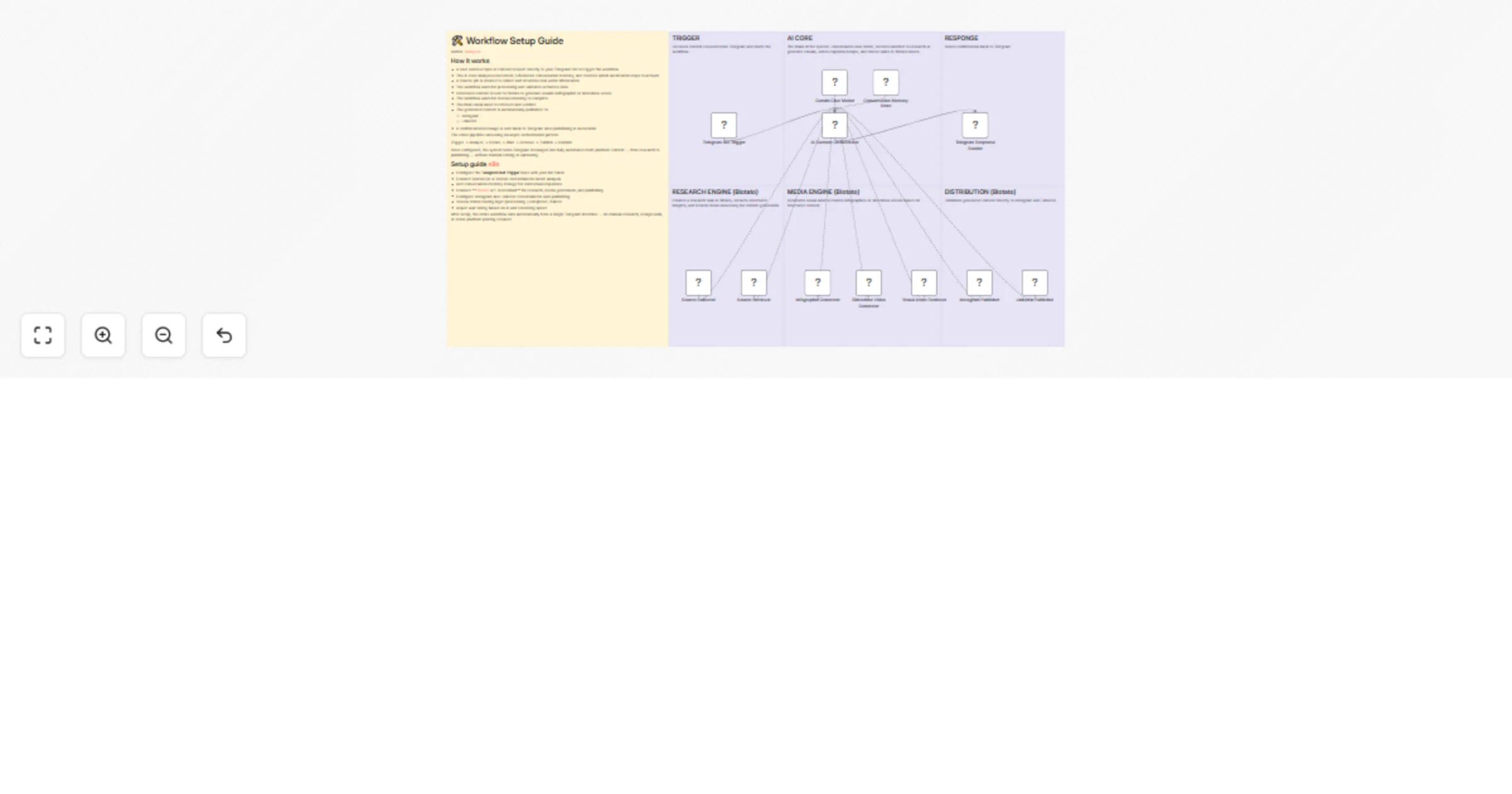
Create an AI content agent with Telegram, Gemini, and Blotato (no-code)

Workflow preview

Workflow preview
100%
Create an AI content agent with Telegram, Gemini, and Blotato (no-code) preview
Open on n8n.io

1. Workflow Overview

Description Automatically turn a simple Telegram message into fully researched, AI generated visual content and publish it to multiple social platforms using Blotato — with async processing control...

Best for

  • Content Creation automation workflows
  • AI Chatbot automation workflows
  • advanced n8n builders looking for reusable templates

Tools used

n8n-nodes-base.telegramtrigger, @n8n/n8n-nodes-langchain.agent, n8n-nodes-base.telegram, @n8n/n8n-nodes-langchain.lmchatgooglegemini, @n8n/n8n-nodes-langchain.memorybufferwindow, @blotato/n8n-nodes-blotato.blotatotool, n8n-nodes-base.stickynote

Source and attribution

This workflow is cataloged by N8N Workflows and links back to its original n8n.io source page by giangxai.

Original n8n.io source

1.1 Workflow description

Title
Create an AI content agent with Telegram, Gemini, and Blotato (no-code)
Workflow name
Create an AI content agent with Telegram, Gemini, and Blotato (no-code)

Description

Automatically turn a simple Telegram message into fully researched, AI-generated visual content and publish it to multiple social platforms using Blotato — with async processing control and built-in status validation.

This workflow creates a complete:

Telegram → AI → Research → Visual → Publish → Confirm

automation pipeline.


Who is this for?

This template is ideal for:

  • Content creators automating daily posting
  • Solopreneurs building a 24/7 AI content engine
  • Agencies managing multiple social accounts
  • AI automation builders integrating Telegram + Blotato
  • Teams that want a Chat → Publish pipeline

If you want to control your entire content system from a single Telegram chat, this workflow is for you.


What problem is this workflow solving?

Manual content production usually requires:

  • Researching topics manually
  • Switching between AI writing tools and design tools
  • Waiting for rendering without clear status updates
  • Posting separately to each platform
  • No centralized confirmation system

This workflow connects research, media generation, publishing, and confirmation into one automated orchestration system.


What this workflow does

This automation workflow:

  • Accepts a topic or request via Telegram Bot
  • Sends the message to an AI Content Orchestrator
  • Uses AI model + conversation memory for context
  • Creates a Source job via Blotato (research stage)
  • Waits for structured content extraction
  • Retrieves processed research data
  • Creates a Visual generation job (infographic or slideshow)
  • Waits for AI rendering
  • Retrieves final media asset
  • Publishes automatically to:
  • Instagram
  • LinkedIn
  • Sends confirmation back to Telegram

Workflow pattern used

Trigger → Analyze → Create → Wait → Retrieve → Validate → Publish → Confirm


Setup

1. Configure Telegram Trigger

Use Telegram Bot Trigger

  • Connect your Telegram Bot token
  • Set update type to message
  • Ensure bot permissions are enabled

This is the entry point of the system.


2. Configure AI Core (Orchestrator)

Connect:

  • AI Chat Model
  • Conversation Memory storage

Ensure:

  • User message is mapped correctly into the AI prompt
  • Memory is attached for contextual responses
  • Output is structured for downstream routing

3. Configure Blotato Research Engine

Create Source
  • Connect Blotato credentials
  • Map topic/content request correctly
  • Store Source ID
Wait for Source Processing
  • Add a Wait node
  • Adjust delay based on API performance
Get Source
  • Retrieve structured research output
  • Validate status = completed

Only completed sources proceed to visual generation.


4. Configure Blotato Media Engine

Create Visual
  • Connect Blotato credentials
  • Map structured content into visual prompt
  • Select infographic or slideshow format
Wait for Rendering
  • Adjust timing based on rendering duration
Get Visual
  • Retrieve generated media
  • Validate status = completed

5. Configure Distribution

Publish to Instagram
  • Connect Instagram credentials
  • Verify posting permissions
Publish to LinkedIn
  • Connect LinkedIn credentials
  • Confirm correct profile or page selection

Both platforms publish automatically once media is validated.


6. Configure Telegram Response

Use Telegram Response Sender

  • Send success confirmation
  • Optionally include published links
  • Add failure branch notification if needed

This keeps the entire workflow controlled from one chat interface.


How to customize this workflow

You can extend this workflow by:

  • Adding Telegram approval before publishing
  • Generating AI captions and hashtags dynamically
  • Adding retry logic for failed jobs
  • Logging execution results into Google Sheets
  • Expanding to Facebook or TikTok
  • Adding analytics tracking

Best practices

  • Keep wait durations aligned with API speed
  • Always validate job status before proceeding
  • Maintain consistent ID mapping (Source ID / Visual ID)
  • Monitor failed execution branches
  • Test with simple content before scaling

Nodes used in workflow

  • Telegram Trigger
  • AI Chat Model
  • Memory Store
  • HTTP Request (Blotato API)
  • Wait
  • Switch
  • If
  • Sticky Note

Free or Paid?

Depends on:

  • Blotato plan
  • AI model usage
  • Social platform API limits

This workflow transforms a Telegram message into a fully automated, multi-platform AI content system running 24/7 — including research, visual creation, publishing, and confirmation.

(Watch the tutorial video on YouTube)[https://youtu.be/WdTimRjiiH8]

1.2 Logical Blocks

This catalog entry is organized from the workflow JSON. The node-level section below shows the executable blocks available for review before importing the template.

2. Block-by-Block Analysis

Block 1 - Telegram Bot Trigger

Type / Role
n8n-nodes-base.telegramTrigger - telegramTrigger
Config choices
Version 1.2

Block 2 - AI Content Orchestrator

Type / Role
@n8n/n8n-nodes-langchain.agent - agent
Config choices
Version 3

Block 3 - Telegram Response Sender

Type / Role
n8n-nodes-base.telegram - telegram
Config choices
Version 1.2

Block 4 - Gemini Chat Model

Type / Role
@n8n/n8n-nodes-langchain.lmChatGoogleGemini - lmChatGoogleGemini
Config choices
Version 1

Block 5 - Conversation Memory Store

Type / Role
@n8n/n8n-nodes-langchain.memoryBufferWindow - memoryBufferWindow
Config choices
Version 1.3

Block 6 - Instagram Publisher

Type / Role
@blotato/n8n-nodes-blotato.blotatoTool - blotatoTool
Config choices
Version 2

Block 7 - LinkedIn Publisher

Type / Role
@blotato/n8n-nodes-blotato.blotatoTool - blotatoTool
Config choices
Version 2

Block 8 - Source Collector

Type / Role
@blotato/n8n-nodes-blotato.blotatoTool - blotatoTool
Config choices
Version 2

Block 9 - Source Retriever

Type / Role
@blotato/n8n-nodes-blotato.blotatoTool - blotatoTool
Config choices
Version 2

Block 10 - Infographic Generator

Type / Role
@blotato/n8n-nodes-blotato.blotatoTool - blotatoTool
Config choices
Version 2

Block 11 - Slideshow Video Generator

Type / Role
@blotato/n8n-nodes-blotato.blotatoTool - blotatoTool
Config choices
Version 2

Block 12 - Visual Asset Retriever

Type / Role
@blotato/n8n-nodes-blotato.blotatoTool - blotatoTool
Config choices
Version 2

Block 13 - Sticky Note

Type / Role
n8n-nodes-base.stickyNote - stickyNote
Config choices
Version 1

Block 14 - Sticky Note1

Type / Role
n8n-nodes-base.stickyNote - stickyNote
Config choices
Version 1

Block 15 - Sticky Note2

Type / Role
n8n-nodes-base.stickyNote - stickyNote
Config choices
Version 1

Block 16 - Sticky Note3

Type / Role
n8n-nodes-base.stickyNote - stickyNote
Config choices
Version 1

Block 17 - Sticky Note4

Type / Role
n8n-nodes-base.stickyNote - stickyNote
Config choices
Version 1

Block 18 - Sticky Note5

Type / Role
n8n-nodes-base.stickyNote - stickyNote
Config choices
Version 1

Block 19 - Sticky Note6

Type / Role
n8n-nodes-base.stickyNote - stickyNote
Config choices
Version 1

3. Summary Table

Workflow Create an AI content agent with Telegram, Gemini, and Blotato (no-code)
Complexity advanced
Nodes 19
Categories Content Creation, AI Chatbot
Author giangxai
Published 15 Feb 2026

4. Reproducing the Workflow from Scratch

  1. 1. Download the workflow JSON

    Use the JSON export at /data/workflows/13409/13409.json as the source template for this automation.

  2. 2. Import the template into n8n

    Open n8n, import the downloaded JSON, and review each node before activating the workflow.

  3. 3. Configure credentials and variables

    Replace placeholder credentials, API keys, webhook URLs, account IDs, and environment-specific values with your own settings.

  4. 4. Test with sample data

    Run the workflow manually or in a staging workspace, inspect node output, and confirm downstream systems receive the expected data.

  5. 5. Activate and monitor

    Enable the workflow only after testing, then monitor executions, errors, and rate limits during the first production runs.

5. General Notes & Resources

Review imported nodes carefully before activation. This catalog entry is intended to help you inspect the workflow structure, understand required services, and find related templates faster.

Node names, credentials, schedules, webhook paths, and external service limits may need adjustment for your workspace.

Frequently asked questions

What does Create an AI content agent with Telegram, Gemini, and Blotato (no-code) do?

Description Automatically turn a simple Telegram message into fully researched, AI generated visual content and publish it to multiple social platforms using Blotato — with async processing control...

What do I need before importing this workflow?

Review the workflow JSON, configure any required credentials in n8n, and test the automation in a safe workspace before using it in production.

Can I customize this workflow?

Yes. Use the block-by-block analysis and the downloadable JSON to inspect each node, then adjust credentials, prompts, schedules, filters, or destinations for your Content Creation, AI Chatbot use case.