Create AI social media carousels from Google Sheet and auto-publish with Blotato

Workflow preview

Workflow preview
100%
Create AI social media carousels from Google Sheet and auto-publish with Blotato preview
Open on n8n.io

1. Workflow Overview

Create Pro Level Social Media Carousels & Auto Publish with Blotato ====================================================================== By @nocodehack Who is this for? This workflow is built ...

Best for

  • Content Creation automation workflows
  • Multimodal AI automation workflows
  • advanced n8n builders looking for reusable templates

Tools used

n8n-nodes-base.scheduletrigger, n8n-nodes-base.googlesheets, n8n-nodes-base.if, n8n-nodes-base.code, n8n-nodes-base.jinaai, n8n-nodes-base.set, n8n-nodes-base.splitinbatches, n8n-nodes-base.httprequest

Source and attribution

This workflow is cataloged by N8N Workflows and links back to its original n8n.io source page by ing.Seif.

Original n8n.io source

1.1 Workflow description

Title
Create AI social media carousels from Google Sheet and auto-publish with Blotato
Workflow name
Create AI social media carousels from Google Sheet and auto-publish with Blotato

πŸš€ Create Pro-Level Social Media Carousels & Auto-Publish with Blotato

By @nocodehack


Who is this for?

This workflow is built for e-commerce brands, social media managers, marketing agencies, dropshippers, content creators, and automation builders who need to produce professional carousel posts at scale. Perfect for anyone running product marketing, brand campaigns, multi-platform social media, affiliate content, or any business that publishes carousel posts regularly and wants to eliminate design costs entirely.


What problem is this workflow solving? / Use case

Creating professional carousel posts is:

  • Slow β€” designing even one carousel takes 30-60 minutes manually
  • Expensive β€” Fiverr/Upwork designers charge $50-100 per carousel
  • Inconsistent β€” AI-generated slides never visually match each other
  • Unscalable β€” managing multiple brands multiplies every problem
  • Tedious β€” exporting, uploading, scheduling, and publishing is repetitive busywork

This workflow solves:

  • ❌ Manual carousel design (Canva, Photoshop, Figma)
  • ❌ Paying designers per post
  • ❌ AI images that look obviously AI-generated
  • ❌ Visually inconsistent slides that don't match
  • ❌ Manual copywriting for captions and hashtags
  • ❌ Manual uploading and publishing to each platform
  • ❌ Managing multiple brands with different visual identities

It turns one Google Sheet row into a fully designed, published carousel β€” across Instagram, Facebook, and X β€” for approximately 5 cents.


What this workflow does

This automation system acts as a complete AI-powered carousel design studio and publishing pipeline.

Step-by-step pipeline:

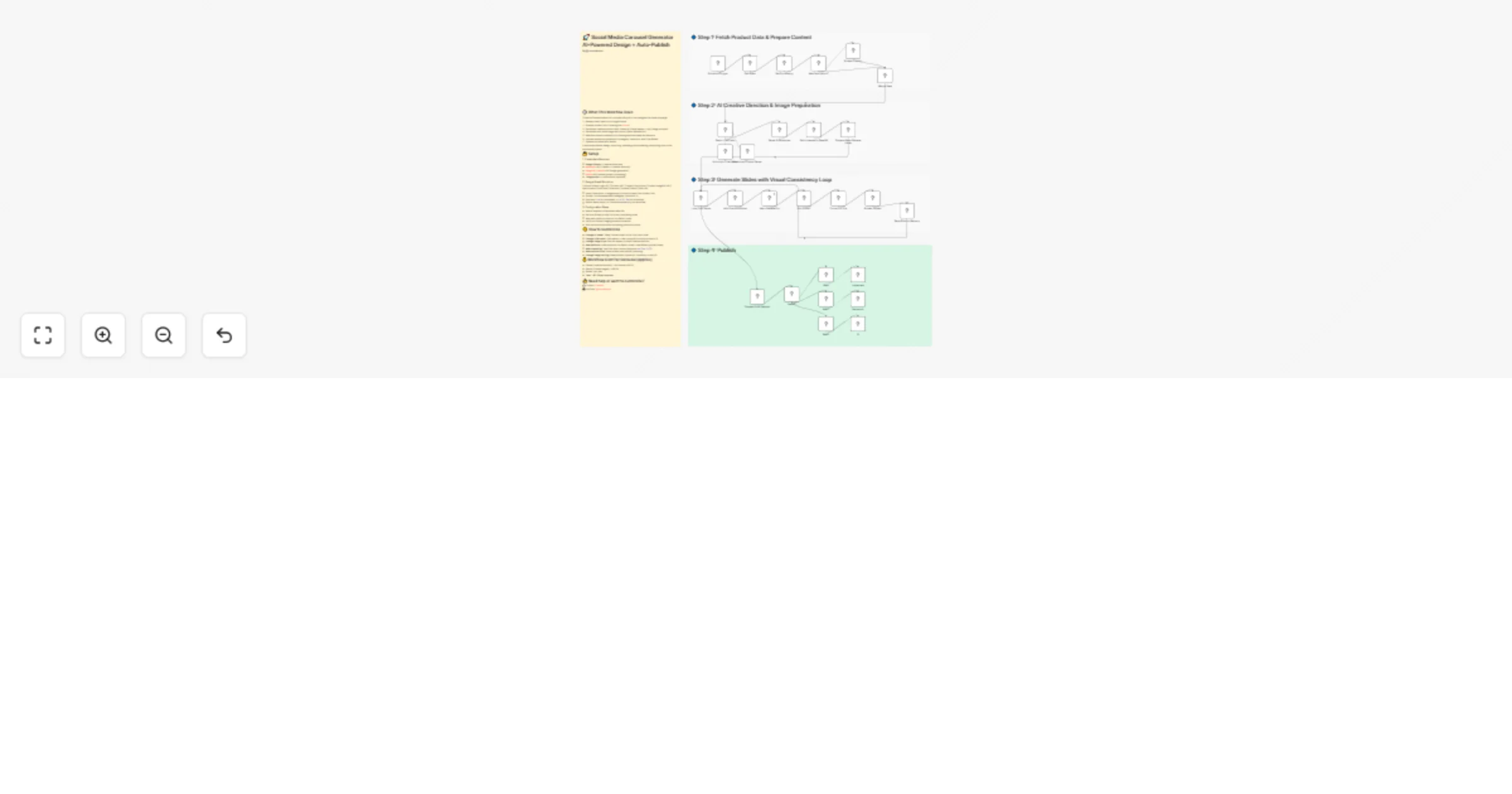
Step 1 β€” Data Pipeline (Google Sheet)
  • Runs on a schedule (configurable interval)
  • Pulls the next unprocessed row from Google Sheets
  • Each row = one carousel (one brand, one product, one post)
  • Marks the row as "Processing" to prevent duplicate execution
  • Checks if product description and images are provided β€” if missing, auto-scrapes from the product URL using Jina.ai (free, no account needed)
  • Merges all data into one clean payload for the AI
Step 2 β€” AI Creative Direction (Claude)
  • Sends all product data (description, images as base64, brand logo, creative specifications) to Claude via the Anthropic API
  • Claude acts as an executive creative director β€” not just generating content, but building a complete visual identity first:
  • Color palette (2-3 hex colors)
  • Typography style and hierarchy
  • Lighting direction and mood
  • Signature design element
  • Background texture concept
  • Then generates for each slide: headline, body copy, layout approach, and a detailed 80+ word image prompt
  • A 2000-word system prompt with banned elements list eliminates the generic AI look (no waves, no scattered leaves, no flat backgrounds, no Canva-style templates)
  • Every image prompt ends with a negative prompt / AVOID block β€” same concept as Stable Diffusion negative prompts, applied to Gemini
  • Output is structured JSON via a parser β€” no freeform text that could break the pipeline
  • Also generates the Instagram caption and hashtags
Step 3 β€” Image Generation with Visual Consistency Loop
  • This is the core innovation of the workflow
  • Slides are generated sequentially, NOT in parallel β€” this is critical
  • For slide 1: Gemini generates the image from the prompt + product reference images
  • For slide 2+: The workflow fetches all previously generated slides, converts them to base64, and attaches them as reference images alongside the current prompt
  • The text prompt explicitly instructs: "Match the exact typography, color palette, and lighting from the attached previous slides"
  • This creates a double enforcement system β€” visual reference + written instruction
  • Result: every slide in the carousel shares the same visual identity without using templates or presets
  • Images are generated via NanoBanana Pro (Gemini image generation API)
  • Each generated slide is uploaded to Blotato media storage and saved to a global memory array for the next iteration
  • Uses $getWorkflowStaticData('global') to persist slide URLs across loop iterations
Step 4 β€” Publishing & Status Update
  • Collects all uploaded slide URLs in correct order
  • Reads the "Socials" field from the Google Sheet (comma-separated: instagram, facebook, x)
  • Routes to the correct platform via a Switch node
  • Publishes via Blotato API β€” supports immediate posting or scheduled posting (ISO 8601 format)
  • One row can publish to all three platforms simultaneously
  • Updates the Google Sheet row: Status β†’ "Published" + direct Post URL
  • If anything breaks: Status β†’ "Failed" with error details

➑️ Result: One Google Sheet row in, one fully designed and published multi-platform carousel out. ~5 cents. ~5 minutes.


Setup

Required accounts & API keys:

  • Google Sheets β€” read/write access to your content spreadsheet
  • Anthropic β€” Claude API key (creative direction + copywriting)
  • Google AI / Gemini β€” API key for image generation via NanoBanana Pro ($300 free credit per new Gmail)
  • Blotato β€” API key for media upload + multi-platform publishing
  • Jina.ai β€” free web scraping, no account required (10M tokens free)

Google Sheet structure:

Column

Description

Brand Logo URL

Direct link to your brand logo β€” placed on every slide automatically

Product URL

Link to product page β€” used for auto-scraping if description/images are empty

Product Description

Optional β€” write it yourself for best results, or leave blank to auto-scrape

Product Images URL

Direct links to product photos (comma-separated for multiple)

Specification

Creative direction hint (e.g. "dark cinematic luxury" or "bright playful minimal") β€” leave empty for AI to decide

Post Date

YYYY-MM-DD format β€” workflow only picks up rows matching today's date

Post Hour

now for immediate publish, or 14:00 / 2pm for scheduled

Socials

Comma-separated platforms: instagram, facebook, x

Status

Leave empty β€” auto-filled: Processing β†’ Published / Failed

Post URL

Leave empty β€” auto-filled with direct link to live post

Configuration steps:

  1. Import the workflow JSON into n8n
  2. Add all required API credentials in n8n's credential manager
  3. Create your Google Sheet using the template provided (link in resources)
  4. Set your Blotato profile IDs in each publishing node (one per platform)
  5. Map platform outputs in the Switch node
  6. Verify the Gemini image generation endpoint in the NanoBanana Pro node
  7. Test with one row before activating production mode

Recommended hosting:

n8n is free and open source but needs a server. A VPS with at least 2GB RAM handles image generation and multiple API calls without issues. The workflow runs 24/7 on schedule.


How to customize

  • Change AI model: Swap Claude for GPT-4o or Gemini in the LLM Chain node β€” the structured output parser works with any model
  • Change slide count: Edit the system prompt and user prompt (currently locked to 3 slides)
  • Change visual style: Edit the creative direction in the system prompt β€” modify banned elements, change composition approaches, adjust the quality standard
  • Add platforms: Add new outputs to the Switch node + new Blotato publish nodes (Blotato supports TikTok, LinkedIn, Pinterest, Threads, YouTube, Bluesky)
  • Add approval step: Insert a Wait node before publishing to manually review before posting
  • Change image hosting: Swap Blotato Upload for Cloudinary or any S3-compatible storage
  • Change scraper: Swap Jina.ai for any other web scraping tool
  • Adjust scheduling: Modify the Schedule Trigger interval and use the Post Hour column for per-post timing
  • Multi-brand setup: Each row can have a different brand logo and creative specification β€” the AI generates a fresh visual identity per row

Cost breakdown per carousel (approx.)

Component

Cost

Claude (creative direction + copy, ~8K tokens)

~$0.02

Gemini (3 slide images via NanoBanana Pro)

~$0.03

Jina.ai (web scraping)

Free

Blotato (publishing)

Per plan

Total per carousel

~$0.05

Compare: Fiverr/Upwork designers charge $50-100 per carousel post. This workflow does it for 5 cents.

Gemini offers $300 free credit per new Gmail account β€” enough for thousands of carousels before spending anything.


Expected outcome

You get a fully automated carousel production system that can:

  • Generate agency-quality carousel designs from a spreadsheet
  • Maintain visual consistency across all slides without templates
  • Handle multiple brands with completely different visual identities
  • Publish to Instagram, Facebook, and X simultaneously
  • Schedule content weeks in advance
  • Scale from 1 carousel/day to dozens without additional effort
  • Eliminate design costs almost entirely

Typical use cases

  • E-commerce product marketing (daily product carousels)
  • Brand awareness campaigns across multiple platforms
  • Affiliate marketing content at scale
  • Social media agency client deliverables
  • Dropshipping product promotion
  • Multi-brand social media management
  • Content calendar automation
  • A/B testing different creative directions for the same product

Watch the full step-by-step walkthrough.

πŸŽ₯ Video Tutorial


πŸ‘‹ Need help or want to customize?

πŸ“© Contact: LinkedIn

πŸ“Ί YouTube: @nocodehack

🌐 Resources & Downloads: nocodehack.io

1.2 Logical Blocks

This catalog entry is organized from the workflow JSON. The node-level section below shows the executable blocks available for review before importing the template.

2. Block-by-Block Analysis

Block 1 - Schedule Trigger

Type / Role
n8n-nodes-base.scheduleTrigger - scheduleTrigger
Config choices
Version 1.3

Block 2 - Get Rows

Type / Role
n8n-nodes-base.googleSheets - googleSheets
Config choices
Version 4.7

Block 3 - Set Processing

Type / Role
n8n-nodes-base.googleSheets - googleSheets
Config choices
Version 4.7

Block 4 - Has Description?

Type / Role
n8n-nodes-base.if - if
Config choices
Version 2.3

Block 5 - Merge Data

Type / Role
n8n-nodes-base.code - code
Config choices
Version 2

Block 6 - Scrape Product

Type / Role
n8n-nodes-base.jinaAi - jinaAi
Config choices
Version 1

Block 7 - Parse AI Response

Type / Role
n8n-nodes-base.code - code
Config choices
Version 2

Block 8 - Fetch Images to Base64

Type / Role
n8n-nodes-base.code - code
Config choices
Version 2

Block 9 - Prepare Nano Banana Items

Type / Role
n8n-nodes-base.code - code
Config choices
Version 2

Block 10 - Edit Fields1

Type / Role
n8n-nodes-base.set - set
Config choices
Version 3.4

Block 11 - Loop Over Items

Type / Role
n8n-nodes-base.splitInBatches - splitInBatches
Config choices
Version 3

Block 12 - Nano Banana Pro

Type / Role
n8n-nodes-base.httpRequest - httpRequest
Config choices
Version 4.3

Block 13 - Add Previous Slides

Type / Role
n8n-nodes-base.code - code
Config choices
Version 2

Block 14 - Save Slide to Memory

Type / Role
n8n-nodes-base.code - code
Config choices
Version 2

Block 15 - Convert to File

Type / Role
n8n-nodes-base.convertToFile - convertToFile
Config choices
Version 1.1

Block 16 - Prepare Post Payload

Type / Role
n8n-nodes-base.code - code
Config choices
Version 2

Block 17 - Switch

Type / Role
n8n-nodes-base.switch - switch
Config choices
Version 3.4

Block 18 - instagram

Type / Role
@blotato/n8n-nodes-blotato.blotato - blotato
Config choices
Version 2

Block 19 - facebook

Type / Role
@blotato/n8n-nodes-blotato.blotato - blotato
Config choices
Version 2

Block 20 - X

Type / Role
@blotato/n8n-nodes-blotato.blotato - blotato
Config choices
Version 2

Block 21 - Blotato Upload

Type / Role
@blotato/n8n-nodes-blotato.blotato - blotato
Config choices
Version 2

Block 22 - Basic LLM Chain

Type / Role
@n8n/n8n-nodes-langchain.chainLlm - chainLlm
Config choices
Version 1.9

Block 23 - Anthropic Chat Model

Type / Role
@n8n/n8n-nodes-langchain.lmChatAnthropic - lmChatAnthropic
Config choices
Version 1.3

Block 24 - Structured Output Parser

Type / Role
@n8n/n8n-nodes-langchain.outputParserStructured - outputParserStructured
Config choices
Version 1.3

Showing the first 24 of 32 workflow blocks. Download the JSON for the full node graph.

3. Summary Table

Workflow Create AI social media carousels from Google Sheet and auto-publish with Blotato
Complexity advanced
Nodes 32
Categories Content Creation, Multimodal AI
Author ing.Seif
Published 22 Feb 2026

4. Reproducing the Workflow from Scratch

  1. 1. Download the workflow JSON

    Use the JSON export at /data/workflows/13605/13605.json as the source template for this automation.

  2. 2. Import the template into n8n

    Open n8n, import the downloaded JSON, and review each node before activating the workflow.

  3. 3. Configure credentials and variables

    Replace placeholder credentials, API keys, webhook URLs, account IDs, and environment-specific values with your own settings.

  4. 4. Test with sample data

    Run the workflow manually or in a staging workspace, inspect node output, and confirm downstream systems receive the expected data.

  5. 5. Activate and monitor

    Enable the workflow only after testing, then monitor executions, errors, and rate limits during the first production runs.

5. General Notes & Resources

Review imported nodes carefully before activation. This catalog entry is intended to help you inspect the workflow structure, understand required services, and find related templates faster.

Node names, credentials, schedules, webhook paths, and external service limits may need adjustment for your workspace.

Frequently asked questions

What does Create AI social media carousels from Google Sheet and auto-publish with Blotato do?

Create Pro Level Social Media Carousels & Auto Publish with Blotato ====================================================================== By @nocodehack Who is this for? This workflow is built ...

What do I need before importing this workflow?

Review the workflow JSON, configure any required credentials in n8n, and test the automation in a safe workspace before using it in production.

Can I customize this workflow?

Yes. Use the block-by-block analysis and the downloadable JSON to inspect each node, then adjust credentials, prompts, schedules, filters, or destinations for your Content Creation, Multimodal AI use case.