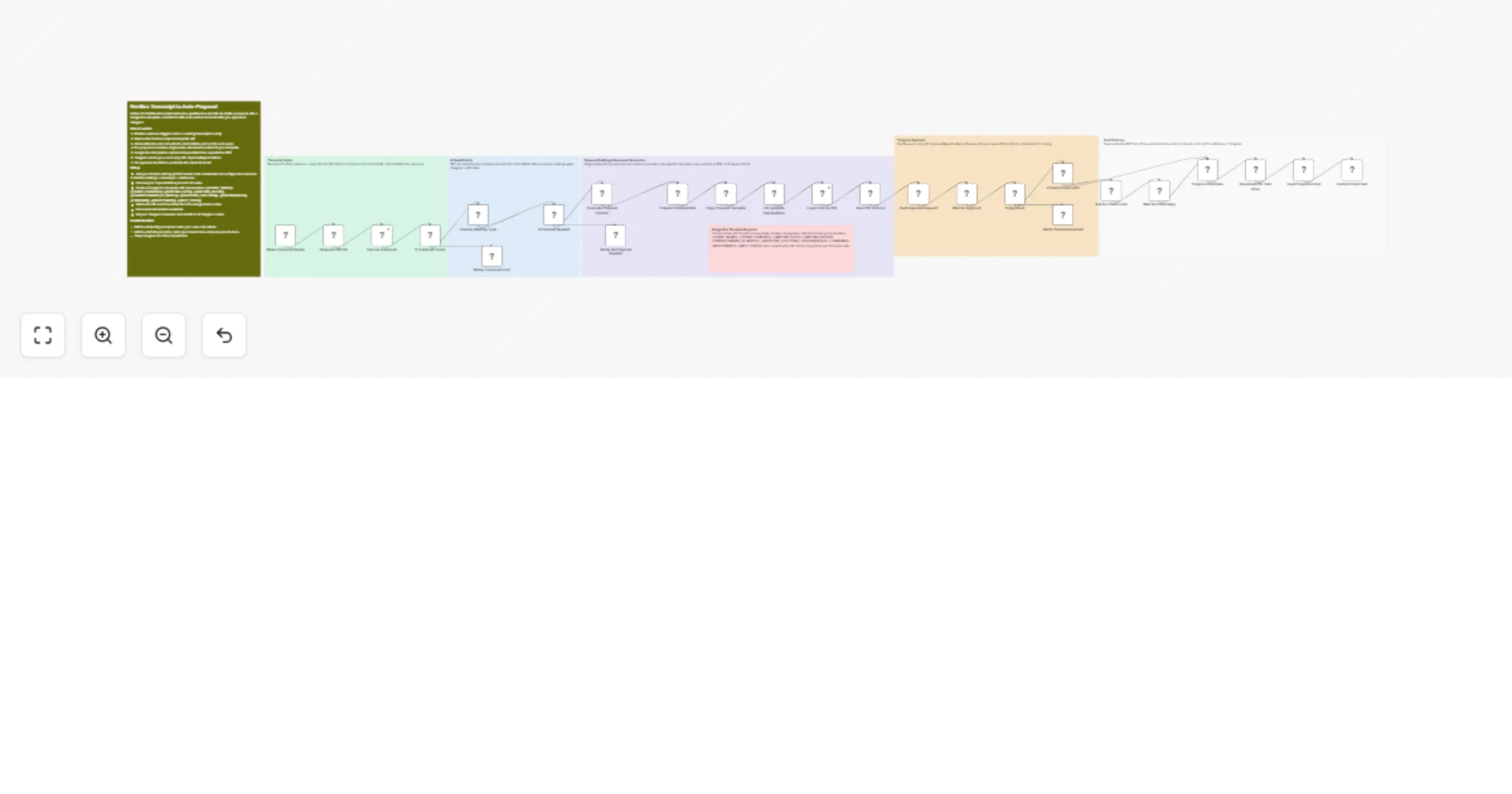
Create AI proposals from Fireflies transcripts with GPT-4o, Google Docs, Gmail and Telegram approval

Workflow preview

Workflow preview
100%
Create AI proposals from Fireflies transcripts with GPT-4o, Google Docs, Gmail and Telegram approval preview
Open on n8n.io

1. Workflow Overview

Fireflies AI Meeting Proposal Automation Listens for completed Fireflies transcripts, qualifies whether a proposal is needed using OpenAI, drafts structured proposal content, populates a Google Doc...

Best for

  • Document Extraction automation workflows
  • AI Summarization automation workflows
  • advanced n8n builders looking for reusable templates

Tools used

n8n-nodes-base.webhook, n8n-nodes-base.respondtowebhook, n8n-nodes-base.httprequest, n8n-nodes-base.if, @n8n/n8n-nodes-langchain.openai, n8n-nodes-base.set, n8n-nodes-base.googledrive, n8n-nodes-base.googledocs

Source and attribution

This workflow is cataloged by N8N Workflows and links back to its original n8n.io source page by Devon Toh.

Original n8n.io source

1.1 Workflow description

Title
Create AI proposals from Fireflies transcripts with GPT-4o, Google Docs, Gmail and Telegram approval
Workflow name
Create AI proposals from Fireflies transcripts with GPT-4o, Google Docs, Gmail and Telegram approval

Fireflies AI - Meeting Proposal Automation

Listens for completed Fireflies transcripts, qualifies whether a proposal is needed using OpenAI, drafts structured proposal content, populates a Google Doc template, converts to PDF, and sends it to the client via Gmail after you approve it in Telegram.

Who is this for?

Freelancers, agency owners, and consultants who run discovery or sales calls and want proposals out the door faster. If you are spending 30-60 minutes after every call writing proposals by hand, this workflow turns that into a 30-second review-and-approve flow from your phone.

What problem does this solve?

Proposals lose momentum. The longer the gap between a call and a follow-up, the colder the lead gets. Most freelancers finish a great call, get pulled into other work, and send the proposal 2-3 days later when the client has already moved on. This workflow captures everything from the Fireflies transcript, drafts a proposal using your own Google Doc template, and holds it for your approval before sending - so you stay fast without losing control or quality.

How it works
  1. Fireflies Webhook receives a transcript-ready event after your meeting ends
  2. Respond 200 OK sends an immediate response so Fireflies does not retry
  3. Fetch Fireflies Transcript calls the Fireflies GraphQL API to pull the full transcript, participants, summary, and action items using the transcript ID from the webhook
  4. IF Transcript Valid checks the response is not empty or malformed before proceeding
  5. OpenAI Qualify Meeting analyzes the full transcript - determines if this was a sales/discovery call that needs a proposal, and extracts client name, email, company, pain points, services discussed, and scope
  6. IF Needs Proposal routes to drafting if qualified, or notifies you via Telegram that no proposal is needed with the reason
  7. OpenAI Draft Proposal generates structured content for each template variable - CLIENT_NAME, MEETING_RECAP, UNDERSTANDING_OF_NEEDS, PROPOSED_SOLUTION, DELIVERABLES, TIMELINE, INVESTMENT, NEXT_STEPS
  8. Prepare Proposal Data consolidates AI outputs from both OpenAI nodes into a single clean data object
  9. Copy Template Doc duplicates your Google Doc template in Drive, Replace Template Variables does a find-and-replace for all 10 placeholders
  10. Export Doc as PDF converts the populated doc, Save PDF to Google Drive stores it in your proposals folder
  11. Telegram Send Approval Request sends you a summary with client details, a link to review the doc, and Approve/Reject buttons
  12. Wait for Approval pauses the workflow execution until you click a button - no polling, no timeout pressure
  13. If approved and client email exists, Send Proposal via Gmail emails the PDF with a professional follow-up message
  14. If client email was not found in the transcript, Telegram Ask for Email prompts you to reply with the address before sending
Setup
  • Fireflies - Create an HTTP Header Auth credential with your Fireflies API key. Go to Fireflies > Settings > Developer Settings > Webhooks, add your n8n webhook production URL, and select the Transcription completed event
  • OpenAI - Connect your API key credential. Default model is GPT-4o for both qualification and drafting. GPT-4o-mini works for qualification if you want to save cost on that step
  • Google Doc Template - Create a Google Doc with your proposal layout. Insert these exact placeholders where you want AI content: {{CLIENT_NAME}}, {{CLIENT_COMPANY}}, {{MEETING_DATE}}, {{MEETING_RECAP}}, {{UNDERSTANDING_OF_NEEDS}}, {{PROPOSED_SOLUTION}}, {{DELIVERABLES}}, {{TIMELINE}}, {{INVESTMENT}}, {{NEXT_STEPS}}. Copy the Doc ID from the URL and paste it into the Copy Template Doc node fileId field
  • Google Drive - Set the destination folder ID in both the Copy Template Doc and Save PDF to Google Drive nodes. This is where proposal docs and PDFs will be stored
  • Gmail - Connect your Google OAuth2 credential. The email will be sent from whichever Gmail account you authenticate
  • Telegram - Create a bot via @BotFather, copy the token. Get your Chat ID by messaging @userinfobot. Enter both in all 6 Telegram nodes
  • Test first - Set the workflow to inactive. Send a manual POST to the webhook URL with a real transcript ID from a past meeting. Review the full execution before activating for production
Customization tips
  • Qualification criteria - Edit the OpenAI Qualify Meeting system prompt to match your business. Add or remove trigger conditions like budget discussion, timeline mentioned, or specific services
  • Proposal tone - Adjust the OpenAI Draft Proposal system prompt few-shot examples and instructions to match your brand voice and proposal structure
  • Notification channel - Swap all Telegram nodes for Slack (using Slack node + webhook callback) if your team lives in Slack
  • Email copy - Edit the Gmail node message body to include your name, title, company, and any standard sign-off or links
  • Pricing logic - The default {{INVESTMENT}} value is [PRICING TO BE CONFIRMED]. Modify the OpenAI Draft Proposal prompt to generate pricing tiers based on scope if you have standard packages
  • Batch processing - If you run back-to-back calls, each transcript triggers independently. No conflicts between parallel executions

1.2 Logical Blocks

This catalog entry is organized from the workflow JSON. The node-level section below shows the executable blocks available for review before importing the template.

2. Block-by-Block Analysis

Block 1 - When Transcript Ready

Type / Role
n8n-nodes-base.webhook - webhook
Config choices
Version 2

Block 2 - Respond 200 OK

Type / Role
n8n-nodes-base.respondToWebhook - respondToWebhook
Config choices
Version 1

Block 3 - Get Full Transcript

Type / Role
n8n-nodes-base.httpRequest - httpRequest
Config choices
Version 4.2

Block 4 - If Transcript Exists

Type / Role
n8n-nodes-base.if - if
Config choices
Version 2.2

Block 5 - Classify Meeting Type

Type / Role
@n8n/n8n-nodes-langchain.openAi - openAi
Config choices
Version 1.8

Block 6 - If Proposal Needed

Type / Role
n8n-nodes-base.if - if
Config choices
Version 2.2

Block 7 - Generate Proposal Content

Type / Role
@n8n/n8n-nodes-langchain.openAi - openAi
Config choices
Version 1.8

Block 8 - Prepare Proposal Data

Type / Role
n8n-nodes-base.set - set
Config choices
Version 3.4

Block 9 - Copy Proposal Template

Type / Role
n8n-nodes-base.googleDrive - googleDrive
Config choices
Version 3

Block 10 - Fill Template Placeholders

Type / Role
n8n-nodes-base.googleDocs - googleDocs
Config choices
Version 2

Block 11 - Export Doc as PDF

Type / Role
n8n-nodes-base.httpRequest - httpRequest
Config choices
Version 4.2

Block 12 - Save PDF to Drive

Type / Role
n8n-nodes-base.googleDrive - googleDrive
Config choices
Version 3

Block 13 - Send Approval Request

Type / Role
n8n-nodes-base.telegram - telegram
Config choices
Version 1.2

Block 14 - Wait for Approval

Type / Role
n8n-nodes-base.wait - wait
Config choices
Version 1.1

Block 15 - If Approved

Type / Role
n8n-nodes-base.if - if
Config choices
Version 2.2

Block 16 - If Client Email Exists

Type / Role
n8n-nodes-base.if - if
Config choices
Version 2.2

Block 17 - Ask for Client Email

Type / Role
n8n-nodes-base.telegram - telegram
Config choices
Version 1.2

Block 18 - Wait for Email Reply

Type / Role
n8n-nodes-base.wait - wait
Config choices
Version 1.1

Block 19 - Prepare Email Data

Type / Role
n8n-nodes-base.set - set
Config choices
Version 3.4

Block 20 - Download PDF from Drive

Type / Role
n8n-nodes-base.googleDrive - googleDrive
Config choices
Version 3

Block 21 - Send Proposal Email

Type / Role
n8n-nodes-base.gmail - gmail
Config choices
Version 2.1

Block 22 - Confirm Email Sent

Type / Role
n8n-nodes-base.telegram - telegram
Config choices
Version 1.2

Block 23 - Notify Proposal Rejected

Type / Role
n8n-nodes-base.telegram - telegram
Config choices
Version 1.2

Block 24 - Notify No Proposal Needed

Type / Role
n8n-nodes-base.telegram - telegram
Config choices
Version 1.2

Showing the first 24 of 32 workflow blocks. Download the JSON for the full node graph.

3. Summary Table

Workflow Create AI proposals from Fireflies transcripts with GPT-4o, Google Docs, Gmail and Telegram approval
Complexity advanced
Nodes 32
Categories Document Extraction, AI Summarization
Author Devon Toh
Published 04 Apr 2026

4. Reproducing the Workflow from Scratch

  1. 1. Download the workflow JSON

    Use the JSON export at /data/workflows/14717/14717.json as the source template for this automation.

  2. 2. Import the template into n8n

    Open n8n, import the downloaded JSON, and review each node before activating the workflow.

  3. 3. Configure credentials and variables

    Replace placeholder credentials, API keys, webhook URLs, account IDs, and environment-specific values with your own settings.

  4. 4. Test with sample data

    Run the workflow manually or in a staging workspace, inspect node output, and confirm downstream systems receive the expected data.

  5. 5. Activate and monitor

    Enable the workflow only after testing, then monitor executions, errors, and rate limits during the first production runs.

5. General Notes & Resources

Review imported nodes carefully before activation. This catalog entry is intended to help you inspect the workflow structure, understand required services, and find related templates faster.

Node names, credentials, schedules, webhook paths, and external service limits may need adjustment for your workspace.

Frequently asked questions

What does Create AI proposals from Fireflies transcripts with GPT-4o, Google Docs, Gmail and Telegram approval do?

Fireflies AI Meeting Proposal Automation Listens for completed Fireflies transcripts, qualifies whether a proposal is needed using OpenAI, drafts structured proposal content, populates a Google Doc...

What do I need before importing this workflow?

Review the workflow JSON, configure any required credentials in n8n, and test the automation in a safe workspace before using it in production.

Can I customize this workflow?

Yes. Use the block-by-block analysis and the downloadable JSON to inspect each node, then adjust credentials, prompts, schedules, filters, or destinations for your Document Extraction, AI Summarization use case.